Vscode: SCM: Add "stage ranges" action/button to diff view


 auchenberg
All 7 comments
We're gonna add them to the context menu for now: #25766
 joaomoreno
on 8 May 2017
joaomoreno
on 8 May 2017
I think this should work with selection as well, should switch to Stage selected lines when a selection it's done.
 michaeljota
on 16 May 2017
michaeljota
on 16 May 2017
This should at least be added to the right click context menu. A button would be nice as well.
 danawoodman
on 6 Oct 2017
danawoodman
on 6 Oct 2017
Can we add an unstage(reset -p) and discard(checkout -p) button as well?
 SgtPooki
on 5 Nov 2017
SgtPooki
on 5 Nov 2017
Staging ranges (hunks) is now available in the context menu, but the user in this issue did not discover it. I believe the current UI makes this too hard to discover.
Consider this situation:

To stage the deleted hunk, the area that the user needs to interact with is highlighted in green:
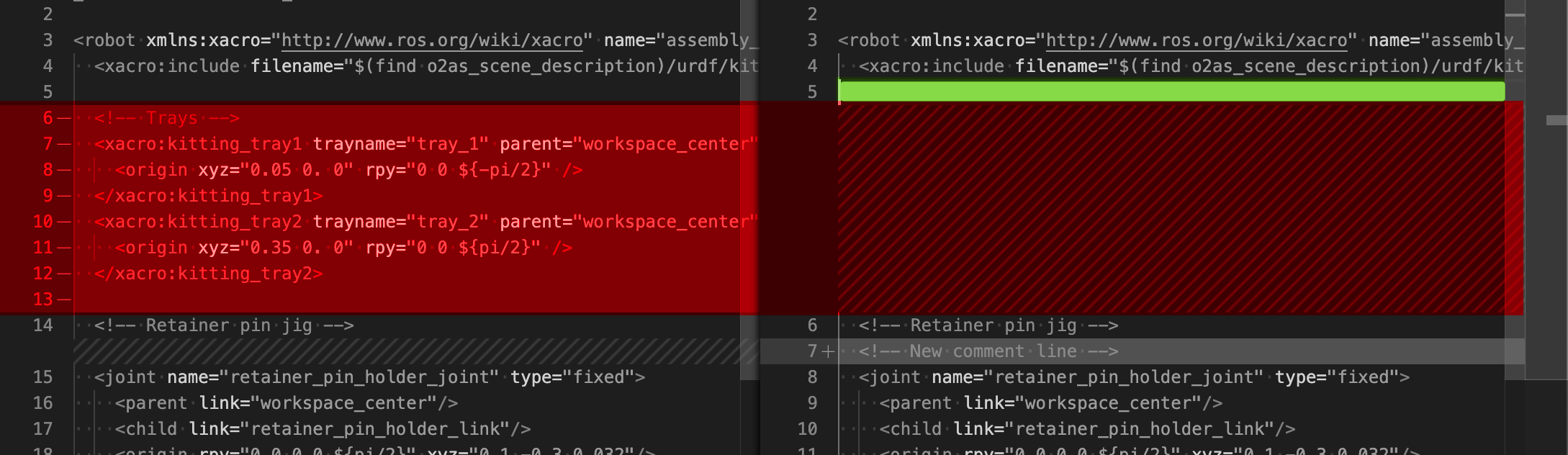
This affordance is exceedingly difficult to find, since interacting with the two most visible elements (highlighted in red) leads to failure:
- right-clicking in the greyed-out area of a hunk of deleted lines does not open the context menu
- right-clicking in the left side of the diff view does not show the staging option (this behavior is apparently by design, although I can't follow the rationale)
To find this feature, the user has to right-click the line _above_ the deleted hunk, on the right side of the screen, which is not highlighted in any way. In short, this is not a well designed interface element and should be changed.
 felixvd
on 11 Dec 2019
felixvd
on 11 Dec 2019
Any progress on this? I read #3563 and an UI like GitHub desktop provides would aid a login discoverability! Atom does this in the same way.
 timjs
on 16 Apr 2020
timjs
on 16 Apr 2020
I agree with @timjs. I'd never really used hunk or partial staging until I started using Atom. When committing changes, everything is visible and easy to understand.
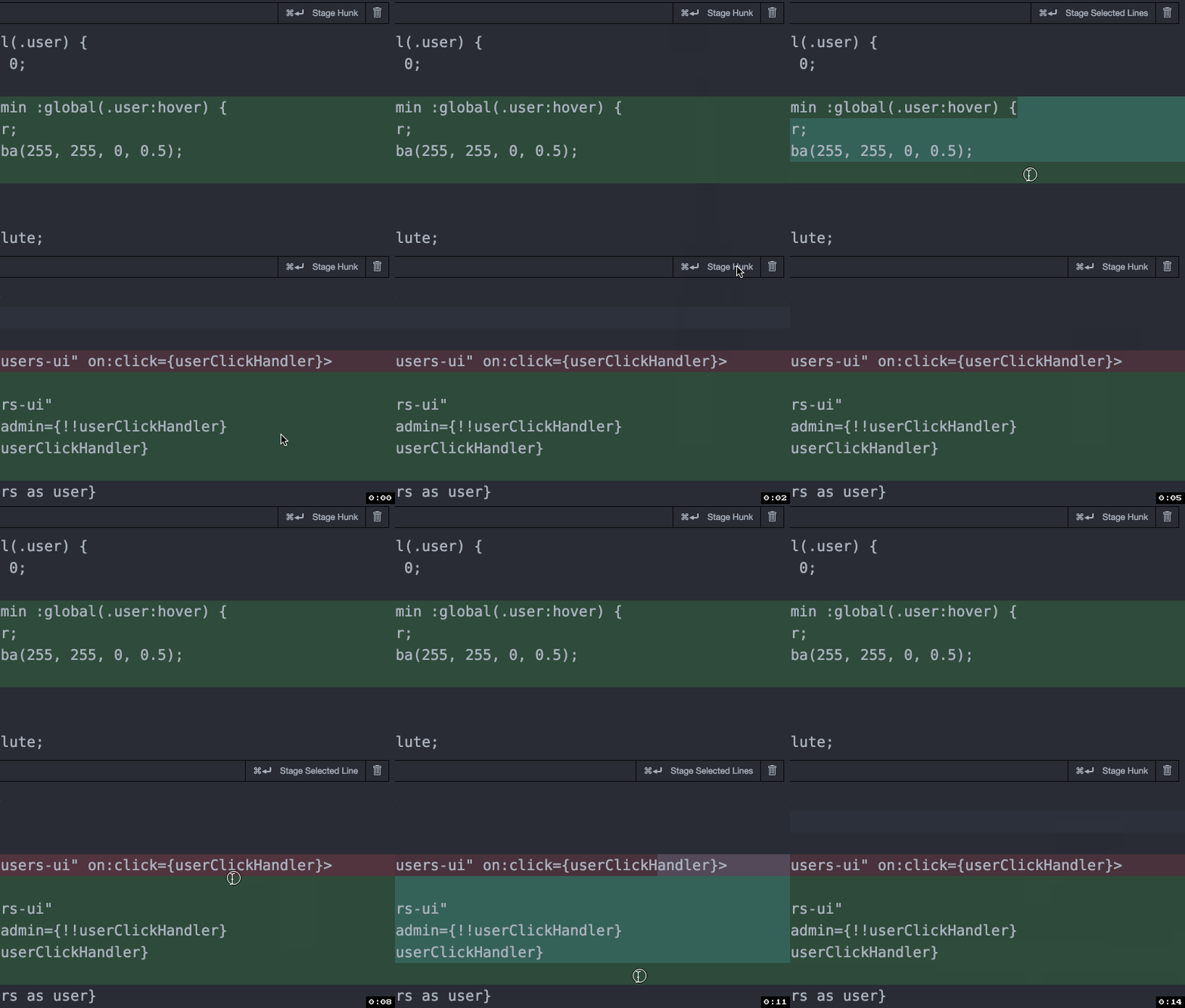
 the0neWhoKnocks
on 4 Aug 2020
the0neWhoKnocks
on 4 Aug 2020
Related issues
 lukehoban
·
3Comments
lukehoban
·
3Comments
 vsccarl
·
3Comments
vsccarl
·
3Comments
 omidgolparvar
·
3Comments
omidgolparvar
·
3Comments
 biij5698
·
3Comments
biij5698
·
3Comments
 DovydasNavickas
·
3Comments
DovydasNavickas
·
3Comments
Most helpful comment
Can we add an unstage(reset -p) and discard(checkout -p) button as well?