Vscode: TMux: Copy and paste commands not working on Mac OS
- VSCode Version: 1.11.1
- OS Version: 10.12.4
Steps to Reproduce:
- Highlight text and either use the copy keyboard shortcut or select the copy command from the edit menu.
- Attempt to paste the copied selection by either using the paste keyboard shortcut or select the paste command from the edit menu.
- The text does not paste
Additional Info:
- Keyboard shortcuts are properly assigned
- Cut command works but paste still does not work after cutting text
- Disabling all extensions did not fix the issue
- Using the command palette to select copy and paste also does not work
 estrode
All 39 comments
Which keyboard layout are you using?
 chrmarti
on 6 Apr 2017
chrmarti
on 6 Apr 2017
I am using the default keyboard layout. I have not made any changes.
estrode
on 6 Apr 2017
Is the physical keyboard U.S. English?
chrmarti
on 6 Apr 2017
Yes it is.
estrode
on 6 Apr 2017
Is this perhaps a dup of #13366, which is an external issue described in electron repo https://github.com/electron/electron/issues/916 .
For short:
OS X's clipboard API requires the process to run in a UI session, which might not be true if you are using tmux.
You can mitigate this issue by following https://github.com/ChrisJohnsen/tmux-MacOSX-pasteboard#mac-os-x-pasteboard-access-under-tmux-and-screen
 alexdima
on 7 Apr 2017
alexdima
on 7 Apr 2017
That is not the issue, I am launching the application from the applications list and I am not using screen or tmux.
estrode
on 7 Apr 2017
Also experiencing this after upgrading to 1.11.2. Copy and paste don't work, neither from the keyboard nor the context menus, and I also launch via the applications list.
 benesch
on 24 Apr 2017
benesch
on 24 Apr 2017
The same problem in 1.12.1 version on MacOS.
 appleboy
on 5 May 2017
appleboy
on 5 May 2017
I believe this is an Electron issue - https://github.com/electron/electron/issues/9352
Does the description in there ring any bell? i.e. after restarting the app, does the clipboard start working again?
alexdima
on 5 May 2017
It is not woking after restarting the app. :(
appleboy
on 5 May 2017
I resolved it by rebooting my whole machine. A big hammer, to be sure, but
fortunately the problem hasn't reproduced since.
On Fri, May 5, 2017 at 12:24 PM Bo-Yi Wu notifications@github.com wrote:
It is not woking after restarting the app. :(
—
You are receiving this because you commented.
Reply to this email directly, view it on GitHub
https://github.com/Microsoft/vscode/issues/24112#issuecomment-299510697,
or mute the thread
https://github.com/notifications/unsubscribe-auth/AA15IDmX8jMeAzAXUIm3hykwqH84NIvhks5r201JgaJpZM4M178x
.
benesch
on 5 May 2017
Same here (when trying to paste to command palette), but it just worked again after restarting VS Code.
Not sure how to reproduce it.
 hungys
on 10 May 2017
hungys
on 10 May 2017
I revert the vs code version to 1.11.2 which is working version for me.
appleboy
on 10 May 2017
@appleboy
So it makes more sense that this might be an upstream issue :/
1.12 Release Note: In this release, we updated from Electron 1.4.x to 1.6.6.
UPDATE: Sorry I didn't notice that OP reported this issue before the release of 1.12
hungys
on 10 May 2017
@hungys Yes.
I don't know why it is working after restart vscode app for you or anyone. This approach can't work with my mac OS 10.10.5.
appleboy
on 10 May 2017
@appleboy
I'm on macOS 10.12.4, FYI
Despite restarting somehow resolves it, my friends with the same OS version still experienced this issue frequently. While I found it hard to reproduce it.
To clarify, we only experienced this issue when trying to paste something to the command palette.
hungys
on 10 May 2017
restarting the app does not help me, and I can repro in a variety of places, not just the command palette. I also regularly can not type in a new blank document. (macOS Sierra)
 colemickens
on 16 May 2017
colemickens
on 16 May 2017
@colemickens
For the second issue, are you on 1.13-Insiders? check #26279
hungys
on 17 May 2017
Here is an interesting comment from a different issue - https://github.com/Microsoft/vscode/issues/6884#issuecomment-241848994
This was indeed an OSX issue for me. The following worked:
launchctl stop com.apple.pboard
launchctl start com.apple.pboard
See http://apple.stackexchange.com/questions/31866/copy-and-cut-sometimes-dont-work
alexdima
on 20 May 2017
@alexandrudima
This doesn't work for me.
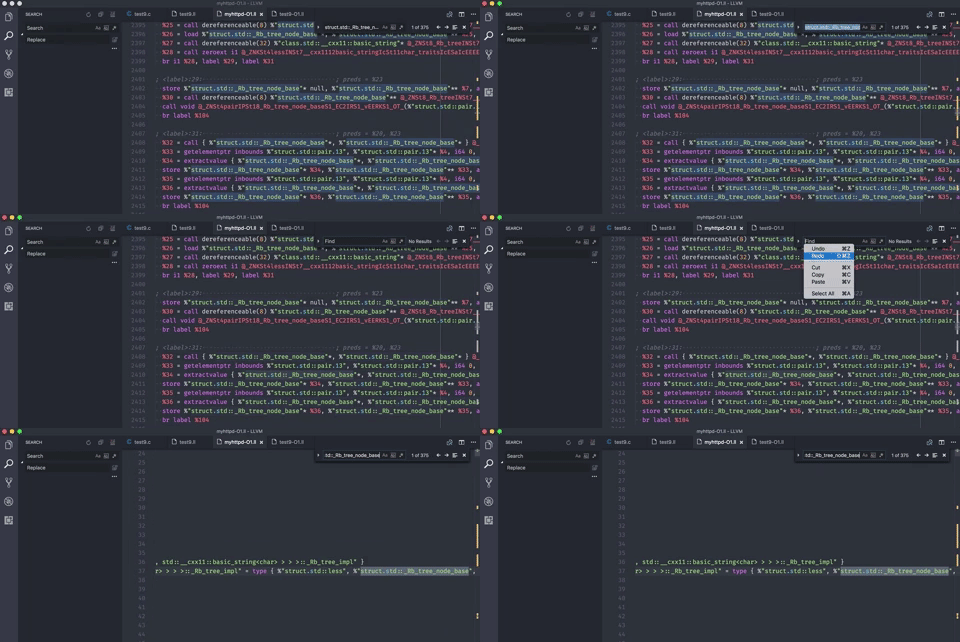
Actually I only have copy-paste issue in non-editor area, e.g. the search panel and the search prompt. Check the following gif, I can successfully paste the text from context menu, but not via keyboard shortcut, so I think it's not the issue of clipboard subsystem.
hungys
on 20 May 2017
Bumping this - experiencing the same issue in v 1.16 on MacOS 10.12.6f from within tmux and ZSH Shell.
 jldeen
on 19 Sep 2017
jldeen
on 19 Sep 2017
Same issue here.
 damianesteban
on 20 Sep 2017
damianesteban
on 20 Sep 2017
Same issue right now!
MacOS 10.12.6
 adewalegeorge
on 27 Sep 2017
adewalegeorge
on 27 Sep 2017
i got the same issue. cannot paste to visual studio code
macos 10.12.6
 anhvngo
on 29 Sep 2017
anhvngo
on 29 Sep 2017
Updated to MacOS 10.13 (High Sierra) can confirm the issue persists. VS Code version 1.16.1.
jldeen
on 29 Sep 2017
Same issue here. VSCode 1.16.1 on MacOS 10.12.6. Using tmux type code to open the project then I couldn't use copy/paste shortcut key combination.
 John-Lin
on 30 Sep 2017
John-Lin
on 30 Sep 2017
A workaround for now is to start vscode "outside" of tmux, then newly spawned windows using code inside tmux will have copy/paste.
 xeor
on 8 Oct 2017
xeor
on 8 Oct 2017
I would enjoy if copy and paste would be working so I can remove the tmux configuration, since I have enabled the option in iTerm to integrate tmux. I am using
VSCode 1.17.1,
tmux 2.6 and
iTerm 3.1.3.
However, for all reading this you can fix it "correctly" with brew install reattach-to-user-namespace and the following tmux option set -g default-command "reattach-to-user-namespace -l $SHELL". Below you can find my tmux.conf:
## List of plugins managed by TPM.
set -g @plugin 'tmux-plugins/tpm'
set -g @plugin 'tmux-plugins/tmux-sensible'
set -g @plugin 'tmux-plugins/tmux-yank'

## Enable UTF-8.
set -g utf8 on
set -g status-utf8 on

## Start window numbering at 1
set -g base-index 1
set-window-option -g pane-base-index 1

## Enable mouse support.
set -g mode-mouse on
set -g mouse-resize-pane on
set -g mouse-select-pane on
set -g mouse-select-window on

## Enable focus events for terminals which supports them.
set -g focus-events on

## Address VIM mode switching delay (http://superuser.com/a/252717/65504).
set -s escape-time 0

## Required by MacOS Sierra and Sierra High.
set -g default-command "reattach-to-user-namespace -l $SHELL"

## Initialize TMUX plugin manager.
run '~/.tmux/plugins/tpm/tpm'

# The condition in the tmux-sensible plugin does not seem to be working...
# This line is required since updating to Sierra High.
set-window-option -g aggressive-resize off
 ezintz
on 15 Oct 2017
ezintz
on 15 Oct 2017
@estrode do you still see this?
 bpasero
on 6 Mar 2018
bpasero
on 6 Mar 2018
As I am experiencing this issue, is there anything I can do to help with fixing / reproducing this @bpasero ?
 stanleykylee
on 8 Mar 2018
stanleykylee
on 8 Mar 2018
Open for help 👍 , no clue where to start though. @Tyriar ?
bpasero
on 8 Mar 2018
Jumping back in here, currently using VS Code 1.21.0 on 10.13.4 Beta (17E170C) and the issue no longer persists for me. I can copy and paste back and forth just fine. Using iTerm2 3.0.15 to start code from CLI.
jldeen
on 8 Mar 2018
@jldeen where are you getting the Beta version from? I downloaded Visual Studio Code Insiders edition and I still get the same issue.
stanleykylee
on 8 Mar 2018
I'm using Beta 10.13.4 macOS, but not VS Code. I believe you need to be part of the Developer's program with Apple to have access to the macOS Beta software, but other than that, I'm not using anything beta.
* Edit - Looks like you can register here for macOS Beta: https://beta.apple.com/sp/betaprogram/
jldeen
on 8 Mar 2018
I've updated to Visual Studio Code 1.21.0 and OSX 10.13.4 Beta (17E170c) and still experiencing this issue. Though, my iTerm2 is 3.1.5.
Just to note, this only happens when I execute code . while in a TMUX session. Running code . from an iTerm terminal session itself doesn't exhibit this issue.
stanleykylee
on 9 Mar 2018
@stanleykylee and did you follow the advice in https://github.com/Microsoft/vscode/issues/24112#issuecomment-336672556 to enable copy/paste?
bpasero
on 9 Mar 2018
@bpasero sorry, I hadn't. I just did not and yes, it works with that option enabled. Is this the accepted fix or is this considered a work around for now?
stanleykylee
on 9 Mar 2018
Yes that seems to be the fix.
bpasero
on 9 Mar 2018
Sounds good. Thanks!
stanleykylee
on 9 Mar 2018
Related issues
 DovydasNavickas
·
3Comments
DovydasNavickas
·
3Comments
 ryan-wong
·
3Comments
ryan-wong
·
3Comments
 chrisdias
·
3Comments
chrisdias
·
3Comments
 v-pavanp
·
3Comments
v-pavanp
·
3Comments
 lukehoban
·
3Comments
lukehoban
·
3Comments
Most helpful comment
Is this perhaps a dup of #13366, which is an external issue described in electron repo https://github.com/electron/electron/issues/916 .
For short:
You can mitigate this issue by following https://github.com/ChrisJohnsen/tmux-MacOSX-pasteboard#mac-os-x-pasteboard-access-under-tmux-and-screen