Vscode: Preserve and restore the last typed text in command palette
- VSCode Version: 1.7.2
- OS Version: OSX El-Capitan 10.11.6
Steps to Reproduce:
Please make vscode save last session typing when open cmd+shift+p command pallete,
the big issue is I must type again and again the same text when using command pallete in vscode
 rohmanhm
All 12 comments
@rohmanhm You want the text that you typed the last time you used the command palette to be restored when you reopen the command palette?
 kieferrm
on 14 Dec 2016
kieferrm
on 14 Dec 2016
Yes, correct. It much saves time rather than retype the same text.
rohmanhm
on 15 Dec 2016
Both restoring the text when you haven't used other command from the palette, as well as remembering your selected result when you type a command to filter them out.
Example
Hitting cmd + shift + p and typing > install will show me multiple available commands, but I most often use the npm install one. It would be great if VSCode would keep a rank of my selection so that it could immediately highlight the one I use the most.
 bjerkins
on 9 Feb 2017
bjerkins
on 9 Feb 2017
Yes, for the current issue and yes for the rank so the palette smartly selects the most used command based on what is typed. I think Sublime does that and it is so fast and productive.
 freMea
on 21 Mar 2017
freMea
on 21 Mar 2017
Is it really to select the most used command? I just tried in Sublime and it seems to restore the last used command. I think that would make more sense to me.
 bpasero
on 1 Jun 2017
bpasero
on 1 Jun 2017
Let's put aside _Sublime text_ for now and please let me summarize the expectations.
Here is the logic
var option = { "commands" : "last (OR most used)", "rank":  true }

If user call the panel then
  put the 5 option.commands at the top of the list
  AND select the first one so user just has to press ENTER to run it.

When user start typing in the panel then
  if several commands match the input pattern
    if option.rank is TRUE
      select the most relevant according to rank (the most used one)
    else
      select the most relevant according to MRU time
I think this is the most efficient and productive and customized way to go.
I hope it is clearer despite the own logic language used 😅
freMea
on 1 Jun 2017
If we were to simply keep a list of most recently used commands and show them on top of all commands whenever you open the command palette, do we still need to restore the last typed input? I think the main usecase is to be able to quickly re-trigger the last command executed and if the most recently used command was always selected to the top, wouldn't that solve it too?
bpasero
on 5 Jun 2017
That's a start for a next release but it doesn't cover all the features bjerkins and I mentioned. The rank stuff would be effective to quickly run the command we expect when typing as if VSCode were reading or mind 😉But it may be enough most of the time. Let's do this as a first step and see if we need more later. I bet we will IMHO
freMea
on 6 Jun 2017
@freMea @bjerkins can you give an example of something that my suggestion does not cover?
bpasero
on 6 Jun 2017
@bpasero
If your suggestion is:
Put a list of most recently used commands and show them on top of all commands whenever you open the command palette.
Then it fulfills the use case when user only needs or prefers to access the most recent commands. What if the case when one prefers to access the most used commands of all time or of the session time instead? It may be more relevant in some cases. A command to toggle between those 2 flavors would be great.
This list at the top should also be triggered as priority commands when user start typing so if there are several matches the panel will select the command that is in this list first. I'm afraid I could not explain more than I already said before.
freMea
on 6 Jun 2017
@freMea I think having a list of most used commands across all times is less useful compared to showing the commands in MRU order. Let's start with that.
bpasero
on 7 Jun 2017
Added via "workbench.commandPalette.preserveInput": true
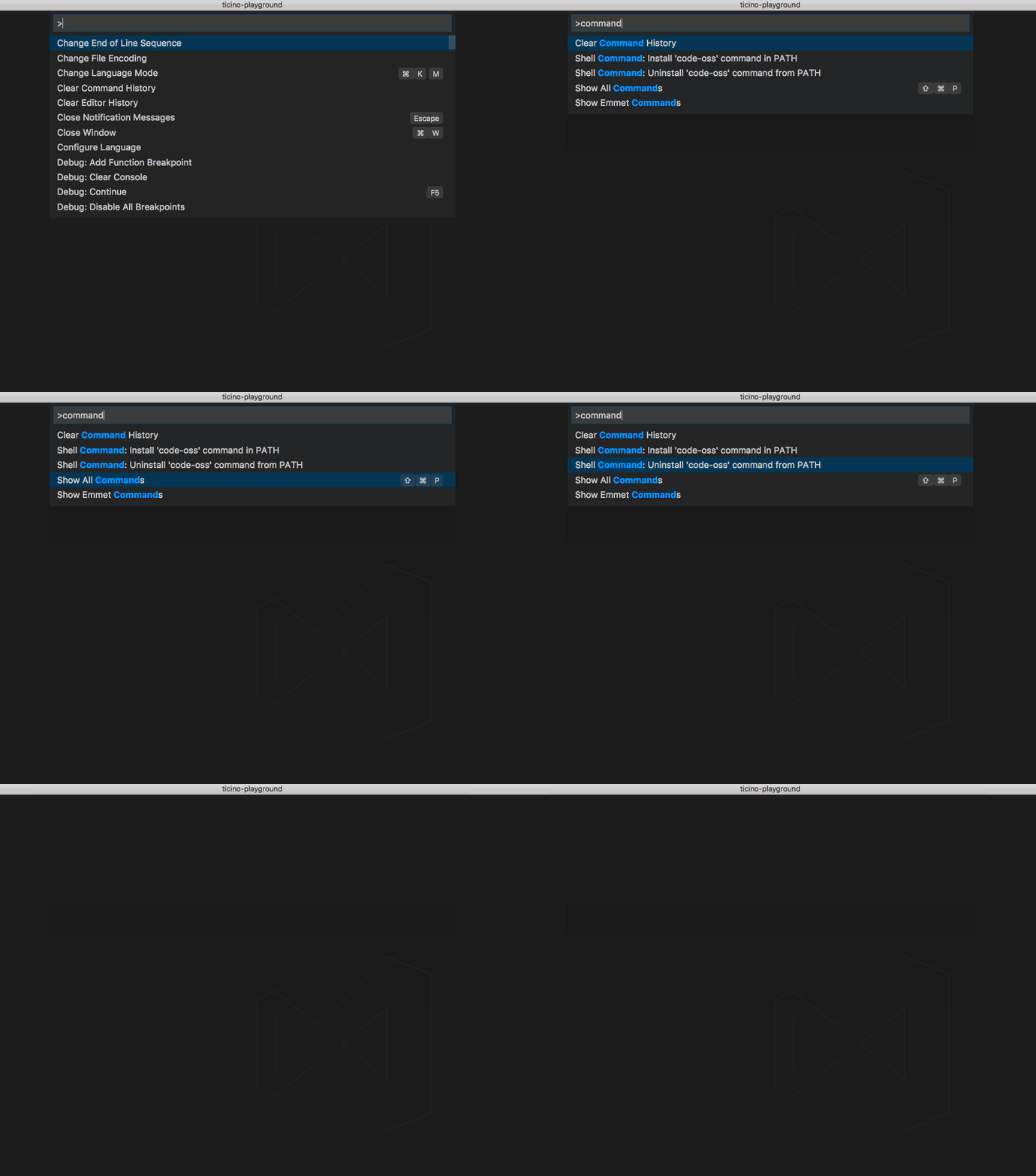
Please also see the resolution of https://github.com/Microsoft/vscode/issues/13080 for a related option (MRU history).
bpasero
on 7 Jun 2017
Related issues
 lukehoban
·
3Comments
lukehoban
·
3Comments
 biij5698
·
3Comments
biij5698
·
3Comments
 vsccarl
·
3Comments
vsccarl
·
3Comments
 ryan-wong
·
3Comments
ryan-wong
·
3Comments
 curtw
·
3Comments
curtw
·
3Comments
Most helpful comment
Added via
"workbench.commandPalette.preserveInput": truePlease also see the resolution of https://github.com/Microsoft/vscode/issues/13080 for a related option (MRU history).