- VSCode Version: 1.8.x
Now that we show the quick fix light bulb in the gutter it would make sense to show it as soon as an fixable error on the line exists.
 dbaeumer
All 11 comments
@dbaeumer You mean when the cursor is on that line/word?
 jrieken
on 8 Dec 2016
jrieken
on 8 Dec 2016
Yes, when the cursor is on that line.
dbaeumer
on 8 Dec 2016
I was waiting for that: https://github.com/Microsoft/vscode/blob/master/src/vs/editor/contrib/quickFix/browser/quickFixModel.ts#L80
jrieken
on 8 Dec 2016
@bgashler1 Can you create a second light bulb icon to differentiate the cases in which a code action is for an error/warning or a just for a word. Basically, code 'quick fix' vs 'refactoring'? The code and css is already prepared for this, see the selectors with ...[data-severity="high"]
jrieken
on 3 Jan 2017
@jrieken are we sure we need separate icons? In Visual Studio, there is only one light bulb icon for both refactoring and other fixes.
 bgashler1
on 4 Jan 2017
bgashler1
on 4 Jan 2017
Unsure - I have seen this in IntelliJ and liked it
jrieken
on 4 Jan 2017
@jrieken here's what this might look like.

Assume that the green top lightbulb of fixing a missing semi-colon was a quick fix (no refactoring). Whereas, assume the red suggestion would suggest something like adding the missing variable to the end of the signature (refactoring). (i.e. ignore the code and just pay attention to the visual difference of these two lightbulbs).
bgashler1
on 17 Jan 2017
Personally, it seems weird to me to have two different light bulb icons. Just my two cents. It feels almost like it's duplicating information presented in the squiggles, but maybe I'm missing how it could tell something the squiggles can't.
bgashler1
on 17 Jan 2017
Yeah, now that I see it I am not liking it that much.
jrieken
on 17 Jan 2017
We won't do another icon. This issue is resolved then
jrieken
on 19 Jan 2017
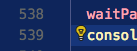
Frankly, I really like to see an upgrade that allows me to Turn Off the yellow bulb. It is a pain. The reason its a pain is not because of its utility or purpose but because it stands in the way of me being able to highlight a line and drag it. That's because its not in the gutter, its in the text line itself.
 riclf
on 24 Oct 2017
riclf
on 24 Oct 2017
Related issues
 omidgolparvar
·
3Comments
omidgolparvar
·
3Comments
 biij5698
·
3Comments
biij5698
·
3Comments
 trstringer
·
3Comments
trstringer
·
3Comments
 philipgiuliani
·
3Comments
philipgiuliani
·
3Comments
 v-pavanp
·
3Comments
v-pavanp
·
3Comments
Most helpful comment
Personally, it seems weird to me to have two different light bulb icons. Just my two cents. It feels almost like it's duplicating information presented in the squiggles, but maybe I'm missing how it could tell something the squiggles can't.