Vscode: Make history navigation aware of editor groups
- VSCode Version: Code 1.3.1 (e6b4afa53e9c0f54edef1673de9001e9f0f547ae, 2016-07-12T13:35:06.227Z)
- OS Version: Windows_NT ia32 10.0.10586
Steps to Reproduce:
1.open a file in editor 1;
2.open same file in other editor 2(ctrl +2 side editor)
- in editor 1 move cursor to line 1 and then to line 2
4 in editor 2 move cursor to line 3 and then to line 4
5 click mouse backward button in editor 1 the cursor back to line 4 but i want to line 1
It seems every file have one cursor backward stack,and all side editor share it?
Regards
 xckai
xckai
All 19 comments
That might well be an issue, have to check.
 bpasero
on 5 Aug 2016
bpasero
on 5 Aug 2016
Open for PRs here. Currently our Back/Forward navigation ignores the location of the editor in the UI. The code lives in https://github.com/Microsoft/vscode/blob/master/src/vs/workbench/services/history/browser/history.ts#L222
bpasero
on 8 Aug 2016
Challenge here is what to do when a editor group moves, either via explicit gesture from the user or by closing a group to the left. I think it will be hard to restore whatever the user did over time.
bpasero
on 8 Sep 2017
Note to self:
- Add commands to navigate tabs in MRU order without picker (https://github.com/Microsoft/vscode/issues/15319)
- Add an editor picker that allows to navigate editors in MRU order across groups (https://github.com/Microsoft/vscode/issues/37366)
Having group-awareness in the history stack would enable both features:
- MRU navigation without picker requires to use the history stack in that specific group
- MRU navigation across groups requires a new view on the history that is group aware
bpasero
on 24 May 2018
This feature request is now a candidate for our backlog. The community has 60 days to upvote the issue. If it receives 20 upvotes we will move it to our backlog. If not, we will close it. To learn more about how we handle feature requests, please see our documentation.
Happy Coding!
![vscodebot[bot] picture](https://avatars2.githubusercontent.com/in/2406?v=4&s=40) vscodebot[bot]
on 16 Jan 2020
vscodebot[bot]
on 16 Jan 2020
:slightly_smiling_face: This feature request received a sufficient number of community upvotes and we moved it to our backlog. To learn more about how we handle feature requests, please see our documentation.
Happy Coding!
vscodebot[bot]
on 25 Feb 2020
(VSCode 1.45.0, MacOS Catalina)
Split editor, navigates back to the different editor:
- open split editor on file A and move cursor to a different point in editor 2.
- go to definition from editor 1, which opens file B
- go back moves the cursor on editor 2 and leave file B open in editor 1
=> Lost the reference I was looking at in both editors.
Should, IMHO, navigate back in the same editor respecting the other editor's positions.
 riverinyo
on 15 May 2020
riverinyo
on 15 May 2020
I wish I could +Infinity this issue. This drives me absolutely insane every.single.day.
 Matmo10
on 10 Jun 2020
Matmo10
on 10 Jun 2020
Is this being prioritized? Much like @Matmo10 said, this issue is killing the experience for me.
 tonysparks
on 9 Oct 2020
tonysparks
on 9 Oct 2020
This issue is a pain-point for me too, I'd really appreciate a fix.
 replay
on 9 Oct 2020
replay
on 9 Oct 2020
Made a simple attempt here but it doesn't quite work right yet for the reasons explained in the commit history. Definitely need to think more about how it should work.
If someone wanted to do a survey of other sane editors (i.e. Qt Creator, Sublime Text, etc. not Eclipse or Vim) that would be great!
 Timmmm
on 13 Oct 2020
Timmmm
on 13 Oct 2020
IntelliJ/Webstorm gets this right IMO. The behavior there Just Works ™
Matmo10
on 14 Oct 2020
Hmm I think I don't understand this bug then, because as far as I can tell IntelliJ behaves the same as VSCode. The bug I want to solve is that going forward and back jumps you between editor groups - I want to stay within an editor group when I go forward and back.
Is this bug actually about an issue with having the same file open in different editor groups? The description isn't totally clear. Maybe someone could make a video of the issue.
Timmmm
on 14 Oct 2020
Please take a look at the repro steps in #98216
 tlemo
on 15 Oct 2020
tlemo
on 15 Oct 2020
I see. Unfortunately this is not trivial to fix. Editors are represented by the EditorInput class, but VSCode treats editors for the same file as equivalent. EditorInput has no id field that is unique to each editor. Essentially the data model is like this:
groups: [
   [ // Group 0
       EditorInput("foo.cpp"),
       EditorInput("bar.cpp"),
   ],
   [ // Group 1
       EditorInput("foo.cpp"),
   ],
]
All of the code only deals with EditorInput("foo.cpp") so you can't really tell if it was moved or whatever. In fact I think two editors for the same file might even be the same instance of EditorInput (kind of hard to tell what with Javascript being so reference happy).
So there's no real way to identify an editor at all, just an open file. To fix it we'd need to change the whole data model which is obviously a ton of work.
A crappy solution might be to record the editor group in the stack when the history events are created, and then just check if that file is still open in the editor group when navigating back to that point. It won't work properly if you move editors around or close entire editor groups though.
Timmmm
on 16 Oct 2020
It won't work properly if you... close entire editor groups though.
Actually I take that back. Editor groups have IDs that are stable even if you close other ones.
Timmmm
on 16 Oct 2020
Thanks for the explanation. I'm not familiar with VS Code's internals, but from outside there is obvious per-editor state (cursor position for example), so I assume that this state must be tracked somehow and also have an identity. Am I wrong?
tlemo
on 17 Oct 2020
Ok I have a basic implementation of this done now, there's one thorny issue: when you click in another editor to activate it in such a way that also moves the cursor, you get two events, sort of like this:
activeEditorChanged(group 1)editorSelectionChanged(group 1, line 20)
Each of those creates a history event (the first one for the line where the cursor was previously). This means when you go back() in an editor after doing that it will jump to the original position of the cursor first.
The problem is there is no way to distinguish that case from when you activate an editor without moving the cursor (e.g. by clicking the tab), and then later move the cursor. It generates the exact same sequence of events but in that case you do want two history events.
Although actually I just tested and this was already an issue, so maybe it's fine to leave it.
Timmmm
on 17 Oct 2020
Ok here is a demo, the top is before - when you go back it goes to the wrong editor group. Bottom is after.
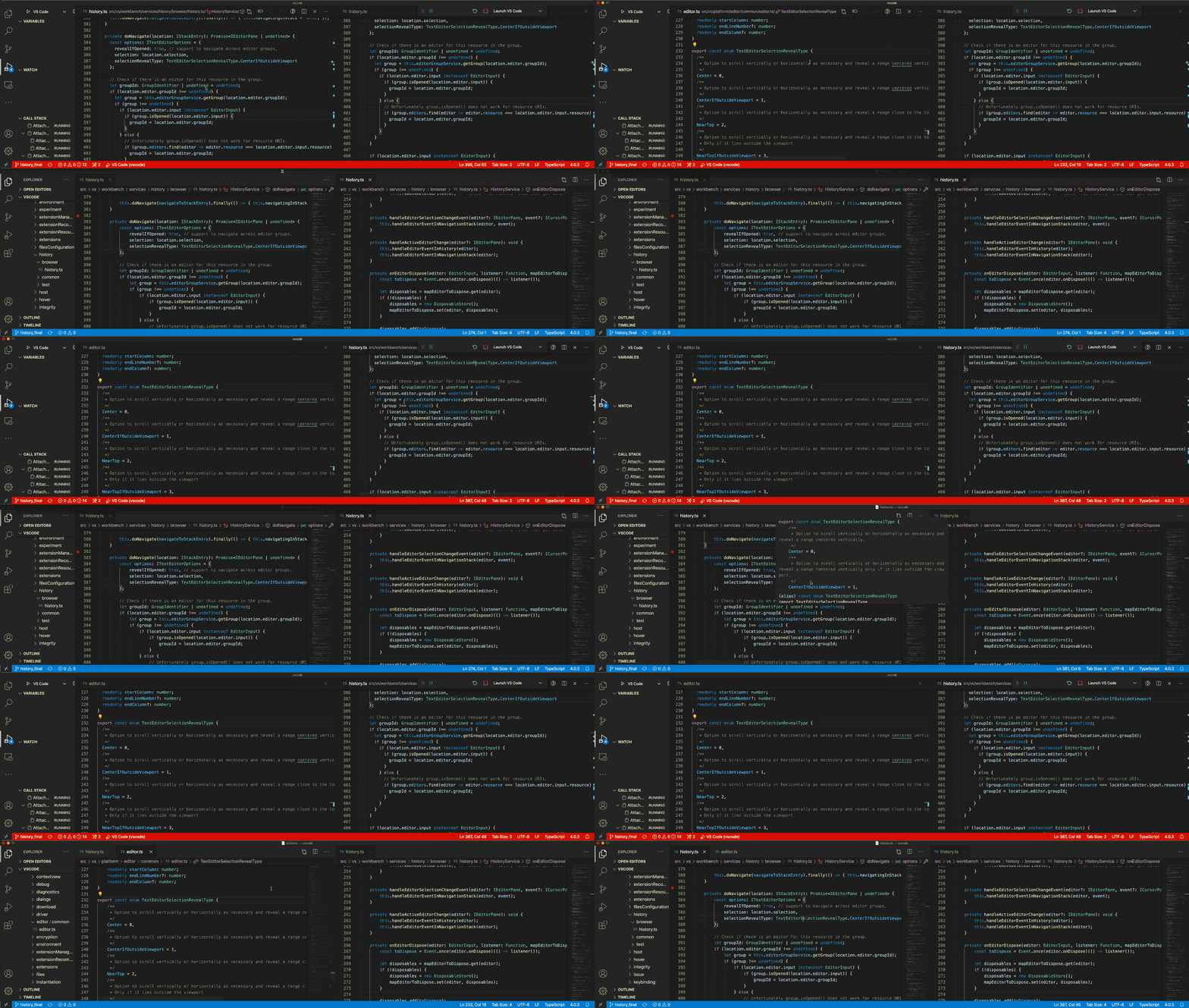
And yes that is a glorious 5 MB, 16 colour GIF. Thanks Github for supporting modern video formats.
Timmmm
on 21 Oct 2020
Related issues
 shanalikhan
·
3Comments
shanalikhan
·
3Comments
 trstringer
·
3Comments
trstringer
·
3Comments
 vsccarl
·
3Comments
vsccarl
·
3Comments
 philipgiuliani
·
3Comments
philipgiuliani
·
3Comments
 mrkiley
·
3Comments
mrkiley
·
3Comments
Most helpful comment
Ok here is a demo, the top is before - when you go back it goes to the wrong editor group. Bottom is after.
And yes that is a glorious 5 MB, 16 colour GIF. Thanks Github for supporting modern video formats.