Vscode: Poor performance on large resolution
Version: VSCode Insiders.
Latest OS X
I have a secondary monitor plugged into my MacBook pro which has 3840 x 2160 pixels. I have my resolution set to 2560 x 1440.
When I resize vscode to use the full size of the screen, there is about ~300ms - ~500ms of lag when editing a medium size file (~300 LOC in a TypeScript file). I haven't tried to compare this performance with smaller and larger files, however I have noticed that editing an empty file is much faster.
I'm not sure how I can provide more information, but do let me know if you need anything else.
 OliverJAsh
All 82 comments
On my 4K, 3840x2160 monitor when the window is full width/height:
(these are just spit-balled timings, not from profiling)
- Start up until able to type in new file: about 8 seconds.
- New file is about 1 sec.
- Typing has a noticeable lag, but less than a 1 sec.
For comparison, Sublime 3 takes less than 1 sec to start, no discernible delay in creating new files or typing. (It used to have the same problem, but they obv fixed it)
 jayphelps
on 28 Jul 2016
jayphelps
on 28 Jul 2016
Because my timings were just guesses, I recorded a bunch of Timeline profiles for you to get more accurate info from.
I'm not sure if it's possible to record a Timeline of the entire start up process. The closest thing I can think of is just using ⌘+R inside the Timeline, which seemingly does a soft refresh.
I've recorded that along with creating a new file and typing.
jayphelps
on 28 Jul 2016
@OliverJAsh maybe you could also attach some profile traces?
 bpasero
on 5 Aug 2016
bpasero
on 5 Aug 2016
Sure, I would be happy to help! Do you mean a timeline recording? How do I
do that?
On Fri, 5 Aug 2016 at 16:24 Benjamin Pasero [email protected]
wrote:
@OliverJAsh https://github.com/OliverJAsh maybe you could also attach
some profile traces?—
You are receiving this because you were mentioned.Reply to this email directly, view it on GitHub
https://github.com/Microsoft/vscode/issues/9432#issuecomment-237880323,
or mute the thread
https://github.com/notifications/unsubscribe-auth/AA4QCcWoUlD0cGC8GL0CtIDW1gQdis6aks5qc1W6gaJpZM4JOl4_
.
OliverJAsh
on 5 Aug 2016
Profile would be great:

bpasero
on 8 Aug 2016
I'm not quite sure how to open the dev tools from within the app? I'm not running Electron?
OliverJAsh
on 8 Aug 2016
@OliverJAsh Help > Toggle Developer Tools should do it 👍
bpasero
on 8 Aug 2016
@bpasero Here's the CPU profile you requested, hope it helps :-) Anything else I can do to help? I would love to help fix this CPU-20160811T144733.cpuprofile.zip
OliverJAsh
on 11 Aug 2016
Thanks for the trace, I do not see anything suspicious though, so the time is not spend in any of our code it seems, rather likely in the rendering in Chrome.
bpasero
on 11 Aug 2016
That makes sense! Do you think there's room for further rendering optimisations? I'm sure you've done a bunch already.
OliverJAsh
on 11 Aug 2016
I would first try to see how it works when we update to a newer electron version that comes with Chrome 52 (we are now on 49). That might have an impact. In the end this is an upstream issue so we can only fix it by updating our upstream versions which is planned for this milestone but has a risk of being pushed out to September.
bpasero
on 11 Aug 2016
@OliverJAsh @jayphelps to clarify, this is with a beta of Mac OS Sierra right?
bpasero
on 11 Aug 2016
10.11.6 (15G31) for me
On Thu, 11 Aug 2016 at 15:03 Benjamin Pasero [email protected]
wrote:
@OliverJAsh https://github.com/OliverJAsh @jayphelps
https://github.com/jayphelps to clarify, this is with a beta of Mac OS
Sierra right?—
You are receiving this because you were mentioned.
Reply to this email directly, view it on GitHub
https://github.com/Microsoft/vscode/issues/9432#issuecomment-239169885,
or mute the thread
https://github.com/notifications/unsubscribe-auth/AA4QCTQk5cWS-x-d-WEGF0nuKS8M7n7zks5qeyucgaJpZM4JOl4_
.
OliverJAsh
on 11 Aug 2016
@OliverJAsh @jayphelps can you see if this also happens with Atom? does it make a difference if you change the resolution of your monitor? does it only reproduce when the width/height of Code is exactly full dimensions of the monitor?
@alexandrudima fyi if you ever heard about this before: typing (or all UI operations) get slow when opening Code on a 4k monitor in full width/height (timeline attached in https://github.com/Microsoft/vscode/issues/9432#issuecomment-236008594).
bpasero
on 11 Aug 2016
Looks like a known issue in Atom land at least: https://github.com/atom/atom/issues/10518, https://github.com/atom/atom/issues/9561, https://github.com/atom/atom/issues/9724, https://github.com/atom/atom/issues/10644, https://github.com/atom/atom/issues/10750
I am afraid this is not in our hands to fix and really upstream.
bpasero
on 11 Aug 2016
What seems to help people is to run code --ignore-gpu-blacklist --disable-gpu-sandbox
bpasero
on 4 Sep 2016
@OliverJAsh @jayphelps we just released a new insiders build with a newer Electron. maybe you could give that build a try to see if it fixes this issue.
You can give our preview releases a try from: http://code.visualstudio.com/Download#insiders
bpasero
on 14 Sep 2016
Please reopen if this still happens with our 1.6.0 release.
bpasero
on 28 Sep 2016
@bpasero Unfortunately I don't see much of an improvement in 1.6.0 (Code Insiders), nor when I'm running --ignore-gpu-blacklist --disable-gpu-sandbox. 😒
Quite difficult to measure the delay here, so I could be wrong, but that's my perception.
OliverJAsh
on 6 Oct 2016
Sure, we can reopen this.
bpasero
on 6 Oct 2016
@OliverJAsh we just updated Electron again, was wondering if that helps you: http://code.visualstudio.com/Download#insiders
bpasero
on 17 Nov 2016
Should I try the latest Insider version?
On Thu, 17 Nov 2016 at 08:46 Benjamin Pasero [email protected]
wrote:
@OliverJAsh https://github.com/OliverJAsh we just updated Electron
again, was wondering if that helps you:
http://code.visualstudio.com/Download#insiders—
You are receiving this because you were mentioned.
Reply to this email directly, view it on GitHub
https://github.com/Microsoft/vscode/issues/9432#issuecomment-261188554,
or mute the thread
https://github.com/notifications/unsubscribe-auth/AA4QCRvRtl23fS8bTT9Oh2bIDWqr3fZXks5q_BRrgaJpZM4JOl4_
.
OliverJAsh
on 17 Nov 2016
@OliverJAsh yes, it includes a Chrome 53 (from 52) and maybe we are lucky.
bpasero
on 17 Nov 2016
@OliverJAsh ping
bpasero
on 22 Nov 2016
Just tested 1.8 and it seems much faster!
OliverJAsh
on 15 Dec 2016
Good enough to close this?
bpasero
on 15 Dec 2016
Can we get a second opinion? @jayphelps, perhaps you could give this a test?
OliverJAsh
on 15 Dec 2016
@OliverJAsh I had to get rid of that 4k monitor because of the perf, so can't test anymore. Sorry!
jayphelps
on 5 Jan 2017
I seem to be getting slow performance when the window is larger than 1080p. This is on version 1.10
 sampattuzzi
on 2 Mar 2017
sampattuzzi
on 2 Mar 2017
Just tried out 1.11 insiders build. Performance trace doesn't seem to be showing anything particularly slow.
sampattuzzi
on 2 Mar 2017
Todays VS Code insider build comes with Electron 1.6.x, would be interesting to hear if this update solves this issue for anyone: http://code.visualstudio.com/Download#insiders
bpasero
on 10 Apr 2017
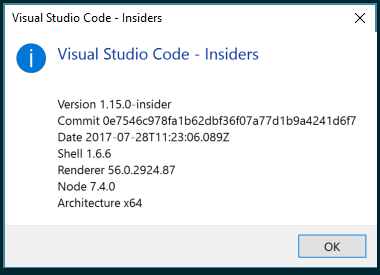
Pretty slow for me on latest insider build (Windows 10) when on high resolution monitors. Running three 1920x1080 monitors at home and two 2560x1440 monitors at work all attached to the same 4k ThinkPad. At home everything is fast. At work, things seem very noticeably slower. Same exact laptop / docking station (model) so feel its a pretty useful test bed if you have anything I should try.
 cchamberlain
on 31 Jul 2017
cchamberlain
on 31 Jul 2017
@bpasero I had this issue in 1.15 (4k res), just updated to 1.16 and everything works great!
 norbertsienkiewicz
on 8 Sep 2017
norbertsienkiewicz
on 8 Sep 2017
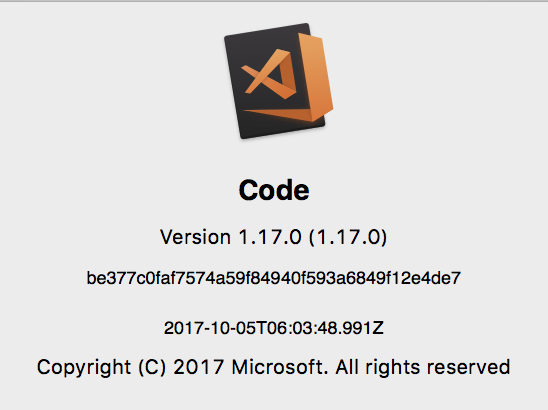
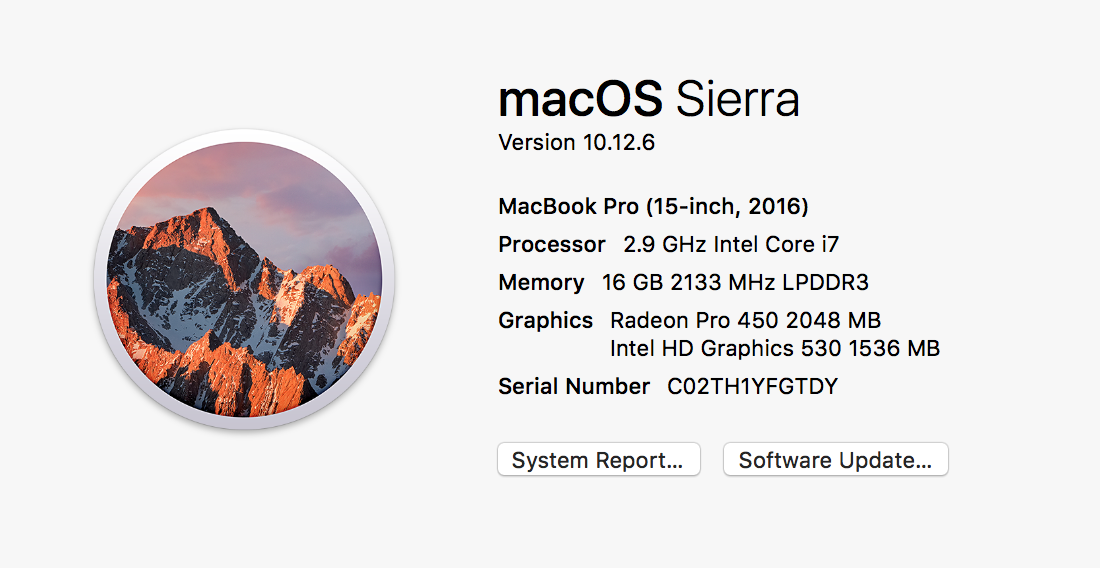
This seems to have gotten worse for me in 1.17. Interestingly, when I switch to max resolution (3840x2160) it seems to be fine, but in the resolution I prefer using (3360 x 1890), it's noticeably laggy. Scroll performance is quite poor, and dragging text selection has a very noticeable delay.
 biscoe916
on 17 Oct 2017
biscoe916
on 17 Oct 2017
+1
 thunderball1
on 24 Oct 2017
thunderball1
on 24 Oct 2017
Still happening?
bpasero
on 15 Nov 2017
I had the same problem with a 4k screen and using a 2560 x 1440 resolution.
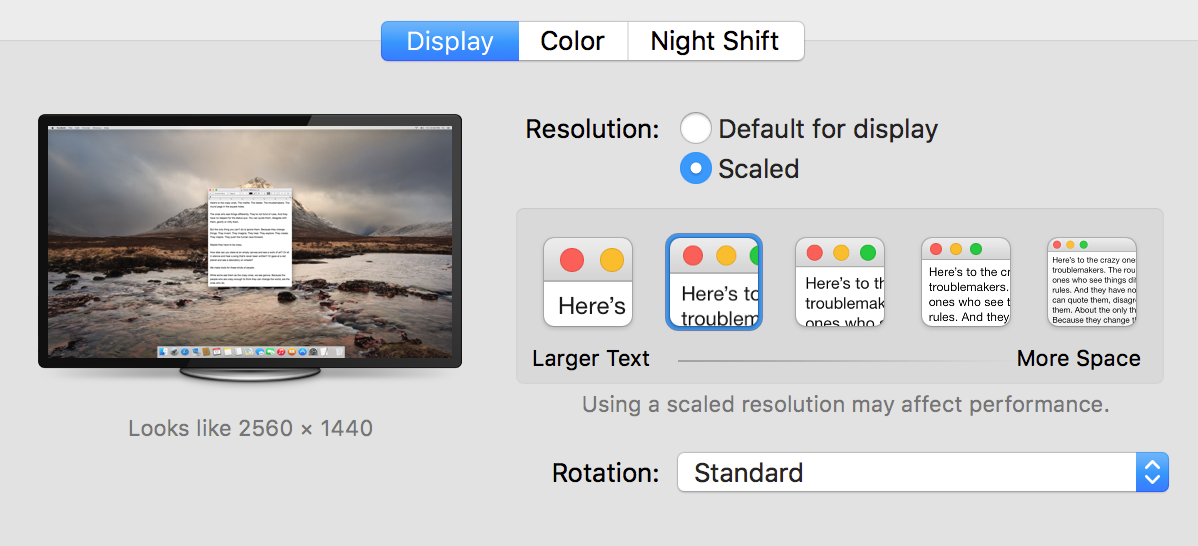
I'm using a Nvidia GTX 1080.
The solution for me was to disable the GPU for code.
code --disable-gpu
It's super fluid now.
 barodeur
on 24 Nov 2017
barodeur
on 24 Nov 2017
@barodeur Your solution didn't work for me. I'm scaling with xrandr to non hiDpi monitors, and it's a disaster. Works lovely on my 15" 4k laptop screen, though.
 wolfhoundjesse
on 28 Nov 2017
wolfhoundjesse
on 28 Nov 2017
@barodeur I have the same configuration and experiencing the same issue. Using --disable-gpu causes the editor flashes and graphical glitches on 1.18.1. See my related issue https://github.com/Microsoft/vscode/issues/38805
 esetnik
on 28 Nov 2017
esetnik
on 28 Nov 2017
I'm seeing this with VSC 1.19.3 (1.19.3) on OS X 10.10.5 on a Macbook Pro 15" Retina, driving two external displays. The larger one (where I run VSC in full-screen mode) is a 3840x2160 display, scaled to 3008x1692 (to keep the text from looking like microfiche). From time to time rectangular areas around the insertion point seem to flash in time with the insertion point. Running with --disable-gpu makes it significantly worse. Happy to provide other information upon request.
 dtgriscom
on 30 Jan 2018
dtgriscom
on 30 Jan 2018
--disable-gpu makes it better to me. Not sure if it can be set in User Settings.
 Cryrivers
on 4 Feb 2018
Cryrivers
on 4 Feb 2018
This may be multiplatform issue as I'm observing the same problem on Windows 10 (see https://github.com/Microsoft/vscode/issues/26398#issuecomment-369039977) and --disable-gpu solves the problem for me (as per https://github.com/Microsoft/vscode/issues/9432#issuecomment-362912516).
 mloskot
on 27 Feb 2018
mloskot
on 27 Feb 2018
macOs 10.13.3
monitor 3840 x 2160
Changed scaling from medium (larger font) to maximum (native resolution) and the issue seems to be resolved.
 wooliet
on 20 Mar 2018
wooliet
on 20 Mar 2018
I'm feeling the performance issue on OS X is caused by High Sierra. Just downgrade to Sierra (10.12.6), everything is working smoothly again.
Cryrivers
on 24 Mar 2018
I have found (using a 2017 MacBook Pro running High Sierra with only an external 4k monitor active) that setting the resolution to "best for display", and then a few levels of "zoom out" (Cmd and -) in VS Code ends with the same effective font-size in Code* combined with buttery-smooth performance. As good as I get with SublimeText (which isn't as feature-rich as Code these days!) at normal zoom and a "more space" display setting.
Obviously everything other than Code seems relatively huge with this setup, but overall I find it works really well for a code-focused session on the computer.
* the font-size I'm after allows: space for three editor panel columns (comfortably showing 80-chars and the minimap) and the left-hand explorer / search / etc panel.
 pete-otaqui
on 6 Jun 2018
pete-otaqui
on 6 Jun 2018
I can confirm Wooliet's workaround. The issue seems to occur on OSX when using non-native resolutions where (presumably) the gpu has to do lots of calculations on the fly to downsample everything.
 scottmas
on 29 Dec 2018
scottmas
on 29 Dec 2018
Running a Dell XPS with a 4k panel and can confirm this is an issue for me as well. Tried all the workarounds presented on this thread and still not getting proper performance.
Scrolling anywhere is choppy and there is noticeable input lag.
 ravtakhar
on 13 Mar 2019
ravtakhar
on 13 Mar 2019
Just installed the latest update, and wow... VS Code is suddenly flying for me. I've never had this smooth of an experience on my laptop. Something else may have triggered a fix?
EDIT: I've had this issue for 2 years. :(
I'm on an XPS 15 4K, and I'm still suffering from the lag issue with the latest VSCode :(
 gregtandiono
on 16 Jun 2019
gregtandiono
on 16 Jun 2019
You don't seem to care enough about the users having serious problems with the user interface, which is one of the most important aspects of the application.
I'm on a Windows 10 machine (ASUS ZenBook UX510UW) with a 4K display, I have the exact same problem and I posted another issue about it, but no one seems to care...
It's been 3 years, and no one paid any serious attention to this problem and did anything to help fix it. Why?!?!
My issue: Sluggish User Interface on High-Resolution Screens
 AradAral
on 16 Jun 2019
AradAral
on 16 Jun 2019
Still an issue for me as well. I gave up and stick coding on my desktop as the laptop experience is just too sub-par. If I HAVE to code on my laptop I end up using Sublime.
ravtakhar
on 16 Jun 2019
My JavaScript Profiling:
Opening/closing the sidebar:
CPU-20190612T150154.zip
Switching tabs and editor groups:
CPU-20190612T150414.zip
Sidebar opening/closing about 200ms which is obviously too much. Do something, please.
AradAral
on 16 Jun 2019
It's also worth noting that when I change my resolution from 4K (3840 x 2160) to Full HD (1920 x 1080), VS Code becomes super fast, unsurprisingly.
Please consider working on this frustrating problem.
AradAral
on 16 Jun 2019
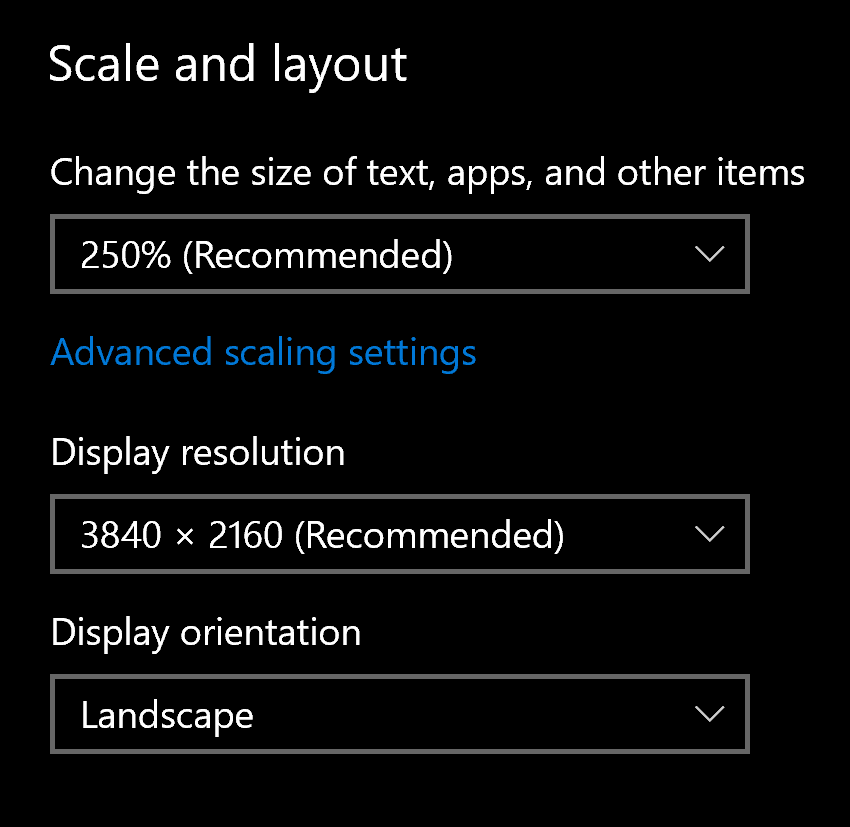
@AmirHosseinHmd what's your scaling set to?
ravtakhar
on 16 Jun 2019
@AmirHosseinHmd what's your scaling set to?
It's 250% which is the recommended one by the Windows 10 itself:
AradAral
on 16 Jun 2019
I think the problem could be Electron itself, not necessarily VSCode. Most Electron apps that I use on my 4K panel seem to share the same lag problem:
- Slack: scroll and typing issue.
- Atom: similar issues to VSCode performance, but it seems to be much worse there.
- Typora: typing delay.
And I can confirm that changing your resolution to FHD (1920 x 1080) will improve the performance drastically, but it’s really annoying to have to keep switching your resolution.
I think VSCode is awesome and it’s the only viable tool to code on Windows 10 that integrates seamlessly with WSL. Props to the team working hard to provide this software for free!
gregtandiono
on 17 Jun 2019
I think the problem could be Electron itself, not necessarily VSCode. Most Electron apps that I use on my 4K panel seem to share the same lag problem:
- Slack: scroll and typing issue.
- Atom: similar issues to VSCode performance, but it seems to be much worse there.
- Typora: typing delay.
And I can confirm that changing your resolution to FHD (1920 x 1080) will improve the performance drastically, but it’s really annoying to have to keep switching your resolution.
I think VSCode is _awesome_ and it’s the only viable tool to code on Windows 10 that integrates seamlessly with WSL. Props to the team working hard to provide this software for _free_!
I agree. I use WhatsApp Desktop and I have the same problem with it, and it's also been built with Electron.js. I said this in my issue to @jrieken here, but he said you should prove it!
Electron.js is cancer! Believe me, so many people have terrible experiences with Electron apps, I don't know why they decided to develop VS Code with Electron.
AradAral
on 17 Jun 2019
Another point:
When I decrease the size of the VS Code window, it becomes fast again.
AradAral
on 17 Jun 2019
Is there anyone that can help us with this issue?
@rebornix @jrieken @bpasero
AradAral
on 18 Jun 2019
@AmirHosseinHmd try this
- Right click Visual Studio Code shortcut
- Properties
- Compatibility
- Change DPI settings
- Check off "Use this setting to fix scaling problems for this program instead of the one in settings"
- Make sure the drop-down is set to "I signed in to Windows"
ravtakhar
on 18 Jun 2019
@AmirHosseinHmd try this
- Right click Visual Studio Code shortcut
- Properties
- Compatibility
- Change DPI settings
- Check off "Use this setting to fix scaling problems for this program instead of the one in settings"
- Make sure the drop-down is set to "I signed in to Windows"
I tried it. Unfortunately, it didn't make any difference.
Did this solution work for you?
Thank you, anyways.
AradAral
on 18 Jun 2019
It made a difference yes, but it did not completely resolve the problem.
ravtakhar
on 18 Jun 2019
It made a difference yes, but it did not completely resolve the problem.
I don't feel any difference, to be honest.
And by the way, does your laptop have an Intel integrated graphics processor?
AradAral
on 18 Jun 2019
I am using integrated graphics and when I set my scaling to over 200 percent the problem no longer exists. I'm wondering if you have outdated drivers.
ravtakhar
on 19 Jun 2019
I am using integrated graphics and when I set my scaling to over 200 percent the problem no longer exists. I'm wondering if you have outdated drivers.
I think that's the reason. It all comes down to the fact that the Intel integrated graphics processor doesn't have enough power to handle animations or some type of GUIs in high-resolution displays.
My drivers are all up-to-date, BTW.
AradAral
on 19 Jun 2019
@OliverJAsh @jayphelps we just released a new insiders build with a newer Electron. maybe you could give that build a try to see if it fixes this issue.
You can give our preview releases a try from: http://code.visualstudio.com/Download#insiders
Please pay attention to this.
AradAral
on 20 Jun 2019
So, I tried the insiders build, and the overall experience is much smoother.
- The scrolling has improved, but still a bit laggy.
- Typing has improved slightly, as in the lag is still there, but it's not very noticeable for me.
gregtandiono
on 21 Jun 2019
So, I tried the insiders build, and the overall experience is much smoother.
- The scrolling has improved, but still a bit laggy.
- Typing has improved slightly, as in the lag is still there, but it's not very noticeable for me.
Could you please try opening/closing the sidebar, and switching between tabs and tell us your experience about them?
AradAral
on 21 Jun 2019
So, I tried the insiders build, and the overall experience is much smoother.
- The scrolling has improved, but still a bit laggy.
- Typing has improved slightly, as in the lag is still there, but it's not very noticeable for me.
I just downloaded and installed the insiders' build, but I don't feel any difference in terms of smoothness at all.
AradAral
on 21 Jun 2019
@AmirHosseinHmd It was time for a laptop upgrade for myself. I understand this isn't a resolution, but I opted a FHD (1080) display just because the saving on battery life, scaling issues, and the overall experience of having a matte vs gloss display. I put the two displays side-by-side and honestly on a laptop I don't see the benefit of pushing 4k pixels.
I don't think this is something that the vscode team will be able to address for you because if you're running other electron apps at full-screen you'll experience the same laggish performance.
ravtakhar
on 21 Jun 2019
@AmirHosseinHmd It was time for a laptop upgrade for myself. I understand this isn't a resolution, but I opted a FHD (1080) display just because the saving on battery life, scaling issues, and the overall experience of having a matte vs gloss display. I put the two displays side-by-side and honestly on a laptop I don't see the benefit of pushing 4k pixels.
I don't think this is something that the vscode team will be able to address for you because if you're running other electron apps at full-screen you'll experience the same laggish performance.
To be honest, since the first day that I bought my 4K laptop, this problem has been a big pain in the ass for me. It's not just about Electron apps, my whole experience is sluggish and laggy when I'm on 4K resolution. Windows animations (minimizing/maximizing windows, opening/closing task view, etc.) are laggy as well.
I posted several issues and questions in the Intel website, Microsoft Feedback Hub, and now in the VS Code GitHub repo, but no one has ever really cared about this.
I still strongly believe that this problem has to do with Intel integrated graphics, which in my opinion, are absolute garbage.
However, I don't know why this problem gets worse in Electron apps, that's why I'm trying to inform the VS Code team and ask them if they can do something about it.
AradAral
on 21 Jun 2019
So, I tried the insiders build, and the overall experience is much smoother.
- The scrolling has improved, but still a bit laggy.
- Typing has improved slightly, as in the lag is still there, but it's not very noticeable for me.
Could you please try opening/closing the sidebar, and switching between tabs and tell us your experience about them?
Opening/Closing sidebar does not do anything for me, performance stays the same.
Switching tabs also does not improve performance.
gregtandiono
on 22 Jun 2019
@AmirHosseinHmd It was time for a laptop upgrade for myself. I understand this isn't a resolution, but I opted a FHD (1080) display just because the saving on battery life, scaling issues, and the overall experience of having a matte vs gloss display. I put the two displays side-by-side and honestly on a laptop I don't see the benefit of pushing 4k pixels.
I don't think this is something that the vscode team will be able to address for you because if you're running other electron apps at full-screen you'll experience the same laggish performance.To be honest, since the first day that I bought my 4K laptop, this problem has been a big pain in the ass for me. It's not just about Electron apps, my whole experience is sluggish and laggy when I'm on 4K resolution. Windows animations (minimizing/maximizing windows, opening/closing task view, etc.) are laggy as well.
I posted several issues and questions in the Intel website, Microsoft Feedback Hub, and now in the VS Code GitHub repo, but no one has ever really cared about this.
I still strongly believe that this problem has to do with Intel integrated graphics, which in my opinion, are absolute garbage.
However, I don't know why this problem gets worse in Electron apps, that's why I'm trying to inform the VS Code team and ask them if they can do something about it.
Maybe you can open up an issue in Electron's repo instead?
gregtandiono
on 22 Jun 2019
So, I tried the insiders build, and the overall experience is much smoother.
- The scrolling has improved, but still a bit laggy.
- Typing has improved slightly, as in the lag is still there, but it's not very noticeable for me.
Could you please try opening/closing the sidebar, and switching between tabs and tell us your experience about them?
Opening/Closing sidebar does not do anything for me, performance stays the same.
Switching tabs also does not improve performance.
I think I didn't make myself clear. I meant do you experience any kind of lag or slowness when opening/closing sidebar and switching between tabs? Because that's my main problem.
AradAral
on 22 Jun 2019
@bpasero Would you please take a look at this issue again?
AradAral
on 22 Jun 2019
So, I tried the insiders build, and the overall experience is much smoother.
- The scrolling has improved, but still a bit laggy.
- Typing has improved slightly, as in the lag is still there, but it's not very noticeable for me.
Could you please try opening/closing the sidebar, and switching between tabs and tell us your experience about them?
Opening/Closing sidebar does not do anything for me, performance stays the same.
Switching tabs also does not improve performance.I think I didn't make myself clear. I meant do you experience any kind of lag or slowness when opening/closing sidebar and switching between tabs? Because that's my main problem.
No, didn't experience lag for opening/closing sidebar and switching between tabs.
gregtandiono
on 23 Jun 2019
So, I tried the insiders build, and the overall experience is much smoother.
- The scrolling has improved, but still a bit laggy.
- Typing has improved slightly, as in the lag is still there, but it's not very noticeable for me.
Could you please try opening/closing the sidebar, and switching between tabs and tell us your experience about them?
Opening/Closing sidebar does not do anything for me, performance stays the same.
Switching tabs also does not improve performance.I think I didn't make myself clear. I meant do you experience any kind of lag or slowness when opening/closing sidebar and switching between tabs? Because that's my main problem.
No, didn't experience lag for opening/closing sidebar and switching between tabs.
Did you use to experience any lags in those areas (opening/closing sidebar, switching between tabs) before? In the normal build?
AradAral
on 23 Jun 2019
So, I tried the insiders build, and the overall experience is much smoother.
- The scrolling has improved, but still a bit laggy.
- Typing has improved slightly, as in the lag is still there, but it's not very noticeable for me.
Could you please try opening/closing the sidebar, and switching between tabs and tell us your experience about them?
Opening/Closing sidebar does not do anything for me, performance stays the same.
Switching tabs also does not improve performance.I think I didn't make myself clear. I meant do you experience any kind of lag or slowness when opening/closing sidebar and switching between tabs? Because that's my main problem.
No, didn't experience lag for opening/closing sidebar and switching between tabs.
Did you use to experience any lags in those areas (opening/closing sidebar, switching between tabs) before? In the normal build?
I did not experience lag in the normal release build either. Scrolling and typing delay is my issue.
gregtandiono
on 24 Jun 2019
@AmirHosseinHmd if you are seeing slowdown on your monitor for other applications, especially Electron applications, I do not think that there is something specific VSCode can do about it. There are some command line things you can give a try, but they are not VSCode but rather Electron specific, e.g. code --disable-gpu
bpasero
on 24 Jun 2019
So, I tried the insiders build, and the overall experience is much smoother.
- The scrolling has improved, but still a bit laggy.
- Typing has improved slightly, as in the lag is still there, but it's not very noticeable for me.
Could you please try opening/closing the sidebar, and switching between tabs and tell us your experience about them?
Opening/Closing sidebar does not do anything for me, performance stays the same.
Switching tabs also does not improve performance.I think I didn't make myself clear. I meant do you experience any kind of lag or slowness when opening/closing sidebar and switching between tabs? Because that's my main problem.
No, didn't experience lag for opening/closing sidebar and switching between tabs.
Did you use to experience any lags in those areas (opening/closing sidebar, switching between tabs) before? In the normal build?
I did not experience lag in the normal release build either. Scrolling and typing delay is my issue.
Interesting. Because I'm experiencing problems with the tabs and the sidebar, scrolling and typing for me is not an issue. (however, it's still not as smooth as it should be but it's not that bad)
AradAral
on 24 Jun 2019
@AmirHosseinHmd if you are seeing slowdown on your monitor for other applications, especially Electron applications, I do not think that there is something specific VSCode can do about it. There are some command line things you can give a try, but they are not VSCode but rather Electron specific, e.g.
code --disable-gpu
Thank you for your response.
However, I think that it would be nice if you tell us what you think about this problem yourself?
Is it all about Electron.js and you can't do anything for VS Code? Or VS Code can actually be better in terms of smoothness in future updates? Because I think I'm not the only one suffering from this problem.
AradAral
on 24 Jun 2019
However, I think that it would be nice if you tell us what you think about this problem yourself?
I think that the problem is present but not well understood, nor easy to fix without substantial investment. From my memories when I briefly switched to a 4k monitor (with the native resolution) I perceived a drop in performance (e.g. scrolling) that was bad enough for me (personally) to stick with a 2k monitor (this was on macOS).
Is it all about Electron.js and you can't do anything for VS Code? Or VS Code can actually be better in terms of smoothness in future updates? Because I think I'm not the only one suffering from this problem.
I can not answer this question. I think there are probably certain limits in place with the technology we are using (web rendering).
bpasero
on 24 Jun 2019
This issue has been closed automatically because it needs more information and has not had recent activity. See also our issue reporting guidelines.
Happy Coding!
![vscodebot[bot] picture](https://avatars2.githubusercontent.com/in/2406?v=4&s=40) vscodebot[bot]
on 1 Jul 2019
vscodebot[bot]
on 1 Jul 2019
Related issues
 ozsay
·
247Comments
ozsay
·
247Comments
 Tyriar
·
204Comments
Tyriar
·
204Comments
 Brakkar
·
364Comments
Brakkar
·
364Comments
 ghost
·
234Comments
Tyriar
·
314Comments
ghost
·
234Comments
Tyriar
·
314Comments
Most helpful comment
It's also worth noting that when I change my resolution from 4K (3840 x 2160) to Full HD (1920 x 1080), VS Code becomes super fast, unsurprisingly.
Please consider working on this frustrating problem.