We now allows extension writer to contribute menu items. The next logical step is to allow user to configure their menus - this is analog to the keybindings-story. One idea is to have a menus.json file which defines your menus:
{
  "editor/context": [
  {
    "command": "my command",
    "when": "editorHasSelection"
  },
  {
   // more..
  }
  ],
 "explorer/context": [
   // more ...
  ]
}
 jrieken
All 15 comments
fyi - @egamma @chrisdias @seanmcbreen
jrieken
on 14 Jul 2016
related to #9827
jrieken
on 28 Jul 2016
This extension adds two new context menus to the Explorer Viewlet:
- Open New Workbench Here: Opens a new instance of VS Code scoped to the selected folder OR to the folder containing the selected file.
- Reopen Workbench Here: Reopens VS Code scoped to the selected folder. This feature only works on folders, it has no effect when a file is selected.
now i want to add two new context menus to the Open New Workbench Here how do i do
 ydcoming
on 8 Sep 2016
ydcoming
on 8 Sep 2016
@jrieken
This extension adds two new context menus to the Explorer Viewlet:
Open New Workbench Here: Opens a new instance of VS Code scoped to the selected folder OR to the folder containing the selected file.
Reopen Workbench Here: Reopens VS Code scoped to the selected folder. This feature only works on folders, it has no effect when a file is selected.
now i want to add two new context menus to the Open New Workbench Here how do i do
ydcoming
on 8 Sep 2016
I was just about to add a request to add this feature. It would be very useful to be able to extend the file tab menu, or add an additional menu bar. Any idea when this will be done? Thanks.
 BillDenton
on 11 Jan 2017
BillDenton
on 11 Jan 2017
This feature would be really good.
Most plugin authors don't use the context menu at all. They expect you to memorize their keyboard shortcuts, or bring up the command palette, search for a command, navigate to it, and press Enter.
It's way better if you put the power in the hands of the user and let them create their own context menu entries for when plugin devs come up short. That way, you don't need to remember anything, you right-click and select the command you want.
This especially helps for infrequently used plugins where you can't remember the plugin name or the command name.
 manad777
on 6 Apr 2017
manad777
on 6 Apr 2017
Great ...
 JFDu
on 8 Apr 2017
JFDu
on 8 Apr 2017
I really don't understand how this isn't like priority 1 in vs code. There are like 5 other open requests that seem to suggest the same thing. Debug toolbar placement is just down right infuriating, and placing buttons/other action items down in the status bar is just.... not good.
 ronnyek
on 16 Aug 2017
ronnyek
on 16 Aug 2017
While trying to include the officially supported „Go to Implementation” in the context menu (in #54317) this came up as a way this should be solved instead.
@jrieken Would you be willing to provide more mentoring instructions for the feature? I’d like to tackle this, but I mostly made miniscule PRs against vscode and I’m not that familiar with the codebase. Thanks!
 Xanewok
on 19 Jul 2018
Xanewok
on 19 Jul 2018
Well, there are two kind of PRs. One is that "I kinda know how it should be done but I don't have the time to do it" and others are "I have no clue how to do it". User configurable menus is one of the latter and 'yes' I can coach a PR here but it requires planning on my side. It doesn't make sense for you to start on this while I am super booked with other things because I won't be able to provide useful advise then.
jrieken
on 19 Jul 2018
I'd like to suggest that Go To Implementation be returned to the context menu. The argument in #27403 (silenced) about it being useful only in a handful of places in a file is not true for C# projects which utilize dependency injection, which is very common for ASP .NET Core and similar.
I am happy to learn that this option is available in the Go menu, but had it been in the context menu, I would have discovered it months ago. Instead I just assumed it was an OmniSharp limitation.
 TomasHubelbauer
on 7 Mar 2019
TomasHubelbauer
on 7 Mar 2019
I've added a related feature request here.
 velara3
on 20 May 2019
velara3
on 20 May 2019
I would also agree with @TomasHubelbauer and @Xanewok that "Go to implementation" should be in the context menu or better yet provide the end user (of VS Code) the capability to update keybindings to whatever they want.
For e.g. if you take Typescript and you ctrl-click on a function for a class that implements an interface, VS Code will take you to the definition of that interface. This is useless in almost all cases. I would rather present a choice to the user where he wants to go or have a option to choose the behavior by default.
 dhanvikapila
on 22 May 2019
dhanvikapila
on 22 May 2019
I never knew a "Go To implementation" existed because I'd always used the context menu. Today I when I was reading through the release notes I found out there's such a thing. I found it strange that such a useful thing is not there in the context menu. It'd be great to have it there as I use context menu a lot while code browsing!
 thakkarparth007
on 12 Jun 2019
thakkarparth007
on 12 Jun 2019
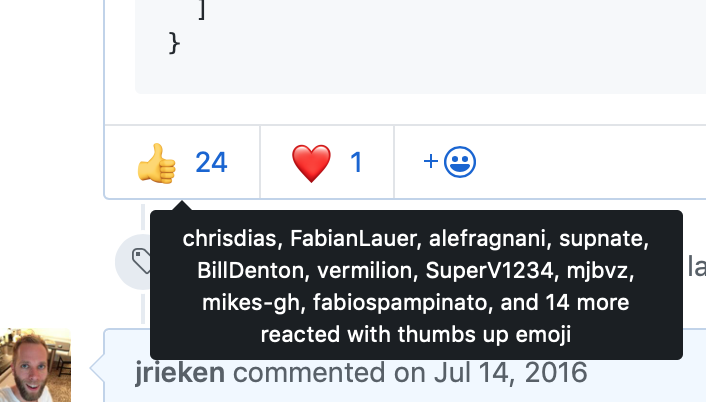
@thakkarparth007 @dhanvikapila Press the :+1: button, that's how we prioritise work. Adding more comments in the spirt of "I need this so bad" just makes us unsubscribe from issues. The issue is understood, it has (till now) 24 upvotes and this is the list of feature requests it "competes" against: https://github.com/Microsoft/vscode/issues?q=is%3Aopen+is%3Aissue+label%3Afeature-request+sort%3Areactions-%2B1-desc
jrieken
on 12 Jun 2019
Related issues
 curtw
·
3Comments
curtw
·
3Comments
 v-pavanp
·
3Comments
v-pavanp
·
3Comments
 sirius1024
·
3Comments
sirius1024
·
3Comments
 trstringer
·
3Comments
trstringer
·
3Comments
 chrisdias
·
3Comments
chrisdias
·
3Comments
Most helpful comment
This feature would be really good.
Most plugin authors don't use the context menu at all. They expect you to memorize their keyboard shortcuts, or bring up the command palette, search for a command, navigate to it, and press Enter.
It's way better if you put the power in the hands of the user and let them create their own context menu entries for when plugin devs come up short. That way, you don't need to remember anything, you right-click and select the command you want.
This especially helps for infrequently used plugins where you can't remember the plugin name or the command name.