Vscode: Add suggested completions for key chords
With more complex key chords, it would be incredibly helpful to have "suggested" completions, based on the first element of the chord. For example, consider the following complicated workflow:
- You type
CMD + K - Visual Studio Code waits for the next key of the chord (but doesn't tell you what valid options could be typed)
- User forgets or doesn't know the shortcut he wants, so he hits
ESCAPE - User hits
F1to search for the desired command and keyboard shortcut - User hits
ESCAPE - User executes keyboard shortcut
Instead, what should happen is that VS Code should show the users all of the key chords (or perhaps most commonly used commands _by that specific user_, based on telemetry data), that could possibly be pressed.
This would have the following benefits:
- Significantly improve the user experience
- Ease the learning of new keyboard shortcuts
- Tailor the Visual Studio Code environment to each user (optional)
Cheers,
Trevor Sullivan
Microsoft MVP: PowerShell
https://trevorsullivan.net
https://twitter.com/pcgeek86
 pcgeek86
All 8 comments
Eclipse does this and it is very nice. You have a popup menu after waiting about 1 second. You can then use the cursor keys to pick an item or finish the key chord.

 dakaraphi
on 26 Feb 2017
dakaraphi
on 26 Feb 2017
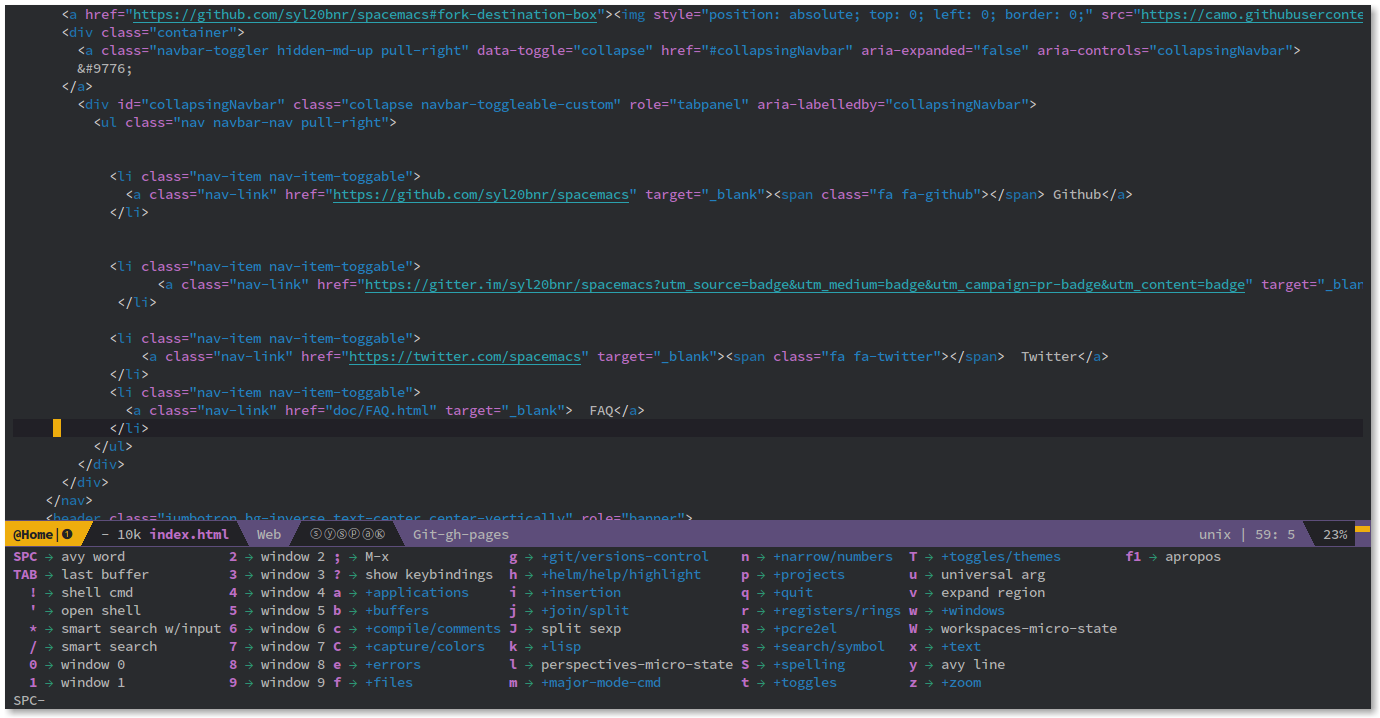
http://spacemacs.org/ has this too and I love it. It makes discovering and learning key bindings easy.
 jtanner
on 23 Aug 2017
jtanner
on 23 Aug 2017
Eclipse does this and it is very nice. You have a popup menu after waiting about 1 second. You can then use the cursor keys to pick an item or finish the key chord.
Blender also pops up a menu when there are more chords available.
 CptDarling
on 13 Sep 2018
CptDarling
on 13 Sep 2018
Has there been any progress on this topic? I came here searching for how to use shortcut chords, thinking VSCode already had this feature.
I’ve found this extension which might be the answer: https://marketplace.visualstudio.com/items?itemName=michaelgriscom.leadermode
 andersennl
on 7 Nov 2018
andersennl
on 7 Nov 2018
Is there any plans to support it? Or are there any extensions which might help with that? The one above is not exactly what the topic starter meant I guess
 arthurborisow
on 22 Nov 2019
arthurborisow
on 22 Nov 2019
Just to expand on this; I think that it's important to have this feature if you want to build up a set of mnemonic chords for shortcuts, similar to how Spacemacs is set up. This, plus the addition of 3-step chords (#6966), would make VSCode really flexible for the users that want to make sure their setup is _exactly_ the way they want it.
 macintacos
on 26 Dec 2019
macintacos
on 26 Dec 2019
+1 to this, I'm trying to move from spacemacs and the which key extension is amazing, I want to setup my keybinds so that all non-text editing keybinds are using chords and it is a pain in the arse. This would make my life so so much easier
 ashketchupppp
on 1 Mar 2020
ashketchupppp
on 1 Mar 2020
Shameless plug, but in this vein I created a keymap called Chord Heavy, inspired by Spacemacs chords. It’d greatly benefit from having this feature added!
macintacos
on 1 Mar 2020
Related issues
 Perkovec
·
191Comments
Perkovec
·
191Comments
 stoffeastrom
·
380Comments
stoffeastrom
·
380Comments
 niagr
·
246Comments
niagr
·
246Comments
 filfat
·
246Comments
filfat
·
246Comments
 misolori
·
282Comments
misolori
·
282Comments
Most helpful comment
Just to expand on this; I think that it's important to have this feature if you want to build up a set of mnemonic chords for shortcuts, similar to how Spacemacs is set up. This, plus the addition of 3-step chords (#6966), would make VSCode really flexible for the users that want to make sure their setup is _exactly_ the way they want it.