Vscode-vsce: Relative sources in <img> tags in README.md are not rewritten to absolute URLs
I wrote a readme file in markdown, and I had no problems putting a local gif in it, but vsce complained about a local png, maybe because I inserted it like this (just for centering it):
<p align="center">
    <img src="resources/logo.png" alt="Logo">
</p>
 fabiospampinato
All 14 comments
Can you show me what "complained" means? Did you get an error?
 joaomoreno
on 17 Jul 2017
joaomoreno
on 17 Jul 2017
Exactly, more specifically this error:
Error: Images in README.md must come from an HTTPS source: resources/logo.png
Is your extension in a GitHub repository? Can I check its sources?
joaomoreno
on 17 Jul 2017
Sure, here it is.
fabiospampinato
on 17 Jul 2017
I've cloned that repo and ran npm i and then vsce package. It worked:
vscode-projects-plus master* → vsce package
Executing prepublish script 'npm run vscode:prepublish'...

> [email protected] vscode:prepublish /Users/joao/Desktop/vscode-projects-plus
> tsc -p ./

Created: /Users/joao/Desktop/vscode-projects-plus/vscode-projects-plus-1.0.1.vsix
Something must be off in your machine.
Do you have the latest vsce installed?
joaomoreno
on 17 Jul 2017
You forgot to edit the readme, it worked because now it's written in other way, otherwise I wouldn't be able to publish it because of the error I'm reporting.
Replace this:
<img src="https://raw.githubusercontent.com/fabiospampinato/vscode-projects-plus/master/resources/logo-128x128.png" alt="Logo">
With this:
<img src="resources/logo.png" alt="Logo">
If you have sed available just run:
sed -i -e 's/https:\/\/raw.githubusercontent.com\/fabiospampinato\/vscode-projects-plus\/master\/resources\/logo-128x128.png/resources\/logo.png/g' README.md
Yes, I'm using the latest version of vsce.
fabiospampinato
on 17 Jul 2017
I believe I found the problem, here it checks if the url is relative, but just for images written in the markdown syntax.
If the image is written as an html tag it doesn't run the same check.
fabiospampinato
on 17 Jul 2017
Got it. We don't support relative paths in <img> tags. You simply won't be able to reference that image in that relative fashion and keep using <img> tags.
Either keep using a full URL in the <img> tag, or drop the centered paragraph tag and use the markdown syntax for images: 
joaomoreno
on 18 Jul 2017
Is there a good reason for not enforcing the same rules for both cases?
fabiospampinato
on 18 Jul 2017
We try to locate (regex) where images are used in Markdown and upon finding those locations we rewrite their relative URLs to be absolute ones, if we also detect the repository in which the extension will be hosted. We don't do the same for image tags since that is just harder to parse and rewrite. If you feel that passionate about it, feel free to submit a PR which addresses that. 👍
joaomoreno
on 19 Jul 2017
I would find this very useful as well. I can't use the markdown syntax for images as I need to include the width attribute. The reason is simple: the image is a screenshot made on a high-dpi screen, and it just blows up in size as browsers don't read pixel density information (which PNGs don't have anyway) and just assume 72. Setting an explicit width fixes that on all display densities.
Demonstration:
Markdown syntax:
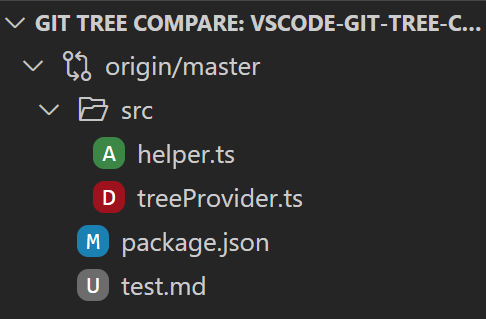

HTML:
<img src="https://raw.githubusercontent.com/letmaik/vscode-git-tree-compare/master/screenshots/main.png" width="230">
 letmaik
on 2 Aug 2017
letmaik
on 2 Aug 2017
~+1~
~My use case is with aligning images. AFAICT there's no way to do it with markdown~
EDIT: whoops, thought this was an issue for adding support on Github, not vscode 🤦♂
 chrisdothtml
on 3 Jun 2019
chrisdothtml
on 3 Jun 2019
But why even if i use a http url , it can't works.

The Error is Images in README.md must come from an HTTPS source: http://xx
 Abbyyan
on 14 Feb 2020
Abbyyan
on 14 Feb 2020
Switch to https ;-)
letmaik
on 14 Feb 2020
Related issues
 felixfbecker
·
6Comments
felixfbecker
·
6Comments
 pmahend1
·
4Comments
pmahend1
·
4Comments
 SamVerschueren
·
5Comments
SamVerschueren
·
5Comments
 TranquilMarmot
·
3Comments
TranquilMarmot
·
3Comments
 muuvmuuv
·
6Comments
muuvmuuv
·
6Comments
Most helpful comment
I would find this very useful as well. I can't use the markdown syntax for images as I need to include the
widthattribute. The reason is simple: the image is a screenshot made on a high-dpi screen, and it just blows up in size as browsers don't read pixel density information (which PNGs don't have anyway) and just assume 72. Setting an explicit width fixes that on all display densities.Demonstration:
Markdown syntax:

HTML:

<img src="https://raw.githubusercontent.com/letmaik/vscode-git-tree-compare/master/screenshots/main.png" width="230">