Vscode-terraform: Highlighting issue
Highlighting seems to only work with this syntax:
os_profile_linux_config {
    ssh_keys {
      path = "/home/${var.admin_user}/.ssh/authorized_keys"
      key_data = "${var.vm_ssh_key}"
    }
    disable_password_authentication = true
  }
Though this is valid syntax for terraform as well and breaks the highlighting:
os_profile_linux_config {
    ssh_keys = {
      path = "/home/${var.admin_user}/.ssh/authorized_keys"
      key_data = "${var.vm_ssh_key}"
    }
    disable_password_authentication = true
  }


 visokoo
All 3 comments
The screenshots looks like the language might be set to HCL instead of Terraform.
- If you have the HCL language extension installed it takes ownership of
*.tffiles by default.
In your screenshot, the colorization of references, like var.admin_user, are colored in two different colors.
- This isn't possible with the terraform language extension (this repo), because the entire string inside
${}has the same theme selector: "entity.other.attribute-name".
- Thus there is no way for a theme to color them differently
- This is possible with HCL language extension as it has more theme selectors
- the first element inside
${}as "storage.modifier.hcl" - other elements inside
${}are defined as "entity.name.type.hcl"
- the first element inside
- Moreover, the HCL language extension has several open issues regarding syntax highlighting
- I suspect this is another one
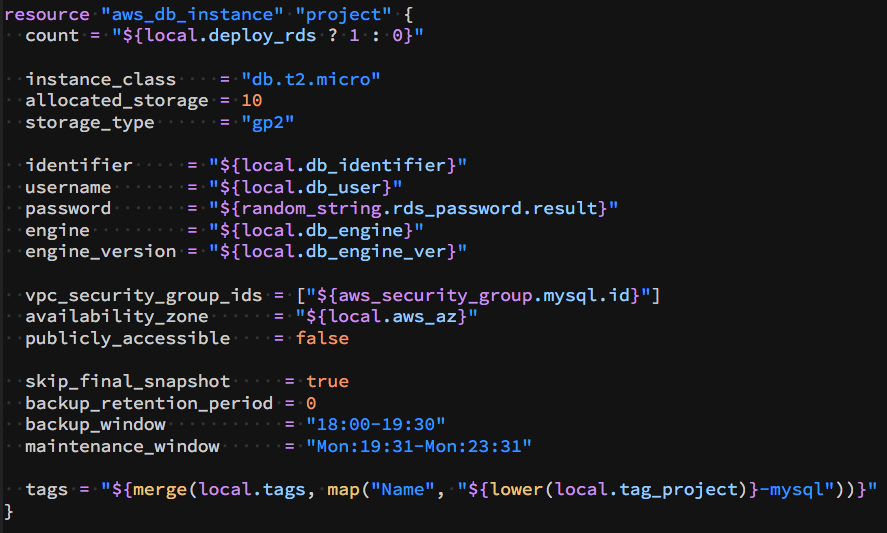
Here's a quick comparison of a syntax highlighting between the two
Terraform Language Extension

HCL Language Extension
 robertpeteuil
on 17 Dec 2018
robertpeteuil
on 17 Dec 2018
Version 2.0+ of the extension handles both of those cases correctly, so I'm going to close this. Thanks!
 aeschright
on 11 Jul 2020
aeschright
on 11 Jul 2020
I'm going to lock this issue because it has been closed for _30 days_ ⏳. This helps our maintainers find and focus on the active issues.
If you have found a problem that seems similar to this, please open a new issue and complete the issue template so we can capture all the context necessary to investigate further.
![hashibot[bot] picture](https://avatars.githubusercontent.com/in/8332?v=4&s=40) hashibot[bot]
on 10 Aug 2020
hashibot[bot]
on 10 Aug 2020
Related issues
 brodster2
·
5Comments
brodster2
·
5Comments
 renanaraujo
·
5Comments
renanaraujo
·
5Comments
 avinashkavi447
·
7Comments
avinashkavi447
·
7Comments
 fcatacut
·
5Comments
fcatacut
·
5Comments
 sugarraysam
·
4Comments
sugarraysam
·
4Comments
Most helpful comment
The screenshots looks like the language might be set to HCL instead of Terraform.
*.tffiles by default.In your screenshot, the colorization of references, like
var.admin_user, are colored in two different colors.${}has the same theme selector: "entity.other.attribute-name".${}as "storage.modifier.hcl"${}are defined as "entity.name.type.hcl"Here's a quick comparison of a syntax highlighting between the two
Terraform Language Extension
HCL Language Extension