Vscode-sqltools: Multiple Connections
This is a guideline to help us to understand SQLTools Issues.
You don't need to stick to this, but please try to guide us to reproduce the errors or understand your feature requests.
Issue Type
- [ ] Feature Request
- [x] Bugfix/Errors
- [ ] Questions
- [ ] Other
Prerequisites (For bugfixes)
- [x] Are you running the latest version?
- [x] Did you check the logs?
- [x] Did you check the Setup?
Description
I've connected to more than 1 DB but see just first DB at sidebar
Steps to Reproduce (For bugfixes)
- Connect to first DB
- Connect to second DB
- [and so on...]
Expected behavior: [What you expected to happen]
Added 2 connections to sidebar
Actual behavior: [What actually happened]
Just first connection
Versions
- Version: v0.12.1
- OS: osx
- SGDB: MSSQL
You can get this information from executing SQLTools: Version from VSCode Quick Open.
 UncleVic
All 11 comments
I've been thinking about that. But there are some concerns.
When we invoke to run a query, we should decide which connection we want to run? We should run in the last used? Should we have a tab per connection to run queries on each connection?
I'm open to suggestions, because I'ld love to use multiple connections easily. But I don't see how to decide it right now :(
 mtxr
on 2 Mar 2018
mtxr
on 2 Mar 2018
@mtxr Have you intentionally removed the button that opens a new empty SQL editor ?
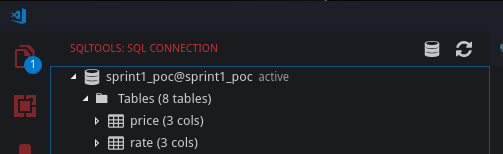
I'm under fedora 29 and I don't see any problems for the moment.
Queries are executed quicker than previous version.
Nice job !
 PapsOu
on 21 Jan 2019
PapsOu
on 21 Jan 2019
Yes, in a near future we will open an SQL file for a connection. Something
like pgadmin does (query tool).
You can still create an empty SQL file using the command palette.
Also, I always thought this button was useless and I could add more
important features there, like add new connection, open sqltools settings
(UI, coming soon).
Does it make sense?
On Mon, Jan 21, 2019, 13:03 PapsOu <[email protected] wrote:
@mtxr https://github.com/mtxr Have you intentionally removed the button
that opens a new empty SQL editor ?
[image: 20190121-160054]
https://user-images.githubusercontent.com/5792207/51482086-c8efc480-1d95-11e9-9749-4573c03eac23.png—
You are receiving this because you were mentioned.
Reply to this email directly, view it on GitHub
https://github.com/mtxr/vscode-sqltools/issues/69#issuecomment-456103524,
or mute the thread
https://github.com/notifications/unsubscribe-auth/AArL6WNiidtG8E0AGYmGorAlt26CMnerks5vFda_gaJpZM4SaM35
.
mtxr
on 21 Jan 2019
I was using this button every time I wanted to execute any SQL queries (mainly for debug purpose).
But I know I can create a something.sql file into my projects that will holds my usefull queries (and ignoring it form SCM).
I think this button was very useful for any user that do this process :
- Create a connection for a specific DB.
- Connect to the database.
- List tables and, optionally, their columns.
- Query content of specific table (with the list button)
- Apply a particular query to apply a larger limit or any where conditions.
From step 4, this button was very useful for quick debug on small projects.
And for new users of your extension, it would be good to have a button that let them directly execute SQL queries instead of manually creating a file.
The « Add new connection » button is still here. I think there is a typo because the tool-tip is « Add a new server » but the new connection Ui is displayed.
About a settings shortcut button, vscode users would be familiar with the settings UI (or, the json editor), so I don't think it's a « must have » feature, and I thought we don't change settings of extensions everyday.
PapsOu
on 21 Jan 2019
Just to be sure; This is closed, But i can't currently see an option to have multiple connections open, Only one. I.e. each sql file tab has its own connection, so i can work in multiple DBs at once.
Does this issue refer just to the UI? if so, i'll open a new issue.
 ransagy
on 14 Apr 2019
ransagy
on 14 Apr 2019
Ok, that's a fair question.
We currently have a way to have multiple active connections, but not this per tab connection.
I've recently added codelens run block query support, I believe we could add a @conn/@connection inside of this blocks telling which connection should we use,
Maybe better also have a first line comment like -- @connection <name> to set a connection per file.
It's a temporary solution at least. We have a similar question on #183 . And as #183 I need to re-design some core ops to allow this kind of feature.
But I really like the idea. That's something that already exists in other tools like Datagrip, dbeaver etc..
What do you think of this temporary solution?
mtxr
on 14 Apr 2019
Take a look at https://mtxr.gitbook.io/vscode-sqltools/changelog. Try v0.17.15.
It's a temporary solution, but allows us to manage multiple connections easier than before.
If you believe that doesnt fits for this issue, we can reopen it.
I believe it does for now since we can set the connection on first line of the file like here
But I can work it a bit further later, but won't be soon since I have to change some stuff on core code.
mtxr
on 15 Apr 2019
First thing: the @conn block seems to take only the first word of text, so if i have a connection named DEV MAIN DB it will try to run it on a connection named DEV.
To be honest, I find the whole codelens approach as a configuration method very weird. It seems overly complicated to annotate every piece of SQL. Every single editor/extension I've seen isolates such settings to the tab instance to avoid such things, As you mentioned yourself.
For example, Microsoft's vscode-mssql extension opens a result window for each tab of SQL when you run a query in it. The connection is scoped to that tab as well.
Personally, I don't see myself using it, But it great that you added the option quickly - I'm sure others will find it useful. Thanks!
ransagy
on 15 Apr 2019
@ransagy thanks. In fact the regex is matching only [\w_]. I've fixed it.
I started to work on session tabs as you said, seems to be more straightforward. Like you, I always used that kind of feature on other editors/tools, but on VSCode I wasn't finding a way to do that. But now I did!
Here is a beginning of this work if you want to try https://github.com/mtxr/vscode-sqltools/pull/188/files
When switching between tabs, the connection switches as well. This way we can easily use multiple connections without selecting a connection every time.
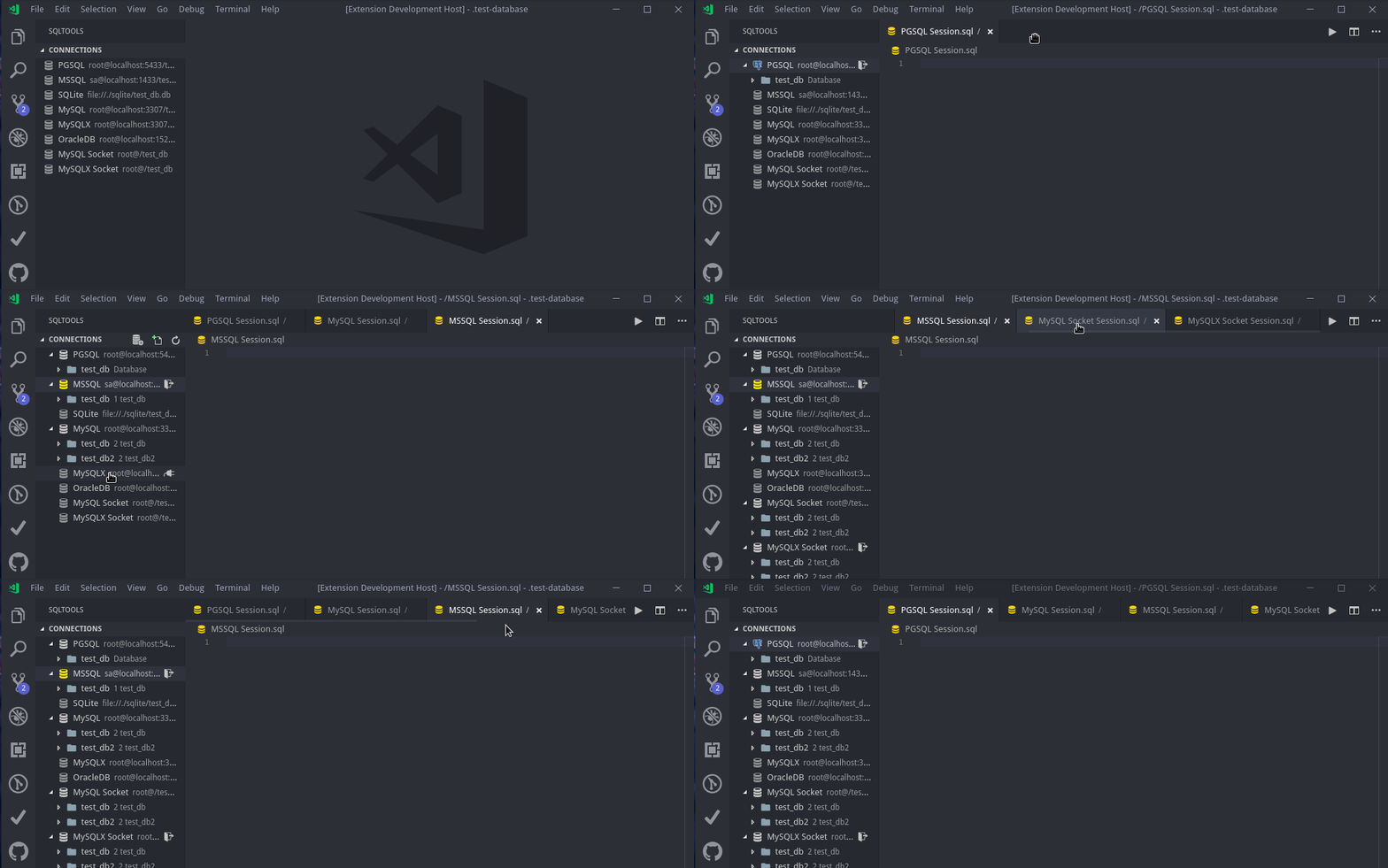
I believe I'm on the right path, what do you think?
mtxr
on 16 Apr 2019
@mtxr That looks great! Looking forward to it.
ransagy
on 16 Apr 2019
@ransagy I finally got it working. We can open a session file when connecting, we can also attach and detach a connection from the file.
The PR #188 is pending docs to be released.
mtxr
on 16 May 2019
Related issues
 steffan-c
·
7Comments
ransagy
·
7Comments
steffan-c
·
7Comments
ransagy
·
7Comments
 komalbb
·
5Comments
komalbb
·
5Comments
 ntt2k
·
4Comments
ntt2k
·
4Comments
 cstyve
·
3Comments
cstyve
·
3Comments
Most helpful comment
@ransagy thanks. In fact the regex is matching only
[\w_]. I've fixed it.I started to work on session tabs as you said, seems to be more straightforward. Like you, I always used that kind of feature on other editors/tools, but on VSCode I wasn't finding a way to do that. But now I did!
Here is a beginning of this work if you want to try https://github.com/mtxr/vscode-sqltools/pull/188/files
When switching between tabs, the connection switches as well. This way we can easily use multiple connections without selecting a connection every time.
I believe I'm on the right path, what do you think?