Vscode-spell-checker: Maximal number of problems
First of all, thanks for such a great extensions.
I noticed a limitation when playing around with the maximal number of problems setting ("cSpell.maxNumberOfProblems"). Regardless of its configuration, the maximal number of problems remains restricted by the upper bound of 250 problems that is hardcoded into vs code. In large documents with lots of names this can become easily binding, preventing further spellchecking unless one adds all into a personal dictionary. I don't know if this is feasible, but it would be nice to see a workaround around the somewhat restrictive behavior of vs code.
 urob
urob
All 11 comments
Thank you for the feedback.
Let us start with what are you trying to do? If I understand what you are trying to do, then I can maybe make some suggestions on how it could be fixed.
If you want a log of the spelling errors, try installing the command line tool cspell.
 Jason3S
on 19 Jan 2018
Jason3S
on 19 Jan 2018
Thanks for getting back! I am using it as a language spellchecker for latex documents. I don't care much for the list of problems in the problems tab, but would like to visually indicate misspelled words throughout the document (marked by the wiggly red underline by default). Currently, it only marks the first 250 misspelled words, regardless of the setting for "cSpell.maxNumberOfProblems".
urob
on 19 Jan 2018
The problem is that with LaTex some keywords are not recognized, than there are likely lots of names or terms in your document, and you quickly exceed max number of warnings
(from this extension) in VS Code:


 Bludator
on 21 Jan 2018
Bludator
on 21 Jan 2018
Do you have a sample doc I can use to improve the LaTex support?
On Sun, 21 Jan 2018 at 14:33, Bludkey notifications@github.com wrote:
The problem is that with LaTex some keywords are not recognized, than
there are likely lots of names or terms in your document, and you quickly
exceed max number of warnings
(from this extension) in VS Code:
[image: image]
https://user-images.githubusercontent.com/27734159/35194708-dcf5278e-feb7-11e7-96f1-24b661ba4286.png
[image: image]
https://user-images.githubusercontent.com/27734159/35194627-90cc3074-feb6-11e7-8622-02e1f569d6b9.png—
You are receiving this because you commented.Reply to this email directly, view it on GitHub
https://github.com/Jason-Rev/vscode-spell-checker/issues/172#issuecomment-359248793,
or mute the thread
https://github.com/notifications/unsubscribe-auth/ADkR6SFz41e0XWWTAtr2ZF90TVJwI79Aks5tMzywgaJpZM4RjwDM
.
Jason3S
on 21 Jan 2018
It is not that simple and I said it maybe unclearly.
There are more than 3000 packages and every package consist of several macros. Some macros have not been recognized. To add all these macros to dictionary would be very hard work even than there are parameters that not correspond with camelCase or any other, theyarejustlikethis.
What could work:
- Escape all macro's names: All macros start with
\and end with space or\or it have parameters in{}or[]. This is probably against the first idea of this project - to check spelling in variable/function names and comments, but for LaTeX only purpose this could be reasonable (you want check mainly the text)
- Escape parameters which contain
=. Parameters of this format are likely setups.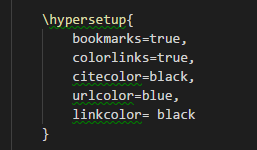
- Escape parameters of
\usepackagemacro and maybe some other macros (for citations)
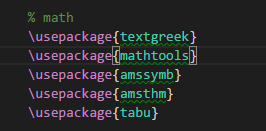
Like this

         \EscapeThisdamnmacro{SpellCheckThisParameter}{
             DoNottrythat=here,
             Norhere=no} %same with parameters within []
Bludator
on 27 Jan 2018
Regarding the escaping of latex commands, the author of Latex-workshop recommends using the following ignore pattern to prevent cspell from checking them:
"cSpell.ignoreRegExpList": [
"\\\w(\[.?\])?(\{.*?\})?",
"\$.+?\$"
]
For me this works great, succeeding in cspell only checking the actual writing. But still, with technical reports that involve many non-dictionary terms, one can quickly exceed 250 errors, after which the remainder of the text remains unchecked. Hence my initial request.
urob
on 28 Jan 2018
Ok, so LaTex is the language.
Even though we cannot change the number of issues shown by VS Code, we might be able to do something about the issues themselves.
Jason3S
on 28 Jan 2018
Oh, I miss this note in Latex workshop description.
It would be great to incorporate some ignore regexp to Latex spell check. Thus this would be the default for LaTeX documents.
I have done IHMO bit better ignore pattern (than mentioned above):
\\\w+(?:\[[^]*?\]|\{[^]*?\})*
Bludator
on 18 Feb 2018
Nice, I'll try it out.
Jason3S
on 18 Feb 2018
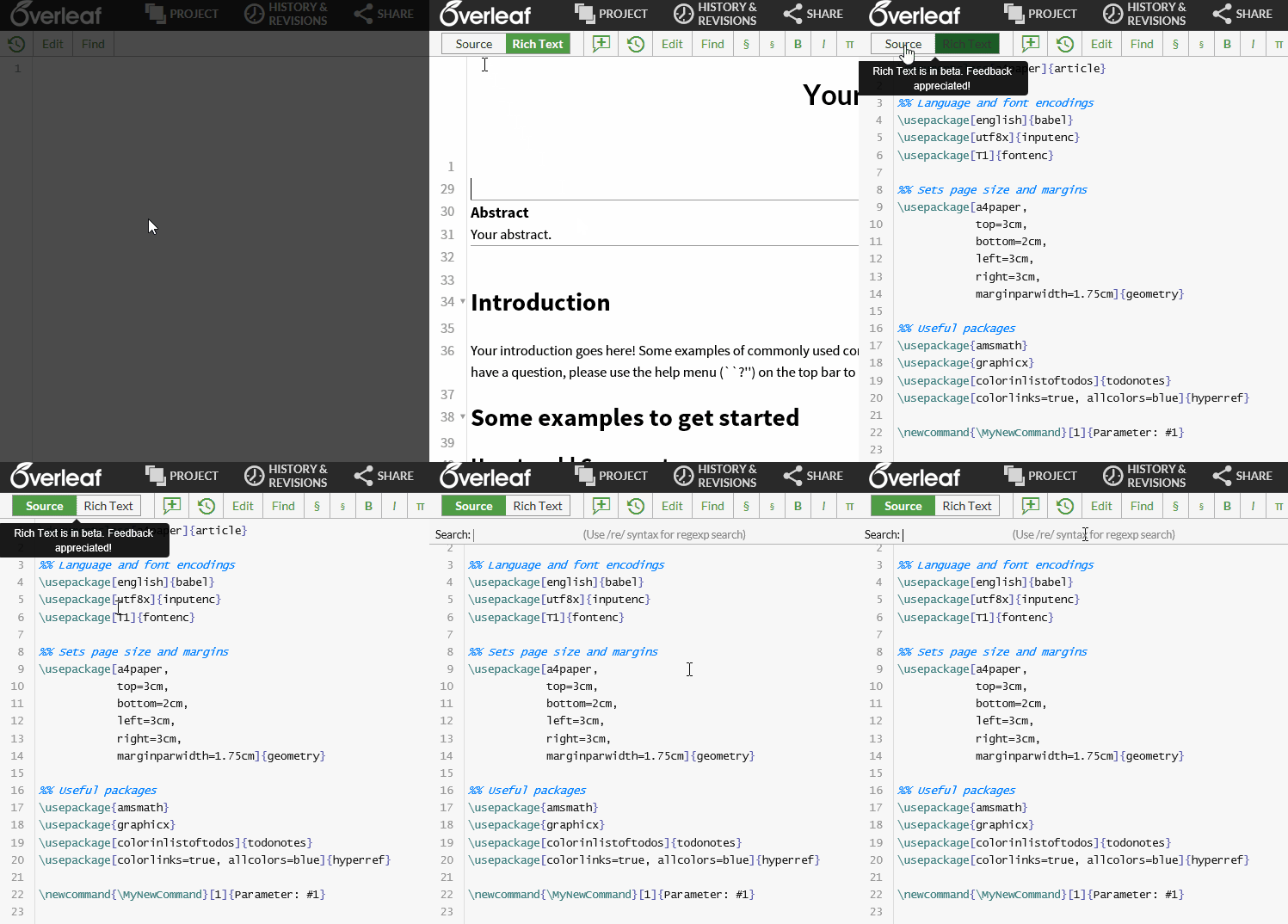
You asked for sample doc. You can use this on Overleaf (online LaTeX editor)
Bludator
on 18 Feb 2018
I'm going to close this for now. LaTex support has been improved since this issue was created. If you see more problems, please create a new issue and refer to this one.
Jason3S
on 7 May 2019
Related issues
 Deilan
·
3Comments
Deilan
·
3Comments
 floatingpurr
·
5Comments
floatingpurr
·
5Comments
 jose-a-sa
·
6Comments
jose-a-sa
·
6Comments
 solidpixel
·
5Comments
solidpixel
·
5Comments
 blackwind
·
3Comments
blackwind
·
3Comments
Most helpful comment
Ok, so LaTex is the language.
Even though we cannot change the number of issues shown by VS Code, we might be able to do something about the issues themselves.