Vscode-rust: Rls stuck at "installing components..." vs code
I am new to rust and installing it to vscode, OS is windows things I have done to:
installing rustup
ran "rustc --version" gave me a version number, so i assumed all is well
now when to vscode to begin playing around with the language steps i took:
-cd into the a newly created folder which i would use for rust development
- ran cargo run (this created a new project with the name i specified and initialized a git repo which was nice)
now the meat of the problem, when i installed the rls extension on vscode, it gave me an error "c:/program cannot be executed" something like that after i saw this little spinning wheel that says "RLS installing components" what do i do from here
I apologize if this is messy im new to rust normally python is a lot easier to set up and go with its linting, but i cant get that to work on rust using vs code, makes me think I'm doing something wrong.
also im new to github pardon me, thanks for your response
 seaofsole
All 11 comments
That's fine, thanks for the report! Could you possible submit a screenshot or a text log with the error, please?
 Xanewok
on 19 Sep 2019
Xanewok
on 19 Sep 2019
I got it working via VSCode WSL Remote. In Win10, VSCode suddenly breaks the task, I still don't know why that happens and it doesn't show any output why it breaks but rls-vscode depends on native install, this command didn't work for me "rustup component add rust-analysis --toolchain stable-x86_64-pc-windows-msvc" but this one did:
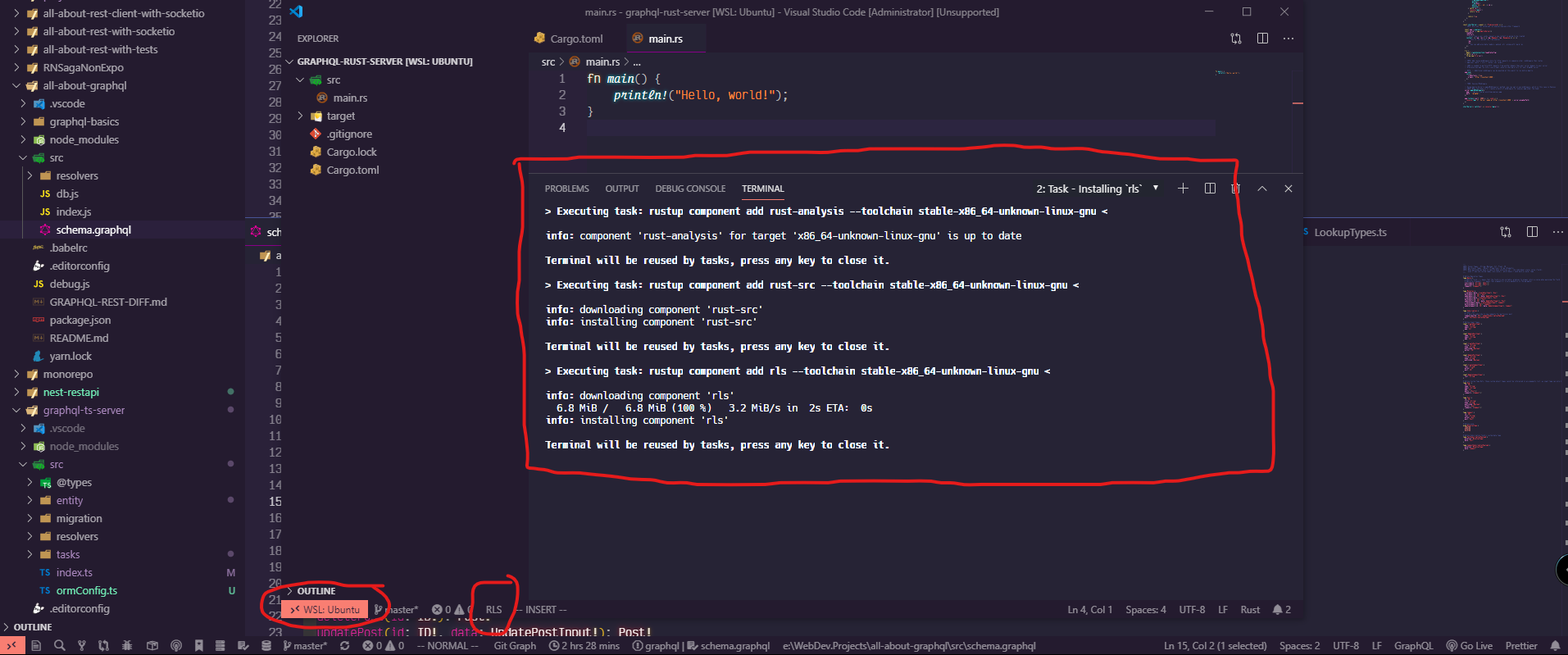
P.S After switching to WSL Remote and Before I got it working. As per Quickstart said:
- Open a Rust project (File > Add Folder to Workspace...). Open the folder for the whole project (i.e., the folder containing 'Cargo.toml'), not the 'src' folder - It didn't prompt to install but after clicking the src folder > main.rs, it did.
 barryblando
on 22 Sep 2019
barryblando
on 22 Sep 2019
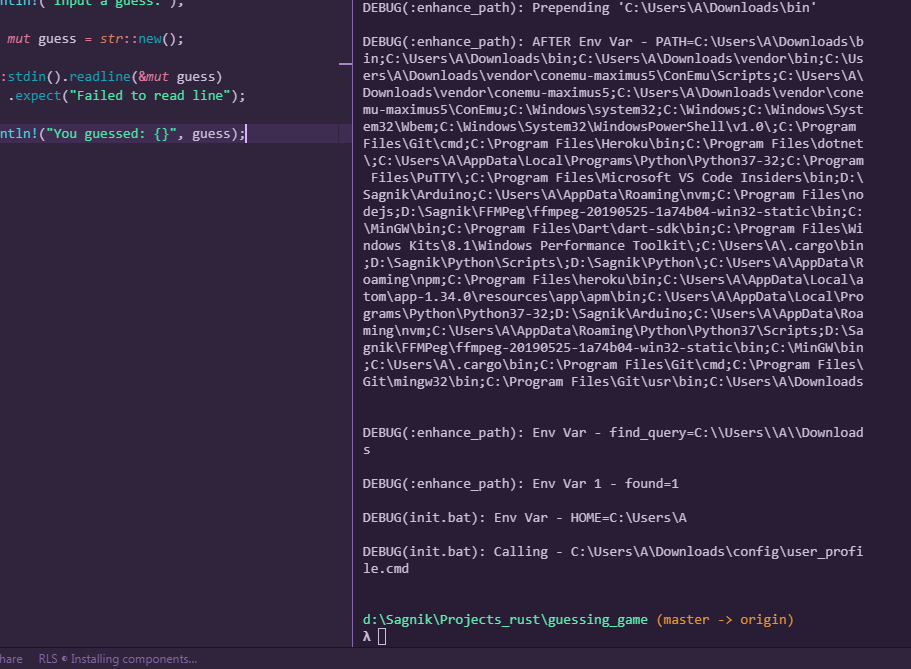
I am also facing a similar issue. It seems to be stuck at installing components.
 SagnikPradhan
on 27 Sep 2019
SagnikPradhan
on 27 Sep 2019
I have to admit that the component installing feature was implemented before support for remote workspace (e.g. WSL, ssh) was implemented in VSCode, so there's a chance these don't interact properly. I'll look into it.
Xanewok
on 14 Oct 2019
I was also facing the same issue on OSX. Manually setting "rust-client.rlsPath" to the output of which rls fixed it for me.
 tomaster777
on 30 Mar 2020
tomaster777
on 30 Mar 2020
@Xanewok any updates on this one? Got stuck with Installing components on Windows 10 and VSC 1.44.0 and I don't have WSL extension installed.
UPD:
Error: the task 'Rust: Installing `rust-analysis`' neither specifies a command nor a dependsOn property. The task will be ignored. Its definition is:
{
    "type": "shell",
    "id": "shell,rustup component add rust-analysis --toolchain stable-x86_64-pc-windows-msvc,",
    "problemMatcher": [],
    "label": "Rust: Installing `rust-analysis`"
}
 abriginets
on 9 Apr 2020
abriginets
on 9 Apr 2020
Edit: here is what fixed it for me
https://github.com/rust-lang/rls-vscode/issues/684
"[..]rustup component add rls and restarted VS Code[..]"
 Vollkornaffe
on 10 Apr 2020
Vollkornaffe
on 10 Apr 2020
Yes, thank you @Vollkornaffe for mentioning here that thread. Manually installing RLS via: rustup component add rls fixes the issue. Yet it's not fixing this issue for those who are trying to install VSCode extension from the Marketplace.
abriginets
on 10 Apr 2020
I have the same issue on Windows (no WSL) and manually installing RLS doesn't help either - it's in PATH after the installation, but a prompt _RLS not installed. Install?_ still appears and the installation then gets stuck at _Installing components..._ again.
EDIT: got it to work by also manually adding the path to RLS to rust-client.rlsPath in settings (and then also manually installing rustup component add rust-src so the definition peeks work).
 timichal
on 11 Apr 2020
timichal
on 11 Apr 2020
I had the same issue on Windows 10 with mingw. It's been solved after manually installing rustup component add rls rust-analysis rust-src in https://github.com/rust-lang/rls. And it's done without rlsPath.
 qwefgh90
on 14 Apr 2020
qwefgh90
on 14 Apr 2020
This occurs if you use the nightly channel . (i.e.) rustup override set nightly . If i change it back to stable VScode is unable to detect it and still tries to download the nightly toolchain.
 hvram1
on 4 May 2020
hvram1
on 4 May 2020
Related issues
 mcclure
·
4Comments
mcclure
·
4Comments
 harrier-lcc
·
4Comments
harrier-lcc
·
4Comments
 vjancik
·
4Comments
vjancik
·
4Comments
 views63
·
5Comments
views63
·
5Comments
 not-fl3
·
3Comments
not-fl3
·
3Comments
Most helpful comment
I had the same issue on Windows 10 with mingw. It's been solved after manually installing
rustup component add rls rust-analysis rust-srcin https://github.com/rust-lang/rls. And it's done withoutrlsPath.