Vscode-remote-release: Not seeing the "Remote-Containers: Add Development Container Configuration Files" option.
Issue Type: Bug
- Start vs code.
- Press F1.
- Start typing "Remote-Containers: A" looking for the "Remote-Containers: Add Development Container Configuration Files" option as indicated in the document: https://code.visualstudio.com/docs/remote/containers#_creating-a-devcontainerjson-file
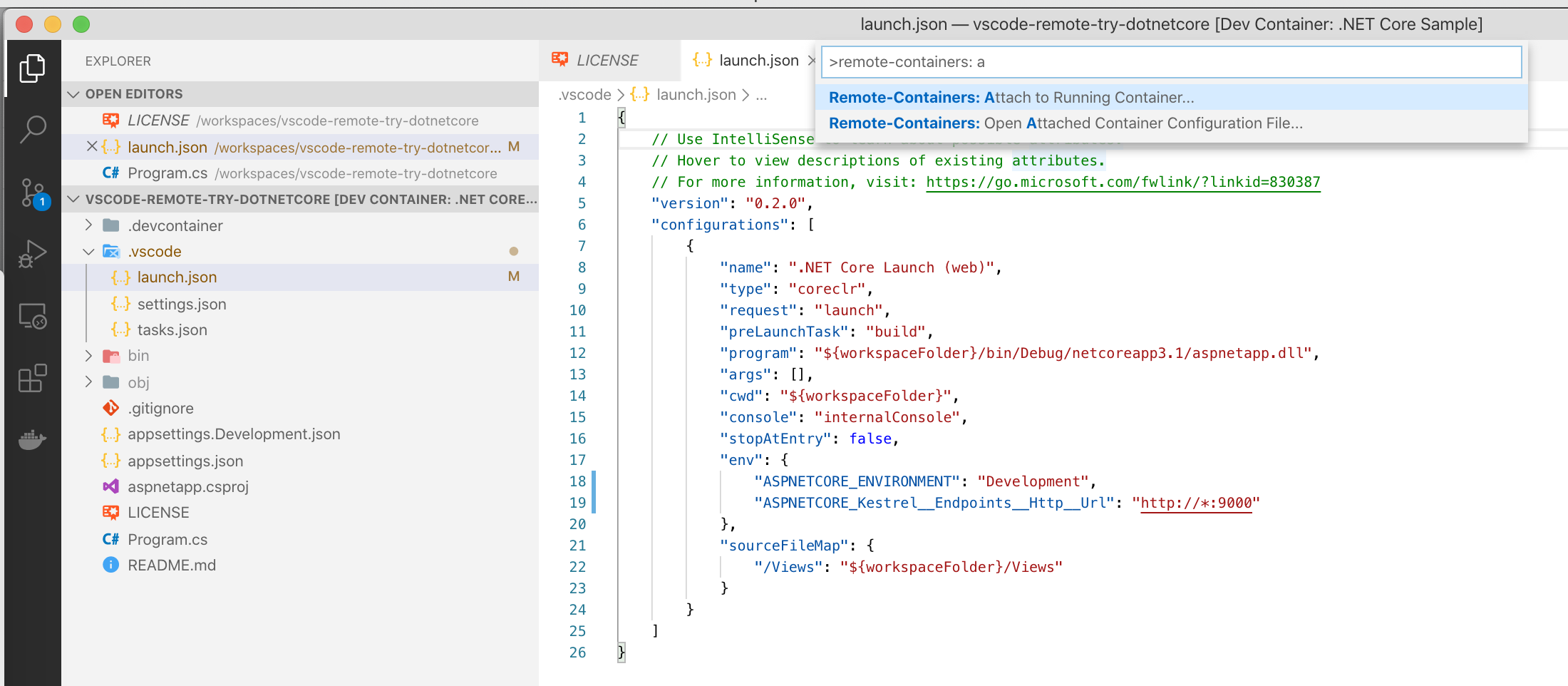
- Option not available. This happens to me both when I run vs code against local and container/based code.
Here are the options I'm getting:
VS Code version: Code 1.43.2 (0ba0ca52957102ca3527cf479571617f0de6ed50, 2020-03-24T07:34:57.037Z)
OS version: Darwin x64 19.3.0
Remote OS version: Linux x64 4.19.76-linuxkit
System Info
|Item|Value|
|---|---|
|CPUs|Intel(R) Core(TM) i7-8750H CPU @ 2.20GHz (12 x 2200)|
|GPU Status|2d_canvas: enabled
flash_3d: enabled
flash_stage3d: enabled
flash_stage3d_baseline: enabled
gpu_compositing: enabled
metal: disabled_off
multiple_raster_threads: enabled_on
oop_rasterization: disabled_off
protected_video_decode: unavailable_off
rasterization: enabled
skia_renderer: disabled_off_ok
video_decode: enabled
viz_display_compositor: enabled_on
viz_hit_test_surface_layer: disabled_off_ok
webgl: enabled
webgl2: enabled|
|Load (avg)|4, 4, 3|
|Memory (System)|16.00GB (2.50GB free)|
|Process Argv|-psn_0_65552|
|Screen Reader|no|
|VM|0%|
|Item|Value|
|---|---|
|Remote|Dev Container: .NET Core Sample|
|OS|Linux x64 4.19.76-linuxkit|
|CPUs|Intel(R) Core(TM) i7-8750H CPU @ 2.20GHz (6 x 2200)|
|Memory (System)|1.94GB (0.62GB free)|
|VM|0%|
Extensions (12)
Extension|Author (truncated)|Version
---|---|---
csharp|ms-|1.21.15
mermaid-markdown-syntax-highlighting|bpr|1.0.2
plantuml|jeb|2.13.6
vscode-docker|ms-|1.0.0
remote-containers|ms-|0.106.0
remote-ssh|ms-|0.50.1
remote-ssh-edit|ms-|0.50.1
remote-wsl|ms-|0.42.4
vscode-remote-extensionpack|ms-|0.20.0
resharper9-keybindings|ms-|1.1.0
material-icon-theme|PKi|4.0.1
vscode-icons|vsc|10.0.0
(9 theme extensions excluded)
 PiotrJustyna
All 9 comments
@PiotrJustyna You are already connected to a container (as seen in the titlebar). Try opening a local folder and retry.
 chrmarti
on 27 Mar 2020
chrmarti
on 27 Mar 2020
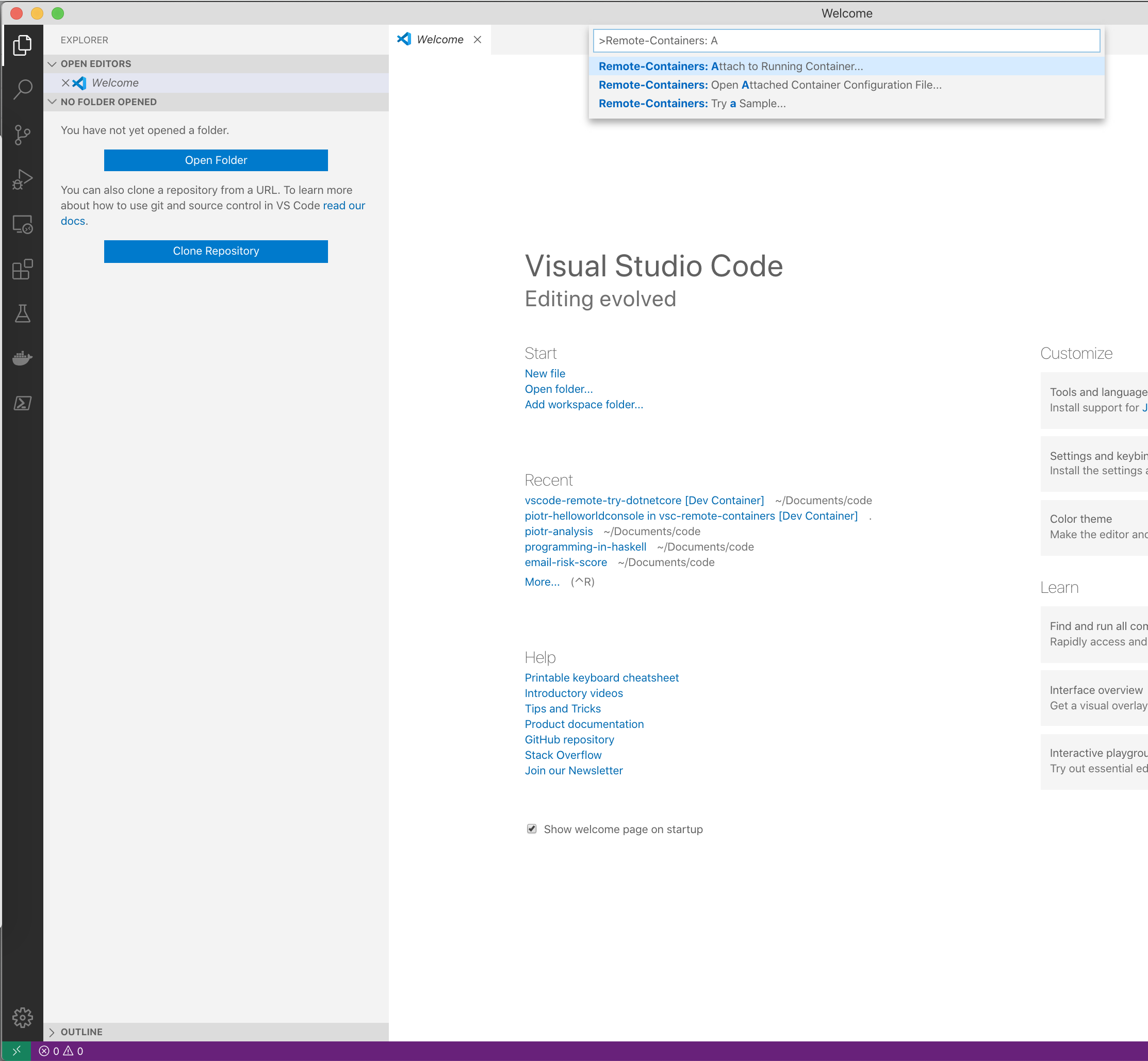
@mjbvz @chrmarti I'm sorry but what kind of answer is that? Please read my report again, especially point 4. This also happens when I'm disconnected.
I am not very happy with how the issue is handled.
PiotrJustyna
on 27 Mar 2020
@PiotrJustyna You need to have a folder open for the command to be available. The screenshot shows that you are in a window with no folder open.
chrmarti
on 27 Mar 2020
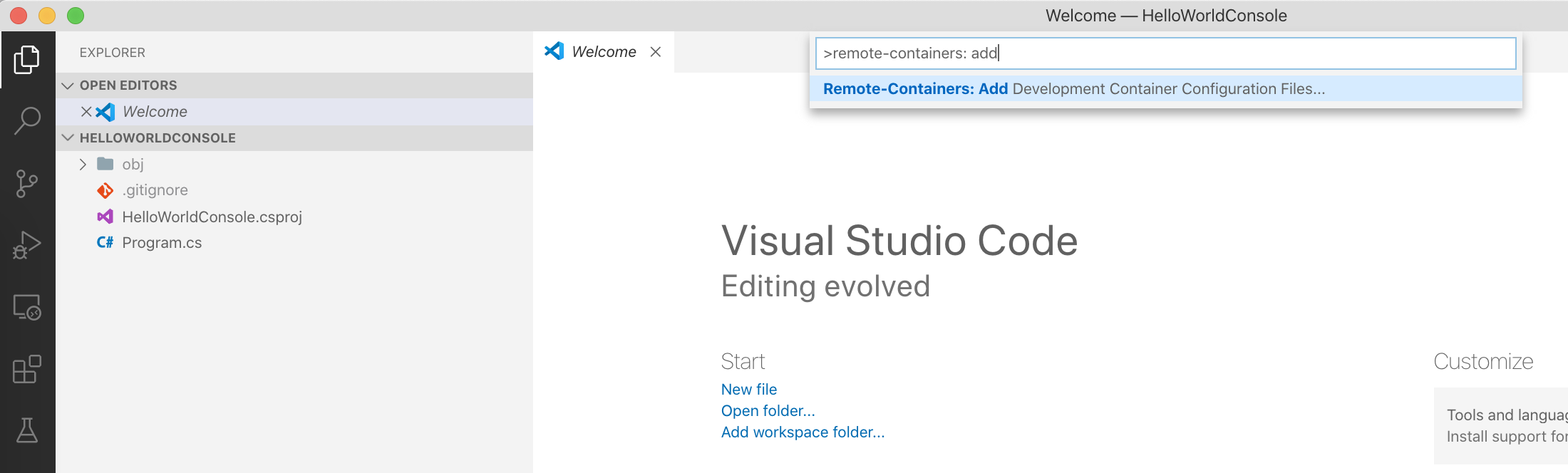
@chrmarti Thank you for the clarification. I confirm I can see that option when I open a folder. This is not obvious and I think the documentation I linked in my report should be updated accordingly.
PiotrJustyna
on 29 Mar 2020
@Chuxel for the suggestion to clarify the documentation on when the command is available.
chrmarti
on 30 Mar 2020
@chrmarti This has been a source of confusion in the past - wouldn't offering to replace in this scenario be a more natural behavior?
 Chuxel
on 30 Mar 2020
Chuxel
on 30 Mar 2020
@Chuxel Also when currently connected to a dev container? Maybe. 🤔
chrmarti
on 30 Mar 2020
The most user-friendly solution I can think of is to always show the option. If selected, the user should be asked where they want to add the configuration files to. Whether it is a local or a remote folder. If configuration files are already present, the user should be asked if they want to overwrite them.
PiotrJustyna
on 31 Mar 2020
Replacement is tracked as https://github.com/microsoft/vscode-remote-release/issues/841.
Fixing by also showing the command when there is no folder open and prompting the user to open one first.
chrmarti
on 20 Oct 2020
Related issues
 sulume
·
3Comments
sulume
·
3Comments
 jkoritzinsky
·
3Comments
jkoritzinsky
·
3Comments
 kieferrm
·
3Comments
kieferrm
·
3Comments
kieferrm
·
3Comments
kieferrm
·
3Comments
 gurdevrana
·
3Comments
gurdevrana
·
3Comments
Most helpful comment
The most user-friendly solution I can think of is to always show the option. If selected, the user should be asked where they want to add the configuration files to. Whether it is a local or a remote folder. If configuration files are already present, the user should be asked if they want to overwrite them.