Vscode-remote-release: Stopping popups on disconnect
I use the remote development feature a lot and I constantly get "Cannot reconnect. Please reload the window." popups when I lose connectivity for whatever reason (disconnected from vpn, needed to reboot external server, etc). Is there a way to stop these popups or silence them? I just find it extremely annoying when my OS refocuses on the application and the vscode icon bounces in my dock until I go and acknowledge it. Simply having the application say "Disconnected from ..." is good enough for me.
 WesleyYue
All 11 comments
@sbatten Do you know how to avoid that the windows steal focus when we show the disconnected dialog?
 alexdima
on 3 Sep 2020
alexdima
on 3 Sep 2020
In my testing, the dialog appearing will not steal focus from an active window, but will bring it as close to the foreground as possible as well as bounce the VS Code icon. I don't see any flags we can set on the dialogs in the electron API to be less aggressive, but the custom dialogs don't have this ability so that's the only option of which I am aware aside from disabling at the users OS level.
 sbatten
on 4 Sep 2020
sbatten
on 4 Sep 2020
@sbatten On the web, we show a dialog like this:
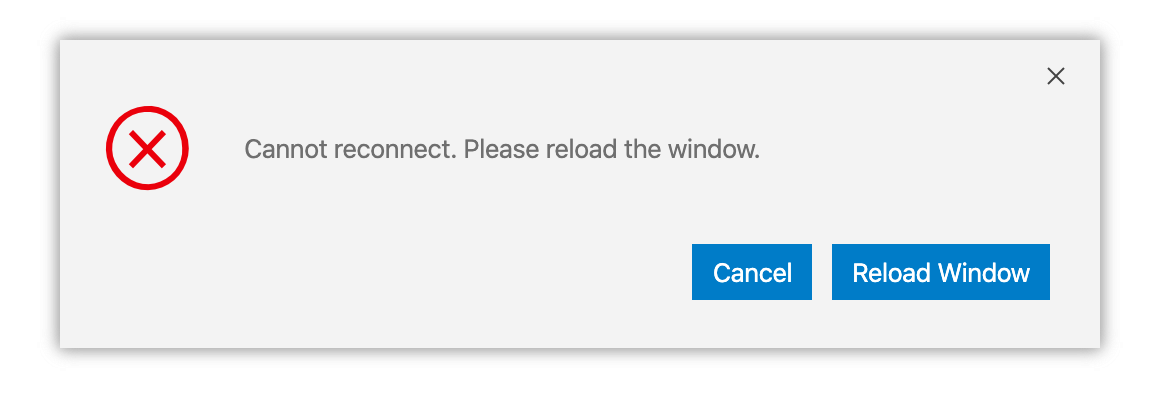
I think this issue could be considered a feature request for a a global setting to render all dialogs in VS Code like we render on the web.
alexdima
on 4 Sep 2020
We actually already have the ability to switch between with a hidden setting, but that setting is not visible or documented. I can do that for next milestone. I always use the custom dialogs on windows for testing and I prefer them.
sbatten
on 4 Sep 2020
This issue is a little different in my circumstances. I have custom logic that requires user presence to reconnect. It would be ideal to have a setting that upon a disconnection just displays a message on the bottom right where SSH status usually is.
At that point the user can select "Reconnect".
 alexw23
on 4 Sep 2020
alexw23
on 4 Sep 2020
I must also note (on OSX at least) I get two pop ups with the same disconnected, reload window message.
alexw23
on 16 Sep 2020
I must also note (on OSX at least) I get two pop ups with the same disconnected, reload window message.
I experience this as well. Also just wanted to add that the popup also blocks my computer from restarting/shutting down until I acknowledge it which is another annoying behaviour.
WesleyYue
on 16 Sep 2020
Setting in next insiders: https://github.com/microsoft/vscode/commit/6781d16f05b2e93549675ec79a4ab2917c85faaa
sbatten
on 19 Sep 2020
@sbatten Is this in the latest released VS Code or still in insiders?
 Chuxel
on 10 Nov 2020
Chuxel
on 10 Nov 2020
in stable, window.dialogStyle
sbatten
on 10 Nov 2020
fwiw it seems like Big Sur has also modified its behaviour such that the app icon no longer bounces in the dock for an application popup. I'll close this since the problem is fixed for me at the OS level and seems like it should be fixed for other platforms through the new option in VS code. Thanks for your work.
WesleyYue
on 19 Nov 2020
Related issues
 asyncx
·
3Comments
asyncx
·
3Comments
 kieferrm
·
3Comments
kieferrm
·
3Comments
 nphmuller
·
3Comments
nphmuller
·
3Comments
 mxdmedia
·
3Comments
mxdmedia
·
3Comments
 abdullahiabdirahman
·
3Comments
abdullahiabdirahman
·
3Comments
Most helpful comment
We actually already have the ability to switch between with a hidden setting, but that setting is not visible or documented. I can do that for next milestone. I always use the custom dialogs on windows for testing and I prefer them.