Vscode-remote-release: remote container-try an example: Docker returned an error. make sure the docker daemon is runing
- VSCode Version: the latest
- Local OS Version: win 10
- Remote OS Version: ubuntu 16.04 LTS
- Remote Extension/Connection Type: Docker
Steps to Reproduce:
1.

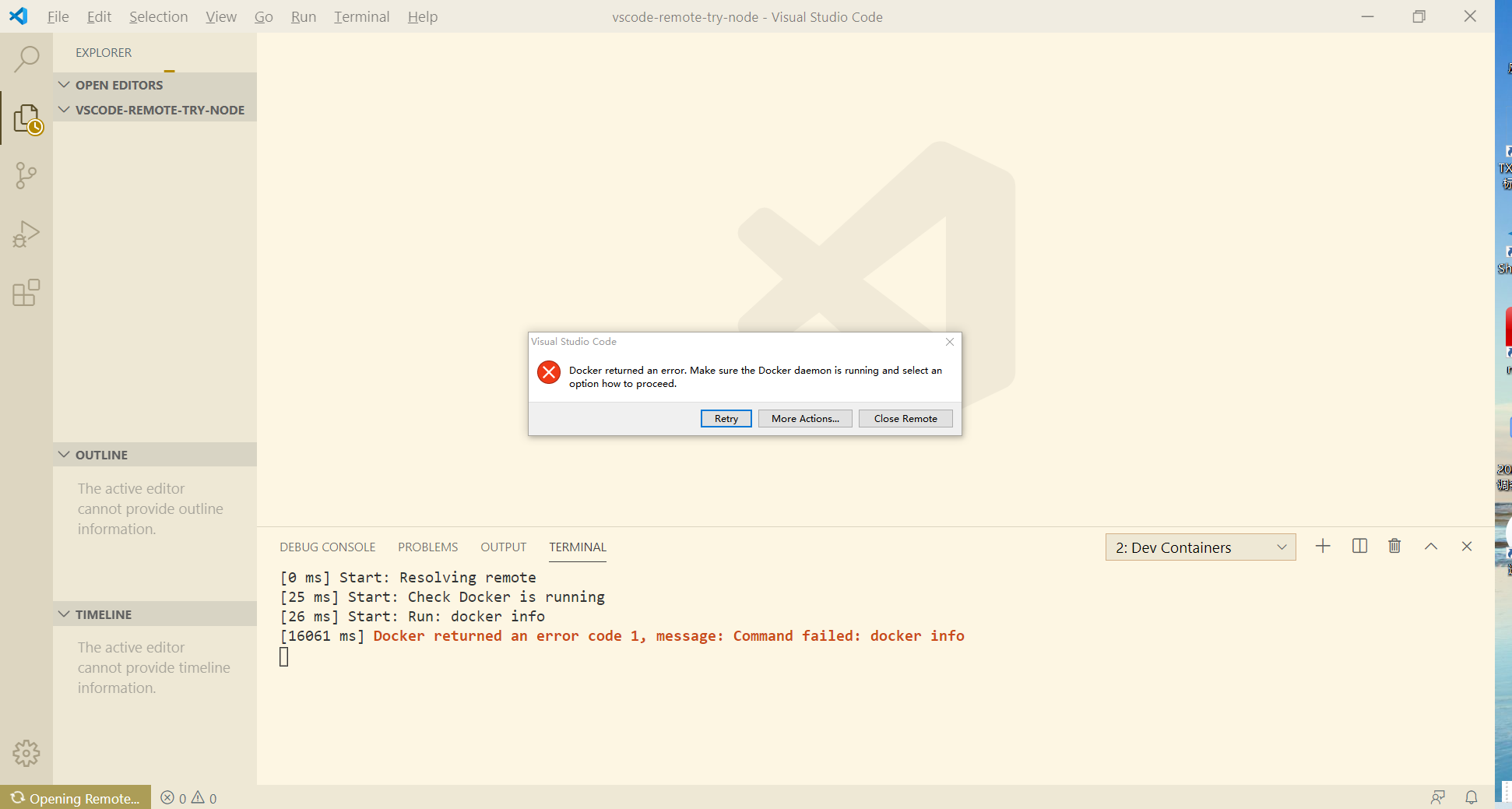

2.it seems that my problem is different from https://github.com/microsoft/vscode-remote-release/issues/975
Does this issue occur when you try this locally?: Yes
Does this issue occur when you try this locally and all extensions are disabled?: Yes
 sisrfeng
All 28 comments
What do you get for docker info in a terminal?
 chrmarti
on 14 Apr 2020
chrmarti
on 14 Apr 2020
Could you also check what is in the console? (Help > Toggle Developer Tools)
chrmarti
on 14 Apr 2020
many thanks!
local:
PS C:\Users\noway> docker info
Client:
Debug Mode: false
Server:
Containers: 1
Running: 0
Paused: 0
Stopped: 1
Images: 2
Server Version: 19.03.8
Remote:
docker info
Client:
Debug Mode: false
Server:
Containers: 53
Running: 2
Paused: 0
Stopped: 51
Images: 78
Server Version: 19.03.5
May I have your email? There remain other information, but I' m afraid that there are some private things.
sisrfeng
on 14 Apr 2020
Could you also check what is in the console? (Help > Toggle Developer Tools)
There should be an error object, it would be interesting what is in there. Hopefully that comes with no private information.
chrmarti
on 14 Apr 2020
thanks !
无法读取文件 means : can not read file
出现未知错误。有关详细信息,请参阅日志 means: An unknown error occur.For more information, please refer to the log
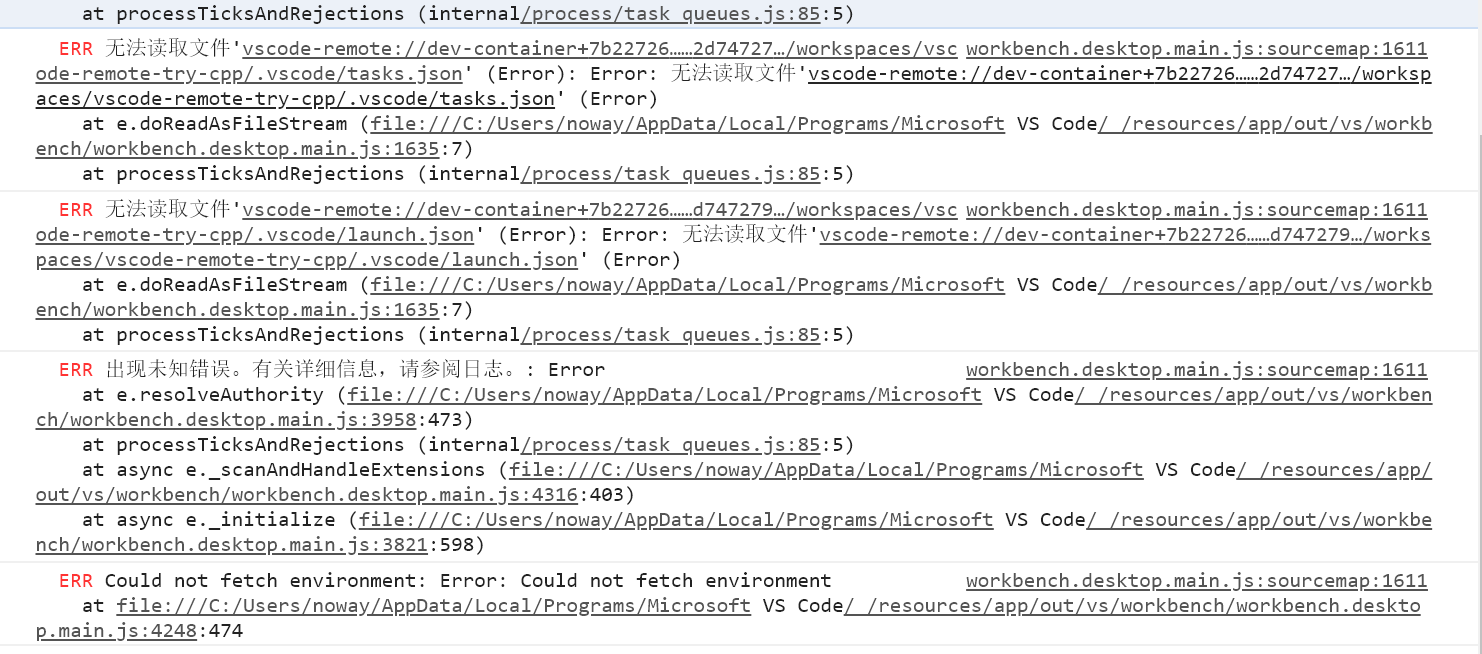
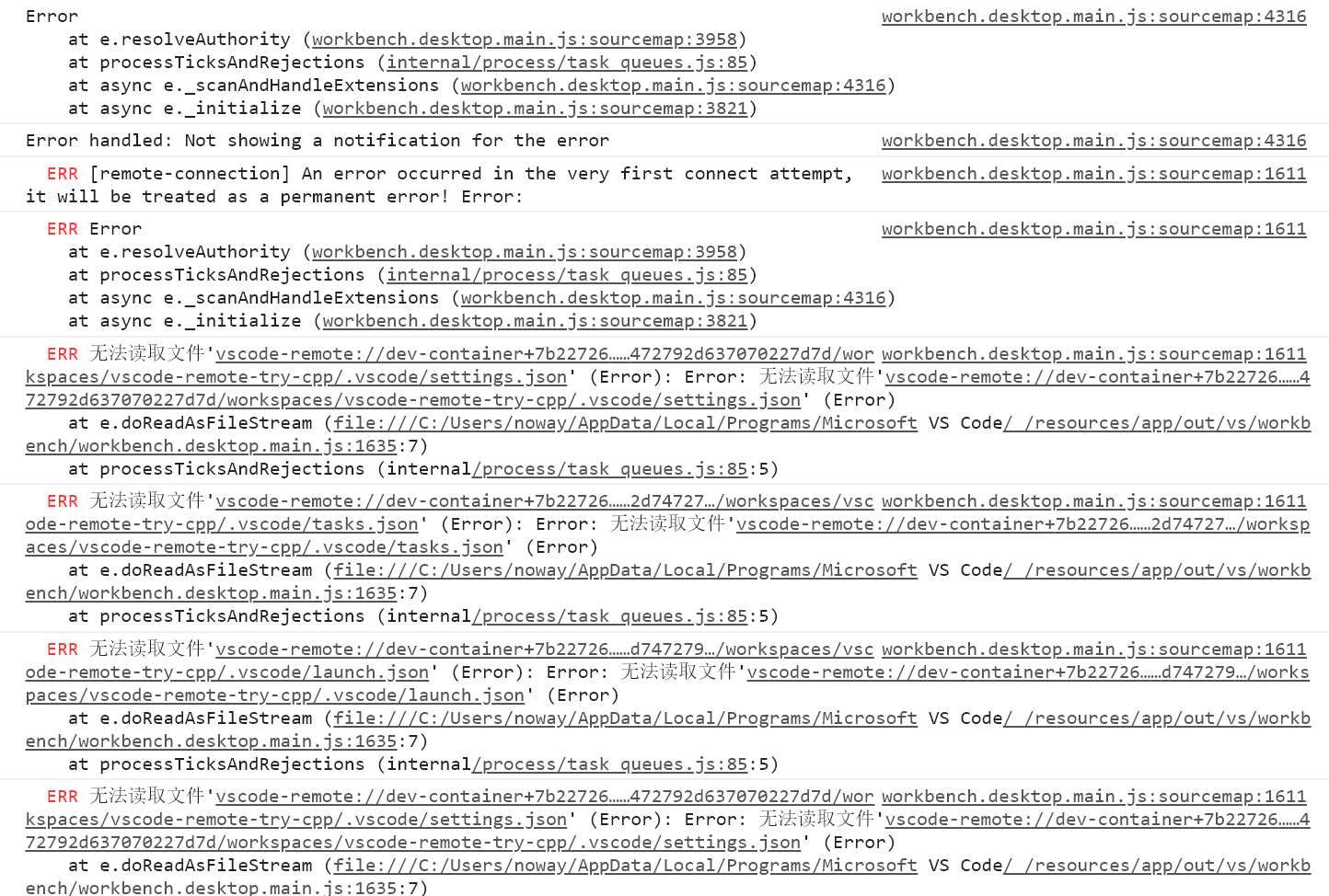
sisrfeng
on 14 Apr 2020
docker info
Server:
Containers: 53
Running: 2
Paused: 0
Stopped: 51
Images: 78
Server Version: 19.03.5
Storage Driver: aufs
Root Dir: /var/lib/docker/aufs
Backing Filesystem: extfs
Dirs: 309
Dirperm1 Supported: true
Logging Driver: json-file
Cgroup Driver: cgroupfs
Plugins:
Volume: local
Network: bridge host ipvlan macvlan null overlay
Log: awslogs fluentd gcplogs gelf journald json-file local logentries splunk syslog
Swarm: inactive
Runtimes: runc
Default Runtime: runc
Init Binary: docker-init
containerd version: b34a5c8af56e510852c35414db4c1f4fa6172339
runc version: 3e425f80a8c931f88e6d94a8c831b9d5aa481657
init version: fec3683
Kernel Version: 4.15.0-76-generic
Operating System: Ubuntu 16.04.2 LTS
OSType: linux
Architecture: x86_64
CPUs: 32
Total Memory: 125.8GiB
Name: ubuntu
Docker Root Dir: /var/lib/docker
Debug Mode: false
Live Restore Enabled: false
WARNING: No swap limit support
WARNING: the aufs storage-driver is deprecated, and will be removed in a future release.
The following is hidden:
Username:
Registry:
Labels:
Experimental:
Insecure Registries:
sisrfeng
on 14 Apr 2020
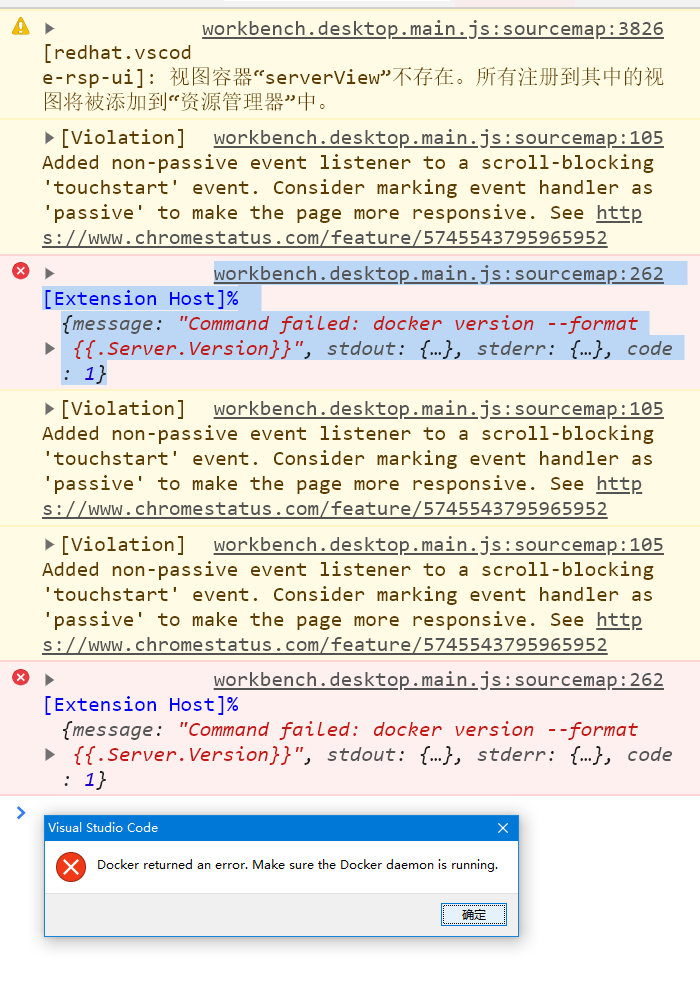
Could you scroll to the top of the console and attach what is there? The first few errors are the most relevant.
chrmarti
on 14 Apr 2020
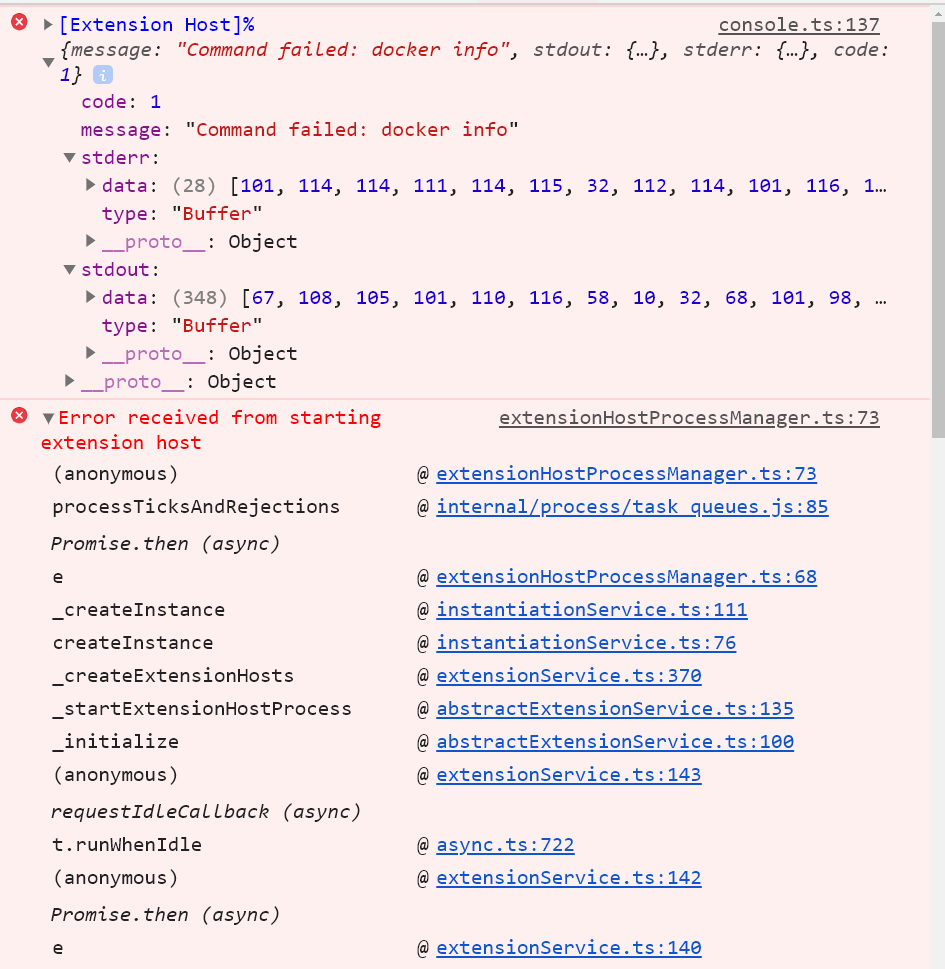
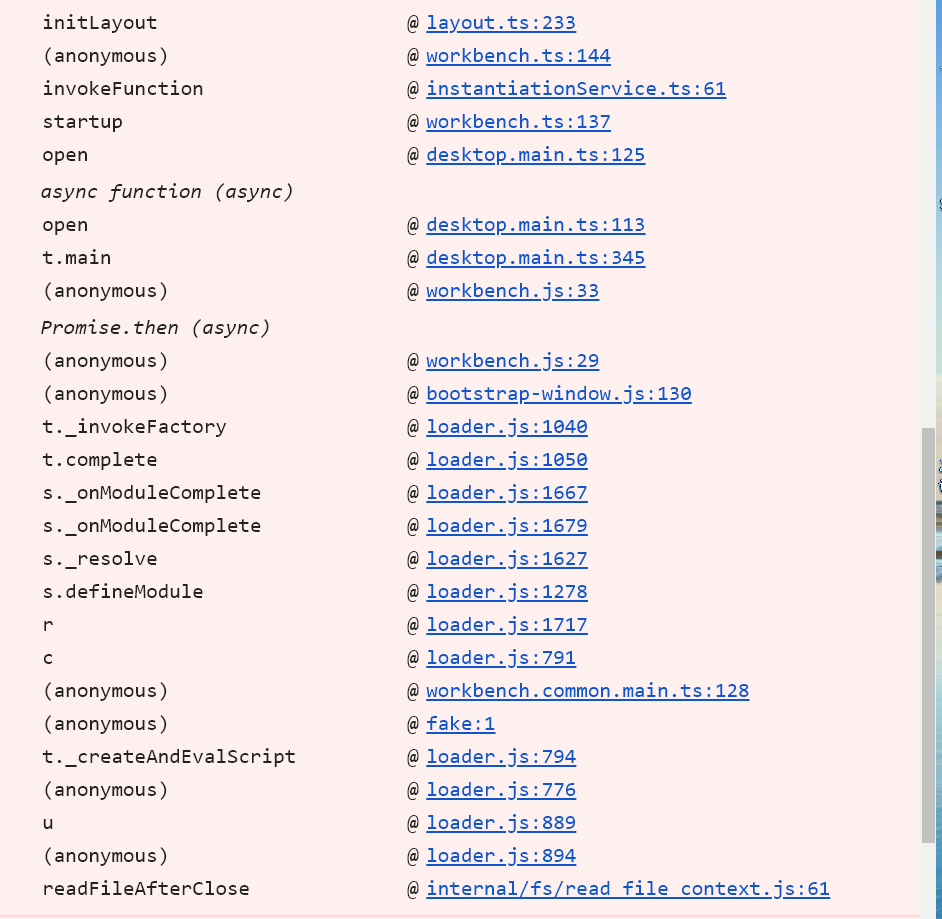
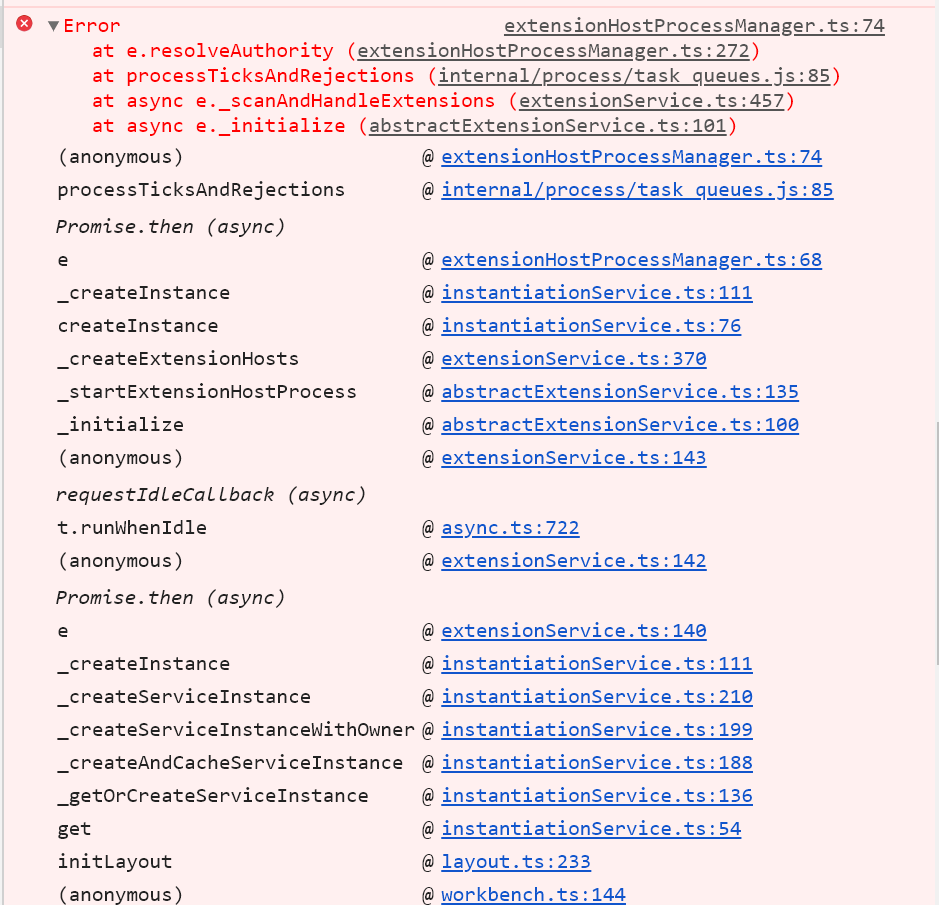
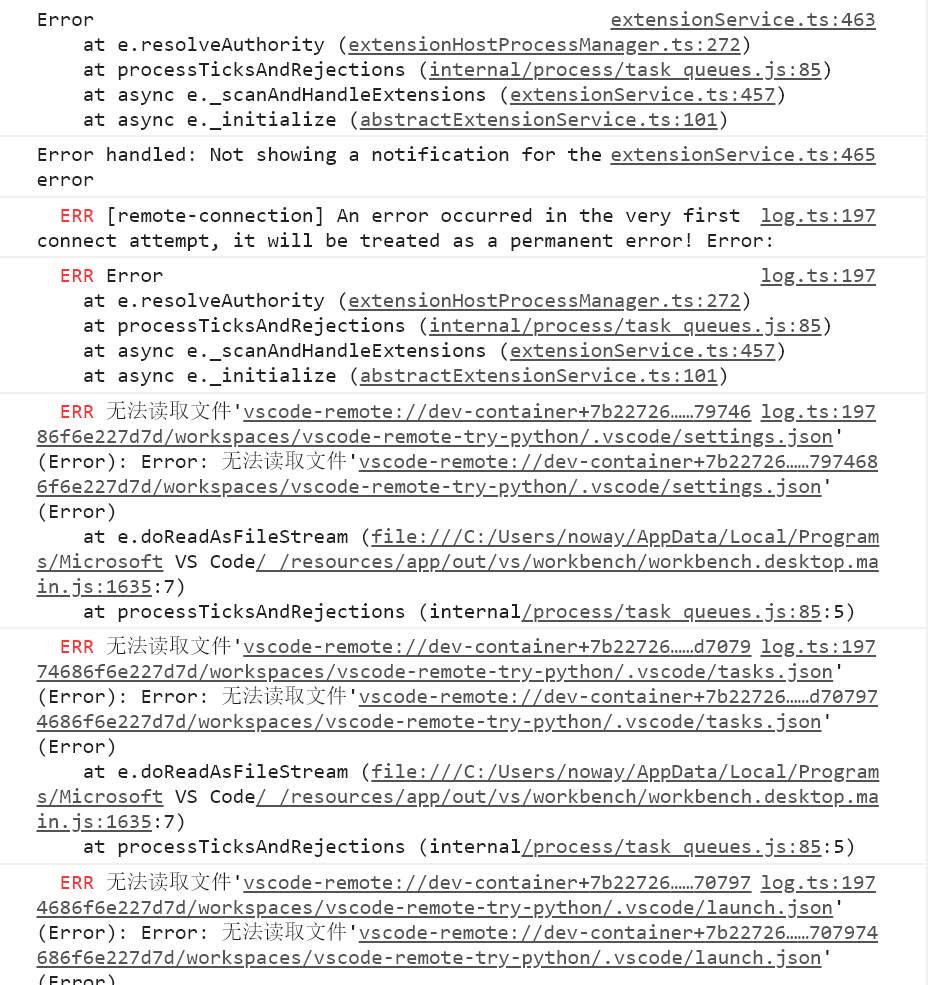
sisrfeng
on 14 Apr 2020
Do I need to provide more information?
Thanks!
sisrfeng
on 17 Apr 2020
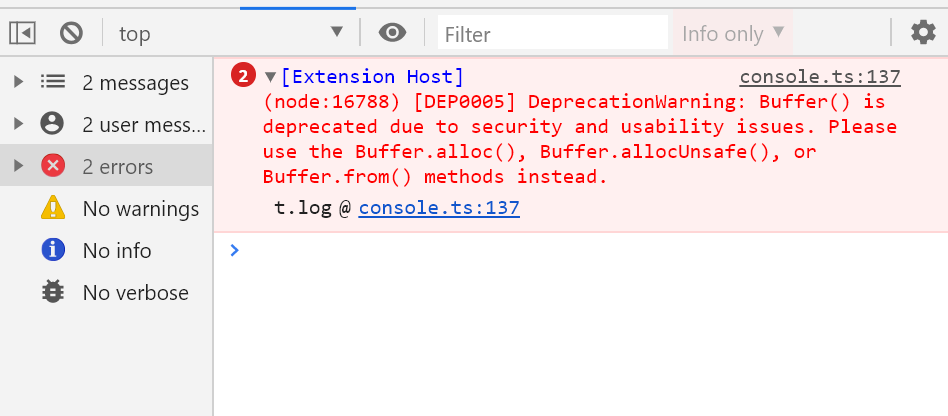
docker info failed. Could you run that from the command line to see if it works there?
chrmarti
on 21 Apr 2020
thanks!


sisrfeng
on 22 Apr 2020
What do you get when you run docker info from a terminal?
chrmarti
on 24 Apr 2020
in mobaxterm:
:~$ docker info
Client:
Debug Mode: false
Server:
Containers: 55
Running: 1
Paused: 0
Stopped: 54
Images: 79
Server Version: 19.03.5
Storage Driver: aufs
Root Dir: /var/lib/docker/aufs
Backing Filesystem: extfs
Dirs: 314
Dirperm1 Supported: true
Logging Driver: json-file
Cgroup Driver: cgroupfs
Plugins:
Volume: local
Network: bridge host ipvlan macvlan null overlay
Log: awslogs fluentd gcplogs gelf journald json-file local logentries splunk syslog
Swarm: inactive
Runtimes: runc
Default Runtime: runc
Init Binary: docker-init
containerd version: b34a5c8af56e510852c35414db4c1f4fa6172339
runc version: 3e425f80a8c931f88e6d94a8c831b9d5aa481657
init version: fec3683
Security Options:
apparmor
seccomp
Profile: default
Kernel Version: 4.15.0-76-generic
Operating System: Ubuntu 16.04.2 LTS
OSType: linux
Architecture: x86_64
CPUs: 32
Total Memory: 125.8GiB
Name: ubuntu
ID: Q35Z:LIWA:FW5U:FPDO:FX2P:4OYO:YWOQ:YN2R:ZNBX:ITWC:YAVY:BIS3
Docker Root Dir: /var/lib/docker
Debug Mode: false
Username: goodpen
Registry: https://index.docker.io/v1/
Labels:
Experimental: false
Insecure Registries:
127.0.0.0/8
Live Restore Enabled: false
WARNING: No swap limit support
WARNING: the aufs storage-driver is deprecated, and will be removed in a future release.
sisrfeng
on 24 Apr 2020
in vscode terminal( ssh to remote):
@ubuntu ~]$ docker info
Client:
Debug Mode: false
Server:
Containers: 55
Running: 1
Paused: 0
Stopped: 54
Images: 79
Server Version: 19.03.5
Storage Driver: aufs
Root Dir: /var/lib/docker/aufs
Backing Filesystem: extfs
Dirs: 314
Dirperm1 Supported: true
Logging Driver: json-file
Cgroup Driver: cgroupfs
Plugins:
Volume: local
Network: bridge host ipvlan macvlan null overlay
Log: awslogs fluentd gcplogs gelf journald json-file local logentries splunk syslog
Swarm: inactive
Runtimes: runc
Default Runtime: runc
Init Binary: docker-init
containerd version: b34a5c8af56e510852c35414db4c1f4fa6172339
runc version: 3e425f80a8c931f88e6d94a8c831b9d5aa481657
init version: fec3683
Security Options:
apparmor
seccomp
Profile: default
Kernel Version: 4.15.0-76-generic
Operating System: Ubuntu 16.04.2 LTS
OSType: linux
Architecture: x86_64
CPUs: 32
Total Memory: 125.8GiB
Name: ubuntu
ID: Q35Z:LIWA:FW5U:FPDO:FX2P:4OYO:YWOQ:YN2R:ZNBX:ITWC:YAVY:BIS3
Docker Root Dir: /var/lib/docker
Debug Mode: false
Username: goodpen
Registry: https://index.docker.io/v1/
Labels:
Experimental: false
Insecure Registries:
127.0.0.0/8
Live Restore Enabled: false
WARNING: No swap limit support
WARNING: the aufs storage-driver is deprecated, and will be removed in a future release.
sisrfeng
on 24 Apr 2020
What's the exit code of docker info? (Run echo $? right after running docker info.)
chrmarti
on 24 Apr 2020
(base) name@ubuntu:/$ echo $?
0
sisrfeng
on 24 Apr 2020
DO I need to provide more information? thx
sisrfeng
on 13 May 2020
I have improved logging for the next version (0.118.0). We need to retry with that. Thanks!
chrmarti
on 14 May 2020
I know you are using windows, but anyways I wanna drop this here. I could fix it on Ubuntu.
I installed docker from snap repositories and got the same error. I could resolve it by installing from the official docker repositories. Did you maybe install from an Appstore or something similar, @sisrfeng?.
Somewhere the systemlinks didn't work properly for me.
 Sir-hennihau
on 18 Aug 2020
Sir-hennihau
on 18 Aug 2020
@sisrfeng Is this still an issue?
chrmarti
on 18 Aug 2020
@chrisdias Same issue here. I'm using 0.134.0 to run a container on a remote host.
I tried both but none worked:
{
  // "docker.host":"tcp://localhost:23750"
  "docker.host": "ssh://user@ip"
}
Debug console: Command failed: docker version --format {{.Server.Version}}. There's no more logging. However the remote host and local host can run this command without error return code.
Interestingly, the same config works on my Ubuntu 20.04 on WSL2, but failed with Ubuntu 20.04 on bare machine.
 zingdle
on 28 Aug 2020
zingdle
on 28 Aug 2020
@zingdle Could you check what is in the Remote-Containers log? (F1 > Remote-Container: Show Log)
chrmarti
on 31 Aug 2020
@chrmarti Sorry for my late response. It says
[257314 ms] Start: Run: docker version --format {{.Server.Version}}
[257355 ms] proxy: unknown scheme: socks
I checked .docker/config.json on both remote and local machine but neither set socks proxy.
zingdle
on 2 Sep 2020
@zingdle Do you have HTTP_PROXY or HTTPS_PROXY variables set?
chrmarti
on 2 Sep 2020
@chrmarti Thanks! Unset those variables works for me.
But that only worked for me when using tcp://localhost:23750 but it hangs when using ssh://user@ip. Maybe I'll open another issue to track the problem.
zingdle
on 2 Sep 2020
Sounds good. I'll close this issue here as it has several discussions and all have kind of ended. Please open new issues for each remaining issue. Thanks.
chrmarti
on 3 Sep 2020
@zingdle What is the reason to expect that docker daemon will work with SSH? It's clearly stated that the only secure connection option is TLS 1+! Of course, if somebody has a very wise proxy that does SSL termination and creates TLS downstream it can be possible.
 PavelSosin-320
on 3 Sep 2020
PavelSosin-320
on 3 Sep 2020
@PavelSosin-320 I'm following this to create and connect to a remote dev container.
It's clearly stated that the only secure connection option is TLS 1+!
I can't find related document so could you please let me know?
Further discussion is here: https://github.com/microsoft/vscode-remote-release/issues/3626
zingdle
on 3 Sep 2020
Related issues
 nphmuller
·
3Comments
nphmuller
·
3Comments
 6XAM
·
3Comments
6XAM
·
3Comments
 kzawad1
·
3Comments
kzawad1
·
3Comments
 jeffreyyjp
·
3Comments
jeffreyyjp
·
3Comments
 mxdmedia
·
3Comments
mxdmedia
·
3Comments