Vscode-remote-release: localPort config parameter not works
- VSCode Version: 1.39.2
- Local OS Version: MacOS Catalina 10.15
- Remote OS Version: Ubuntu 18.04 lts
- Remote Extension/Connection Type: SSH
Steps to Reproduce:
- Set the "remote.SSH.defaultForwardedPorts" option
- Restart VSCode
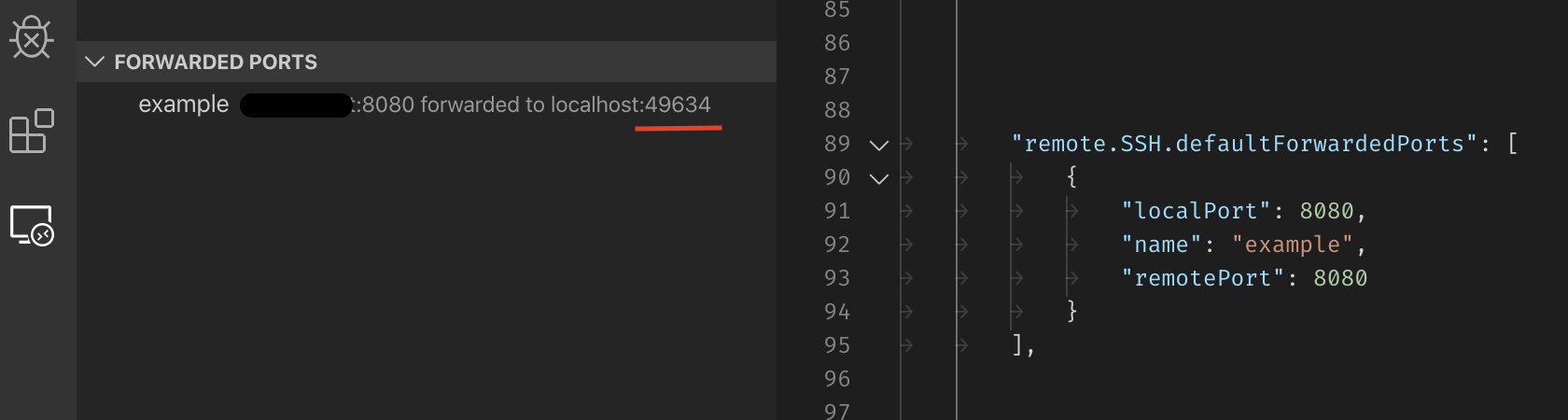
If I set the "remote.SSH.defaultForwardedPorts" option and configure some ports, nameand remotePortoption works well, but localPort seems that not work.
This is my config:
"remote.SSH.defaultForwardedPorts": [
    {
        "localPort": 8080,
        "name": "example",
        "remotePort": 8080
    }
],
 barcia
All 9 comments
That port is probably in use, please check.
 roblourens
on 12 Nov 2019
roblourens
on 12 Nov 2019
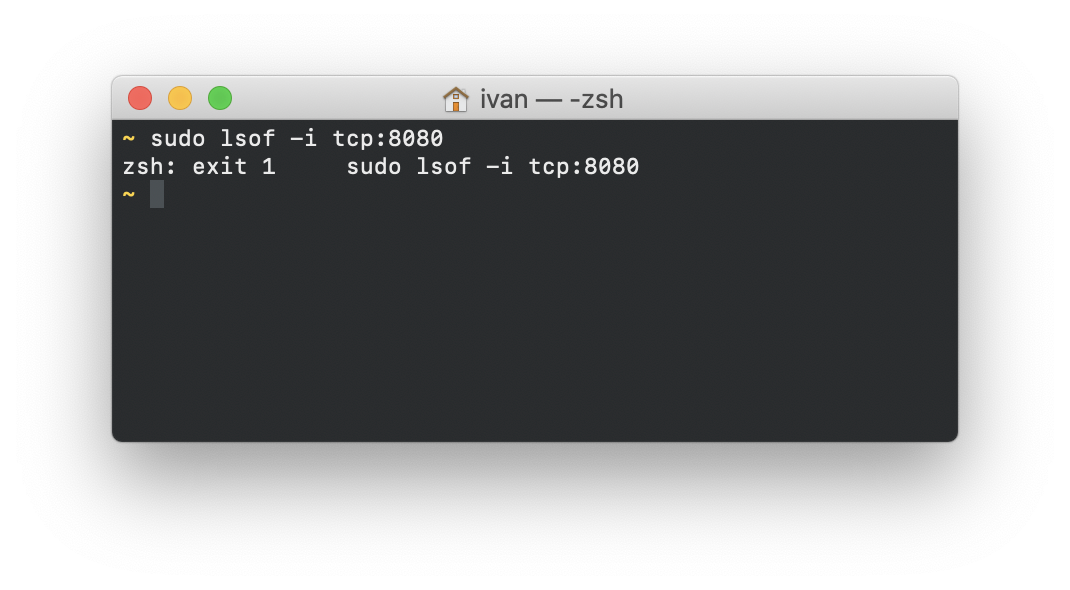
No, the port is not in use.
I also try after a reboot.
If I create a tunnel manually with SSH, this works correctly.
barcia
on 13 Nov 2019
I'm having the same problem. If I configure a port in settings.json, it's set to a random local port. But if I use the "Create New Forward" option, it works correctly.
 stldo
on 15 Nov 2019
stldo
on 15 Nov 2019
Yes, with "Create New Forward" command also works for me.
barcia
on 16 Nov 2019
Yes , I'm having the same problem.
 think2011
on 21 Nov 2019
think2011
on 21 Nov 2019
Same issue
I think new port is being assigned before old one manages to disconnect, as vscode reboots almost instantly
 bonanov
on 29 Nov 2019
bonanov
on 29 Nov 2019
Have this problem got resolved? I encountered this issue onthe newest version.
 XueshiQiao
on 3 Dec 2019
XueshiQiao
on 3 Dec 2019
I don't know @XueshiQiao. In theory it was added for the next milestone.
The endgame of this iteration is planned for the next friday. We will see if is solved.
barcia
on 4 Dec 2019
It's shipped in the nightly extension.
roblourens
on 5 Dec 2019
Related issues
 gurdevrana
·
3Comments
gurdevrana
·
3Comments
 kieferrm
·
3Comments
kieferrm
·
3Comments
 peterkappelt
·
3Comments
kieferrm
·
3Comments
peterkappelt
·
3Comments
kieferrm
·
3Comments
 grzegorz-silarski
·
3Comments
grzegorz-silarski
·
3Comments
Most helpful comment
It's shipped in the nightly extension.