Vscode-r: [Feature request] Highlighting of RMarkdown chunks
It would be great to have a subtle visual difference for RMarkdown code chunks (e.g. light gray) as in RStudio.
 pat-s
pat-s
All 9 comments
We may need to take a look at how vscode-python does code chunk decoration demonstrated at https://code.visualstudio.com/docs/python/jupyter-support-py. We could also implement some CodeLens provider that allows users to run code chunk in different ways.
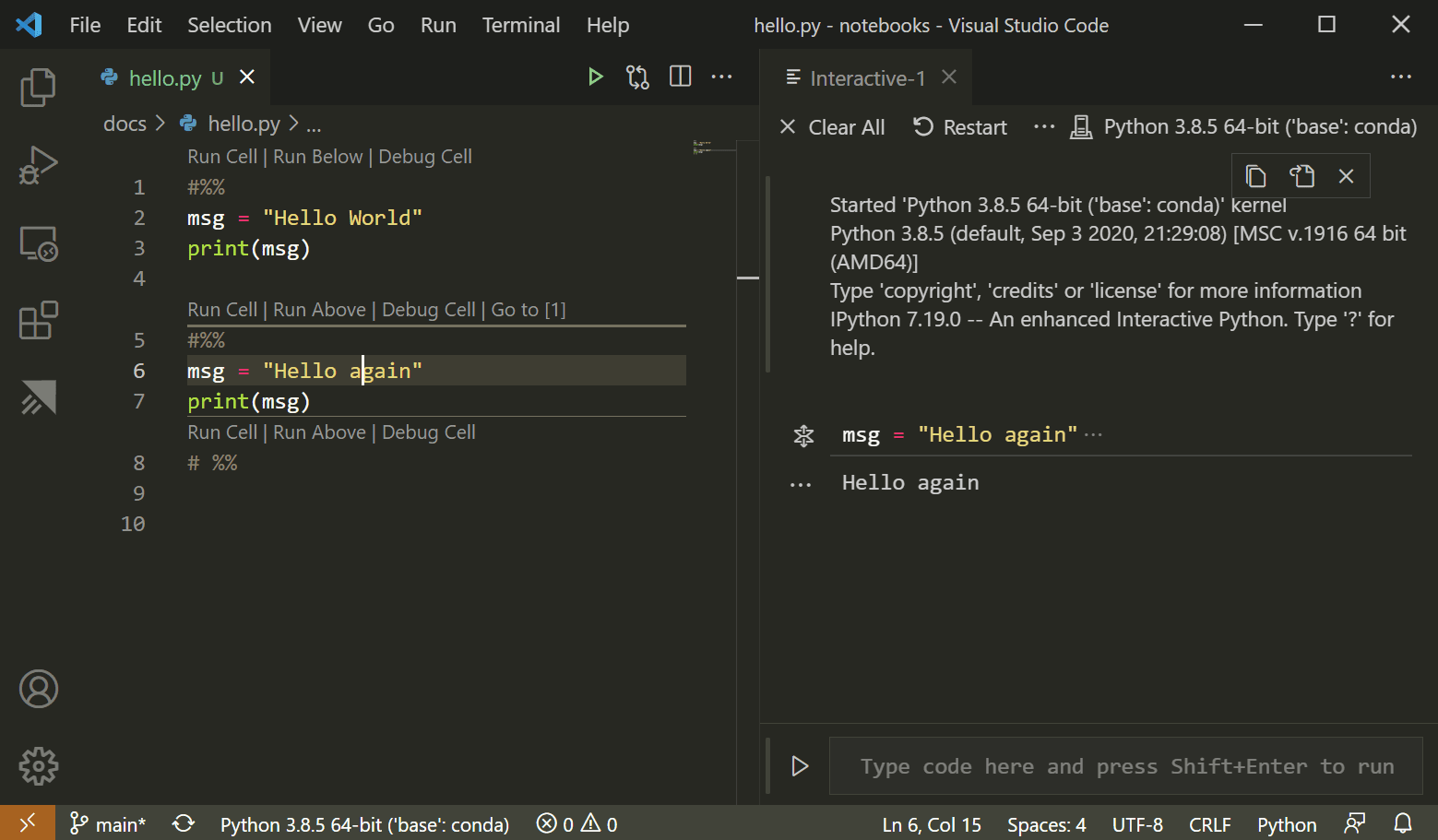
We may take a look at how these UI are done in https://github.com/microsoft/vscode-python/tree/master/src/datascience-ui.
 renkun-ken
on 22 Mar 2020
renkun-ken
on 22 Mar 2020
VSCode’s Notebook implementation is progressing: https://github.com/microsoft/vscode/issues/95154 I think it will add a lot of the features we want.
 andycraig
on 18 Apr 2020
andycraig
on 18 Apr 2020
Hey @andycraig & @renkun-ken just to say that I think it would be greatly appreciated if it were possible to focus on just getting a subtle background highlight in place before looking into anything more complex. Currently the lack of a background makes using markdown quite painful as its very hard to visually tell a part code from text. Would be great to get some basic essentials in place before diving deep into more powerful features !
 gowerc
on 14 May 2020
gowerc
on 14 May 2020
@andycraig Do you have any idea how to add visual elements to the editor? I haven't got time to go through the extension API at the moment.
renkun-ken
on 15 May 2020
Looks like the files listed at https://github.com/microsoft/vscode-python/search?q=addCellLine&unscoped_q=addCellLine are essential to visualize cells.
renkun-ken
on 15 May 2020
Looks like we should take a look at
renkun-ken
on 15 May 2020
I played with the decoration api and it works:
async function decorateRmd() {
        let ranges = [];
        ranges.push(window.activeTextEditor.selection);
        const dec = window.createTextEditorDecorationType({
            backgroundColor: "gray",
        });
        window.activeTextEditor.setDecorations(dec, ranges);
    }
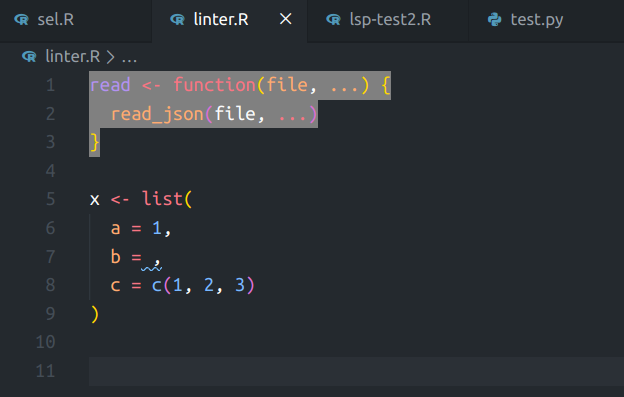
I'll take a closer look at this so that we could add a box with background color to Rmd code chunks as proposed.
renkun-ken
on 15 May 2020
Thanks @renkun-ken for looking into this, Just to say if you can get this working it would be a huge help to working with Rmd files :)
gowerc
on 15 May 2020
Closed by #429. Thanks again @renkun-ken!
andycraig
on 21 Nov 2020
Related issues
 gcambray
·
4Comments
andycraig
·
4Comments
gcambray
·
4Comments
andycraig
·
4Comments
 JimmyZJX
·
3Comments
JimmyZJX
·
3Comments
 michaelHL
·
5Comments
michaelHL
·
5Comments
 ShortArrow
·
4Comments
ShortArrow
·
4Comments
Most helpful comment
I played with the decoration api and it works:
I'll take a closer look at this so that we could add a box with background color to Rmd code chunks as proposed.