Vscode-python: Downloading Microsoft Python Language Server Stuck
Environment data
- VS Code version: 1.47.2
- Extension version (available under the Extensions sidebar): v2020.7.94776
- OS and version: WSL (Ubuntu 18.04) on Windows 10
- Python version (& distribution if applicable, e.g. Anaconda): 3.7
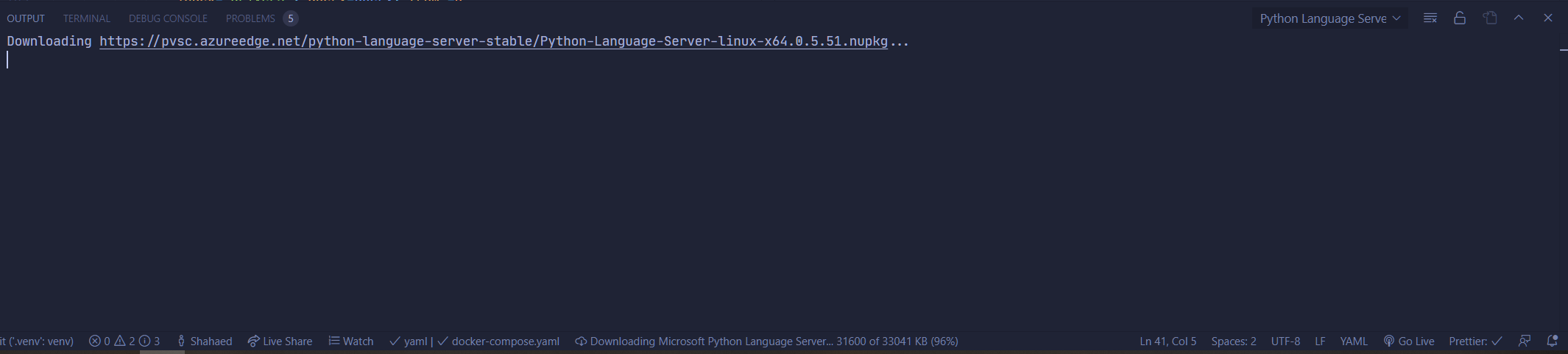
Downloading of the Language Server hangs at a random percentage (See image). This happens sporadically after update of vscode. Happens after some updates, other updates fixes it. Reloading vscode just has the download hang at a different percentage. Reinstalling the extension did not solve this problem.
 Shahaed
All 5 comments
Thanks for your feedback! We have recently released a new and more performant language server called Pylance which likely solves these issues you are reporting. You can download Pylance from the marketplace and install it alongside the core Python extension. Because our team's development efforts have shifted to support the new language server, we'd encourage you to try it out.
If you try out Pylance and this issue persists, you can open an issue on the pylance-release repo.
 karthiknadig
on 17 Jul 2020
karthiknadig
on 17 Jul 2020
This seems to be an issue when an existing python repo is used in WSL. A hacky solution is to open a new workspace and create a python file. The language server will download successfully then reopen the existing workspace.
I'll start on Pylance soon. Sounds exciting
Shahaed
on 20 Jul 2020
Why has this been closed? I'm experiencing the same issue but not using WSL but Remote/SSH. @Shahaed's solution worked for me, but we should not forget that this is only a workaround.
 LinqLover
on 29 Oct 2020
LinqLover
on 29 Oct 2020
Our team's development efforts have shifted to support the new language server, we'd encourage you to try it out. We have recently released a new and more performant language server called Pylance which likely solves these issues you are reporting. You can download Pylance from the marketplace and install it alongside the core Python extension.
karthiknadig
on 29 Oct 2020
@karthiknadig Thanks, I gave it a try but it does not yet look ready for prime to me. Without going into detail, Pylance does not show me the docstring for the to_csv() method while hovering in the following example whereas the default Python language server can do this:
pd.DataFrame([
        {'file_path': html_task.output().path}
    ]).to_csv(stream))
Feel free to create an issue for this if Pylance should be able to support this. :-)
LinqLover
on 1 Nov 2020
Related issues
 zgoda
·
3Comments
zgoda
·
3Comments
 DanielBiskup
·
5Comments
DanielBiskup
·
5Comments
 Kludex
·
5Comments
Kludex
·
5Comments
 swayson
·
6Comments
swayson
·
6Comments
 PyaePhyoKhant
·
5Comments
PyaePhyoKhant
·
5Comments
Most helpful comment
This seems to be an issue when an existing python repo is used in WSL. A hacky solution is to open a new workspace and create a python file. The language server will download successfully then reopen the existing workspace.
I'll start on Pylance soon. Sounds exciting