Vscode-project-manager: Cannot use intellisense in projects opened
When I open the project using the Project manager then it doesn't underline/highlight the syntax errors in code.
Everything works fine if I open a folder in code using the terminal.
 YashSaxena9
All 12 comments
Hi @YashSaxena9 ,
I’ve never experienced this issue, and I’m not sure why this could be happening.
Do you experience the same issue if you open the project using the native File / Open command? That’s basically the same API that the extension uses.
Hope this helps
 alefragnani
on 25 Mar 2020
alefragnani
on 25 Mar 2020
No, there's no issue if I open the project using the native File / Open command.
I just installed this extension as it seemed very promising and convenient but then I noticed this issue.
YashSaxena9
on 25 Mar 2020
What should I share for more information.
I'd really like this extension to work :)
YashSaxena9
on 25 Mar 2020
How are you using the extension? Did you _saved_ projects, or did you use the _auto-detection_ feature for Git/SVN projects?
alefragnani
on 25 Mar 2020
BTW, if you open a folder using the native commands and the IntelliSense works, saving the project in Project Manager, using the Project Manager: Save Project command and reopening the project using the Project Manager: List Projects to Open command, should work as well.
Could you confirm that?
alefragnani
on 25 Mar 2020
I actually added folders by editing .json file. Let me check the save Project command
YashSaxena9
on 25 Mar 2020
I checked, the result is the same, it doesn't underline/highlight the syntax errors in code.
YashSaxena9
on 25 Mar 2020
It seems like I found the issue, when I open a folder using the project manager then I need to manually enable Report compilation errors for any non-project file in the current session.
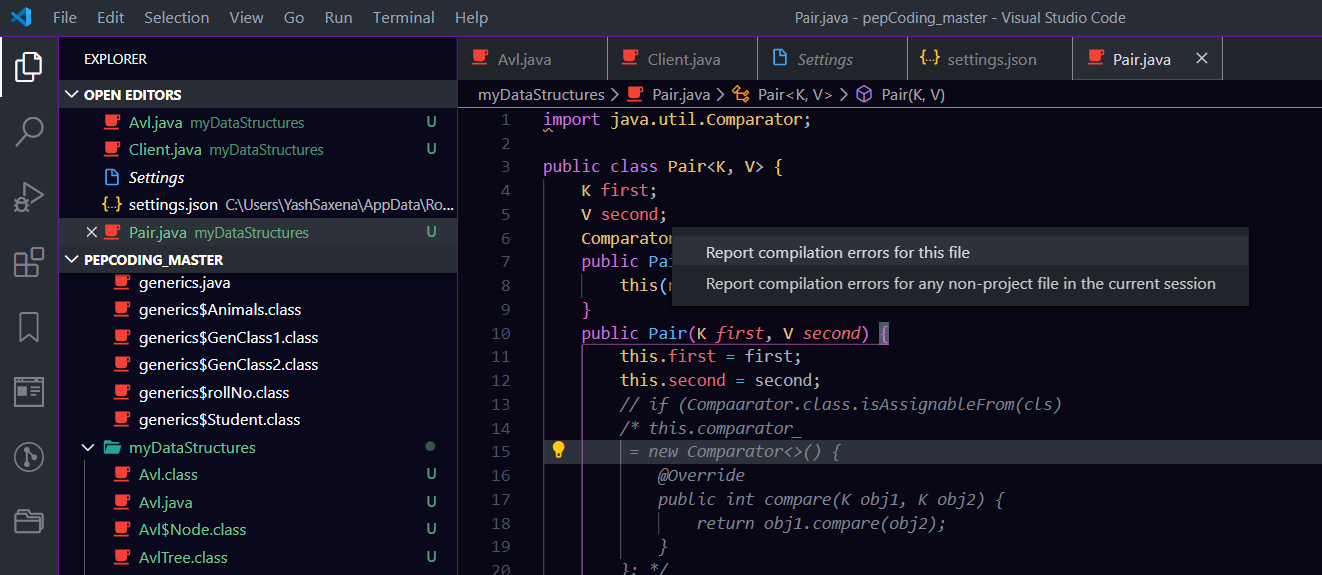
I think maybe because I am not defining packagefor my javafiles
YashSaxena9
on 25 Mar 2020
Great news! 🎉
I’m not sure what this command/operation does. Is it some other extension you have installed?
alefragnani
on 25 Mar 2020
Okay, I think I finally found the cause, its this error.
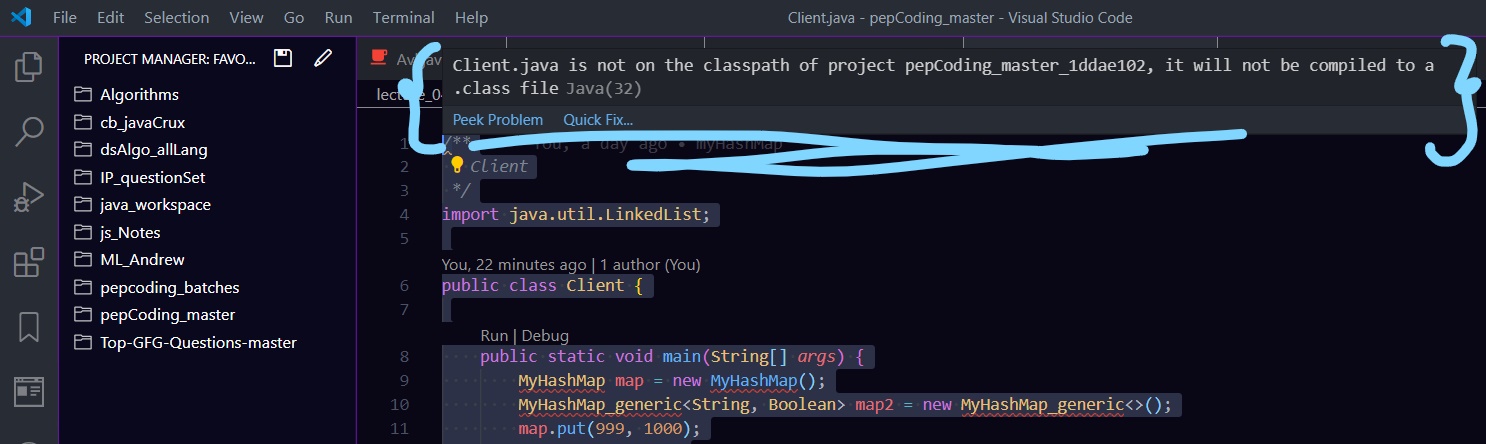
my folder's name is pepCoding_master and its a GitHub repo too but the name appears as a project is different
Well, I'm a student and been learning java, so I use the java extension pack by Microsoft.
Please can you help me get rid of it :)
YashSaxena9
on 25 Mar 2020
Sir, I dug in further and found the cause of the problem. Its a problem related to Redhat's java language support extension, I just installed an older version of that extension and it started to underline/highlight the syntax errors in code.
The solution was to use an older version of this extension, seems like its new update caused an issue

Thank you, Sir, for giving your time for my problem 😊
I appreciate your help :)
YashSaxena9
on 25 Mar 2020
That’s great to see it’s working now!
I hope you enjoy using the Project Manager extension.
alefragnani
on 25 Mar 2020
Related issues
 Aukstkalnis
·
4Comments
Aukstkalnis
·
4Comments
 tdmalone
·
3Comments
tdmalone
·
3Comments
 andig
·
3Comments
andig
·
3Comments
 frontcraft
·
4Comments
frontcraft
·
4Comments
 dobbbri
·
5Comments
dobbbri
·
5Comments