Vscode-powershell: PS: new-team can't get parameter "-Template" to run
Hi All,
it appears that I have VSC with preview extension properly running, but get the following
New-Team : Es wurde kein Parameter gefunden, der dem Parameternamen "Template" entspricht.
In C:\Users\kay\OneDrive\Documents\WindowsPowerShell\Scripts\KlassenErstellen.ps1:10 Zeichen:96
+ ... es -Mailnickname $mai -Owner $own -AllowGiphy $false -Template $tem `
+                                                          ~~~~~~~~~
    + CategoryInfo          : InvalidArgument: (:) [New-Team], ParameterBindingException
    + FullyQualifiedErrorId : NamedParameterNotFound,Microsoft.TeamsCmdlets.PowerShell.Custom.NewTeam
when executing New-Team -DisplayName $nam -Description $des -Mailnickname $mai -Owner $own -AllowGiphy $false -Template $tem
Anyone any idea?
thx
Kay
Resolution-External
 xlupy
xlupy
All 6 comments
This seems to be an issues with the Teams PowerShell module rather than with the PowerShell extension for VSCode. From their docs page, the place to open an issue with them is here
 rjmholt
on 21 Aug 2020
rjmholt
on 21 Aug 2020
Thanks for the hint, but I can't post there (not allowed...)
xlupy
on 21 Aug 2020
@xlupy so you can't load this page?
https://github.com/MicrosoftDocs/office-docs-powershell/issues/new
what does it say?
 TylerLeonhardt
on 21 Aug 2020
TylerLeonhardt
on 21 Aug 2020
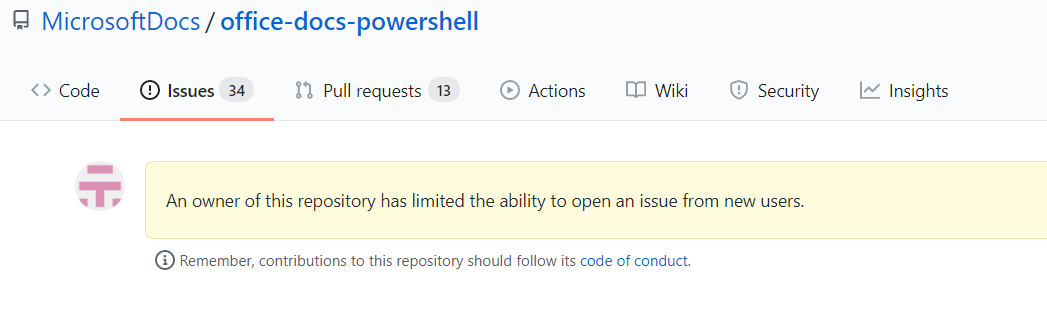
An owner of this repository has limited the ability to open an issue from new users...
xlupy
on 21 Aug 2020
rjmholt
on 21 Aug 2020
👍1
Many thx for helping :-)
xlupy
on 21 Aug 2020
👍2
Was this page helpful?
0 / 5 - 0 ratings
Related issues
 AWahlqvist
·
3Comments
AWahlqvist
·
3Comments
 guidooliveira
·
3Comments
guidooliveira
·
3Comments
 daviwil
·
3Comments
daviwil
·
3Comments
 borisimple
·
3Comments
borisimple
·
3Comments
 keposet
·
3Comments
keposet
·
3Comments
Most helpful comment
Many thx for helping :-)