Vscode-powershell: AltGr+é/è combinations on French keyboard don't work properly
System Details
System Details Output
### VSCode version: 1.44.2 ff915844119ce9485abfe8aa9076ec76b5300ddd x64

### VSCode extensions:
[email protected]
[email protected]
[email protected]
[email protected]
[email protected]
[email protected]
[email protected]
[email protected]
[email protected]
[email protected]
[email protected]
[email protected]
[email protected]
[email protected]
[email protected]
[email protected]
[email protected]
[email protected]
[email protected]
[email protected]


### PSES version: 2.1.0.0

### PowerShell version:

Name                           Value
----                           -----
PSVersion                      7.0.0
PSEdition                      Core
GitCommitId                    7.0.0
OS                             Microsoft Windows 10.0.18363
Platform                       Win32NT
PSCompatibleVersions           {1.0, 2.0, 3.0, 4.0…}
PSRemotingProtocolVersion      2.3
SerializationVersion           1.1.0.1
WSManStackVersion              3.0
Issue Description
When I hit AltGr+é or AltGr+è on my French keyboard I don't get the expected results.
Expected Behaviour
AltGr+é should yield ~
AltGr+è should yield `
(used to work with the previous version of the extension / PSES)
Actual Behaviour
Without PSReadLine or with PSReadLine 2.0.0, I get:
AltGr+é yields é then when SPACE is hit I get é~
AltGr+è yields è then when SPACE is hit I get è`
With PSReadLine 2.1.0 beta 1 I get:
AltGr+é yields

then when SPACE is hit I get

AltGr+è yields è then when SPACE is hit I get è`
Attached Logs
1587722618-1fe1eab8-92e0-49d4-9456-8ca0e2e2e7d61587722354572.zip
 sba923
All 13 comments
This could be a PSReadLine bug. Can you try downgrading to the latest stable PSReadLine:
Just to get you unblocked... you can remove this folder:
C:\Users\[YOUR USER]\.vscode\extensions\ms-vscode.powershell-2020.4.0\modules\PSReadLine\
NOTE: If you're on insiders it's
\.vscode-insiders\
If your console doesn't give you syntax highlighting, simply reinstall PSReadLine the normal way:
Install-Module PSReadLine -Force -AllowClober
cc @daxian-dbw
 TylerLeonhardt
on 24 Apr 2020
TylerLeonhardt
on 24 Apr 2020
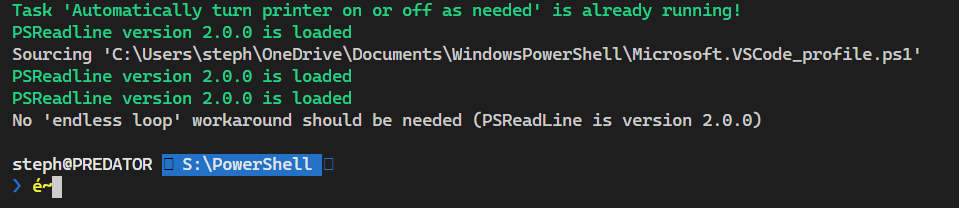
As I mentioned above, the problem is also present without PSReadLine, or with PSReadLine 2.0.0.
Here's what I get without PSReadLine:
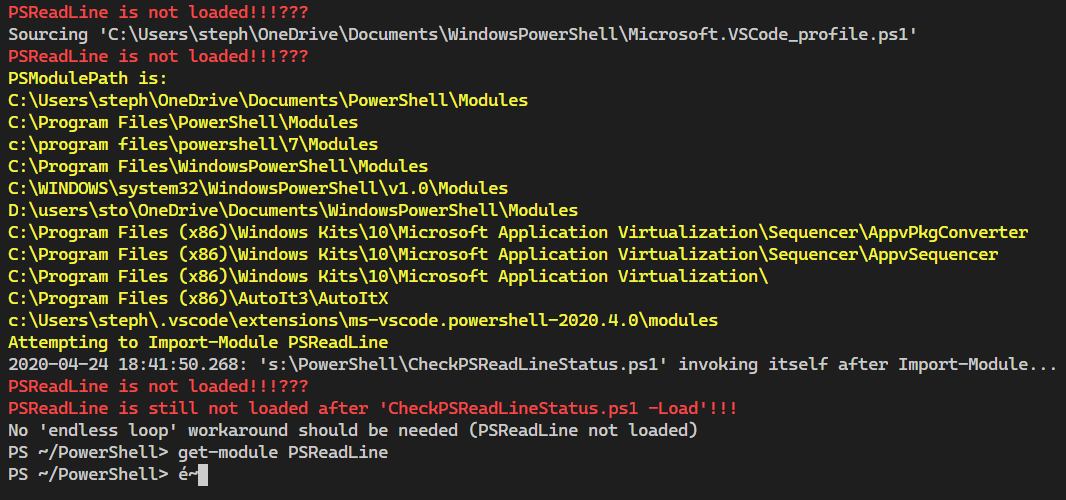
or with PSReadLine 2.0.0:
sba923
on 24 Apr 2020
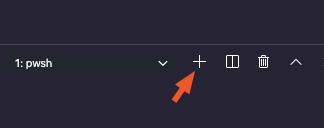
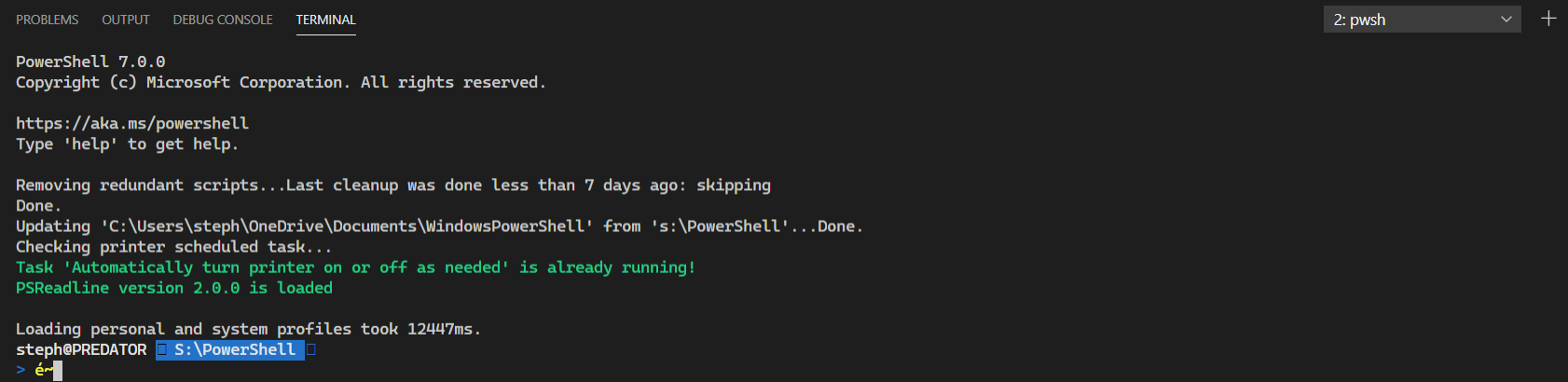
Missed that bit - thanks! Can you tell me if this works in the integrated terminal that is _not_ the PowerShell Integrated Console?
Hit plus here on the Terminal pane if you're not sure how to do it:
TylerLeonhardt
on 24 Apr 2020
Nope, it doesn't:
sba923
on 24 Apr 2020
Ok so this seems to be either an issue with VS Code or PSReadLine.
@Tyriar have you seen anything like this before?
TylerLeonhardt
on 24 Apr 2020
 Tyriar
on 25 Apr 2020
Tyriar
on 25 Apr 2020
Thanks @Tyriar ! I will resolve this as external since it's an upstream issue. @sba923 can you 👍 the issue in xtermjs? I'll do the same.
TylerLeonhardt
on 25 Apr 2020
@TylerLeonhardt: done!
Just curious: how did this come up as a VScode _regression_? Was something changed in xtermjs, or did VScode just start using it?
sba923
on 25 Apr 2020
Why close this before the fix in xtermjs is done and integrated into VScode?
sba923
on 26 Apr 2020
This is the repo for the PowerShell extension for VS Code and there's no work to be done in this repo for this issue.
The fix will likely be in xtermjs and then vscode proper would likely rev the version of xtermjs.
You could make an argument that an issue could also be in Microsoft/vscode to make sure the version is revved, but considering @Tyriar is a maintainer of both xtermjs and vscode's terminal, I think it's safe to say he'll make sure vscode is updated.
Therefore, only one issue in xtermjs is necessary for this.
We use issues as work items... That track that work needs to be done.
I hope that clears things up!
TylerLeonhardt
on 26 Apr 2020
@TylerLeonhardt Thanks for the clarification that open issues must have work associated to them.
I'm not very familiar with the GH processes, I would've thought (that's how it worked at my previous R&D job) that the issue would be tagged with a "pending external fix" state until that fix would allow creating "a new release without the problem."
sba923
on 26 Apr 2020
It's a totally valid thought!
For us (and a lot of GitHub repos) though it's important to keep in mind that issues are for the maintainers more so than the issue filers.
You're essentially peering in to our process since it's totally out in the open and transparent now.
We've marked this as Resolution-External because we've determined that this issue should be fixed elsewhere and therefore our "resolution" is that this issue is "external".
TylerLeonhardt
on 26 Apr 2020
@sba923 this is handled differently for different repos. One thing I know for sure though is that when a repo gets very large, it's very difficult to manage so many issues. This particular one is a bug with input in VS Code's terminal that happens to be part of the upstream lib xterm.js, it's so far from powershell imo and shouldn't be tracked in this repo.
Tyriar
on 27 Apr 2020
Related issues
 lukegriffith
·
3Comments
lukegriffith
·
3Comments
 daviwil
·
3Comments
daviwil
·
3Comments
 MiYanni
·
3Comments
MiYanni
·
3Comments
 rkeithhill
·
3Comments
rkeithhill
·
3Comments
 inthemedium
·
3Comments
inthemedium
·
3Comments
Most helpful comment
@sba923 this is handled differently for different repos. One thing I know for sure though is that when a repo gets very large, it's very difficult to manage so many issues. This particular one is a bug with input in VS Code's terminal that happens to be part of the upstream lib xterm.js, it's so far from powershell imo and shouldn't be tracked in this repo.