Vscode-powershell: Language Features still stops working after a while and never recovers
Issue Description
I am experiencing a problem with...IntelliSense not working after a while.
I am aware of a recent fix and other closed issues:
- https://github.com/PowerShell/vscode-powershell/issues/2590
- https://github.com/PowerShell/vscode-powershell/issues/2522
- https://github.com/PowerShell/vscode-powershell/issues/2596
But I still experience issues, far less but still.
Attached Logs
1586591887-8aec1d54-a22f-4e9a-9d5a-026cf95b0ba11586539769772.zip
Follow the instructions in the README about
capturing and sending logs.
Environment Information
Visual Studio Code
| Name | Version |
| --- | --- |
| Operating System | Windows_NT x64 10.0.18363 |
| VSCode | 1.44.0|
| PowerShell Extension Version | 2020.4.1 |
PowerShell Information
|Name|Value|
|---|---|
|PSVersion|5.1.18362.752|
|PSEdition|Desktop|
|PSCompatibleVersions|1.0 2.0 3.0 4.0 5.0 5.1.18362.752|
|BuildVersion|10.0.18362.752|
|CLRVersion|4.0.30319.42000|
|WSManStackVersion|3.0|
|PSRemotingProtocolVersion|2.3|
|SerializationVersion|1.1.0.1|
Visual Studio Code Extensions
Visual Studio Code Extensions(Click to Expand)
|Extension|Author|Version|
|---|---|---|
|autoit|Damien|1.0.4|
|beautify|HookyQR|1.5.0|
|bracket-pair-colorizer-2|CoenraadS|0.0.29|
|code-settings-sync|Shan|3.4.3|
|codesnap|adpyke|1.0.27|
|excel-to-markdown-table|csholmq|1.2.2|
|gistfs|vsls-contrib|0.0.65|
|github-linker|gimenete|0.2.3|
|gitlens|eamodio|10.2.1|
|html-preview-vscode|george-alisson|0.2.5|
|markdown-all-in-one|yzhang|2.8.0|
|markdown-preview-enhanced|shd101wyy|0.5.2|
|markdown-shortcuts|mdickin|0.12.0|
|material-icon-theme|PKief|4.0.1|
|pdf|tomoki1207|0.5.1|
|powershell-preview|ms-vscode|2020.4.1|
|project-manager|alefragnani|10.11.0|
|reg|ionutvmi|1.0.1|
|theme-monokai-pro-vscode|monokai|1.1.15|
|vscode-html-css|ecmel|0.2.3|
|vscode-markdownlint|DavidAnson|0.34.0|
|vscode-pull-request-github|GitHub|0.15.0|
|vscode-toggle-quotes|BriteSnow|0.3.2|
|vscode-versionlens|pflannery|0.25.0|
|vscode-wakatime|WakaTime|4.0.0|
|vscode-yaml|redhat|0.7.2|
|xml|DotJoshJohnson|2.5.0|
 PrzemyslawKlys
All 201 comments
Honestly, at this point, the problem has to be deep in PowerShell Editor Services's handling of the PowerShell runspace.
I've tried to avoid diving into that as it will take _a lot_ of time and will involve coordinating with @daxian-dbw on PSReadLine but unfortunately that's where we're at.
I'll need more people to bother @SteveL-MSFT here and on Twitter to treat this as a priority.
 TylerLeonhardt
on 11 Apr 2020
TylerLeonhardt
on 11 Apr 2020
@TylerLeonhardt I experienced this once yesterday. I commented here as #2522 is now closed.
 mrboring
on 12 Apr 2020
mrboring
on 12 Apr 2020
I also experienced the same with PowerShell extension 2020.3.0 with PowerShell 7.0.
Basically, intellisense stops working after a while. Then, if you run a command in the integrated console, it doesn’t get executed, but instead the command prompt will be displayed immediately, and after that things starts to work again. But the same will happen after a while again.
 daxian-dbw
on 12 Apr 2020
daxian-dbw
on 12 Apr 2020
Maybe related: https://github.com/PowerShell/vscode-powershell/issues/2364
PrzemyslawKlys
on 12 Apr 2020
@daxian-dbw the Preview extention has a bunch of work in it to prevent this... But this issue claims it isn't completely fixed.
TylerLeonhardt
on 12 Apr 2020
I'm seeing a similar issue and I never started a debug session. I'm on preview 2020.4.2 (VSCode 1.44.2) and here's my log zip. I'm not seeing anything obvious here. BTW it is cool that cancel requests indicate the message number they're cancelling. I just wish the original LSP msgs displayed their request number.
EditorServices.zip
 rkeithhill
on 21 Apr 2020
rkeithhill
on 21 Apr 2020
OK, my PSIC is completely unresponsive which would explain why completions aren't working. :-) Now, why is PSIC wedged?
rkeithhill
on 21 Apr 2020
Weirdly enough when I deleted PS extension and reinstalled it everything seemed snappier. But it came back to being slow after a while. I restart PS Extension about 3 times per hour now.
PrzemyslawKlys
on 21 Apr 2020
But this issue claims it isn't completely fixed.
I still find myself having to kill the extension multiple times every day. I think things have _improved_ for sure, but it's still basically reliable. Ironically, I tend to keep my modules a single huge files in part because the extension is unreliable, which in turn seems to make the extension less reliable. I get that working in a 10K LoC module file is not the common case for a PS user, but I don't think it's completely crazy/unreasonable.
 mattpwhite
on 22 Apr 2020
mattpwhite
on 22 Apr 2020
I use multifile, multifolder modules. But its random. I can open fresh session and even on very small codebase it chuckles on Get-content parameters.
PrzemyslawKlys
on 22 Apr 2020
Issue seems worse in v2020.4.0... stops working after 3-5 minutes.
 bspach
on 22 Apr 2020
bspach
on 22 Apr 2020
@bspach when completions stop working, is your PS integrated console also unresponsive?
rkeithhill
on 22 Apr 2020
Integrated console works fine; Ctrl+Space immediately pops up all available cmdlet arguments in PSIC.
Edit: I let Code sit idle for about 15 minutes (afer loading a PS script into the editor) and now intellisense is working quickly/responsively, only a 1-3 second pause before the available options pop up when hitting Ctrl+Space or typing a "-".
Edit 2: Works inconsistently... stopped working again after a few minutes.
bspach
on 22 Apr 2020
I have the same thing. Also F8 will stop working but PSIC is still responding when used directly
 bgelens
on 22 Apr 2020
bgelens
on 22 Apr 2020
I've updated to newest preview and the issue is still there. It's pretty much unstable. Formatting stops working, so does IntelliSense. This issue kills so much productivity.
PrzemyslawKlys
on 29 Apr 2020
@PrzemyslawKlys do you think it's gotten worse or is about the same?
TylerLeonhardt
on 29 Apr 2020
@TylerLeonhardt Between last 2 versions, same. But i am in situation where I have to restart 5 times in an hour to get formatting/intellisense.
PrzemyslawKlys
on 29 Apr 2020
Just so you know, I am working on this, though not directly writing code just yet.
- I'm eagerly awaiting this PR in the library that we use which will increase the performance and stability at that layer - https://github.com/OmniSharp/csharp-language-server-protocol/pull/228
- Setting up a meeting with @BrucePay and @daxian-dbw to have them audit the code that we have now to see if they have ideas for improvements.
So things are happening... I've not given up on this.
TylerLeonhardt
on 29 Apr 2020
FWIW this issue seems to be _massively_ more annoying on Mac OS. I'm running Catalina and seeing this issue quite a lot, at least every 5-10 minutes which is pretty annoying. Restarting doesn't take long and I tend to keep the PSIC in the background (I have the extension settings configured to keep it hidden) so it doesn't cause too many issues apart from hanging on formating / suggestions freezing / tab completion failing. Annoying, but livable since restarting it doesn't take too long anyway.
But a fix would still be very appreciated. 😊
 vexx32
on 14 May 2020
vexx32
on 14 May 2020
It's not more annoying on Mac OS. It's the same on Windows. It's random but it starts failing pretty quick. Your Mac OS doesn't have more problems than my Windows! :-D
PrzemyslawKlys
on 14 May 2020
I'm happy to collect data if it helps. This issue has become completely debilitating for me. I might be able to get 30 minutes after a terminal restart, but often it locks up within five minutes or so. I was seeing the issue more sporadically a few weeks ago; it's been much worse since I installed Preview at that time.
 chscott
on 15 May 2020
chscott
on 15 May 2020
Piling on, with hopefully information that helps:
I have had this issue (autocomplete stops working after some time/usage) for weeks on two Win10 1909 machines.
It happens whether I have WPS or PSC selected for either my default PS Session or for the PSIC, and whether I use the PSIC or not. I can sometimes restore it by killing the PSIC -- I don't have to have restarted the PSIC for the autocomplete to be restored, just ending the current PSIC session will do it.
I haven't done the full uninstall-reinstall, and it's been a while since I was using the PS Preview extension since I originally thought it was the problem and the GA PS extension had been less likely to exhibit this problem, but that's not true now.
I'm also happy to collect data.
 AlanMcBee
on 16 May 2020
AlanMcBee
on 16 May 2020
Thanks for the info! Can you all also attach the logs here so we can get a better idea of what's going on?
TylerLeonhardt
on 18 May 2020
Thanks for the info! Can you all also attach the logs here so we can get a better idea of what's going on?
I can’t attach them for public viewing, but I did email them per the documentation.
chscott
on 18 May 2020
When intellisense hangs for me, I see this error repeated in PS Editor Service Output. It looks like it could be related to this issue and recent fix in the OmniSharp lib. Is there a deep dependency to this?
https://github.com/OmniSharp/omnisharp-roslyn/pull/1791
The same error is seen in emacs as well https://github.com/emacs-lsp/lsp-mode/issues/1125
[Error - 5:51:00 PM] OmniSharp.Extensions.LanguageServer.Server.LspRequestRouter: Failed to handle notification textDocument/signatureHelp - System.NullReferenceException: Object reference not set to an instance of an object.
   at Microsoft.PowerShell.EditorServices.Services.PowerShellContext.CommandHelpers.GetCommandInfoAsync(String commandName, PowerShellContextService powerShellContext) in D:\a\1\s\src\PowerShellEditorServices\Services\PowerShellContext\Utilities\CommandHelpers.cs:line 99
   at Microsoft.PowerShell.EditorServices.Services.SymbolsService.FindParameterSetsInFileAsync(ScriptFile file, Int32 lineNumber, Int32 columnNumber, PowerShellContextService powerShellContext) in D:\a\1\s\src\PowerShellEditorServices\Services\Symbols\SymbolsService.cs:line 357
   at Microsoft.PowerShell.EditorServices.Handlers.SignatureHelpHandler.Handle(SignatureHelpParams request, CancellationToken cancellationToken) in D:\a\1\s\src\PowerShellEditorServices\Services\TextDocument\Handlers\SignatureHelpHandler.cs:line 61
   at OmniSharp.Extensions.LanguageServer.Server.Pipelines.ResolveCommandPipeline`2.Handle(TRequest request, CancellationToken cancellationToken, RequestHandlerDelegate`1 next)
   at MediatR.Pipeline.RequestExceptionProcessorBehavior`2.Handle(TRequest request, CancellationToken cancellationToken, RequestHandlerDelegate`1 next)
   at MediatR.Pipeline.RequestExceptionProcessorBehavior`2.Handle(TRequest request, CancellationToken cancellationToken, RequestHandlerDelegate`1 next)
   at MediatR.Pipeline.RequestExceptionActionProcessorBehavior`2.Handle(TRequest request, CancellationToken cancellationToken, RequestHandlerDelegate`1 next)
   at MediatR.Pipeline.RequestExceptionActionProcessorBehavior`2.Handle(TRequest request, CancellationToken cancellationToken, RequestHandlerDelegate`1 next)
   at MediatR.Pipeline.RequestPostProcessorBehavior`2.Handle(TRequest request, CancellationToken cancellationToken, RequestHandlerDelegate`1 next)
   at MediatR.Pipeline.RequestPreProcessorBehavior`2.Handle(TRequest request, CancellationToken cancellationToken, RequestHandlerDelegate`1 next)
   at OmniSharp.Extensions.JsonRpc.RequestRouterBase`1.RouteRequest(TDescriptor descriptor, Request request, CancellationToken token)
 sandscap-sc
on 19 May 2020
sandscap-sc
on 19 May 2020
I'm having the same issue and I have tried everything I can think of. I have uninstalled and reinstalled VS Code. I switched to the PowerShell Preview extension. I've turned off almost every setting someone recommended somewhere to fix this problem. I have removed every extension I used to use. I have the same issue on multiple computers. I know other people having the same problem. I'm almost ready to abandon VS Code due to this issue.
Sometimes (rarely) I can use it all day long and it's fine. Other times it fails within a few minutes of launching. The problem seems to be getting much worse. It used to be something that happened once a month. Now it might happen every 5 minutes. When things go wrong, I have the following issues that generally all happen at the same time, but not always. For example, sometimes F8 stops working but I can still expand/collapse code regions. But typically that breaks at the same time as everything else.
- F8 does nothing at all. I have waited hours, and nothing ever happens. I can manually type or paste commands into the terminal and they work though.
- Code folding stops working. I can't expand or collapse code. And code that was previously collapsed becomes inaccessible. There is no way I can get to it without restarting the Powershell terminal.
- IntelliSense/autocomplete stops working completely
The only fix is to restart either the terminal or restart the entire application.
I have reproduced the issue with the diagnostic logging enabled. I also probably shouldn't post the logs publicly from my work computer, but I will email them in.
 GuruGarrett
on 19 May 2020
GuruGarrett
on 19 May 2020
@GuruGarrett - from what @TylerLeonhardt told me in another issue regarding F8
The debug messages get sent over a different channel.
If that's (F5) working just fine, that means:
debug channel is working
the PowerShell instance we use for everything is working
BUT the channel we use for language features (IntelliSense, codelens, folding, F8, etc) is not working... That channel is provided by the Omnisharp library... And the latest version (allegedly) fixed channel issues.
Unfortunately, the fix that was dropped didn't fix it. So in short F5 works, anything you type in a console will work, but anything related to a channel for language features will not work. Unfortunately, I can feel your pain as I restart the console every 5 minutes. I was even thinking to have timer for language features and restart automatically, but this is more painful for o365 sessions.
PrzemyslawKlys
on 19 May 2020
@GuruGarrett - from what @TylerLeonhardt told me in another issue regarding F8
The debug messages get sent over a different channel.
If that's (F5) working just fine, that means:
debug channel is working
the PowerShell instance we use for everything is working
BUT the channel we use for language features (IntelliSense, codelens, folding, F8, etc) is not working... That channel is provided by the Omnisharp library... And the latest version (allegedly) fixed channel issues.Unfortunately, the fix that was dropped didn't fix it. So in short F5 works, anything you type in a console will work, but anything related to a channel for language features will not work. Unfortunately, I can feel your pain as I restart the console every 5 minutes. I was even thinking to have timer for language features and restart automatically, but this is more painful for o365 sessions.
This has caused me so much frustration and repeated work that I am seriously considering going back to Powershell ISE. It will make me very sad, but at least I won't have to relaunch it 100 times a day. And yes 95% of my work is in Office 365 so it is especially irritating having to reconnect to the services each time. I have been holding out hoping any day now this issue will be fixed, but instead it keeps getting worse.
I wish I could do more to help solve this, because I LOVE using VS Code for PowerShell when it works properly. It almost makes me want to learn other languages so I could actually contribute. But honestly I'm not quite that motivated yet.
GuruGarrett
on 19 May 2020
I am not 100% sure this is the same issue but I am also not able to use the splatting feature anymore. If I do Ctrl+Shift+P and then type addi to bring up the option for "Show additional commands for PowerShell modules", when I select it, I can't then type splat to convert an existing command parameters to a hash table like I used to. Instead, I get the statement "No extension commands have been loaded into the current session". I am also experiencing the intellisense stopping though that seems to be working a little better for me with the Preview version of the PS Extension. I am working on a pretty new machine that I haven't done a lot of PS development on since I built it last month. I have VSCode and the PS extension (not the preview on this one) and when I enable Diagnostics and do the same thing as above, I get "Command 'PowerShell: Show Additional Commands from PowerShell Modules' resulted in an error (Running the contributed command: 'PowerShell.ShowAdditionalCommands' failed.)
1.45.1
5763d909d5f12fe19f215cbfdd29a91c0fa9208a
x64
ms-vscode.[email protected]
Major Minor Build Revision
2 1 0 0
Name Value
---- -----
PSVersion 5.1.18362.752
PSEdition Desktop
PSCompatibleVersions {1.0, 2.0, 3.0, 4.0...}
BuildVersion 10.0.18362.752
CLRVersion 4.0.30319.42000
WSManStackVersion 3.0
PSRemotingProtocolVersion 2.3
SerializationVersion 1.1.0.1
Begin debug logs:
StartEditorServices.log
vscode-powershell.log
EditorServices.log
If I can provide any further information, please let me know. I do most of my PS development either on my office computer or laptop. This is my home office computer that was a fresh build last month and you can see that I haven't even added all of my normal extensions since all I have is PS extension. This machine is exhibiting the same problem my other two machine are doing. I actually used splatting quite a bit a few years ago but I haven't done much PS Development for the last year and just getting back into it. A few years ago, I had to add the seeminglyscience module in and put it in my profile to get this functionality. It appears that module is integrated into VS Code now but it doesn't seem to be working. If this is a separate issue from this, I am happy to spin off a new issue.
Thanks
Charles
 cjpalmer
on 20 May 2020
cjpalmer
on 20 May 2020
@cjpalmer It is not - at least not directly. It's related to EditorServicesCommandSuite and I've opened an issue about it here https://github.com/SeeminglyScience/EditorServicesCommandSuite/issues/57
Each new preview breaks EditorServicesCommandSuite tho :-)
PrzemyslawKlys
on 20 May 2020
Thank you PrzemyslawKlys. I will follow it there. But I want to bring up this point, all of my testing was done on my system that doesn't have the preview installed. I have the 2020.4.0 version on this machine. I am seeing this problem on all three machines.
cjpalmer
on 20 May 2020
So since I read that F5/debug seems unaffected by this issue, I decided to try it last night when I had the problem again. What's weird is starting debug and then stopping it fixed the problem. After stopping debug, F8 started working again, IntelliSense worked, code folding worked, everything started working again. Weird, but it might be a potential workaround/fix without having to kill and restart the terminal.
GuruGarrett
on 20 May 2020
Problem happened again, this time the F5 trick didn't fix it though. My logs have been emailed.
GuruGarrett
on 20 May 2020
Folks on this thread, if you are on Windows with the latest stable PowerShell VS extension and run into the "IntelliSense not working after a while" issue without having the debugger involved, can you please create a dump file of the PowerShell Integrated Console process and share with us (maybe via a OneDrive share link)?
You will need to save the process id of PSIC initially, and when the issue happens, create a dump file using Task Manager. Or use dotnet-dump (please select --type Heap). Thanks!
daxian-dbw
on 20 May 2020
@daxian-dbw please provide instructions on how to do so. We're just noobs using PowerShell :-)
PrzemyslawKlys
on 20 May 2020
Haven't done this in a while, but this seems to be it:
- Open the PSIC in VS Code
- Get the value of
$pidin the PSIC which will be the process ID, make note of it. - Continue as per normal until the language features start stalling
- Open Task Manager (Ctrl+Shift+Escape) and go to the Details tab
- Locate the
pwsh.exeprocess with the PID you noted down in step 2. - Right-click the process and select
Create Dump File - Wait a moment and note the path it gives you to the DMP file.
- Upload the DMP file to a fileshare somewhere, and drop the link in this thread.
vexx32
on 20 May 2020
Thanks, I will try to share the file the next time it acts up. But usually when I try to reproduce, it works fine for longer than normal. 🙂
Just reread the request - I have the same issue using both the stable/regular PowerShell extension and the preview version. I'm currently running preview, but I will switch back to stable so I can gather the dump file. I'm willing to do whatever I can because this issue is driving me crazy and is starting to affect more and more of my coworkers (or they are starting to notice it more).
GuruGarrett
on 20 May 2020
IntelliSense just died on me. I have not used the debugger since launching VS Code. As is typical, F8 stopped functioning at the same time that IntelliSense died.
Here's the dump you requested. The link is set to expire on Friday, but I will probably remove the sharing before then if I get confirmation that whoever needs this has saved it.
(redacted)
GuruGarrett
on 20 May 2020
Funny, a coworker just called me for help and was experiencing this same issue. I'll share that dump file too as soon as I get a copy.
GuruGarrett
on 20 May 2020
@GuruGarrett Thanks for the quick help! I appreciate it. I have pulled down the dump, and will look into it later today or tomorrow.
daxian-dbw
on 20 May 2020
When you folks see Intellisense/F8 stop working, can you confirm if Folding and CodeLens still work?
Just add this to your script:
function foo() {

}
and let me know if you see the little CodeLens show up and fold.
TylerLeonhardt
on 21 May 2020
@GuruGarrett I inspected the dump, but don't see anything suspicious :(
The pipeline thread in the dump is blocked on a WaitAll call within PSReadLine which is expected and should be unblocked by PSES when there is an intellisense request coming in.
After it's unblocked, the intellisense request will be evaluated on the pipeline thread.
The fact that intellisense didn't work suggests two possible reasons:
- the intellisense request did come in, but PSES failed to unblock the
WaitAllcall. - the intellisense request didn't come through due to some issue in Omnisharp.
Chatted with @TylerLeonhardt offline, and he is inclined to believe it's Omnisharp's fault.
I will be using a private build version of PSES during the following days and hopefully am able to reproduce this issue so that I can debug the live code.
daxian-dbw
on 21 May 2020
Folding normally stops working at the same time as IntelliSense and F8 for me.
I previously disabled CodeLens in an effort to eliminate this problem, some people seemed to think it was the cause. I can enable it again and let you know.
GuruGarrett
on 21 May 2020
Here's another dump for you from another system.
(redacted)
GuruGarrett
on 21 May 2020
I just had F8 stop working on me again.
CodeLens and IntelliSense stopped working at the same time.
Folding continues to work (not typical in my experience).
GuruGarrett
on 21 May 2020
And a fresh instance just died on me again in less than 10 minutes of use. F8 was the first thing I noticed not working, because that's what I use the most in my daily work. In this case folding, IntelliSense, and CodeLens all stopped along with it.
Would you like more dump files every time this happens?
GuruGarrett
on 21 May 2020
@GuruGarrett I inspected the new dump you shared at https://github.com/PowerShell/vscode-powershell/issues/2627#issuecomment-631837229, and it looks the same as the previous dump with 3 additional idle threads from the script analyzer, nothing suspicious found.
@TylerLeonhardt mentioned in our offline chat that:
Folding and CodeLens - two operations that don't execute any PowerShell
If those are also blocked, then I feel more confident about it being Omnisharp
Based on your description:
F8 was the first thing I noticed not working, because that's what I use the most in my daily work. In this case folding, IntelliSense, and CodeLens all stopped along with it.
It becomes more likely that Omnisharp is the culprit.
daxian-dbw
on 21 May 2020
@daxian-dbw is there anything I can do to help confirm that or work towards a fix? Any possible workarounds?
GuruGarrett
on 22 May 2020
@GuruGarrett Not at this moment, but thank you! @TylerLeonhardt identified something abnormal in the logs shared here, and has been having a conversation with the Ominisharp folks.
2020-04-11 09:58:12.346 +02:00 [DBG] Starting: Routing Request (8) textDocument/codeLens
2020-04-11 09:58:12.346 +02:00 [VRB] Converting params for Request (8) textDocument/codeLens to OmniSharp.Extensions.LanguageServer.Protocol.Models.CodeLensParamsthese 2 logs happen right before the Handle function is run in our code.
if you look at any of the EditorServices logs in that thread... what you'll see is that those 2 logs ^ stop happening
daxian-dbw
on 22 May 2020
Ok folks. I have an _unsupported_ dev build for you all to try. This has ton of changes from the Omnisharp lib that we believe is causing the issue.
Here's what you need to do.
Download the Windows (even if you're on non-Windows) VSIX from here (if you don't see it in the drop down, then download vscode-powershell):
https://dev.azure.com/powershell/vscode-powershell/_build/results?buildId=53577&view=artifacts&type=publishedArtifacts
Then run this on it:
code --install-extension C:\path\to\powershell-preview-2020.5.1-CI.53577-Windows.vsix
or code-insiders if you use vscode insiders.
That'll install it. Test it out. Use it like you normally do... let me know how it goes.
TylerLeonhardt
on 23 May 2020
I got the same problem within a few minutes of installing the new patch. Do you have different data requests than before?
chscott
on 23 May 2020
Let's start with the logs:
https://github.com/PowerShell/vscode-powershell/blob/master/docs/troubleshooting.md#logs
TylerLeonhardt
on 23 May 2020
1590219995-ae3a20f5-422a-424e-83b6-843605e235ea1590219991440.zip
DUMP:
- https://evotecpoland-my.sharepoint.com/:u:/g/personal/przemyslaw_klys_evotec_pl/EY5jWB82cYlLtPT_XMPlePkBz1aGKuCXZwIpfV7wKJ4wmw?e=am3O8O (7zip file - smaller)
- https://evotecpoland-my.sharepoint.com/:u:/g/personal/przemyslaw_klys_evotec_pl/EQflm0gqsZtCrm1iPVQILmwBvRPB0iNS5iDYv_NFJpEgUQ?e=X2S3ff (zip file - bigger)
Few notes:
- I often debug but cancel debugging not letting it finish -> SHIFT+F5
- I often run code and cancel with CTRL+C if it's running too long for my needs
- I use formatting a lot
PrzemyslawKlys
on 23 May 2020
And the PSIC still runs fine... As does debugging?
TylerLeonhardt
on 23 May 2020
Yes. F5 continues to work. I can work in commandline still. Just everything else is dead.
PrzemyslawKlys
on 23 May 2020
Do you need more logs @TylerLeonhardt - should I continue providing logs/dumps?
Usually, when it happens this shows up in a log
2020-05-23 18:47:39.872 +02:00 [VRB] Looking for handler for descriptors textDocument/foldingRange
2020-05-23 18:47:39.872 +02:00 [VRB] Checking handler textDocument/foldingRange:Microsoft.PowerShell.EditorServices.Handlers.PsesFoldingRangeHandler
2020-05-23 18:47:39.872 +02:00 [VRB] Registration options OmniSharp.Extensions.LanguageServer.Protocol.Models.FoldingRangeRegistrationOptions
2020-05-23 18:47:39.872 +02:00 [VRB] Document Selector [powershell], [pwsh], [ps1], [psm1], [psd1], [**/*.ps*1]
2020-05-23 18:47:39.872 +02:00 [VRB] Handler Selected: Microsoft.PowerShell.EditorServices.Handlers.PsesFoldingRangeHandler via [powershell], [pwsh], [ps1], [psm1], [psd1], [**/*.ps*1] (targeting OmniSharp.Extensions.JsonRpc.IJsonRpcRequestHandler`2[[OmniSharp.Extensions.LanguageServer.Protocol.Models.FoldingRangeRequestParam, OmniSharp.Extensions.LanguageProtocol, Version=0.17.0.0, Culture=neutral, PublicKeyToken=6d868dff454e6022],[OmniSharp.Extensions.LanguageServer.Protocol.Models.Container`1[[OmniSharp.Extensions.LanguageServer.Protocol.Models.FoldingRange, OmniSharp.Extensions.LanguageProtocol, Version=0.17.0.0, Culture=neutral, PublicKeyToken=6d868dff454e6022]], OmniSharp.Extensions.LanguageProtocol, Version=0.17.0.0, Culture=neutral, PublicKeyToken=6d868dff454e6022]])
2020-05-23 18:47:39.872 +02:00 [DBG] Starting: Routing Request (1194) textDocument/foldingRange
2020-05-23 18:47:39.872 +02:00 [VRB] Converting params for Request (1194) textDocument/foldingRange to OmniSharp.Extensions.LanguageServer.Protocol.Models.FoldingRangeRequestParam
2020-05-23 18:47:39.872 +02:00 [VRB] Response value was OmniSharp.Extensions.LanguageServer.Protocol.Models.Container`1[[OmniSharp.Extensions.LanguageServer.Protocol.Models.FoldingRange, OmniSharp.Extensions.LanguageProtocol, Version=0.17.0.0, Culture=neutral, PublicKeyToken=6d868dff454e6022]]
2020-05-23 18:47:39.872 +02:00 [DBG] Finished: Routing Request (1194) textDocument/foldingRange in 0ms
2020-05-23 18:47:39.922 +02:00 [FTL] unhandled exception
System.AggregateException: One or more errors occurred. ---> System.ArgumentOutOfRangeException: Specified argument was out of the range of valid values.
Parameter name: offset
   at System.ThrowHelper.ThrowArgumentOutOfRangeException(ExceptionArgument argument)
   at OmniSharp.Extensions.JsonRpc.InputHandler.TryParseHeaders(ReadOnlySequence`1& buffer, ReadOnlySequence`1& line)
   at OmniSharp.Extensions.JsonRpc.InputHandler.<ProcessInputStream>d__27.MoveNext()
   --- End of inner exception stack trace ---
---> (Inner Exception #0) System.ArgumentOutOfRangeException: Specified argument was out of the range of valid values.
Parameter name: offset
   at System.ThrowHelper.ThrowArgumentOutOfRangeException(ExceptionArgument argument)
   at OmniSharp.Extensions.JsonRpc.InputHandler.TryParseHeaders(ReadOnlySequence`1& buffer, ReadOnlySequence`1& line)
   at OmniSharp.Extensions.JsonRpc.InputHandler.<ProcessInputStream>d__27.MoveNext()<---

2020-05-23 18:47:40.469 +02:00 [DBG] Found 1 violations
Just wanted to add that when I work with Office 365 (Get-MsolUser/New-MsolUser) this error happens much sooner. Maybe it's because it's "session" based. I'm guessing here.
PrzemyslawKlys
on 23 May 2020
Thanks @PrzemyslawKlys that does seem suspicious.
Can you include the payload logs?
There's a section in the log steps
TylerLeonhardt
on 23 May 2020
1590256132-24af9f72-fddc-43e3-9350-cc27f8bed6221590256041172.zip
This time it's from playing on AD. I replaced some strings with random data to prevent leak of confidential data.
PrzemyslawKlys
on 23 May 2020
Hey Folks,
I'm the maintainer of the csharp-lsp library so I think we're finally finding some corner cases here that we resolving as we go.
I just want to say thanks for helping and being patient while we work through this! I know these problems are painful and annoying, just know that we're looking to get them all resolved.
 david-driscoll
on 23 May 2020
david-driscoll
on 23 May 2020
Ok folks. I have another _unsupported_ dev build for you all to try. @david-driscoll and I went a certain direction and although we're not convinced this is the fix, we wanted to remove variables.
Here are the steps again:
Download the Windows (even if you're on non-Windows) VSIX from here (if you don't see it in the drop down, then download vscode-powershell):
https://dev.azure.com/powershell/vscode-powershell/_build/results?buildId=53615&view=artifacts&type=publishedArtifacts
Then run this on it:
code --install-extension C:\path\to\powershell-preview-2020.5.1-CI.53615-Windows.vsix
or code-insiders if you use vscode insiders.
That'll install it. Test it out. Use it like you normally do... let me know how it goes.
TylerLeonhardt
on 24 May 2020
If it doesn't work, attach _all_ of the logs (including payload) and any context on what you were doing.
Thank you all for your patience... I _really_ appreciate it.
TylerLeonhardt
on 24 May 2020
Should that actually be:
code --install-extension C:\path\to\powershell-preview-2020.5.1-CI.53615-Windows.vsix
?
GuruGarrett
on 24 May 2020
Assuming the version I downloaded and installed is correct.... so far so good. Earlier today when I was going back and forth between VS Code and ISE, I probably had issues with VS Code at least 10 times, sometimes in as little as 1 minute. I won't get too excited until it goes a few days without acting up though.
Cautiously optimistic!
GuruGarrett
on 24 May 2020
Nope. Died a few minutes after my last response. I was trying to collect all the logs, but I have no logs directory here:
C:Usersmyuseraccount.vscodeextensionsms-vscode.powershell-preview-2020.5.1-CI.53615
GuruGarrett
on 24 May 2020
When you see the issue, In VSCode you can open and read the logs directly from the Command Palette (Ctrl+Shift+P) with PowerShell: Open PowerShell Extension Logs Folder
Then go to that directory and zip up the logs and add them here. Don't forget the payload logs
TylerLeonhardt
on 24 May 2020
When you see the issue, In VSCode you can open and read the logs directly from the Command Palette (Ctrl+Shift+P) with PowerShell: Open PowerShell Extension Logs Folder
Then go to that directory and zip up the logs and add them here. Don't forget the payload logs
TylerLeonhardt
on 24 May 2020
Another thing worth doing... Just to remove some more variables... Disable codelens and script analysis:
"editor.codeLens": false,
"powershell.scriptAnalysis.enable": false
Just FYI - I'm testing this with code lens/script analysis disabled and so far it works. I'll add O365 to the mix and we will see.
PrzemyslawKlys
on 24 May 2020
It didn't stop working, but subsequent F5 crashed session. Not sure if relevant.
1590309941-a67617ff-c2b7-4df3-b084-c2021649549d1590309939988.zip
PrzemyslawKlys
on 24 May 2020
I've just opened clean session on of my modules and right after starting it went crazy in a loop
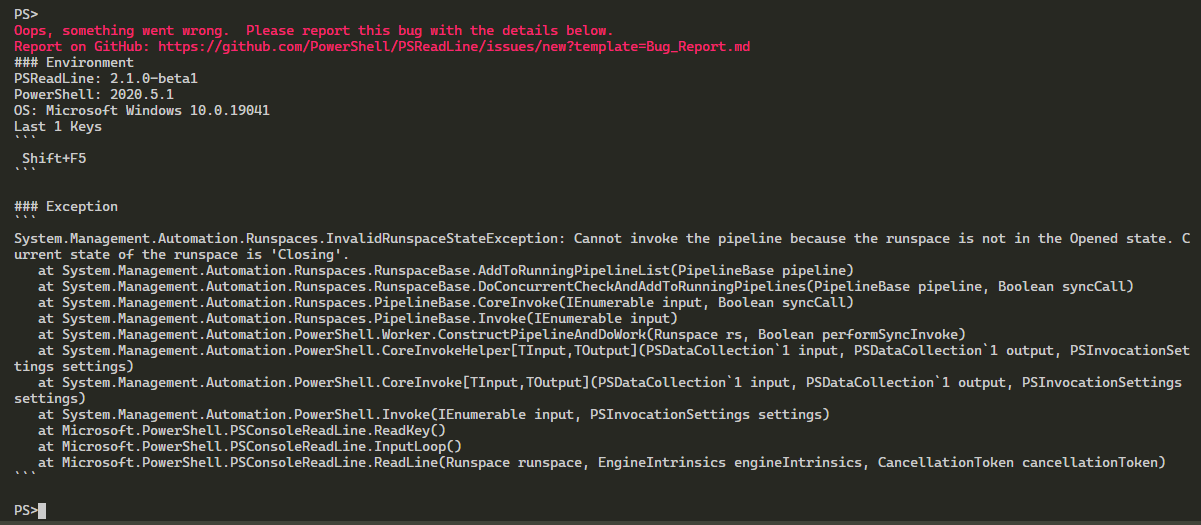
1590324519-cf2461e1-4b9e-4873-9290-36f54f3b16b31590324513765.zip
Finally it crashed. It claims it's PSReadLine but I guess it's all connected now.
PrzemyslawKlys
on 24 May 2020
I switched back to another Code window with my Office 365/AD and I wanted to start working when it went crazy with the same thing:
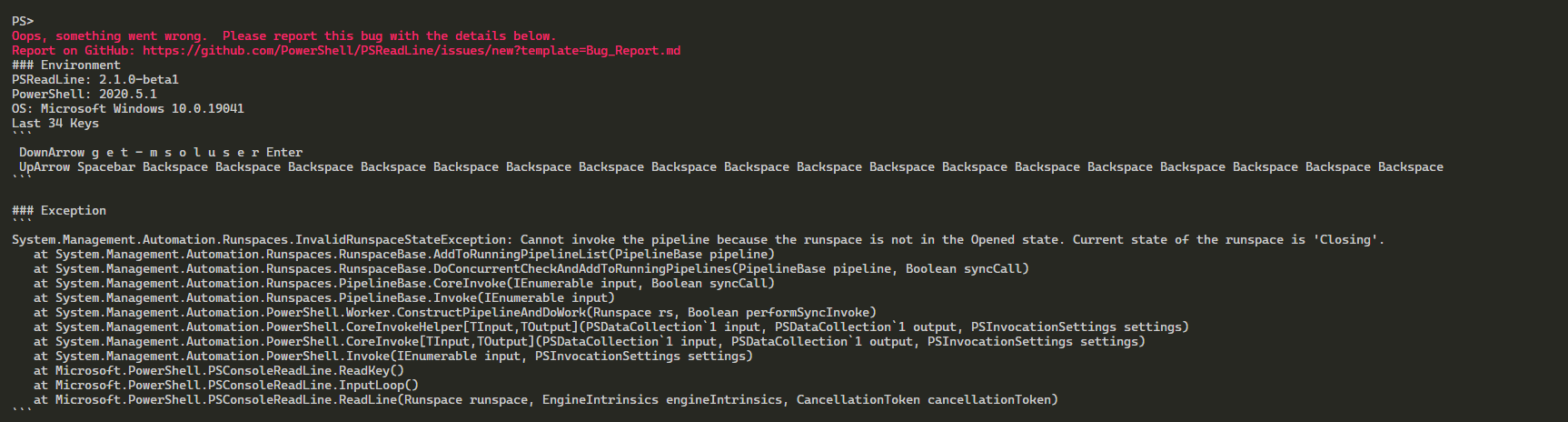
So it seems from stable F5 it went unstable. Haven't noticed problems with F8 or Formatting so that's better ;-p
PrzemyslawKlys
on 24 May 2020
Ok @PrzemyslawKlys I think I have a fix for that issue...
It's in this build: https://dev.azure.com/powershell/vscode-powershell/_build/results?buildId=53637&view=artifacts&type=publishedArtifacts
Here are the steps again:
Download the Windows (even if you're on non-Windows) VSIX from here (if you don't see it in the drop down, then download vscode-powershell):
https://dev.azure.com/powershell/vscode-powershell/_build/results?buildId=53615&view=artifacts&type=publishedArtifacts
Then run this on it:
code --install-extension C:\path\to\powershell-preview-2020.5.1-CI.53637-Windows.vsix
or code-insiders if you use vscode insiders.
That'll install it. Test it out. Use it like you normally do... let me know how it goes.
TylerLeonhardt
on 24 May 2020
I've been using it for a while and crash is gone. I haven't had issues with things stopping working. However, I do have those 2 features disabled:
"editor.codeLens": false,
"powershell.scriptAnalysis.enable": false
Should I enable them back or you want more tests without it.
PrzemyslawKlys
on 24 May 2020
First enable script analysis and use it for the next day or so
TylerLeonhardt
on 25 May 2020
I disabled codeLens and powershell.scriptAnalysis, restarted VS Code, and then ran random stuff for 5 minutes and it died again. I just ran a bunch of simple commands like Get-Date, and then a function I have in my profile called Get-Weather that I haven't used in a while. I ran it a bunch of times and it seemed fine. Then I connected to Exchange Online using the new V2 module and I don't know if I even ran any commands successfully after that. Not sure if that's what killed it or unrelated. But I am almost always connected to Exchange Online, most of my work is in Office 365.
The first thing I noticed was F8 quit working. IntelliSense quit working also. CodeLens was already disabled.
I emailed in all the logs you requested.
Let me know if there is anything else I can do to help.
GuruGarrett
on 25 May 2020
@PrzemyslawKlys have you also been using the Exchange Online v2 module?
TylerLeonhardt
on 25 May 2020
Almost everything I am doing is with Exchange Online, using the v2 module.
chscott
on 25 May 2020
@chscott I'm curious if you're:
- still able to run things in the Integrated Console
- able to us F5 to debug a script
TylerLeonhardt
on 25 May 2020
@TylerLeonhardt No. I am using Exchange v1/MsolOnline/AD/GPO and few other modules and then a bunch of my own stuff that touches those in one way or another.
PrzemyslawKlys
on 25 May 2020
1590351398-3be46339-3e21-4154-b9ce-b35ad9fce7581590351394407.zip
Without enabling anything (no codelens, no script analysis) it all stopped working. F5 works still. F8 doesn't. I went to sleep with open sessions and didn't do anything in the morning and it simply refused to continue to work.
PrzemyslawKlys
on 25 May 2020
1590356225-3135ea78-012f-4f32-9ec9-dbaee35be04f1590356223362.zip
Here's one that works with AD only.
PrzemyslawKlys
on 25 May 2020
1590355781-2ac17e5d-5091-49c3-a6d9-6ac4bd638ddd1590355779243.zip
Here's one with AD+GPO with a crash from PSReadLine
PrzemyslawKlys
on 25 May 2020
Hi @TylerLeonhardt , using the build you provided
settings:
    "editor.codeLens": false,
    "powershell.scriptAnalysis.enable": false,
    "powershell.developer.editorServicesLogLevel": "Diagnostic",
    "powershell editor services.trace.server": "verbose"
Intellisense and F8 stopped working, integrated terminal is responsive.
when it happens F5 sometime still working and sometime it starts and then get stuck like that.
I'm sending the logs by email (F5 working)
(Not using AD/GPO/Exchange/Azure)
 ili101
on 25 May 2020
ili101
on 25 May 2020
Hopefully we are at least chipping away at this...
This build should fix a stack trace found in @PrzemyslawKlys's logs:
I think we're making progress. Thank you all so much.
Tonight I'll try to leave my computer on all night and see if I can repro.
TylerLeonhardt
on 25 May 2020
Since yesterday I haven't had any issues - granted only 3h but still. I've enabled ScriptAnalysis now.
PrzemyslawKlys
on 26 May 2020
1590481511-faf33fc1-8fc5-4185-a0fa-72afb3e83acb1590481509820.zip
Stopped working after a while. It was a bit weird because it worked when I typed - it showed parameter, and then I started typing -Lim and then ctrl+space and it wasn't able to complete. Of course in normal conditions this doesn't matter. Just a bit weird that it would suddenly stop working.
PrzemyslawKlys
on 26 May 2020
@PrzemyslawKlys do you use gitlens or some other git extension? I'm noticing some files that start with the git: scheme:
git:/c:/Support/GitHub/GpoZaurr/GPOZaurr.psd1?%7B%22path%22%3A%22c%3A%5C%5CSupport%5C%5CGitHub%5C%5CGpoZaurr%5C%5CGPOZaurr.psd1%22%2C%22ref%22%3A%22~%22%7D
Yes I do.
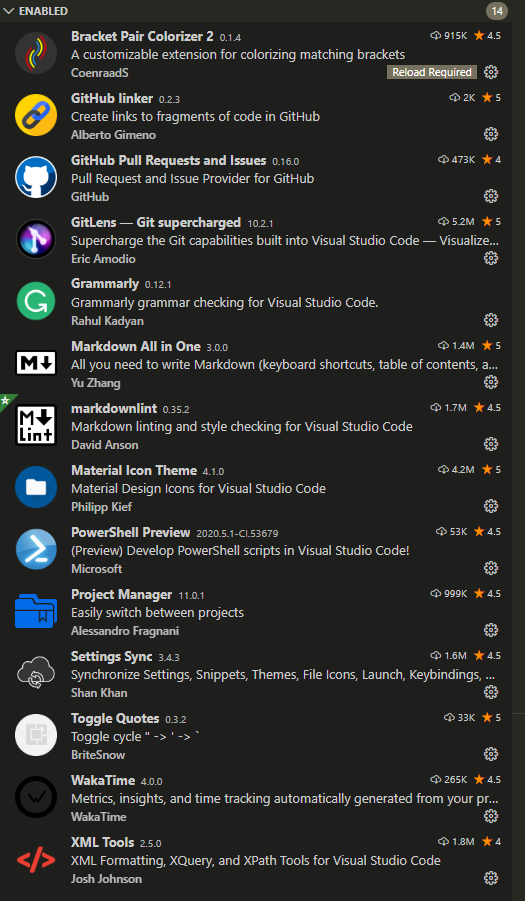
Actually the issue triggered right after Bracker Pair Colorizer 2 updated itself. I decided not to reload because I wanted to keep session open to not waste the testing "session".
PrzemyslawKlys
on 26 May 2020
1590515747-ed60e091-2b2e-4d0f-9178-6845946f87ab1590515745458.zip
Another log, same module.
PrzemyslawKlys
on 26 May 2020
GitHub Linker 👀 I need this.
Another thing that might be useful when you see the issue is to open up the developer tools of VS Code and give me everything in there.
ctrl+shift+p -> Developer: Toggle Developer Tools
TylerLeonhardt
on 26 May 2020
@TylerLeonhardt Do you mean from Console?
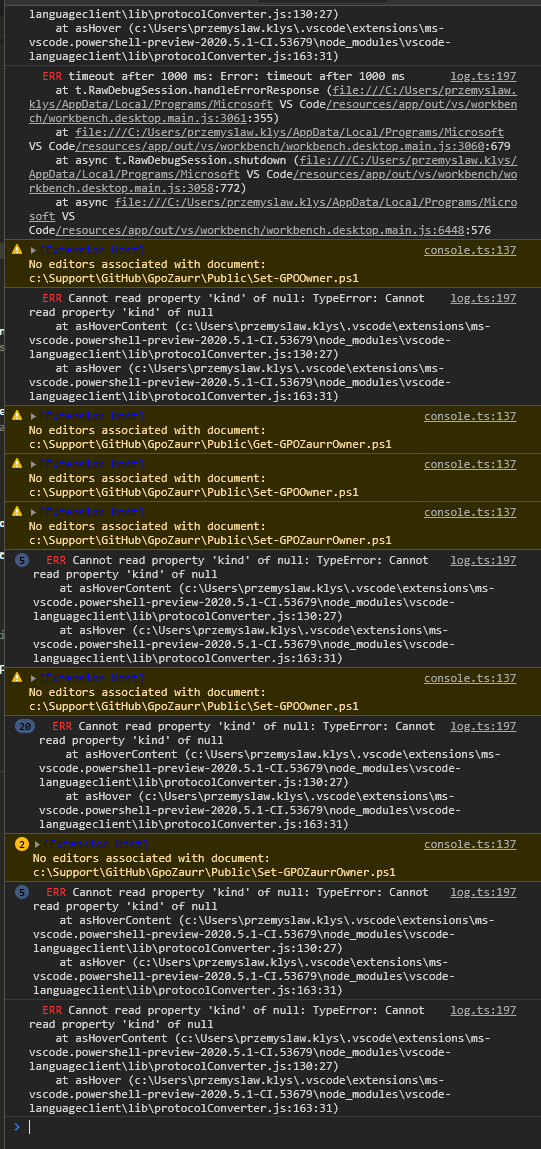
or something else? Right now it's still working, just want to make sure this is what you want?
PrzemyslawKlys
on 26 May 2020
@PrzemyslawKlys yes from the console. Thanks - those look normal.
@PrzemyslawKlys when you see it again... can you try hovering over something like Write-Verbose and see if it gives you anything (like Write-Verbose [-Message] <string> [<CommonParameters>] back?
If it does, then I think we've "fixed" the issue with the underlying Omnisharp lib and now have another issue on performance of completion.
When you see this, can you still use console?
TylerLeonhardt
on 26 May 2020
Will do.
I always could use console, along the F5. But will make sure to test again.
And now that I've been playing here...
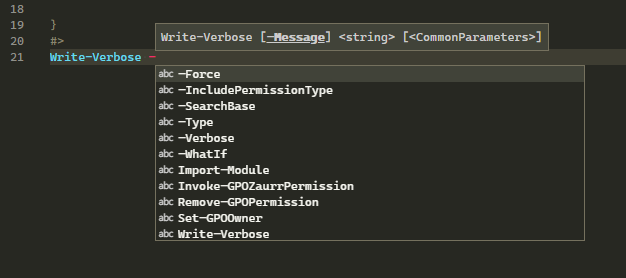
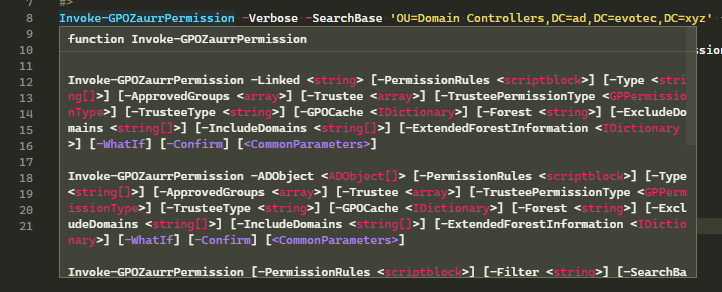
After I waited and was taking screenshot retried:
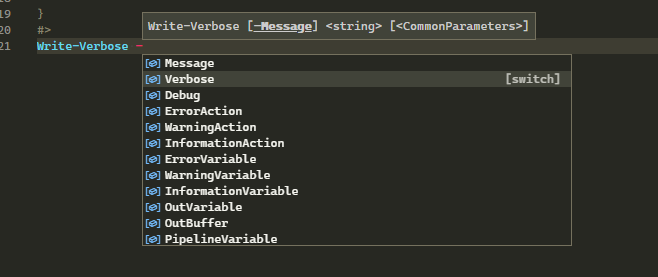
So it came back.
abstractExtensionService.ts:400 [ms-vscode.powershell-preview]: Command `workbench.action.debug.start` appears multiple times in the `commands` section.
abstractExtensionService.ts:400 [ms-vscode.powershell-preview]: Command `workbench.action.closePanel` appears multiple times in the `commands` section.
abstractExtensionService.ts:400 [ms-vscode.powershell-preview]: Command `workbench.action.positionPanelLeft` appears multiple times in the `commands` section.
abstractExtensionService.ts:400 [ms-vscode.powershell-preview]: Command `workbench.action.positionPanelBottom` appears multiple times in the `commands` section.
console.ts:137 [Extension Host] No editors associated with document: c:\Support\GitHub\GpoZaurr\Examples\Example-16-AddRemoveGPOPermission03.ps1
t.log @ console.ts:137
log.ts:197   ERR Cannot read property 'kind' of null: TypeError: Cannot read property 'kind' of null
    at asHoverContent (c:\Users\przemyslaw.klys\.vscode\extensions\ms-vscode.powershell-preview-2020.5.1-CI.53679\node_modules\vscode-languageclient\lib\protocolConverter.js:130:27)
    at asHover (c:\Users\przemyslaw.klys\.vscode\extensions\ms-vscode.powershell-preview-2020.5.1-CI.53679\node_modules\vscode-languageclient\lib\protocolConverter.js:163:31)
console.ts:137 [Extension Host] No editors associated with document: c:\Support\GitHub\GpoZaurr\Examples\Example-16-AddRemoveGPOPermission01.ps1
t.log @ console.ts:137
console.ts:137 [Extension Host] No editors associated with document: c:\Support\GitHub\GpoZaurr\Examples\Example-16-AddRemoveGPOPermission02.ps1
t.log @ console.ts:137
console.ts:137 [Extension Host] No editors associated with document: c:\Support\GitHub\GpoZaurr\Examples\Example-16-AddRemoveGPOPermission04.ps1
t.log @ console.ts:137
console.ts:137 [Extension Host] No editors associated with document: c:\Support\GitHub\GpoZaurr\Examples\Example16-KeepPermissions.ps1
t.log @ console.ts:137
console.ts:137 [Extension Host] No editors associated with document: c:\Support\GitHub\GpoZaurr\Examples\Example-16-KeepPermissions.ps1
t.log @ console.ts:137
5log.ts:197   ERR Cannot read property 'kind' of null: TypeError: Cannot read property 'kind' of null
    at asHoverContent (c:\Users\przemyslaw.klys\.vscode\extensions\ms-vscode.powershell-preview-2020.5.1-CI.53679\node_modules\vscode-languageclient\lib\protocolConverter.js:130:27)
    at asHover (c:\Users\przemyslaw.klys\.vscode\extensions\ms-vscode.powershell-preview-2020.5.1-CI.53679\node_modules\vscode-languageclient\lib\protocolConverter.js:163:31)
console.ts:137 [Extension Host] No editors associated with document: c:\Support\GitHub\GpoZaurr\Public\Invoke-GPOZaurrPermission.ps1
t.log @ console.ts:137
3log.ts:197   ERR Cannot read property 'kind' of null: TypeError: Cannot read property 'kind' of null
    at asHoverContent (c:\Users\przemyslaw.klys\.vscode\extensions\ms-vscode.powershell-preview-2020.5.1-CI.53679\node_modules\vscode-languageclient\lib\protocolConverter.js:130:27)
    at asHover (c:\Users\przemyslaw.klys\.vscode\extensions\ms-vscode.powershell-preview-2020.5.1-CI.53679\node_modules\vscode-languageclient\lib\protocolConverter.js:163:31)
console.ts:137 [Extension Host] No editors associated with document: c:\Support\GitHub\GpoZaurr\Public\Remove-GPOPermission.ps1
t.log @ console.ts:137
log.ts:197   ERR Cannot read property 'kind' of null: TypeError: Cannot read property 'kind' of null
    at asHoverContent (c:\Users\przemyslaw.klys\.vscode\extensions\ms-vscode.powershell-preview-2020.5.1-CI.53679\node_modules\vscode-languageclient\lib\protocolConverter.js:130:27)
    at asHover (c:\Users\przemyslaw.klys\.vscode\extensions\ms-vscode.powershell-preview-2020.5.1-CI.53679\node_modules\vscode-languageclient\lib\protocolConverter.js:163:31)
2log.ts:197   ERR timeout after 1000 ms: Error: timeout after 1000 ms
    at t.RawDebugSession.handleErrorResponse (file:///C:/Users/przemyslaw.klys/AppData/Local/Programs/Microsoft VS Code/resources/app/out/vs/workbench/workbench.desktop.main.js:3061:355)
    at file:///C:/Users/przemyslaw.klys/AppData/Local/Programs/Microsoft VS Code/resources/app/out/vs/workbench/workbench.desktop.main.js:3060:679
    at async t.RawDebugSession.shutdown (file:///C:/Users/przemyslaw.klys/AppData/Local/Programs/Microsoft VS Code/resources/app/out/vs/workbench/workbench.desktop.main.js:3058:772)
    at async file:///C:/Users/przemyslaw.klys/AppData/Local/Programs/Microsoft VS Code/resources/app/out/vs/workbench/workbench.desktop.main.js:6448:576
2log.ts:197   ERR Cannot read property 'kind' of null: TypeError: Cannot read property 'kind' of null
    at asHoverContent (c:\Users\przemyslaw.klys\.vscode\extensions\ms-vscode.powershell-preview-2020.5.1-CI.53679\node_modules\vscode-languageclient\lib\protocolConverter.js:130:27)
    at asHover (c:\Users\przemyslaw.klys\.vscode\extensions\ms-vscode.powershell-preview-2020.5.1-CI.53679\node_modules\vscode-languageclient\lib\protocolConverter.js:163:31)
console.ts:137 [Extension Host] No editors associated with document: c:\Support\GitHub\GpoZaurr\Public\Remove-GPOPermission.ps1
t.log @ console.ts:137
2log.ts:197   ERR Cannot read property 'kind' of null: TypeError: Cannot read property 'kind' of null
    at asHoverContent (c:\Users\przemyslaw.klys\.vscode\extensions\ms-vscode.powershell-preview-2020.5.1-CI.53679\node_modules\vscode-languageclient\lib\protocolConverter.js:130:27)
    at asHover (c:\Users\przemyslaw.klys\.vscode\extensions\ms-vscode.powershell-preview-2020.5.1-CI.53679\node_modules\vscode-languageclient\lib\protocolConverter.js:163:31)
log.ts:197   ERR timeout after 1000 ms: Error: timeout after 1000 ms
    at t.RawDebugSession.handleErrorResponse (file:///C:/Users/przemyslaw.klys/AppData/Local/Programs/Microsoft VS Code/resources/app/out/vs/workbench/workbench.desktop.main.js:3061:355)
    at file:///C:/Users/przemyslaw.klys/AppData/Local/Programs/Microsoft VS Code/resources/app/out/vs/workbench/workbench.desktop.main.js:3060:679
    at async t.RawDebugSession.shutdown (file:///C:/Users/przemyslaw.klys/AppData/Local/Programs/Microsoft VS Code/resources/app/out/vs/workbench/workbench.desktop.main.js:3058:772)
    at async file:///C:/Users/przemyslaw.klys/AppData/Local/Programs/Microsoft VS Code/resources/app/out/vs/workbench/workbench.desktop.main.js:6448:576
2log.ts:197   ERR Cannot read property 'kind' of null: TypeError: Cannot read property 'kind' of null
    at asHoverContent (c:\Users\przemyslaw.klys\.vscode\extensions\ms-vscode.powershell-preview-2020.5.1-CI.53679\node_modules\vscode-languageclient\lib\protocolConverter.js:130:27)
    at asHover (c:\Users\przemyslaw.klys\.vscode\extensions\ms-vscode.powershell-preview-2020.5.1-CI.53679\node_modules\vscode-languageclient\lib\protocolConverter.js:163:31)
log.ts:197   ERR timeout after 1000 ms: Error: timeout after 1000 ms
    at t.RawDebugSession.handleErrorResponse (file:///C:/Users/przemyslaw.klys/AppData/Local/Programs/Microsoft VS Code/resources/app/out/vs/workbench/workbench.desktop.main.js:3061:355)
    at file:///C:/Users/przemyslaw.klys/AppData/Local/Programs/Microsoft VS Code/resources/app/out/vs/workbench/workbench.desktop.main.js:3060:679
    at async t.RawDebugSession.shutdown (file:///C:/Users/przemyslaw.klys/AppData/Local/Programs/Microsoft VS Code/resources/app/out/vs/workbench/workbench.desktop.main.js:3058:772)
    at async file:///C:/Users/przemyslaw.klys/AppData/Local/Programs/Microsoft VS Code/resources/app/out/vs/workbench/workbench.desktop.main.js:6448:576
2log.ts:197   ERR Cannot read property 'kind' of null: TypeError: Cannot read property 'kind' of null
    at asHoverContent (c:\Users\przemyslaw.klys\.vscode\extensions\ms-vscode.powershell-preview-2020.5.1-CI.53679\node_modules\vscode-languageclient\lib\protocolConverter.js:130:27)
    at asHover (c:\Users\przemyslaw.klys\.vscode\extensions\ms-vscode.powershell-preview-2020.5.1-CI.53679\node_modules\vscode-languageclient\lib\protocolConverter.js:163:31)
2log.ts:197   ERR timeout after 1000 ms: Error: timeout after 1000 ms
    at t.RawDebugSession.handleErrorResponse (file:///C:/Users/przemyslaw.klys/AppData/Local/Programs/Microsoft VS Code/resources/app/out/vs/workbench/workbench.desktop.main.js:3061:355)
    at file:///C:/Users/przemyslaw.klys/AppData/Local/Programs/Microsoft VS Code/resources/app/out/vs/workbench/workbench.desktop.main.js:3060:679
    at async t.RawDebugSession.shutdown (file:///C:/Users/przemyslaw.klys/AppData/Local/Programs/Microsoft VS Code/resources/app/out/vs/workbench/workbench.desktop.main.js:3058:772)
    at async file:///C:/Users/przemyslaw.klys/AppData/Local/Programs/Microsoft VS Code/resources/app/out/vs/workbench/workbench.desktop.main.js:6448:576
2log.ts:197   ERR Cannot read property 'kind' of null: TypeError: Cannot read property 'kind' of null
    at asHoverContent (c:\Users\przemyslaw.klys\.vscode\extensions\ms-vscode.powershell-preview-2020.5.1-CI.53679\node_modules\vscode-languageclient\lib\protocolConverter.js:130:27)
    at asHover (c:\Users\przemyslaw.klys\.vscode\extensions\ms-vscode.powershell-preview-2020.5.1-CI.53679\node_modules\vscode-languageclient\lib\protocolConverter.js:163:31)
3log.ts:197   ERR timeout after 1000 ms: Error: timeout after 1000 ms
    at t.RawDebugSession.handleErrorResponse (file:///C:/Users/przemyslaw.klys/AppData/Local/Programs/Microsoft VS Code/resources/app/out/vs/workbench/workbench.desktop.main.js:3061:355)
    at file:///C:/Users/przemyslaw.klys/AppData/Local/Programs/Microsoft VS Code/resources/app/out/vs/workbench/workbench.desktop.main.js:3060:679
    at async t.RawDebugSession.shutdown (file:///C:/Users/przemyslaw.klys/AppData/Local/Programs/Microsoft VS Code/resources/app/out/vs/workbench/workbench.desktop.main.js:3058:772)
    at async file:///C:/Users/przemyslaw.klys/AppData/Local/Programs/Microsoft VS Code/resources/app/out/vs/workbench/workbench.desktop.main.js:6448:576
log.ts:197   ERR Cannot read property 'kind' of null: TypeError: Cannot read property 'kind' of null
    at asHoverContent (c:\Users\przemyslaw.klys\.vscode\extensions\ms-vscode.powershell-preview-2020.5.1-CI.53679\node_modules\vscode-languageclient\lib\protocolConverter.js:130:27)
    at asHover (c:\Users\przemyslaw.klys\.vscode\extensions\ms-vscode.powershell-preview-2020.5.1-CI.53679\node_modules\vscode-languageclient\lib\protocolConverter.js:163:31)
log.ts:197   ERR timeout after 1000 ms: Error: timeout after 1000 ms
    at t.RawDebugSession.handleErrorResponse (file:///C:/Users/przemyslaw.klys/AppData/Local/Programs/Microsoft VS Code/resources/app/out/vs/workbench/workbench.desktop.main.js:3061:355)
    at file:///C:/Users/przemyslaw.klys/AppData/Local/Programs/Microsoft VS Code/resources/app/out/vs/workbench/workbench.desktop.main.js:3060:679
    at async t.RawDebugSession.shutdown (file:///C:/Users/przemyslaw.klys/AppData/Local/Programs/Microsoft VS Code/resources/app/out/vs/workbench/workbench.desktop.main.js:3058:772)
    at async file:///C:/Users/przemyslaw.klys/AppData/Local/Programs/Microsoft VS Code/resources/app/out/vs/workbench/workbench.desktop.main.js:6448:576
console.ts:137 [Extension Host] No editors associated with document: c:\Support\GitHub\GpoZaurr\Public\Set-GPOOwner.ps1
t.log @ console.ts:137
log.ts:197   ERR Cannot read property 'kind' of null: TypeError: Cannot read property 'kind' of null
    at asHoverContent (c:\Users\przemyslaw.klys\.vscode\extensions\ms-vscode.powershell-preview-2020.5.1-CI.53679\node_modules\vscode-languageclient\lib\protocolConverter.js:130:27)
    at asHover (c:\Users\przemyslaw.klys\.vscode\extensions\ms-vscode.powershell-preview-2020.5.1-CI.53679\node_modules\vscode-languageclient\lib\protocolConverter.js:163:31)
console.ts:137 [Extension Host] No editors associated with document: c:\Support\GitHub\GpoZaurr\Public\Get-GPOZaurrOwner.ps1
t.log @ console.ts:137
console.ts:137 [Extension Host] No editors associated with document: c:\Support\GitHub\GpoZaurr\Public\Set-GPOOwner.ps1
t.log @ console.ts:137
console.ts:137 [Extension Host] No editors associated with document: c:\Support\GitHub\GpoZaurr\Public\Set-GPOZaurrOwner.ps1
t.log @ console.ts:137
5log.ts:197   ERR Cannot read property 'kind' of null: TypeError: Cannot read property 'kind' of null
    at asHoverContent (c:\Users\przemyslaw.klys\.vscode\extensions\ms-vscode.powershell-preview-2020.5.1-CI.53679\node_modules\vscode-languageclient\lib\protocolConverter.js:130:27)
    at asHover (c:\Users\przemyslaw.klys\.vscode\extensions\ms-vscode.powershell-preview-2020.5.1-CI.53679\node_modules\vscode-languageclient\lib\protocolConverter.js:163:31)
console.ts:137 [Extension Host] No editors associated with document: c:\Support\GitHub\GpoZaurr\Public\Set-GPOOwner.ps1
t.log @ console.ts:137
20log.ts:197   ERR Cannot read property 'kind' of null: TypeError: Cannot read property 'kind' of null
    at asHoverContent (c:\Users\przemyslaw.klys\.vscode\extensions\ms-vscode.powershell-preview-2020.5.1-CI.53679\node_modules\vscode-languageclient\lib\protocolConverter.js:130:27)
    at asHover (c:\Users\przemyslaw.klys\.vscode\extensions\ms-vscode.powershell-preview-2020.5.1-CI.53679\node_modules\vscode-languageclient\lib\protocolConverter.js:163:31)
2console.ts:137 [Extension Host] No editors associated with document: c:\Support\GitHub\GpoZaurr\Public\Set-GPOZaurrOwner.ps1
t.log @ console.ts:137
5log.ts:197   ERR Cannot read property 'kind' of null: TypeError: Cannot read property 'kind' of null
    at asHoverContent (c:\Users\przemyslaw.klys\.vscode\extensions\ms-vscode.powershell-preview-2020.5.1-CI.53679\node_modules\vscode-languageclient\lib\protocolConverter.js:130:27)
    at asHover (c:\Users\przemyslaw.klys\.vscode\extensions\ms-vscode.powershell-preview-2020.5.1-CI.53679\node_modules\vscode-languageclient\lib\protocolConverter.js:163:31)
2log.ts:197   ERR Cannot read property 'kind' of null: TypeError: Cannot read property 'kind' of null
    at asHoverContent (c:\Users\przemyslaw.klys\.vscode\extensions\ms-vscode.powershell-preview-2020.5.1-CI.53679\node_modules\vscode-languageclient\lib\protocolConverter.js:130:27)
    at asHover (c:\Users\przemyslaw.klys\.vscode\extensions\ms-vscode.powershell-preview-2020.5.1-CI.53679\node_modules\vscode-languageclient\lib\protocolConverter.js:163:31)
9log.ts:197   ERR Cannot read property 'kind' of null: TypeError: Cannot read property 'kind' of null
    at asHoverContent (c:\Users\przemyslaw.klys\.vscode\extensions\ms-vscode.powershell-preview-2020.5.1-CI.53679\node_modules\vscode-languageclient\lib\protocolConverter.js:130:27)
    at asHover (c:\Users\przemyslaw.klys\.vscode\extensions\ms-vscode.powershell-preview-2020.5.1-CI.53679\node_modules\vscode-languageclient\lib\protocolConverter.js:163:31)
3console.ts:137 [Extension Host] No editors associated with document: c:\Support\GitHub\GpoZaurr\Public\Set-GPOZaurrOwner.ps1
t.log @ console.ts:137
4log.ts:197   ERR Cannot read property 'kind' of null: TypeError: Cannot read property 'kind' of null
    at asHoverContent (c:\Users\przemyslaw.klys\.vscode\extensions\ms-vscode.powershell-preview-2020.5.1-CI.53679\node_modules\vscode-languageclient\lib\protocolConverter.js:130:27)
    at asHover (c:\Users\przemyslaw.klys\.vscode\extensions\ms-vscode.powershell-preview-2020.5.1-CI.53679\node_modules\vscode-languageclient\lib\protocolConverter.js:163:31)
log.ts:197   ERR timeout after 1000 ms: Error: timeout after 1000 ms
    at t.RawDebugSession.handleErrorResponse (file:///C:/Users/przemyslaw.klys/AppData/Local/Programs/Microsoft VS Code/resources/app/out/vs/workbench/workbench.desktop.main.js:3061:355)
    at file:///C:/Users/przemyslaw.klys/AppData/Local/Programs/Microsoft VS Code/resources/app/out/vs/workbench/workbench.desktop.main.js:3060:679
    at async t.RawDebugSession.shutdown (file:///C:/Users/przemyslaw.klys/AppData/Local/Programs/Microsoft VS Code/resources/app/out/vs/workbench/workbench.desktop.main.js:3058:772)
    at async file:///C:/Users/przemyslaw.klys/AppData/Local/Programs/Microsoft VS Code/resources/app/out/vs/workbench/workbench.desktop.main.js:6448:576
This one happens after debugging... Since debugging is still working, we can ignore this for now.
log.ts:197   ERR Cannot read property 'kind' of null: TypeError: Cannot read property 'kind' of null
    at asHoverContent (c:\Users\przemyslaw.klys\.vscode\extensions\ms-vscode.powershell-preview-2020.5.1-CI.53679\node_modules\vscode-languageclient\lib\protocolConverter.js:130:27)
    at asHover (c:\Users\przemyslaw.klys\.vscode\extensions\ms-vscode.powershell-preview-2020.5.1-CI.53679\node_modules\vscode-languageclient\lib\protocolConverter.js:163:31)
This one has to do with Hover. It doesn't seem to be the problem but I'm looking into it so it's not so noisy.
TylerLeonhardt
on 26 May 2020
Here are the steps again for anyone else:
Download the Windows (even if you're on non-Windows) VSIX from here (if you don't see it in the drop down, then download vscode-powershell):
https://dev.azure.com/powershell/vscode-powershell/_build/results?buildId=53679&view=artifacts&type=publishedArtifacts
Then run this on it:
code --install-extension C:\path\to\powershell-preview-2020.5.1-CI.53679-Windows.vsix
or code-insiders if you use vscode insiders.
That'll install it. Test it out. Use it like you normally do... let me know how it goes.
TylerLeonhardt
on 26 May 2020
I'm having issues with F8 responding. Much of the time, it simply doesn't work at all, and in one experienced, it buffered tons of commands and then finally started processing the buffer.
Figured I would try the newer preview version that was mentioned in another thread. Still happend with the prod / preview releases of the extension.
I'll have to try this new 2020.5.1 version and see what happens.
In the VSCode Dev Tools, I'm seeing this on a somewhat regular basis, but I'm not confident that it's related to this problem either.
  ERR Cannot read property 'kind' of null: TypeError: Cannot read property 'kind' of null
    at asHoverContent (c:\Users\TrevorSullivan\.vscode\extensions\ms-vscode.powershell-preview-2020.5.0\node_modules\vscode-languageclient\lib\protocolConverter.js:101:27)
    at asHover (c:\Users\TrevorSullivan\.vscode\extensions\ms-vscode.powershell-preview-2020.5.0\node_modules\vscode-languageclient\lib\protocolConverter.js:134:31)
Installed Extensions
amazonwebservices.aws-toolkit-vscode
arcticicestudio.nord-visual-studio-code
dracula-theme.theme-dracula
EliverLara.andromeda
formulahendry.code-runner
icsharpcode.ilspy-vscode
johnpapa.vscode-peacock
ms-azuretools.vscode-docker
ms-dotnettools.csharp
ms-python.python
ms-vscode-remote.remote-containers
ms-vscode-remote.remote-ssh
ms-vscode-remote.remote-ssh-edit
ms-vscode-remote.remote-wsl
ms-vscode.powershell
ms-vscode.powershell-preview
 pcgeek86
on 26 May 2020
pcgeek86
on 26 May 2020
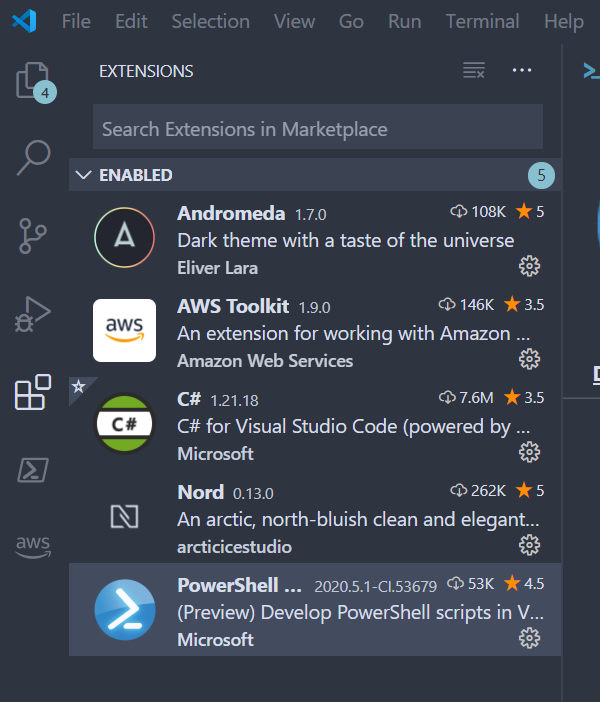
As soon as I launched VSCode with the 2020.5.1 extension, and tried using F8 to run one piece of code in a script, it hung for a while. Eventually it processed a ton of repeated commands.
pcgeek86
on 26 May 2020
Sounds like the extension was still starting up. Can you also attach the logs here so we can get a better idea of what's going on?
TylerLeonhardt
on 26 May 2020
I'm wondering if it would be possible to update progress in the bottom that things are running (maybe not the same progress that runs when you press F5) - for example if I choose Formatting or that it tries to do something somewhere.. maybe it would give us information what's happening and we could simply wait? Or maybe not related at all ;)
PrzemyslawKlys
on 26 May 2020
Sounds like the extension was still starting up.
I usually wait a few seconds until my profile script finishes. It takes a couple seconds, because of a module I'm importing. By the way, this is running on a 12-core AMD Ryzen 3900x desktop with 32GB of RAM and a 1 TB NVMe SSD, so it's not grasping for resources.
logs (Click to expand)
2020-05-26 14:25:09.338 -07:00 [VRB] Logging started
2020-05-26 14:25:09.339 -07:00 [VRB] Beginning EndProcessing block
2020-05-26 14:25:09.339 -07:00 [DBG] Removing PSReadLine
2020-05-26 14:25:09.339 -07:00 [VRB] Creating host configuration
2020-05-26 14:25:09.339 -07:00 [VRB] Determining REPL kind
2020-05-26 14:25:09.339 -07:00 [VRB] REPL configured as PSReadLine
2020-05-26 14:25:09.339 -07:00 [VRB] Configuring LSP transport
2020-05-26 14:25:09.339 -07:00 [VRB] Configuring debug transport
2020-05-26 14:25:09.339 -07:00 [VRB] Session file writer created
2020-05-26 14:25:09.339 -07:00 [DBG] Adding AssemblyResolve event handler for new AssemblyLoadContext dependency loading
2020-05-26 14:25:09.339 -07:00 [DBG] Loading EditorServices
2020-05-26 14:25:09.339 -07:00 [VRB] Logging host information
2020-05-26 14:25:09.339 -07:00 [VRB]
PID: 28540

2020-05-26 14:25:09.339 -07:00 [DBG]
== Build Details ==
- Editor Services version: 2.2.0-preview.2
- Build origin:            CI
- Build time:              5/25/2020 5:13:51 PM

2020-05-26 14:25:09.339 -07:00 [DBG]
== Host Startup Configuration Details ==
 - Host name:                 Visual Studio Code Host
 - Host version:              2020.5.1
 - Host profile ID:           Microsoft.VSCode
 - PowerShell host type:      System.Management.Automation.Internal.Host.InternalHost

 - REPL setting:              PSReadLine
 - Session details path:      c:\Users\TrevorSullivan\.vscode\extensions\ms-vscode.powershell-preview-2020.5.1-CI.53679\sessions\PSES-VSCode-2232-962046
 - Bundled modules path:      c:\Users\TrevorSullivan\.vscode\extensions\ms-vscode.powershell-preview-2020.5.1-CI.53679\modules
 - Additional modules:        PowerShellEditorServices.VSCode
 - Feature flags:

 - Log path:                  c:\Users\TrevorSullivan\.vscode\extensions\ms-vscode.powershell-preview-2020.5.1-CI.53679\logs\1590528308-780810de-e1d0-4292-aea2-fec870794e5f1590528306506\EditorServices.log
 - Minimum log level:         Diagnostic

 - Profile paths:
   + AllUsersAllHosts:       C:\Users\TrevorSullivan\scoop\apps\pwsh\current\profile.ps1
   + AllUsersCurrentHost:    C:\Users\TrevorSullivan\scoop\apps\pwsh\current\Microsoft.VSCode_profile.ps1
   + CurrentUserAllHosts:    C:\Users\TrevorSullivan\Documents\PowerShell\profile.ps1
   + CurrentUserCurrentHost: C:\Users\TrevorSullivan\Documents\PowerShell\Microsoft.VSCode_profile.ps1

2020-05-26 14:25:09.339 -07:00 [VRB] Assembly resolve event fired for System.Text.Encoding.CodePages.resources, Version=4.1.3.0, Culture=en-US, PublicKeyToken=b03f5f7f11d50a3a
2020-05-26 14:25:09.339 -07:00 [VRB] Assembly resolve event fired for System.Text.Encoding.CodePages.resources, Version=4.1.3.0, Culture=en, PublicKeyToken=b03f5f7f11d50a3a
2020-05-26 14:25:09.339 -07:00 [VRB] Loaded into load context "Default" System.Runtime.Loader.DefaultAssemblyLoadContext #0: Microsoft.PowerShell.Commands.Diagnostics, Version=7.0.1.0, Culture=neutral, PublicKeyToken=31bf3856ad364e35
2020-05-26 14:25:09.339 -07:00 [VRB] Loaded into load context "Default" System.Runtime.Loader.DefaultAssemblyLoadContext #0: Microsoft.WSMan.Management, Version=7.0.1.0, Culture=neutral, PublicKeyToken=31bf3856ad364e35
2020-05-26 14:25:09.339 -07:00 [VRB] Loaded into load context "Default" System.Runtime.Loader.DefaultAssemblyLoadContext #0: Microsoft.WSMan.Runtime, Version=7.0.1.0, Culture=neutral, PublicKeyToken=31bf3856ad364e35
2020-05-26 14:25:09.339 -07:00 [DBG]
== Console Details ==
 - Console input encoding: OEM United States
 - Console output encoding: OEM United States
 - PowerShell output encoding: Unicode (UTF-8)

2020-05-26 14:25:09.339 -07:00 [DBG]
== PowerShell Details ==
- PowerShell version: 7.0.1
- Language mode:      FullLanguage

2020-05-26 14:25:09.339 -07:00 [DBG]
== Environment Details ==
 - OS description:  Microsoft Windows 10.0.18363
 - OS architecture: X64
 - Process bitness: 64

2020-05-26 14:25:09.339 -07:00 [DBG] Updated PSModulePath to: 'C:\Users\TrevorSullivan\Documents\PowerShell\Modules;C:\Program Files\PowerShell\Modules;c:\users\trevorsullivan\scoop\apps\pwsh\current\Modules;C:\Program Files\WindowsPowerShell\Modules;C:\Windows\system32\WindowsPowerShell\v1.0\Modules;c:\Users\TrevorSullivan\.vscode\extensions\ms-vscode.powershell-preview-2020.5.1-CI.53679\modules'
2020-05-26 14:25:09.339 -07:00 [VRB] Validating configuration
2020-05-26 14:25:09.339 -07:00 [DBG] Loading PowerShell Editor Services
2020-05-26 14:25:09.339 -07:00 [VRB] Assembly resolve event fired for Microsoft.PowerShell.EditorServices, Version=2.2.0.0, Culture=neutral, PublicKeyToken=null
2020-05-26 14:25:09.339 -07:00 [DBG] Loading PSES DLL using new assembly load context
2020-05-26 14:25:09.339 -07:00 [VRB] Loaded into load context "PsesLoadContext" Microsoft.PowerShell.EditorServices.Hosting.PsesLoadContext #1: Microsoft.PowerShell.EditorServices, Version=2.2.0.0, Culture=neutral, PublicKeyToken=null
2020-05-26 14:25:09.339 -07:00 [DBG] Starting EditorServices
2020-05-26 14:25:09.339 -07:00 [VRB] Loaded into load context "PsesLoadContext" Microsoft.PowerShell.EditorServices.Hosting.PsesLoadContext #1: Microsoft.Extensions.Logging.Abstractions, Version=3.1.4.0, Culture=neutral, PublicKeyToken=adb9793829ddae60
2020-05-26 14:25:09.339 -07:00 [VRB] Loaded into load context "PsesLoadContext" Microsoft.PowerShell.EditorServices.Hosting.PsesLoadContext #1: Serilog, Version=2.0.0.0, Culture=neutral, PublicKeyToken=24c2f752a8e58a10
2020-05-26 14:25:09.339 -07:00 [VRB] Loaded into load context "PsesLoadContext" Microsoft.PowerShell.EditorServices.Hosting.PsesLoadContext #1: Serilog.Sinks.Async, Version=1.4.0.0, Culture=neutral, PublicKeyToken=24c2f752a8e58a10
2020-05-26 14:25:09.339 -07:00 [VRB] Loaded into load context "PsesLoadContext" Microsoft.PowerShell.EditorServices.Hosting.PsesLoadContext #1: Microsoft.Extensions.Logging, Version=3.1.4.0, Culture=neutral, PublicKeyToken=adb9793829ddae60
2020-05-26 14:25:09.339 -07:00 [VRB] Loaded into load context "PsesLoadContext" Microsoft.PowerShell.EditorServices.Hosting.PsesLoadContext #1: Serilog.Extensions.Logging, Version=2.0.0.0, Culture=neutral, PublicKeyToken=24c2f752a8e58a10
2020-05-26 14:25:09.339 -07:00 [VRB] Loaded into load context "PsesLoadContext" Microsoft.PowerShell.EditorServices.Hosting.PsesLoadContext #1: Serilog.Sinks.File, Version=2.0.0.0, Culture=neutral, PublicKeyToken=24c2f752a8e58a10
2020-05-26 14:25:09.339 -07:00 [VRB] Loaded into load context "Default" System.Runtime.Loader.DefaultAssemblyLoadContext #0: System.Text.Encoding, Version=4.1.2.0, Culture=neutral, PublicKeyToken=b03f5f7f11d50a3a
2020-05-26 14:25:09.339 -07:00 [VRB] Loaded into load context "Default" System.Runtime.Loader.DefaultAssemblyLoadContext #0: System.IO, Version=4.2.2.0, Culture=neutral, PublicKeyToken=b03f5f7f11d50a3a
2020-05-26 14:25:09.339 -07:00 [VRB] Loaded into load context "Default" System.Runtime.Loader.DefaultAssemblyLoadContext #0: System.IO.FileSystem.Primitives, Version=4.1.2.0, Culture=neutral, PublicKeyToken=b03f5f7f11d50a3a
2020-05-26 14:25:09.339 -07:00 [VRB] Loaded into load context "PsesLoadContext" Microsoft.PowerShell.EditorServices.Hosting.PsesLoadContext #1: Microsoft.Extensions.Options, Version=3.1.4.0, Culture=neutral, PublicKeyToken=adb9793829ddae60
2020-05-26 14:25:09.342 -07:00 [VRB] Creating/running editor services
2020-05-26 14:25:09.352 -07:00 [VRB] Creating startup info object
2020-05-26 14:25:09.353 -07:00 [DBG] Starting server, deregistering host logger and registering shutdown listener
2020-05-26 14:25:09.356 -07:00 [DBG] Creating LSP transport with endpoint InOut pipe: PSES_j33tnabh.bf1
2020-05-26 14:25:09.356 -07:00 [VRB] Creating named pipe
2020-05-26 14:25:09.357 -07:00 [VRB] Waiting for named pipe connection
2020-05-26 14:25:09.359 -07:00 [VRB] Writing session file
2020-05-26 14:25:09.359 -07:00 [VRB] Writing session started
2020-05-26 14:25:09.370 -07:00 [VRB] Loaded into load context "Default" System.Runtime.Loader.DefaultAssemblyLoadContext #0: System.Drawing.Primitives, Version=4.2.1.0, Culture=neutral, PublicKeyToken=b03f5f7f11d50a3a
2020-05-26 14:25:09.380 -07:00 [DBG] Session file written to c:\Users\TrevorSullivan\.vscode\extensions\ms-vscode.powershell-preview-2020.5.1-CI.53679\sessions\PSES-VSCode-2232-962046 with content:
{"status":"started","languageServiceTransport":"NamedPipe","languageServicePipeName":"\\\\.\\pipe\\PSES_j33tnabh.bf1","debugServiceTransport":"NamedPipe","debugServicePipeName":"\\\\.\\pipe\\PSES_wknagduo.kew"}
2020-05-26 14:25:09.380 -07:00 [VRB] Waiting on PSES run/shutdown
2020-05-26 14:25:10.680 -07:00 [VRB] Named pipe connected
2020-05-26 14:25:10.681 -07:00 [VRB] Creating language server
2020-05-26 14:25:10.681 -07:00 [DBG] Creating debug adapter transport with endpoint InOut pipe: PSES_wknagduo.kew
2020-05-26 14:25:10.681 -07:00 [VRB] Creating named pipe
2020-05-26 14:25:10.682 -07:00 [VRB] Waiting for named pipe connection
2020-05-26 14:25:10.682 -07:00 [VRB] Loaded into load context "PsesLoadContext" Microsoft.PowerShell.EditorServices.Hosting.PsesLoadContext #1: OmniSharp.Extensions.LanguageServer, Version=0.17.0.0, Culture=neutral, PublicKeyToken=6d868dff454e6022
2020-05-26 14:25:10.683 -07:00 [VRB] Loaded into load context "PsesLoadContext" Microsoft.PowerShell.EditorServices.Hosting.PsesLoadContext #1: OmniSharp.Extensions.JsonRpc, Version=0.17.0.0, Culture=neutral, PublicKeyToken=6d868dff454e6022
2020-05-26 14:25:10.683 -07:00 [VRB] Loaded into load context "PsesLoadContext" Microsoft.PowerShell.EditorServices.Hosting.PsesLoadContext #1: MediatR, Version=8.0.1.0, Culture=neutral, PublicKeyToken=bb9a41a5e8aaa7e2
2020-05-26 14:25:10.684 -07:00 [VRB] Loaded into load context "PsesLoadContext" Microsoft.PowerShell.EditorServices.Hosting.PsesLoadContext #1: OmniSharp.Extensions.LanguageProtocol, Version=0.17.0.0, Culture=neutral, PublicKeyToken=6d868dff454e6022
2020-05-26 14:25:10.687 -07:00 [VRB] Loaded into load context "PsesLoadContext" Microsoft.PowerShell.EditorServices.Hosting.PsesLoadContext #1: OmniSharp.Extensions.LanguageServer.Shared, Version=0.17.0.0, Culture=neutral, PublicKeyToken=6d868dff454e6022
2020-05-26 14:25:10.689 -07:00 [VRB] Loaded into load context "PsesLoadContext" Microsoft.PowerShell.EditorServices.Hosting.PsesLoadContext #1: Microsoft.Extensions.Configuration.Abstractions, Version=3.1.4.0, Culture=neutral, PublicKeyToken=adb9793829ddae60
2020-05-26 14:25:10.690 -07:00 [VRB] Loaded into load context "PsesLoadContext" Microsoft.PowerShell.EditorServices.Hosting.PsesLoadContext #1: System.Reactive, Version=4.4.0.0, Culture=neutral, PublicKeyToken=94bc3704cddfc263
2020-05-26 14:25:10.691 -07:00 [VRB] Loaded into load context "PsesLoadContext" Microsoft.PowerShell.EditorServices.Hosting.PsesLoadContext #1: Microsoft.Extensions.DependencyInjection, Version=3.1.4.0, Culture=neutral, PublicKeyToken=adb9793829ddae60
2020-05-26 14:25:10.691 -07:00 [VRB] Loaded into load context "PsesLoadContext" Microsoft.PowerShell.EditorServices.Hosting.PsesLoadContext #1: Microsoft.Extensions.DependencyInjection.Abstractions, Version=3.1.4.0, Culture=neutral, PublicKeyToken=adb9793829ddae60
2020-05-26 14:25:10.697 -07:00 [VRB] Loaded into load context "PsesLoadContext" Microsoft.PowerShell.EditorServices.Hosting.PsesLoadContext #1: Nerdbank.Streams, Version=2.4.0.0, Culture=neutral, PublicKeyToken=cac503e1823ce71c
2020-05-26 14:25:10.697 -07:00 [VRB] Loaded into load context "PsesLoadContext" Microsoft.PowerShell.EditorServices.Hosting.PsesLoadContext #1: System.IO.Pipelines, Version=4.0.2.1, Culture=neutral, PublicKeyToken=cc7b13ffcd2ddd51
2020-05-26 14:25:10.697 -07:00 [VRB] Loaded into load context "Default" System.Runtime.Loader.DefaultAssemblyLoadContext #0: System.Threading.Tasks.Extensions, Version=4.3.1.0, Culture=neutral, PublicKeyToken=cc7b13ffcd2ddd51
2020-05-26 14:25:10.698 -07:00 [VRB] Loaded into load context "PsesLoadContext" Microsoft.PowerShell.EditorServices.Hosting.PsesLoadContext #1: Microsoft.VisualStudio.Validation, Version=15.3.0.0, Culture=neutral, PublicKeyToken=b03f5f7f11d50a3a
2020-05-26 14:25:10.699 -07:00 [VRB] Loaded into load context "PsesLoadContext" Microsoft.PowerShell.EditorServices.Hosting.PsesLoadContext #1: Microsoft.VisualStudio.Threading, Version=16.4.0.0, Culture=neutral, PublicKeyToken=b03f5f7f11d50a3a
2020-05-26 14:25:10.703 -07:00 [VRB] Loaded into load context "PsesLoadContext" Microsoft.PowerShell.EditorServices.Hosting.PsesLoadContext #1: Microsoft.Extensions.Configuration, Version=3.1.4.0, Culture=neutral, PublicKeyToken=adb9793829ddae60
2020-05-26 14:25:10.704 -07:00 [VRB] Loaded into load context "PsesLoadContext" Microsoft.PowerShell.EditorServices.Hosting.PsesLoadContext #1: Microsoft.Extensions.Primitives, Version=3.1.4.0, Culture=neutral, PublicKeyToken=adb9793829ddae60
2020-05-26 14:25:10.704 -07:00 [VRB] Loaded into load context "PsesLoadContext" Microsoft.PowerShell.EditorServices.Hosting.PsesLoadContext #1: Microsoft.Bcl.AsyncInterfaces, Version=1.0.0.0, Culture=neutral, PublicKeyToken=cc7b13ffcd2ddd51
2020-05-26 14:25:10.712 -07:00 [VRB] Loaded into load context "PsesLoadContext" Microsoft.PowerShell.EditorServices.Hosting.PsesLoadContext #1: MediatR.Extensions.Microsoft.DependencyInjection, Version=8.0.0.0, Culture=neutral, PublicKeyToken=bb9a41a5e8aaa7e2
2020-05-26 14:25:10.737 -07:00 [VRB] Loaded into load context "Default" System.Runtime.Loader.DefaultAssemblyLoadContext #0: System.Threading.Timer, Version=4.1.2.0, Culture=neutral, PublicKeyToken=b03f5f7f11d50a3a
2020-05-26 14:25:10.755 -07:00 [VRB] Loaded into load context "Default" System.Runtime.Loader.DefaultAssemblyLoadContext #0: System.Collections.Immutable, Version=1.2.5.0, Culture=neutral, PublicKeyToken=b03f5f7f11d50a3a
2020-05-26 14:25:10.782 -07:00 [VRB] Loaded into load context "Default" System.Runtime.Loader.DefaultAssemblyLoadContext #0: System.Diagnostics.StackTrace, Version=4.1.2.0, Culture=neutral, PublicKeyToken=b03f5f7f11d50a3a
2020-05-26 14:25:10.797 -07:00 [VRB] Loaded into load context "Default" System.Runtime.Loader.DefaultAssemblyLoadContext #0: Microsoft.Management.Infrastructure.Native, Version=1.0.0.0, Culture=neutral, PublicKeyToken=31bf3856ad364e35
2020-05-26 14:25:10.858 -07:00 [VRB] Loaded into load context "Default" System.Runtime.Loader.DefaultAssemblyLoadContext #0: Microsoft.CodeAnalysis, Version=3.4.0.0, Culture=neutral, PublicKeyToken=31bf3856ad364e35
2020-05-26 14:25:10.859 -07:00 [VRB] Loaded into load context "Default" System.Runtime.Loader.DefaultAssemblyLoadContext #0: Markdig.Signed, Version=0.18.3.0, Culture=neutral, PublicKeyToken=870da25a133885f8
2020-05-26 14:25:10.862 -07:00 [VRB] Loaded into load context "PsesLoadContext" Microsoft.PowerShell.EditorServices.Hosting.PsesLoadContext #1: OmniSharp.Extensions.DebugAdapter, Version=0.17.0.0, Culture=neutral, PublicKeyToken=6d868dff454e6022
2020-05-26 14:25:10.863 -07:00 [VRB] Loaded into load context "PsesLoadContext" Microsoft.PowerShell.EditorServices.Hosting.PsesLoadContext #1: Microsoft.Extensions.FileSystemGlobbing, Version=3.1.4.0, Culture=neutral, PublicKeyToken=adb9793829ddae60
2020-05-26 14:25:10.921 -07:00 [VRB] Loaded into load context "Default" System.Runtime.Loader.DefaultAssemblyLoadContext #0: System.Net.WebSockets, Version=4.1.2.0, Culture=neutral, PublicKeyToken=b03f5f7f11d50a3a
2020-05-26 14:25:10.967 -07:00 [INF] PowerShell runtime version: 7.0.1, edition: Core
2020-05-26 14:25:10.989 -07:00 [VRB] Setting $profile variable in runspace.  Current user host profile path: C:\Users\TrevorSullivan\Documents\PowerShell\Microsoft.VSCode_profile.ps1
2020-05-26 14:25:11.052 -07:00 [VRB] Loaded into load context "Default" System.Runtime.Loader.DefaultAssemblyLoadContext #0: System.Reflection.Emit, Version=4.1.2.0, Culture=neutral, PublicKeyToken=b03f5f7f11d50a3a
2020-05-26 14:25:11.052 -07:00 [VRB] Loaded into load context "Default" System.Runtime.Loader.DefaultAssemblyLoadContext #0: PSEventHandler, Version=0.0.0.0, Culture=neutral, PublicKeyToken=null
2020-05-26 14:25:11.053 -07:00 [VRB] Attempting to load PSReadLine
2020-05-26 14:25:11.133 -07:00 [VRB] Loaded into load context "Default" System.Runtime.Loader.DefaultAssemblyLoadContext #0: Microsoft.PowerShell.PSReadLine2, Version=2.1.0.0, Culture=neutral, PublicKeyToken=null
2020-05-26 14:25:11.133 -07:00 [VRB] Loaded into load context "Default" System.Runtime.Loader.DefaultAssemblyLoadContext #0: mscorlib, Version=4.0.0.0, Culture=neutral, PublicKeyToken=b77a5c561934e089
2020-05-26 14:25:11.155 -07:00 [VRB] Setting execution policy to "RemoteSigned"
2020-05-26 14:25:11.168 -07:00 [VRB] Attempting to execute command(s):

    Import-Module C:\Users\TrevorSullivan\.vscode\extensions\ms-vscode.powershell-preview-2020.5.1-CI.53679\modules\PowerShellEditorServices\Commands\PowerShellEditorServices.Commands.psd1

2020-05-26 14:25:11.170 -07:00 [VRB] Session state changed --

    Old state: Ready
    New state: Running
    Result: NotFinished
2020-05-26 14:25:11.173 -07:00 [INF] highlight handler loaded
2020-05-26 14:25:11.209 -07:00 [VRB] Assembly resolve event fired for Microsoft.PowerShell.EditorServices, Culture=neutral, PublicKeyToken=null
2020-05-26 14:25:11.209 -07:00 [DBG] Loading PSES DLL using new assembly load context
2020-05-26 14:25:11.223 -07:00 [VRB] Assembly resolve event fired for Microsoft.PowerShell.EditorServices, Culture=neutral, PublicKeyToken=null
2020-05-26 14:25:11.223 -07:00 [DBG] Loading PSES DLL using new assembly load context
2020-05-26 14:25:11.223 -07:00 [VRB] Assembly resolve event fired for Microsoft.PowerShell.EditorServices, Culture=neutral, PublicKeyToken=null
2020-05-26 14:25:11.223 -07:00 [DBG] Loading PSES DLL using new assembly load context
2020-05-26 14:25:11.223 -07:00 [VRB] Assembly resolve event fired for Microsoft.PowerShell.EditorServices, Culture=neutral, PublicKeyToken=null
2020-05-26 14:25:11.223 -07:00 [DBG] Loading PSES DLL using new assembly load context
2020-05-26 14:25:11.228 -07:00 [VRB] Assembly resolve event fired for Microsoft.PowerShell.EditorServices, Culture=neutral, PublicKeyToken=null
2020-05-26 14:25:11.228 -07:00 [DBG] Loading PSES DLL using new assembly load context
2020-05-26 14:25:11.261 -07:00 [VRB] Assembly resolve event fired for Microsoft.PowerShell.EditorServices, Culture=neutral, PublicKeyToken=null
2020-05-26 14:25:11.261 -07:00 [DBG] Loading PSES DLL using new assembly load context
2020-05-26 14:25:11.261 -07:00 [VRB] Assembly resolve event fired for Microsoft.PowerShell.EditorServices, Culture=neutral, PublicKeyToken=null
2020-05-26 14:25:11.261 -07:00 [DBG] Loading PSES DLL using new assembly load context
2020-05-26 14:25:11.297 -07:00 [VRB] Session state changed --

    Old state: Running
    New state: Ready
    Result: Completed
2020-05-26 14:25:11.297 -07:00 [VRB] Execution completed successfully.
2020-05-26 14:25:11.299 -07:00 [VRB] Attempting to execute command(s):

    Microsoft.PowerShell.Core\Import-Module -Name PowerShellEditorServices.VSCode

2020-05-26 14:25:11.299 -07:00 [VRB] Session state changed --

    Old state: Ready
    New state: Running
    Result: NotFinished
2020-05-26 14:25:11.319 -07:00 [VRB] Loaded into load context "Default" System.Runtime.Loader.DefaultAssemblyLoadContext #0: Microsoft.PowerShell.EditorServices.VSCode, Version=2.2.0.0, Culture=neutral, PublicKeyToken=null
2020-05-26 14:25:11.320 -07:00 [VRB] Session state changed --

    Old state: Running
    New state: Ready
    Result: Completed
2020-05-26 14:25:11.320 -07:00 [VRB] Execution completed successfully.
2020-05-26 14:25:11.338 -07:00 [DBG] Finding descriptor for initialize
2020-05-26 14:25:11.435 -07:00 [DBG] Starting: Routing Request (0) initialize
2020-05-26 14:25:11.437 -07:00 [VRB] Converting params for Request (0) initialize to OmniSharp.Extensions.LanguageServer.Protocol.Models.InitializeParams
2020-05-26 14:25:11.460 -07:00 [VRB] Response value was OmniSharp.Extensions.LanguageServer.Protocol.Models.InitializeResult
2020-05-26 14:25:11.463 -07:00 [DBG] Finished: Routing Request (0) initialize in 26ms
2020-05-26 14:25:11.481 -07:00 [DBG] Finding descriptor for initialized
2020-05-26 14:25:11.483 -07:00 [DBG] Starting: Routing Notification initialized
2020-05-26 14:25:11.484 -07:00 [DBG] Converting params for Notification initialized to OmniSharp.Extensions.LanguageServer.Protocol.Models.InitializedParams
2020-05-26 14:25:11.520 -07:00 [DBG] Finished: Routing Notification initialized in 35ms
2020-05-26 14:25:11.523 -07:00 [DBG] Finding descriptor for workspace/didChangeConfiguration
2020-05-26 14:25:11.525 -07:00 [DBG] Starting: Routing Notification workspace/didChangeConfiguration
2020-05-26 14:25:11.525 -07:00 [DBG] Converting params for Notification workspace/didChangeConfiguration to OmniSharp.Extensions.LanguageServer.Protocol.Models.DidChangeConfigurationParams
2020-05-26 14:25:11.539 -07:00 [ERR] Could not resolve Script Analyzer settings path due to null or empty workspaceRootPath.
2020-05-26 14:25:11.539 -07:00 [VRB] Using Script Analyzer settings path - 'PSScriptAnalyzerSettings.psd1'.
2020-05-26 14:25:11.543 -07:00 [VRB] Attempting to execute command(s):

    C:\Users\TrevorSullivan\Documents\PowerShell\profile.ps1
    Out-Default

2020-05-26 14:25:11.543 -07:00 [VRB] Session state changed --

    Old state: Ready
    New state: Running
    Result: NotFinished
2020-05-26 14:25:11.546 -07:00 [DBG] Finding descriptor for powerShell/getVersion
2020-05-26 14:25:11.546 -07:00 [DBG] Finding descriptor for textDocument/didOpen
2020-05-26 14:25:11.552 -07:00 [VRB] Created attribute powershell::untitled:Untitled-1
2020-05-26 14:25:11.553 -07:00 [VRB] Looking for handler for descriptors textDocument/didOpen
2020-05-26 14:25:11.553 -07:00 [VRB] Checking handler textDocument/didOpen:Microsoft.PowerShell.EditorServices.Handlers.PsesTextDocumentHandler
2020-05-26 14:25:11.553 -07:00 [VRB] Registration options OmniSharp.Extensions.LanguageServer.Protocol.Models.TextDocumentRegistrationOptions
2020-05-26 14:25:11.553 -07:00 [VRB] Document Selector [powershell], [pwsh], [ps1], [psm1], [psd1], [**/*.ps*1]
2020-05-26 14:25:11.553 -07:00 [VRB] Handler Selected: Microsoft.PowerShell.EditorServices.Handlers.PsesTextDocumentHandler via [powershell], [pwsh], [ps1], [psm1], [psd1], [**/*.ps*1] (targeting OmniSharp.Extensions.JsonRpc.IJsonRpcNotificationHandler`1[[OmniSharp.Extensions.LanguageServer.Protocol.Models.DidOpenTextDocumentParams, OmniSharp.Extensions.LanguageProtocol, Version=0.17.0.0, Culture=neutral, PublicKeyToken=6d868dff454e6022]])
2020-05-26 14:25:11.554 -07:00 [DBG] Finding descriptor for textDocument/didOpen
2020-05-26 14:25:11.554 -07:00 [VRB] Created attribute powershell::untitled:Untitled-2
2020-05-26 14:25:11.554 -07:00 [VRB] Looking for handler for descriptors textDocument/didOpen
2020-05-26 14:25:11.554 -07:00 [VRB] Checking handler textDocument/didOpen:Microsoft.PowerShell.EditorServices.Handlers.PsesTextDocumentHandler
2020-05-26 14:25:11.554 -07:00 [VRB] Registration options OmniSharp.Extensions.LanguageServer.Protocol.Models.TextDocumentRegistrationOptions
2020-05-26 14:25:11.554 -07:00 [VRB] Document Selector [powershell], [pwsh], [ps1], [psm1], [psd1], [**/*.ps*1]
2020-05-26 14:25:11.554 -07:00 [VRB] Handler Selected: Microsoft.PowerShell.EditorServices.Handlers.PsesTextDocumentHandler via [powershell], [pwsh], [ps1], [psm1], [psd1], [**/*.ps*1] (targeting OmniSharp.Extensions.JsonRpc.IJsonRpcNotificationHandler`1[[OmniSharp.Extensions.LanguageServer.Protocol.Models.DidOpenTextDocumentParams, OmniSharp.Extensions.LanguageProtocol, Version=0.17.0.0, Culture=neutral, PublicKeyToken=6d868dff454e6022]])
2020-05-26 14:25:12.463 -07:00 [VRB] Loaded into load context "Default" System.Runtime.Loader.DefaultAssemblyLoadContext #0: AWSPowerShell.NetCore, Version=4.0.5.0, Culture=neutral, PublicKeyToken=f3c454fc91f52a42
2020-05-26 14:25:12.466 -07:00 [VRB] Loaded into load context "Default" System.Runtime.Loader.DefaultAssemblyLoadContext #0: AWSSDK.AccessAnalyzer, Version=3.3.0.0, Culture=neutral, PublicKeyToken=885c28607f98e604
2020-05-26 14:25:12.467 -07:00 [VRB] Loaded into load context "Default" System.Runtime.Loader.DefaultAssemblyLoadContext #0: AWSSDK.ACMPCA, Version=3.3.0.0, Culture=neutral, PublicKeyToken=885c28607f98e604
2020-05-26 14:25:12.468 -07:00 [VRB] Loaded into load context "Default" System.Runtime.Loader.DefaultAssemblyLoadContext #0: AWSSDK.AlexaForBusiness, Version=3.3.0.0, Culture=neutral, PublicKeyToken=885c28607f98e604
2020-05-26 14:25:12.468 -07:00 [VRB] Loaded into load context "Default" System.Runtime.Loader.DefaultAssemblyLoadContext #0: AWSSDK.Amplify, Version=3.3.0.0, Culture=neutral, PublicKeyToken=885c28607f98e604
2020-05-26 14:25:12.469 -07:00 [VRB] Loaded into load context "Default" System.Runtime.Loader.DefaultAssemblyLoadContext #0: AWSSDK.APIGateway, Version=3.3.0.0, Culture=neutral, PublicKeyToken=885c28607f98e604
2020-05-26 14:25:12.469 -07:00 [VRB] Loaded into load context "Default" System.Runtime.Loader.DefaultAssemblyLoadContext #0: AWSSDK.ApiGatewayManagementApi, Version=3.3.0.0, Culture=neutral, PublicKeyToken=885c28607f98e604
2020-05-26 14:25:12.470 -07:00 [VRB] Loaded into load context "Default" System.Runtime.Loader.DefaultAssemblyLoadContext #0: AWSSDK.ApiGatewayV2, Version=3.3.0.0, Culture=neutral, PublicKeyToken=885c28607f98e604
2020-05-26 14:25:12.470 -07:00 [VRB] Loaded into load context "Default" System.Runtime.Loader.DefaultAssemblyLoadContext #0: AWSSDK.AppConfig, Version=3.3.0.0, Culture=neutral, PublicKeyToken=885c28607f98e604
2020-05-26 14:25:12.470 -07:00 [VRB] Loaded into load context "Default" System.Runtime.Loader.DefaultAssemblyLoadContext #0: AWSSDK.ApplicationAutoScaling, Version=3.3.0.0, Culture=neutral, PublicKeyToken=885c28607f98e604
2020-05-26 14:25:12.471 -07:00 [VRB] Loaded into load context "Default" System.Runtime.Loader.DefaultAssemblyLoadContext #0: AWSSDK.ApplicationDiscoveryService, Version=3.3.0.0, Culture=neutral, PublicKeyToken=885c28607f98e604
2020-05-26 14:25:12.471 -07:00 [VRB] Loaded into load context "Default" System.Runtime.Loader.DefaultAssemblyLoadContext #0: AWSSDK.ApplicationInsights, Version=3.3.0.0, Culture=neutral, PublicKeyToken=885c28607f98e604
2020-05-26 14:25:12.472 -07:00 [VRB] Loaded into load context "Default" System.Runtime.Loader.DefaultAssemblyLoadContext #0: AWSSDK.AppMesh, Version=3.3.0.0, Culture=neutral, PublicKeyToken=885c28607f98e604
2020-05-26 14:25:12.472 -07:00 [VRB] Loaded into load context "Default" System.Runtime.Loader.DefaultAssemblyLoadContext #0: AWSSDK.AppStream, Version=3.3.0.0, Culture=neutral, PublicKeyToken=885c28607f98e604
2020-05-26 14:25:12.473 -07:00 [VRB] Loaded into load context "Default" System.Runtime.Loader.DefaultAssemblyLoadContext #0: AWSSDK.AppSync, Version=3.3.0.0, Culture=neutral, PublicKeyToken=885c28607f98e604
2020-05-26 14:25:12.473 -07:00 [VRB] Loaded into load context "Default" System.Runtime.Loader.DefaultAssemblyLoadContext #0: AWSSDK.Athena, Version=3.3.0.0, Culture=neutral, PublicKeyToken=885c28607f98e604
2020-05-26 14:25:12.474 -07:00 [VRB] Loaded into load context "Default" System.Runtime.Loader.DefaultAssemblyLoadContext #0: AWSSDK.AugmentedAIRuntime, Version=3.3.0.0, Culture=neutral, PublicKeyToken=885c28607f98e604
2020-05-26 14:25:12.474 -07:00 [VRB] Loaded into load context "Default" System.Runtime.Loader.DefaultAssemblyLoadContext #0: AWSSDK.AutoScaling, Version=3.3.0.0, Culture=neutral, PublicKeyToken=885c28607f98e604
2020-05-26 14:25:12.475 -07:00 [VRB] Loaded into load context "Default" System.Runtime.Loader.DefaultAssemblyLoadContext #0: AWSSDK.AutoScalingPlans, Version=3.3.0.0, Culture=neutral, PublicKeyToken=885c28607f98e604
2020-05-26 14:25:12.475 -07:00 [VRB] Loaded into load context "Default" System.Runtime.Loader.DefaultAssemblyLoadContext #0: AWSSDK.AWSHealth, Version=3.3.0.0, Culture=neutral, PublicKeyToken=885c28607f98e604
2020-05-26 14:25:12.476 -07:00 [VRB] Loaded into load context "Default" System.Runtime.Loader.DefaultAssemblyLoadContext #0: AWSSDK.AWSMarketplaceCommerceAnalytics, Version=3.3.0.0, Culture=neutral, PublicKeyToken=885c28607f98e604
2020-05-26 14:25:12.476 -07:00 [VRB] Loaded into load context "Default" System.Runtime.Loader.DefaultAssemblyLoadContext #0: AWSSDK.AWSMarketplaceMetering, Version=3.3.0.0, Culture=neutral, PublicKeyToken=885c28607f98e604
2020-05-26 14:25:12.477 -07:00 [VRB] Loaded into load context "Default" System.Runtime.Loader.DefaultAssemblyLoadContext #0: AWSSDK.AWSSupport, Version=3.3.0.0, Culture=neutral, PublicKeyToken=885c28607f98e604
2020-05-26 14:25:12.477 -07:00 [VRB] Loaded into load context "Default" System.Runtime.Loader.DefaultAssemblyLoadContext #0: AWSSDK.Backup, Version=3.3.0.0, Culture=neutral, PublicKeyToken=885c28607f98e604
2020-05-26 14:25:12.478 -07:00 [VRB] Loaded into load context "Default" System.Runtime.Loader.DefaultAssemblyLoadContext #0: AWSSDK.Batch, Version=3.3.0.0, Culture=neutral, PublicKeyToken=885c28607f98e604
2020-05-26 14:25:12.478 -07:00 [VRB] Loaded into load context "Default" System.Runtime.Loader.DefaultAssemblyLoadContext #0: AWSSDK.Budgets, Version=3.3.0.0, Culture=neutral, PublicKeyToken=885c28607f98e604
2020-05-26 14:25:12.478 -07:00 [VRB] Loaded into load context "Default" System.Runtime.Loader.DefaultAssemblyLoadContext #0: AWSSDK.CertificateManager, Version=3.3.0.0, Culture=neutral, PublicKeyToken=885c28607f98e604
2020-05-26 14:25:12.479 -07:00 [VRB] Loaded into load context "Default" System.Runtime.Loader.DefaultAssemblyLoadContext #0: AWSSDK.Chime, Version=3.3.0.0, Culture=neutral, PublicKeyToken=885c28607f98e604
2020-05-26 14:25:12.480 -07:00 [VRB] Loaded into load context "Default" System.Runtime.Loader.DefaultAssemblyLoadContext #0: AWSSDK.Cloud9, Version=3.3.0.0, Culture=neutral, PublicKeyToken=885c28607f98e604
2020-05-26 14:25:12.480 -07:00 [VRB] Loaded into load context "Default" System.Runtime.Loader.DefaultAssemblyLoadContext #0: AWSSDK.CloudDirectory, Version=3.3.0.0, Culture=neutral, PublicKeyToken=885c28607f98e604
2020-05-26 14:25:12.481 -07:00 [VRB] Loaded into load context "Default" System.Runtime.Loader.DefaultAssemblyLoadContext #0: AWSSDK.CloudFormation, Version=3.3.0.0, Culture=neutral, PublicKeyToken=885c28607f98e604
2020-05-26 14:25:12.481 -07:00 [VRB] Loaded into load context "Default" System.Runtime.Loader.DefaultAssemblyLoadContext #0: AWSSDK.CloudFront, Version=3.3.4.0, Culture=neutral, PublicKeyToken=885c28607f98e604
2020-05-26 14:25:12.482 -07:00 [VRB] Loaded into load context "Default" System.Runtime.Loader.DefaultAssemblyLoadContext #0: AWSSDK.CloudHSM, Version=3.3.0.0, Culture=neutral, PublicKeyToken=885c28607f98e604
2020-05-26 14:25:12.482 -07:00 [VRB] Loaded into load context "Default" System.Runtime.Loader.DefaultAssemblyLoadContext #0: AWSSDK.CloudHSMV2, Version=3.3.0.0, Culture=neutral, PublicKeyToken=885c28607f98e604
2020-05-26 14:25:12.483 -07:00 [VRB] Loaded into load context "Default" System.Runtime.Loader.DefaultAssemblyLoadContext #0: AWSSDK.CloudSearch, Version=3.3.0.0, Culture=neutral, PublicKeyToken=885c28607f98e604
2020-05-26 14:25:12.483 -07:00 [VRB] Loaded into load context "Default" System.Runtime.Loader.DefaultAssemblyLoadContext #0: AWSSDK.CloudSearchDomain, Version=3.3.0.0, Culture=neutral, PublicKeyToken=885c28607f98e604
2020-05-26 14:25:12.484 -07:00 [VRB] Loaded into load context "Default" System.Runtime.Loader.DefaultAssemblyLoadContext #0: AWSSDK.CloudTrail, Version=3.3.0.0, Culture=neutral, PublicKeyToken=885c28607f98e604
2020-05-26 14:25:12.484 -07:00 [VRB] Loaded into load context "Default" System.Runtime.Loader.DefaultAssemblyLoadContext #0: AWSSDK.CloudWatch, Version=3.3.0.0, Culture=neutral, PublicKeyToken=885c28607f98e604
2020-05-26 14:25:12.485 -07:00 [VRB] Loaded into load context "Default" System.Runtime.Loader.DefaultAssemblyLoadContext #0: AWSSDK.CloudWatchEvents, Version=3.3.0.0, Culture=neutral, PublicKeyToken=885c28607f98e604
2020-05-26 14:25:12.485 -07:00 [VRB] Loaded into load context "Default" System.Runtime.Loader.DefaultAssemblyLoadContext #0: AWSSDK.CloudWatchLogs, Version=3.3.0.0, Culture=neutral, PublicKeyToken=885c28607f98e604
2020-05-26 14:25:12.486 -07:00 [VRB] Loaded into load context "Default" System.Runtime.Loader.DefaultAssemblyLoadContext #0: AWSSDK.CodeBuild, Version=3.3.0.0, Culture=neutral, PublicKeyToken=885c28607f98e604
2020-05-26 14:25:12.487 -07:00 [VRB] Loaded into load context "Default" System.Runtime.Loader.DefaultAssemblyLoadContext #0: AWSSDK.CodeCommit, Version=3.3.0.0, Culture=neutral, PublicKeyToken=885c28607f98e604
2020-05-26 14:25:12.487 -07:00 [VRB] Loaded into load context "Default" System.Runtime.Loader.DefaultAssemblyLoadContext #0: AWSSDK.CodeDeploy, Version=3.3.0.0, Culture=neutral, PublicKeyToken=885c28607f98e604
2020-05-26 14:25:12.488 -07:00 [VRB] Loaded into load context "Default" System.Runtime.Loader.DefaultAssemblyLoadContext #0: AWSSDK.CodeGuruProfiler, Version=3.3.0.0, Culture=neutral, PublicKeyToken=885c28607f98e604
2020-05-26 14:25:12.488 -07:00 [VRB] Loaded into load context "Default" System.Runtime.Loader.DefaultAssemblyLoadContext #0: AWSSDK.CodeGuruReviewer, Version=3.3.0.0, Culture=neutral, PublicKeyToken=885c28607f98e604
2020-05-26 14:25:12.489 -07:00 [VRB] Loaded into load context "Default" System.Runtime.Loader.DefaultAssemblyLoadContext #0: AWSSDK.CodePipeline, Version=3.3.0.0, Culture=neutral, PublicKeyToken=885c28607f98e604
2020-05-26 14:25:12.489 -07:00 [VRB] Loaded into load context "Default" System.Runtime.Loader.DefaultAssemblyLoadContext #0: AWSSDK.CodeStar, Version=3.3.0.0, Culture=neutral, PublicKeyToken=885c28607f98e604
2020-05-26 14:25:12.489 -07:00 [VRB] Loaded into load context "Default" System.Runtime.Loader.DefaultAssemblyLoadContext #0: AWSSDK.CodeStarconnections, Version=3.3.0.0, Culture=neutral, PublicKeyToken=885c28607f98e604
2020-05-26 14:25:12.490 -07:00 [VRB] Loaded into load context "Default" System.Runtime.Loader.DefaultAssemblyLoadContext #0: AWSSDK.CodeStarNotifications, Version=3.3.0.0, Culture=neutral, PublicKeyToken=885c28607f98e604
2020-05-26 14:25:12.490 -07:00 [VRB] Loaded into load context "Default" System.Runtime.Loader.DefaultAssemblyLoadContext #0: AWSSDK.CognitoIdentity, Version=3.3.0.0, Culture=neutral, PublicKeyToken=885c28607f98e604
2020-05-26 14:25:12.491 -07:00 [VRB] Loaded into load context "Default" System.Runtime.Loader.DefaultAssemblyLoadContext #0: AWSSDK.CognitoIdentityProvider, Version=3.3.0.0, Culture=neutral, PublicKeyToken=885c28607f98e604
2020-05-26 14:25:12.492 -07:00 [VRB] Loaded into load context "Default" System.Runtime.Loader.DefaultAssemblyLoadContext #0: AWSSDK.CognitoSync, Version=3.3.0.0, Culture=neutral, PublicKeyToken=885c28607f98e604
2020-05-26 14:25:12.492 -07:00 [VRB] Loaded into load context "Default" System.Runtime.Loader.DefaultAssemblyLoadContext #0: AWSSDK.Comprehend, Version=3.3.0.0, Culture=neutral, PublicKeyToken=885c28607f98e604
2020-05-26 14:25:12.493 -07:00 [VRB] Loaded into load context "Default" System.Runtime.Loader.DefaultAssemblyLoadContext #0: AWSSDK.ComprehendMedical, Version=3.3.0.0, Culture=neutral, PublicKeyToken=885c28607f98e604
2020-05-26 14:25:12.493 -07:00 [VRB] Loaded into load context "Default" System.Runtime.Loader.DefaultAssemblyLoadContext #0: AWSSDK.ComputeOptimizer, Version=3.3.0.0, Culture=neutral, PublicKeyToken=885c28607f98e604
2020-05-26 14:25:12.494 -07:00 [VRB] Loaded into load context "Default" System.Runtime.Loader.DefaultAssemblyLoadContext #0: AWSSDK.ConfigService, Version=3.3.0.0, Culture=neutral, PublicKeyToken=885c28607f98e604
2020-05-26 14:25:12.494 -07:00 [VRB] Loaded into load context "Default" System.Runtime.Loader.DefaultAssemblyLoadContext #0: AWSSDK.Connect, Version=3.3.0.0, Culture=neutral, PublicKeyToken=885c28607f98e604
2020-05-26 14:25:12.495 -07:00 [VRB] Loaded into load context "Default" System.Runtime.Loader.DefaultAssemblyLoadContext #0: AWSSDK.ConnectParticipant, Version=3.3.0.0, Culture=neutral, PublicKeyToken=885c28607f98e604
2020-05-26 14:25:12.495 -07:00 [VRB] Loaded into load context "Default" System.Runtime.Loader.DefaultAssemblyLoadContext #0: AWSSDK.Core, Version=3.3.0.0, Culture=neutral, PublicKeyToken=885c28607f98e604
2020-05-26 14:25:12.496 -07:00 [VRB] Loaded into load context "Default" System.Runtime.Loader.DefaultAssemblyLoadContext #0: AWSSDK.CostAndUsageReport, Version=3.3.0.0, Culture=neutral, PublicKeyToken=885c28607f98e604
2020-05-26 14:25:12.496 -07:00 [VRB] Loaded into load context "Default" System.Runtime.Loader.DefaultAssemblyLoadContext #0: AWSSDK.CostExplorer, Version=3.3.0.0, Culture=neutral, PublicKeyToken=885c28607f98e604
2020-05-26 14:25:12.497 -07:00 [VRB] Loaded into load context "Default" System.Runtime.Loader.DefaultAssemblyLoadContext #0: AWSSDK.DatabaseMigrationService, Version=3.3.0.0, Culture=neutral, PublicKeyToken=885c28607f98e604
2020-05-26 14:25:12.497 -07:00 [VRB] Loaded into load context "Default" System.Runtime.Loader.DefaultAssemblyLoadContext #0: AWSSDK.DataExchange, Version=3.3.0.0, Culture=neutral, PublicKeyToken=885c28607f98e604
2020-05-26 14:25:12.498 -07:00 [VRB] Loaded into load context "Default" System.Runtime.Loader.DefaultAssemblyLoadContext #0: AWSSDK.DataPipeline, Version=3.3.0.0, Culture=neutral, PublicKeyToken=885c28607f98e604
2020-05-26 14:25:12.498 -07:00 [VRB] Loaded into load context "Default" System.Runtime.Loader.DefaultAssemblyLoadContext #0: AWSSDK.DataSync, Version=3.3.0.0, Culture=neutral, PublicKeyToken=885c28607f98e604
2020-05-26 14:25:12.499 -07:00 [VRB] Loaded into load context "Default" System.Runtime.Loader.DefaultAssemblyLoadContext #0: AWSSDK.DAX, Version=3.3.0.0, Culture=neutral, PublicKeyToken=885c28607f98e604
2020-05-26 14:25:12.503 -07:00 [VRB] Loaded into load context "Default" System.Runtime.Loader.DefaultAssemblyLoadContext #0: AWSSDK.Detective, Version=3.3.0.0, Culture=neutral, PublicKeyToken=885c28607f98e604
2020-05-26 14:25:12.503 -07:00 [VRB] Loaded into load context "Default" System.Runtime.Loader.DefaultAssemblyLoadContext #0: AWSSDK.DeviceFarm, Version=3.3.0.0, Culture=neutral, PublicKeyToken=885c28607f98e604
2020-05-26 14:25:12.504 -07:00 [VRB] Loaded into load context "Default" System.Runtime.Loader.DefaultAssemblyLoadContext #0: AWSSDK.DirectConnect, Version=3.3.0.0, Culture=neutral, PublicKeyToken=885c28607f98e604
2020-05-26 14:25:12.504 -07:00 [VRB] Loaded into load context "Default" System.Runtime.Loader.DefaultAssemblyLoadContext #0: AWSSDK.DirectoryService, Version=3.3.0.0, Culture=neutral, PublicKeyToken=885c28607f98e604
2020-05-26 14:25:12.505 -07:00 [VRB] Loaded into load context "Default" System.Runtime.Loader.DefaultAssemblyLoadContext #0: AWSSDK.DLM, Version=3.3.0.0, Culture=neutral, PublicKeyToken=885c28607f98e604
2020-05-26 14:25:12.505 -07:00 [VRB] Loaded into load context "Default" System.Runtime.Loader.DefaultAssemblyLoadContext #0: AWSSDK.DocDB, Version=3.3.0.0, Culture=neutral, PublicKeyToken=885c28607f98e604
2020-05-26 14:25:12.506 -07:00 [VRB] Loaded into load context "Default" System.Runtime.Loader.DefaultAssemblyLoadContext #0: AWSSDK.DynamoDBv2, Version=3.3.0.0, Culture=neutral, PublicKeyToken=885c28607f98e604
2020-05-26 14:25:12.506 -07:00 [VRB] Loaded into load context "Default" System.Runtime.Loader.DefaultAssemblyLoadContext #0: AWSSDK.EBS, Version=3.3.0.0, Culture=neutral, PublicKeyToken=885c28607f98e604
2020-05-26 14:25:12.508 -07:00 [VRB] Loaded into load context "Default" System.Runtime.Loader.DefaultAssemblyLoadContext #0: AWSSDK.EC2, Version=3.3.0.0, Culture=neutral, PublicKeyToken=885c28607f98e604
2020-05-26 14:25:12.508 -07:00 [VRB] Loaded into load context "Default" System.Runtime.Loader.DefaultAssemblyLoadContext #0: AWSSDK.ECR, Version=3.3.0.0, Culture=neutral, PublicKeyToken=885c28607f98e604
2020-05-26 14:25:12.509 -07:00 [VRB] Loaded into load context "Default" System.Runtime.Loader.DefaultAssemblyLoadContext #0: AWSSDK.ECS, Version=3.3.0.0, Culture=neutral, PublicKeyToken=885c28607f98e604
2020-05-26 14:25:12.509 -07:00 [VRB] Loaded into load context "Default" System.Runtime.Loader.DefaultAssemblyLoadContext #0: AWSSDK.EKS, Version=3.3.0.0, Culture=neutral, PublicKeyToken=885c28607f98e604
2020-05-26 14:25:12.510 -07:00 [VRB] Loaded into load context "Default" System.Runtime.Loader.DefaultAssemblyLoadContext #0: AWSSDK.ElastiCache, Version=3.3.0.0, Culture=neutral, PublicKeyToken=885c28607f98e604
2020-05-26 14:25:12.510 -07:00 [VRB] Loaded into load context "Default" System.Runtime.Loader.DefaultAssemblyLoadContext #0: AWSSDK.ElasticBeanstalk, Version=3.3.0.0, Culture=neutral, PublicKeyToken=885c28607f98e604
2020-05-26 14:25:12.511 -07:00 [VRB] Loaded into load context "Default" System.Runtime.Loader.DefaultAssemblyLoadContext #0: AWSSDK.ElasticFileSystem, Version=3.3.0.0, Culture=neutral, PublicKeyToken=885c28607f98e604
2020-05-26 14:25:12.511 -07:00 [VRB] Loaded into load context "Default" System.Runtime.Loader.DefaultAssemblyLoadContext #0: AWSSDK.ElasticInference, Version=3.3.0.0, Culture=neutral, PublicKeyToken=885c28607f98e604
2020-05-26 14:25:12.512 -07:00 [VRB] Loaded into load context "Default" System.Runtime.Loader.DefaultAssemblyLoadContext #0: AWSSDK.ElasticLoadBalancing, Version=3.3.0.0, Culture=neutral, PublicKeyToken=885c28607f98e604
2020-05-26 14:25:12.512 -07:00 [VRB] Loaded into load context "Default" System.Runtime.Loader.DefaultAssemblyLoadContext #0: AWSSDK.ElasticLoadBalancingV2, Version=3.3.0.0, Culture=neutral, PublicKeyToken=885c28607f98e604
2020-05-26 14:25:12.513 -07:00 [VRB] Loaded into load context "Default" System.Runtime.Loader.DefaultAssemblyLoadContext #0: AWSSDK.ElasticMapReduce, Version=3.3.0.0, Culture=neutral, PublicKeyToken=885c28607f98e604
2020-05-26 14:25:12.514 -07:00 [VRB] Loaded into load context "Default" System.Runtime.Loader.DefaultAssemblyLoadContext #0: AWSSDK.Elasticsearch, Version=3.3.0.0, Culture=neutral, PublicKeyToken=885c28607f98e604
2020-05-26 14:25:12.514 -07:00 [VRB] Loaded into load context "Default" System.Runtime.Loader.DefaultAssemblyLoadContext #0: AWSSDK.ElasticTranscoder, Version=3.3.0.0, Culture=neutral, PublicKeyToken=885c28607f98e604
2020-05-26 14:25:12.515 -07:00 [VRB] Loaded into load context "Default" System.Runtime.Loader.DefaultAssemblyLoadContext #0: AWSSDK.EventBridge, Version=3.3.0.0, Culture=neutral, PublicKeyToken=885c28607f98e604
2020-05-26 14:25:12.515 -07:00 [VRB] Loaded into load context "Default" System.Runtime.Loader.DefaultAssemblyLoadContext #0: AWSSDK.FMS, Version=3.3.0.0, Culture=neutral, PublicKeyToken=885c28607f98e604
2020-05-26 14:25:12.515 -07:00 [VRB] Loaded into load context "Default" System.Runtime.Loader.DefaultAssemblyLoadContext #0: AWSSDK.ForecastQueryService, Version=3.3.0.0, Culture=neutral, PublicKeyToken=885c28607f98e604
2020-05-26 14:25:12.516 -07:00 [VRB] Loaded into load context "Default" System.Runtime.Loader.DefaultAssemblyLoadContext #0: AWSSDK.ForecastService, Version=3.3.0.0, Culture=neutral, PublicKeyToken=885c28607f98e604
2020-05-26 14:25:12.516 -07:00 [VRB] Loaded into load context "Default" System.Runtime.Loader.DefaultAssemblyLoadContext #0: AWSSDK.FraudDetector, Version=3.3.0.0, Culture=neutral, PublicKeyToken=885c28607f98e604
2020-05-26 14:25:12.517 -07:00 [VRB] Loaded into load context "Default" System.Runtime.Loader.DefaultAssemblyLoadContext #0: AWSSDK.FSx, Version=3.3.0.0, Culture=neutral, PublicKeyToken=885c28607f98e604
2020-05-26 14:25:12.517 -07:00 [VRB] Loaded into load context "Default" System.Runtime.Loader.DefaultAssemblyLoadContext #0: AWSSDK.GameLift, Version=3.3.0.0, Culture=neutral, PublicKeyToken=885c28607f98e604
2020-05-26 14:25:12.518 -07:00 [VRB] Loaded into load context "Default" System.Runtime.Loader.DefaultAssemblyLoadContext #0: AWSSDK.Glacier, Version=3.3.0.0, Culture=neutral, PublicKeyToken=885c28607f98e604
2020-05-26 14:25:12.518 -07:00 [VRB] Loaded into load context "Default" System.Runtime.Loader.DefaultAssemblyLoadContext #0: AWSSDK.GlobalAccelerator, Version=3.3.0.0, Culture=neutral, PublicKeyToken=885c28607f98e604
2020-05-26 14:25:12.519 -07:00 [VRB] Loaded into load context "Default" System.Runtime.Loader.DefaultAssemblyLoadContext #0: AWSSDK.Glue, Version=3.3.0.0, Culture=neutral, PublicKeyToken=885c28607f98e604
2020-05-26 14:25:12.520 -07:00 [VRB] Loaded into load context "Default" System.Runtime.Loader.DefaultAssemblyLoadContext #0: AWSSDK.Greengrass, Version=3.3.0.0, Culture=neutral, PublicKeyToken=885c28607f98e604
2020-05-26 14:25:12.520 -07:00 [VRB] Loaded into load context "Default" System.Runtime.Loader.DefaultAssemblyLoadContext #0: AWSSDK.GroundStation, Version=3.3.0.0, Culture=neutral, PublicKeyToken=885c28607f98e604
2020-05-26 14:25:12.521 -07:00 [VRB] Loaded into load context "Default" System.Runtime.Loader.DefaultAssemblyLoadContext #0: AWSSDK.GuardDuty, Version=3.3.0.0, Culture=neutral, PublicKeyToken=885c28607f98e604
2020-05-26 14:25:12.521 -07:00 [VRB] Loaded into load context "Default" System.Runtime.Loader.DefaultAssemblyLoadContext #0: AWSSDK.IdentityManagement, Version=3.3.0.0, Culture=neutral, PublicKeyToken=885c28607f98e604
2020-05-26 14:25:12.522 -07:00 [VRB] Loaded into load context "Default" System.Runtime.Loader.DefaultAssemblyLoadContext #0: AWSSDK.Imagebuilder, Version=3.3.0.0, Culture=neutral, PublicKeyToken=885c28607f98e604
2020-05-26 14:25:12.522 -07:00 [VRB] Loaded into load context "Default" System.Runtime.Loader.DefaultAssemblyLoadContext #0: AWSSDK.ImportExport, Version=3.3.0.0, Culture=neutral, PublicKeyToken=885c28607f98e604
2020-05-26 14:25:12.523 -07:00 [VRB] Loaded into load context "Default" System.Runtime.Loader.DefaultAssemblyLoadContext #0: AWSSDK.Inspector, Version=3.3.0.0, Culture=neutral, PublicKeyToken=885c28607f98e604
2020-05-26 14:25:12.524 -07:00 [VRB] Loaded into load context "Default" System.Runtime.Loader.DefaultAssemblyLoadContext #0: AWSSDK.IoT, Version=3.3.0.0, Culture=neutral, PublicKeyToken=885c28607f98e604
2020-05-26 14:25:12.524 -07:00 [VRB] Loaded into load context "Default" System.Runtime.Loader.DefaultAssemblyLoadContext #0: AWSSDK.IoTEvents, Version=3.3.0.0, Culture=neutral, PublicKeyToken=885c28607f98e604
2020-05-26 14:25:12.525 -07:00 [VRB] Loaded into load context "Default" System.Runtime.Loader.DefaultAssemblyLoadContext #0: AWSSDK.IoTEventsData, Version=3.3.0.0, Culture=neutral, PublicKeyToken=885c28607f98e604
2020-05-26 14:25:12.525 -07:00 [VRB] Loaded into load context "Default" System.Runtime.Loader.DefaultAssemblyLoadContext #0: AWSSDK.IoTJobsDataPlane, Version=3.3.0.0, Culture=neutral, PublicKeyToken=885c28607f98e604
2020-05-26 14:25:12.526 -07:00 [VRB] Loaded into load context "Default" System.Runtime.Loader.DefaultAssemblyLoadContext #0: AWSSDK.IoTSecureTunneling, Version=3.3.0.0, Culture=neutral, PublicKeyToken=885c28607f98e604
2020-05-26 14:25:12.526 -07:00 [VRB] Loaded into load context "Default" System.Runtime.Loader.DefaultAssemblyLoadContext #0: AWSSDK.IoTThingsGraph, Version=3.3.0.0, Culture=neutral, PublicKeyToken=885c28607f98e604
2020-05-26 14:25:12.526 -07:00 [VRB] Loaded into load context "Default" System.Runtime.Loader.DefaultAssemblyLoadContext #0: AWSSDK.Kafka, Version=3.3.0.0, Culture=neutral, PublicKeyToken=885c28607f98e604
2020-05-26 14:25:12.527 -07:00 [VRB] Loaded into load context "Default" System.Runtime.Loader.DefaultAssemblyLoadContext #0: AWSSDK.Kendra, Version=3.3.0.0, Culture=neutral, PublicKeyToken=885c28607f98e604
2020-05-26 14:25:12.527 -07:00 [VRB] Loaded into load context "Default" System.Runtime.Loader.DefaultAssemblyLoadContext #0: AWSSDK.KeyManagementService, Version=3.3.0.0, Culture=neutral, PublicKeyToken=885c28607f98e604
2020-05-26 14:25:12.528 -07:00 [VRB] Loaded into load context "Default" System.Runtime.Loader.DefaultAssemblyLoadContext #0: AWSSDK.Kinesis, Version=3.3.0.0, Culture=neutral, PublicKeyToken=885c28607f98e604
2020-05-26 14:25:12.528 -07:00 [VRB] Loaded into load context "Default" System.Runtime.Loader.DefaultAssemblyLoadContext #0: AWSSDK.KinesisAnalytics, Version=3.3.0.0, Culture=neutral, PublicKeyToken=885c28607f98e604
2020-05-26 14:25:12.529 -07:00 [VRB] Loaded into load context "Default" System.Runtime.Loader.DefaultAssemblyLoadContext #0: AWSSDK.KinesisAnalyticsV2, Version=3.3.0.0, Culture=neutral, PublicKeyToken=885c28607f98e604
2020-05-26 14:25:12.529 -07:00 [VRB] Loaded into load context "Default" System.Runtime.Loader.DefaultAssemblyLoadContext #0: AWSSDK.KinesisFirehose, Version=3.3.0.0, Culture=neutral, PublicKeyToken=885c28607f98e604
2020-05-26 14:25:12.530 -07:00 [VRB] Loaded into load context "Default" System.Runtime.Loader.DefaultAssemblyLoadContext #0: AWSSDK.KinesisVideo, Version=3.3.0.0, Culture=neutral, PublicKeyToken=885c28607f98e604
2020-05-26 14:25:12.530 -07:00 [VRB] Loaded into load context "Default" System.Runtime.Loader.DefaultAssemblyLoadContext #0: AWSSDK.KinesisVideoMedia, Version=3.3.0.0, Culture=neutral, PublicKeyToken=885c28607f98e604
2020-05-26 14:25:12.531 -07:00 [VRB] Loaded into load context "Default" System.Runtime.Loader.DefaultAssemblyLoadContext #0: AWSSDK.KinesisVideoSignalingChannels, Version=3.3.0.0, Culture=neutral, PublicKeyToken=885c28607f98e604
2020-05-26 14:25:12.531 -07:00 [VRB] Loaded into load context "Default" System.Runtime.Loader.DefaultAssemblyLoadContext #0: AWSSDK.LakeFormation, Version=3.3.0.0, Culture=neutral, PublicKeyToken=885c28607f98e604
2020-05-26 14:25:12.532 -07:00 [VRB] Loaded into load context "Default" System.Runtime.Loader.DefaultAssemblyLoadContext #0: AWSSDK.Lambda, Version=3.3.0.0, Culture=neutral, PublicKeyToken=885c28607f98e604
2020-05-26 14:25:12.532 -07:00 [VRB] Loaded into load context "Default" System.Runtime.Loader.DefaultAssemblyLoadContext #0: AWSSDK.Lex, Version=3.3.0.0, Culture=neutral, PublicKeyToken=885c28607f98e604
2020-05-26 14:25:12.533 -07:00 [VRB] Loaded into load context "Default" System.Runtime.Loader.DefaultAssemblyLoadContext #0: AWSSDK.LexModelBuildingService, Version=3.3.0.0, Culture=neutral, PublicKeyToken=885c28607f98e604
2020-05-26 14:25:12.533 -07:00 [VRB] Loaded into load context "Default" System.Runtime.Loader.DefaultAssemblyLoadContext #0: AWSSDK.LicenseManager, Version=3.3.0.0, Culture=neutral, PublicKeyToken=885c28607f98e604
2020-05-26 14:25:12.534 -07:00 [VRB] Loaded into load context "Default" System.Runtime.Loader.DefaultAssemblyLoadContext #0: AWSSDK.Lightsail, Version=3.3.0.0, Culture=neutral, PublicKeyToken=885c28607f98e604
2020-05-26 14:25:12.534 -07:00 [VRB] Loaded into load context "Default" System.Runtime.Loader.DefaultAssemblyLoadContext #0: AWSSDK.MachineLearning, Version=3.3.0.0, Culture=neutral, PublicKeyToken=885c28607f98e604
2020-05-26 14:25:12.535 -07:00 [VRB] Loaded into load context "Default" System.Runtime.Loader.DefaultAssemblyLoadContext #0: AWSSDK.Macie, Version=3.3.0.0, Culture=neutral, PublicKeyToken=885c28607f98e604
2020-05-26 14:25:12.535 -07:00 [VRB] Loaded into load context "Default" System.Runtime.Loader.DefaultAssemblyLoadContext #0: AWSSDK.ManagedBlockchain, Version=3.3.0.0, Culture=neutral, PublicKeyToken=885c28607f98e604
2020-05-26 14:25:12.536 -07:00 [VRB] Loaded into load context "Default" System.Runtime.Loader.DefaultAssemblyLoadContext #0: AWSSDK.MarketplaceCatalog, Version=3.3.0.0, Culture=neutral, PublicKeyToken=885c28607f98e604
2020-05-26 14:25:12.536 -07:00 [VRB] Loaded into load context "Default" System.Runtime.Loader.DefaultAssemblyLoadContext #0: AWSSDK.MarketplaceEntitlementService, Version=3.3.0.0, Culture=neutral, PublicKeyToken=885c28607f98e604
2020-05-26 14:25:12.537 -07:00 [VRB] Loaded into load context "Default" System.Runtime.Loader.DefaultAssemblyLoadContext #0: AWSSDK.MediaConnect, Version=3.3.0.0, Culture=neutral, PublicKeyToken=885c28607f98e604
2020-05-26 14:25:12.537 -07:00 [VRB] Loaded into load context "Default" System.Runtime.Loader.DefaultAssemblyLoadContext #0: AWSSDK.MediaConvert, Version=3.3.0.0, Culture=neutral, PublicKeyToken=885c28607f98e604
2020-05-26 14:25:12.538 -07:00 [VRB] Loaded into load context "Default" System.Runtime.Loader.DefaultAssemblyLoadContext #0: AWSSDK.MediaLive, Version=3.3.0.0, Culture=neutral, PublicKeyToken=885c28607f98e604
2020-05-26 14:25:12.538 -07:00 [VRB] Loaded into load context "Default" System.Runtime.Loader.DefaultAssemblyLoadContext #0: AWSSDK.MediaPackage, Version=3.3.0.0, Culture=neutral, PublicKeyToken=885c28607f98e604
2020-05-26 14:25:12.539 -07:00 [VRB] Loaded into load context "Default" System.Runtime.Loader.DefaultAssemblyLoadContext #0: AWSSDK.MediaPackageVod, Version=3.3.0.0, Culture=neutral, PublicKeyToken=885c28607f98e604
2020-05-26 14:25:12.539 -07:00 [VRB] Loaded into load context "Default" System.Runtime.Loader.DefaultAssemblyLoadContext #0: AWSSDK.MediaStore, Version=3.3.0.0, Culture=neutral, PublicKeyToken=885c28607f98e604
2020-05-26 14:25:12.540 -07:00 [VRB] Loaded into load context "Default" System.Runtime.Loader.DefaultAssemblyLoadContext #0: AWSSDK.MediaStoreData, Version=3.3.0.0, Culture=neutral, PublicKeyToken=885c28607f98e604
2020-05-26 14:25:12.540 -07:00 [VRB] Loaded into load context "Default" System.Runtime.Loader.DefaultAssemblyLoadContext #0: AWSSDK.MediaTailor, Version=3.3.0.0, Culture=neutral, PublicKeyToken=885c28607f98e604
2020-05-26 14:25:12.541 -07:00 [VRB] Loaded into load context "Default" System.Runtime.Loader.DefaultAssemblyLoadContext #0: AWSSDK.MigrationHub, Version=3.3.0.0, Culture=neutral, PublicKeyToken=885c28607f98e604
2020-05-26 14:25:12.541 -07:00 [VRB] Loaded into load context "Default" System.Runtime.Loader.DefaultAssemblyLoadContext #0: AWSSDK.MigrationHubConfig, Version=3.3.0.0, Culture=neutral, PublicKeyToken=885c28607f98e604
2020-05-26 14:25:12.542 -07:00 [VRB] Loaded into load context "Default" System.Runtime.Loader.DefaultAssemblyLoadContext #0: AWSSDK.Mobile, Version=3.3.0.0, Culture=neutral, PublicKeyToken=885c28607f98e604
2020-05-26 14:25:12.542 -07:00 [VRB] Loaded into load context "Default" System.Runtime.Loader.DefaultAssemblyLoadContext #0: AWSSDK.MQ, Version=3.3.0.0, Culture=neutral, PublicKeyToken=885c28607f98e604
2020-05-26 14:25:12.542 -07:00 [VRB] Loaded into load context "Default" System.Runtime.Loader.DefaultAssemblyLoadContext #0: AWSSDK.MTurk, Version=3.3.0.0, Culture=neutral, PublicKeyToken=885c28607f98e604
2020-05-26 14:25:12.543 -07:00 [VRB] Loaded into load context "Default" System.Runtime.Loader.DefaultAssemblyLoadContext #0: AWSSDK.Neptune, Version=3.3.0.0, Culture=neutral, PublicKeyToken=885c28607f98e604
2020-05-26 14:25:12.543 -07:00 [VRB] Loaded into load context "Default" System.Runtime.Loader.DefaultAssemblyLoadContext #0: AWSSDK.NetworkManager, Version=3.3.0.0, Culture=neutral, PublicKeyToken=885c28607f98e604
2020-05-26 14:25:12.544 -07:00 [VRB] Loaded into load context "Default" System.Runtime.Loader.DefaultAssemblyLoadContext #0: AWSSDK.OpsWorks, Version=3.3.0.0, Culture=neutral, PublicKeyToken=885c28607f98e604
2020-05-26 14:25:12.544 -07:00 [VRB] Loaded into load context "Default" System.Runtime.Loader.DefaultAssemblyLoadContext #0: AWSSDK.OpsWorksCM, Version=3.3.0.0, Culture=neutral, PublicKeyToken=885c28607f98e604
2020-05-26 14:25:12.545 -07:00 [VRB] Loaded into load context "Default" System.Runtime.Loader.DefaultAssemblyLoadContext #0: AWSSDK.Organizations, Version=3.3.0.0, Culture=neutral, PublicKeyToken=885c28607f98e604
2020-05-26 14:25:12.545 -07:00 [VRB] Loaded into load context "Default" System.Runtime.Loader.DefaultAssemblyLoadContext #0: AWSSDK.Outposts, Version=3.3.0.0, Culture=neutral, PublicKeyToken=885c28607f98e604
2020-05-26 14:25:12.546 -07:00 [VRB] Loaded into load context "Default" System.Runtime.Loader.DefaultAssemblyLoadContext #0: AWSSDK.Personalize, Version=3.3.0.0, Culture=neutral, PublicKeyToken=885c28607f98e604
2020-05-26 14:25:12.546 -07:00 [VRB] Loaded into load context "Default" System.Runtime.Loader.DefaultAssemblyLoadContext #0: AWSSDK.PersonalizeEvents, Version=3.3.0.0, Culture=neutral, PublicKeyToken=885c28607f98e604
2020-05-26 14:25:12.547 -07:00 [VRB] Loaded into load context "Default" System.Runtime.Loader.DefaultAssemblyLoadContext #0: AWSSDK.PersonalizeRuntime, Version=3.3.0.0, Culture=neutral, PublicKeyToken=885c28607f98e604
2020-05-26 14:25:12.547 -07:00 [VRB] Loaded into load context "Default" System.Runtime.Loader.DefaultAssemblyLoadContext #0: AWSSDK.PI, Version=3.3.0.0, Culture=neutral, PublicKeyToken=885c28607f98e604
2020-05-26 14:25:12.548 -07:00 [VRB] Loaded into load context "Default" System.Runtime.Loader.DefaultAssemblyLoadContext #0: AWSSDK.Pinpoint, Version=3.3.0.0, Culture=neutral, PublicKeyToken=885c28607f98e604
2020-05-26 14:25:12.549 -07:00 [VRB] Loaded into load context "Default" System.Runtime.Loader.DefaultAssemblyLoadContext #0: AWSSDK.PinpointEmail, Version=3.3.0.0, Culture=neutral, PublicKeyToken=885c28607f98e604
2020-05-26 14:25:12.549 -07:00 [VRB] Loaded into load context "Default" System.Runtime.Loader.DefaultAssemblyLoadContext #0: AWSSDK.Polly, Version=3.3.0.0, Culture=neutral, PublicKeyToken=885c28607f98e604
2020-05-26 14:25:12.549 -07:00 [VRB] Loaded into load context "Default" System.Runtime.Loader.DefaultAssemblyLoadContext #0: AWSSDK.Pricing, Version=3.3.0.0, Culture=neutral, PublicKeyToken=885c28607f98e604
2020-05-26 14:25:12.550 -07:00 [VRB] Loaded into load context "Default" System.Runtime.Loader.DefaultAssemblyLoadContext #0: AWSSDK.QLDB, Version=3.3.0.0, Culture=neutral, PublicKeyToken=885c28607f98e604
2020-05-26 14:25:12.550 -07:00 [VRB] Loaded into load context "Default" System.Runtime.Loader.DefaultAssemblyLoadContext #0: AWSSDK.QLDBSession, Version=3.3.0.0, Culture=neutral, PublicKeyToken=885c28607f98e604
2020-05-26 14:25:12.551 -07:00 [VRB] Loaded into load context "Default" System.Runtime.Loader.DefaultAssemblyLoadContext #0: AWSSDK.QuickSight, Version=3.3.0.0, Culture=neutral, PublicKeyToken=885c28607f98e604
2020-05-26 14:25:12.551 -07:00 [VRB] Loaded into load context "Default" System.Runtime.Loader.DefaultAssemblyLoadContext #0: AWSSDK.RAM, Version=3.3.0.0, Culture=neutral, PublicKeyToken=885c28607f98e604
2020-05-26 14:25:12.552 -07:00 [VRB] Loaded into load context "Default" System.Runtime.Loader.DefaultAssemblyLoadContext #0: AWSSDK.RDS, Version=3.3.0.0, Culture=neutral, PublicKeyToken=885c28607f98e604
2020-05-26 14:25:12.553 -07:00 [VRB] Loaded into load context "Default" System.Runtime.Loader.DefaultAssemblyLoadContext #0: AWSSDK.RDSDataService, Version=3.3.0.0, Culture=neutral, PublicKeyToken=885c28607f98e604
2020-05-26 14:25:12.553 -07:00 [VRB] Loaded into load context "Default" System.Runtime.Loader.DefaultAssemblyLoadContext #0: AWSSDK.Redshift, Version=3.3.0.0, Culture=neutral, PublicKeyToken=885c28607f98e604
2020-05-26 14:25:12.554 -07:00 [VRB] Loaded into load context "Default" System.Runtime.Loader.DefaultAssemblyLoadContext #0: AWSSDK.Rekognition, Version=3.3.0.0, Culture=neutral, PublicKeyToken=885c28607f98e604
2020-05-26 14:25:12.554 -07:00 [VRB] Loaded into load context "Default" System.Runtime.Loader.DefaultAssemblyLoadContext #0: AWSSDK.ResourceGroups, Version=3.3.0.0, Culture=neutral, PublicKeyToken=885c28607f98e604
2020-05-26 14:25:12.555 -07:00 [VRB] Loaded into load context "Default" System.Runtime.Loader.DefaultAssemblyLoadContext #0: AWSSDK.ResourceGroupsTaggingAPI, Version=3.3.0.0, Culture=neutral, PublicKeyToken=885c28607f98e604
2020-05-26 14:25:12.555 -07:00 [VRB] Loaded into load context "Default" System.Runtime.Loader.DefaultAssemblyLoadContext #0: AWSSDK.RoboMaker, Version=3.3.0.0, Culture=neutral, PublicKeyToken=885c28607f98e604
2020-05-26 14:25:12.556 -07:00 [VRB] Loaded into load context "Default" System.Runtime.Loader.DefaultAssemblyLoadContext #0: AWSSDK.Route53, Version=3.3.0.0, Culture=neutral, PublicKeyToken=885c28607f98e604
2020-05-26 14:25:12.556 -07:00 [VRB] Loaded into load context "Default" System.Runtime.Loader.DefaultAssemblyLoadContext #0: AWSSDK.Route53Domains, Version=3.3.0.0, Culture=neutral, PublicKeyToken=885c28607f98e604
2020-05-26 14:25:12.557 -07:00 [VRB] Loaded into load context "Default" System.Runtime.Loader.DefaultAssemblyLoadContext #0: AWSSDK.Route53Resolver, Version=3.3.0.0, Culture=neutral, PublicKeyToken=885c28607f98e604
2020-05-26 14:25:12.557 -07:00 [VRB] Loaded into load context "Default" System.Runtime.Loader.DefaultAssemblyLoadContext #0: AWSSDK.S3, Version=3.3.0.0, Culture=neutral, PublicKeyToken=885c28607f98e604
2020-05-26 14:25:12.558 -07:00 [VRB] Loaded into load context "Default" System.Runtime.Loader.DefaultAssemblyLoadContext #0: AWSSDK.S3Control, Version=3.3.0.0, Culture=neutral, PublicKeyToken=885c28607f98e604
2020-05-26 14:25:12.559 -07:00 [VRB] Loaded into load context "Default" System.Runtime.Loader.DefaultAssemblyLoadContext #0: AWSSDK.SageMaker, Version=3.3.0.0, Culture=neutral, PublicKeyToken=885c28607f98e604
2020-05-26 14:25:12.559 -07:00 [VRB] Loaded into load context "Default" System.Runtime.Loader.DefaultAssemblyLoadContext #0: AWSSDK.SageMakerRuntime, Version=3.3.0.0, Culture=neutral, PublicKeyToken=885c28607f98e604
2020-05-26 14:25:12.560 -07:00 [VRB] Loaded into load context "Default" System.Runtime.Loader.DefaultAssemblyLoadContext #0: AWSSDK.SavingsPlans, Version=3.3.0.0, Culture=neutral, PublicKeyToken=885c28607f98e604
2020-05-26 14:25:12.560 -07:00 [VRB] Loaded into load context "Default" System.Runtime.Loader.DefaultAssemblyLoadContext #0: AWSSDK.SecretsManager, Version=3.3.0.0, Culture=neutral, PublicKeyToken=885c28607f98e604
2020-05-26 14:25:12.561 -07:00 [VRB] Loaded into load context "Default" System.Runtime.Loader.DefaultAssemblyLoadContext #0: AWSSDK.SecurityHub, Version=3.3.0.0, Culture=neutral, PublicKeyToken=885c28607f98e604
2020-05-26 14:25:12.561 -07:00 [VRB] Loaded into load context "Default" System.Runtime.Loader.DefaultAssemblyLoadContext #0: AWSSDK.SecurityToken, Version=3.3.0.0, Culture=neutral, PublicKeyToken=885c28607f98e604
2020-05-26 14:25:12.561 -07:00 [VRB] Loaded into load context "Default" System.Runtime.Loader.DefaultAssemblyLoadContext #0: AWSSDK.ServerlessApplicationRepository, Version=3.3.0.0, Culture=neutral, PublicKeyToken=885c28607f98e604
2020-05-26 14:25:12.562 -07:00 [VRB] Loaded into load context "Default" System.Runtime.Loader.DefaultAssemblyLoadContext #0: AWSSDK.ServerMigrationService, Version=3.3.0.0, Culture=neutral, PublicKeyToken=885c28607f98e604
2020-05-26 14:25:12.563 -07:00 [VRB] Loaded into load context "Default" System.Runtime.Loader.DefaultAssemblyLoadContext #0: AWSSDK.ServiceCatalog, Version=3.3.0.0, Culture=neutral, PublicKeyToken=885c28607f98e604
2020-05-26 14:25:12.563 -07:00 [VRB] Loaded into load context "Default" System.Runtime.Loader.DefaultAssemblyLoadContext #0: AWSSDK.ServiceDiscovery, Version=3.3.0.0, Culture=neutral, PublicKeyToken=885c28607f98e604
2020-05-26 14:25:12.564 -07:00 [VRB] Loaded into load context "Default" System.Runtime.Loader.DefaultAssemblyLoadContext #0: AWSSDK.ServiceQuotas, Version=3.3.0.0, Culture=neutral, PublicKeyToken=885c28607f98e604
2020-05-26 14:25:12.564 -07:00 [VRB] Loaded into load context "Default" System.Runtime.Loader.DefaultAssemblyLoadContext #0: AWSSDK.Shield, Version=3.3.0.0, Culture=neutral, PublicKeyToken=885c28607f98e604
2020-05-26 14:25:12.565 -07:00 [VRB] Loaded into load context "Default" System.Runtime.Loader.DefaultAssemblyLoadContext #0: AWSSDK.SimpleEmail, Version=3.3.0.0, Culture=neutral, PublicKeyToken=885c28607f98e604
2020-05-26 14:25:12.565 -07:00 [VRB] Loaded into load context "Default" System.Runtime.Loader.DefaultAssemblyLoadContext #0: AWSSDK.SimpleEmailV2, Version=3.3.0.0, Culture=neutral, PublicKeyToken=885c28607f98e604
2020-05-26 14:25:12.566 -07:00 [VRB] Loaded into load context "Default" System.Runtime.Loader.DefaultAssemblyLoadContext #0: AWSSDK.SimpleNotificationService, Version=3.3.0.0, Culture=neutral, PublicKeyToken=885c28607f98e604
2020-05-26 14:25:12.567 -07:00 [VRB] Loaded into load context "Default" System.Runtime.Loader.DefaultAssemblyLoadContext #0: AWSSDK.SimpleSystemsManagement, Version=3.3.0.0, Culture=neutral, PublicKeyToken=885c28607f98e604
2020-05-26 14:25:12.567 -07:00 [VRB] Loaded into load context "Default" System.Runtime.Loader.DefaultAssemblyLoadContext #0: AWSSDK.SimpleWorkflow, Version=3.3.0.0, Culture=neutral, PublicKeyToken=885c28607f98e604
2020-05-26 14:25:12.568 -07:00 [VRB] Loaded into load context "Default" System.Runtime.Loader.DefaultAssemblyLoadContext #0: AWSSDK.Snowball, Version=3.3.0.0, Culture=neutral, PublicKeyToken=885c28607f98e604
2020-05-26 14:25:12.568 -07:00 [VRB] Loaded into load context "Default" System.Runtime.Loader.DefaultAssemblyLoadContext #0: AWSSDK.SQS, Version=3.3.0.0, Culture=neutral, PublicKeyToken=885c28607f98e604
2020-05-26 14:25:12.569 -07:00 [VRB] Loaded into load context "Default" System.Runtime.Loader.DefaultAssemblyLoadContext #0: AWSSDK.SSO, Version=3.3.0.0, Culture=neutral, PublicKeyToken=885c28607f98e604
2020-05-26 14:25:12.569 -07:00 [VRB] Loaded into load context "Default" System.Runtime.Loader.DefaultAssemblyLoadContext #0: AWSSDK.SSOOIDC, Version=3.3.0.0, Culture=neutral, PublicKeyToken=885c28607f98e604
2020-05-26 14:25:12.570 -07:00 [VRB] Loaded into load context "Default" System.Runtime.Loader.DefaultAssemblyLoadContext #0: AWSSDK.StepFunctions, Version=3.3.0.0, Culture=neutral, PublicKeyToken=885c28607f98e604
2020-05-26 14:25:12.570 -07:00 [VRB] Loaded into load context "Default" System.Runtime.Loader.DefaultAssemblyLoadContext #0: AWSSDK.StorageGateway, Version=3.3.0.0, Culture=neutral, PublicKeyToken=885c28607f98e604
2020-05-26 14:25:12.571 -07:00 [VRB] Loaded into load context "Default" System.Runtime.Loader.DefaultAssemblyLoadContext #0: AWSSDK.Textract, Version=3.3.0.0, Culture=neutral, PublicKeyToken=885c28607f98e604
2020-05-26 14:25:12.571 -07:00 [VRB] Loaded into load context "Default" System.Runtime.Loader.DefaultAssemblyLoadContext #0: AWSSDK.TranscribeService, Version=3.3.0.0, Culture=neutral, PublicKeyToken=885c28607f98e604
2020-05-26 14:25:12.572 -07:00 [VRB] Loaded into load context "Default" System.Runtime.Loader.DefaultAssemblyLoadContext #0: AWSSDK.Transfer, Version=3.3.0.0, Culture=neutral, PublicKeyToken=885c28607f98e604
2020-05-26 14:25:12.572 -07:00 [VRB] Loaded into load context "Default" System.Runtime.Loader.DefaultAssemblyLoadContext #0: AWSSDK.Translate, Version=3.3.0.0, Culture=neutral, PublicKeyToken=885c28607f98e604
2020-05-26 14:25:12.573 -07:00 [VRB] Loaded into load context "Default" System.Runtime.Loader.DefaultAssemblyLoadContext #0: AWSSDK.WAF, Version=3.3.0.0, Culture=neutral, PublicKeyToken=885c28607f98e604
2020-05-26 14:25:12.573 -07:00 [VRB] Loaded into load context "Default" System.Runtime.Loader.DefaultAssemblyLoadContext #0: AWSSDK.WAFRegional, Version=3.3.0.0, Culture=neutral, PublicKeyToken=885c28607f98e604
2020-05-26 14:25:12.574 -07:00 [VRB] Loaded into load context "Default" System.Runtime.Loader.DefaultAssemblyLoadContext #0: AWSSDK.WAFV2, Version=3.3.0.0, Culture=neutral, PublicKeyToken=885c28607f98e604
2020-05-26 14:25:12.574 -07:00 [VRB] Loaded into load context "Default" System.Runtime.Loader.DefaultAssemblyLoadContext #0: AWSSDK.WorkDocs, Version=3.3.0.0, Culture=neutral, PublicKeyToken=885c28607f98e604
2020-05-26 14:25:12.575 -07:00 [VRB] Loaded into load context "Default" System.Runtime.Loader.DefaultAssemblyLoadContext #0: AWSSDK.WorkLink, Version=3.3.0.0, Culture=neutral, PublicKeyToken=885c28607f98e604
2020-05-26 14:25:12.584 -07:00 [VRB] Loaded into load context "Default" System.Runtime.Loader.DefaultAssemblyLoadContext #0: AWSSDK.WorkMail, Version=3.3.0.0, Culture=neutral, PublicKeyToken=885c28607f98e604
2020-05-26 14:25:12.585 -07:00 [VRB] Loaded into load context "Default" System.Runtime.Loader.DefaultAssemblyLoadContext #0: AWSSDK.WorkMailMessageFlow, Version=3.3.0.0, Culture=neutral, PublicKeyToken=885c28607f98e604
2020-05-26 14:25:12.585 -07:00 [VRB] Loaded into load context "Default" System.Runtime.Loader.DefaultAssemblyLoadContext #0: AWSSDK.WorkSpaces, Version=3.3.0.0, Culture=neutral, PublicKeyToken=885c28607f98e604
2020-05-26 14:25:12.586 -07:00 [VRB] Loaded into load context "Default" System.Runtime.Loader.DefaultAssemblyLoadContext #0: AWSSDK.XRay, Version=3.3.0.0, Culture=neutral, PublicKeyToken=885c28607f98e604
[DBG]: Logging started
[DBG]: Beginning EndProcessing block
[VRB]: Removing PSReadLine
[DBG]: Creating host configuration
[DBG]: Determining REPL kind
[DBG]: REPL configured as PSReadLine
[DBG]: Configuring LSP transport
[DBG]: Configuring debug transport
[DBG]: Session file writer created
[VRB]: Adding AssemblyResolve event handler for new AssemblyLoadContext dependency loading
[VRB]: Loading EditorServices
[DBG]: Logging host information
[DBG]:
PID: 28540

[VRB]:
== Build Details ==
- Editor Services version: 2.2.0-preview.2
- Build origin:            CI
- Build time:              5/25/2020 5:13:51 PM

[VRB]:
== Host Startup Configuration Details ==
 - Host name:                 Visual Studio Code Host
 - Host version:              2020.5.1
 - Host profile ID:           Microsoft.VSCode
 - PowerShell host type:      System.Management.Automation.Internal.Host.InternalHost

 - REPL setting:              PSReadLine
 - Session details path:      c:\Users\TrevorSullivan\.vscode\extensions\ms-vscode.powershell-preview-2020.5.1-CI.53679\sessions\PSES-VSCode-2232-962046
 - Bundled modules path:      c:\Users\TrevorSullivan\.vscode\extensions\ms-vscode.powershell-preview-2020.5.1-CI.53679\modules
 - Additional modules:        PowerShellEditorServices.VSCode
 - Feature flags:

 - Log path:                  c:\Users\TrevorSullivan\.vscode\extensions\ms-vscode.powershell-preview-2020.5.1-CI.53679\logs\1590528308-780810de-e1d0-4292-aea2-fec870794e5f1590528306506\EditorServices.log
 - Minimum log level:         Diagnostic

 - Profile paths:
   + AllUsersAllHosts:       C:\Users\TrevorSullivan\scoop\apps\pwsh\current\profile.ps1
   + AllUsersCurrentHost:    C:\Users\TrevorSullivan\scoop\apps\pwsh\current\Microsoft.VSCode_profile.ps1
   + CurrentUserAllHosts:    C:\Users\TrevorSullivan\Documents\PowerShell\profile.ps1
   + CurrentUserCurrentHost: C:\Users\TrevorSullivan\Documents\PowerShell\Microsoft.VSCode_profile.ps1

[DBG]: Assembly resolve event fired for System.Text.Encoding.CodePages.resources, Version=4.1.3.0, Culture=en-US, PublicKeyToken=b03f5f7f11d50a3a
[DBG]: Assembly resolve event fired for System.Text.Encoding.CodePages.resources, Version=4.1.3.0, Culture=en, PublicKeyToken=b03f5f7f11d50a3a
[DBG]: Loaded into load context "Default" System.Runtime.Loader.DefaultAssemblyLoadContext #0: Microsoft.PowerShell.Commands.Diagnostics, Version=7.0.1.0, Culture=neutral, PublicKeyToken=31bf3856ad364e35
[DBG]: Loaded into load context "Default" System.Runtime.Loader.DefaultAssemblyLoadContext #0: Microsoft.WSMan.Management, Version=7.0.1.0, Culture=neutral, PublicKeyToken=31bf3856ad364e35
[DBG]: Loaded into load context "Default" System.Runtime.Loader.DefaultAssemblyLoadContext #0: Microsoft.WSMan.Runtime, Version=7.0.1.0, Culture=neutral, PublicKeyToken=31bf3856ad364e35
[VRB]:
== Console Details ==
 - Console input encoding: OEM United States
 - Console output encoding: OEM United States
 - PowerShell output encoding: Unicode (UTF-8)

[VRB]:
== PowerShell Details ==
- PowerShell version: 7.0.1
- Language mode:      FullLanguage

[VRB]:
== Environment Details ==
 - OS description:  Microsoft Windows 10.0.18363
 - OS architecture: X64
 - Process bitness: 64

[VRB]: Updated PSModulePath to: 'C:\Users\TrevorSullivan\Documents\PowerShell\Modules;C:\Program Files\PowerShell\Modules;c:\users\trevorsullivan\scoop\apps\pwsh\current\Modules;C:\Program Files\WindowsPowerShell\Modules;C:\Windows\system32\WindowsPowerShell\v1.0\Modules;c:\Users\TrevorSullivan\.vscode\extensions\ms-vscode.powershell-preview-2020.5.1-CI.53679\modules'
[DBG]: Validating configuration
[VRB]: Loading PowerShell Editor Services
[DBG]: Assembly resolve event fired for Microsoft.PowerShell.EditorServices, Version=2.2.0.0, Culture=neutral, PublicKeyToken=null
[VRB]: Loading PSES DLL using new assembly load context
[DBG]: Loaded into load context "PsesLoadContext" Microsoft.PowerShell.EditorServices.Hosting.PsesLoadContext #1: Microsoft.PowerShell.EditorServices, Version=2.2.0.0, Culture=neutral, PublicKeyToken=null
[VRB]: Starting EditorServices
[DBG]: Loaded into load context "PsesLoadContext" Microsoft.PowerShell.EditorServices.Hosting.PsesLoadContext #1: Microsoft.Extensions.Logging.Abstractions, Version=3.1.4.0, Culture=neutral, PublicKeyToken=adb9793829ddae60
[DBG]: Loaded into load context "PsesLoadContext" Microsoft.PowerShell.EditorServices.Hosting.PsesLoadContext #1: Serilog, Version=2.0.0.0, Culture=neutral, PublicKeyToken=24c2f752a8e58a10
[DBG]: Loaded into load context "PsesLoadContext" Microsoft.PowerShell.EditorServices.Hosting.PsesLoadContext #1: Serilog.Sinks.Async, Version=1.4.0.0, Culture=neutral, PublicKeyToken=24c2f752a8e58a10
[DBG]: Loaded into load context "PsesLoadContext" Microsoft.PowerShell.EditorServices.Hosting.PsesLoadContext #1: Microsoft.Extensions.Logging, Version=3.1.4.0, Culture=neutral, PublicKeyToken=adb9793829ddae60
[DBG]: Loaded into load context "PsesLoadContext" Microsoft.PowerShell.EditorServices.Hosting.PsesLoadContext #1: Serilog.Extensions.Logging, Version=2.0.0.0, Culture=neutral, PublicKeyToken=24c2f752a8e58a10
[DBG]: Loaded into load context "PsesLoadContext" Microsoft.PowerShell.EditorServices.Hosting.PsesLoadContext #1: Serilog.Sinks.File, Version=2.0.0.0, Culture=neutral, PublicKeyToken=24c2f752a8e58a10
[DBG]: Loaded into load context "Default" System.Runtime.Loader.DefaultAssemblyLoadContext #0: System.Text.Encoding, Version=4.1.2.0, Culture=neutral, PublicKeyToken=b03f5f7f11d50a3a
[DBG]: Loaded into load context "Default" System.Runtime.Loader.DefaultAssemblyLoadContext #0: System.IO, Version=4.2.2.0, Culture=neutral, PublicKeyToken=b03f5f7f11d50a3a
[DBG]: Loaded into load context "Default" System.Runtime.Loader.DefaultAssemblyLoadContext #0: System.IO.FileSystem.Primitives, Version=4.1.2.0, Culture=neutral, PublicKeyToken=b03f5f7f11d50a3a
[DBG]: Loaded into load context "PsesLoadContext" Microsoft.PowerShell.EditorServices.Hosting.PsesLoadContext #1: Microsoft.Extensions.Options, Version=3.1.4.0, Culture=neutral, PublicKeyToken=adb9793829ddae60
[DBG]: Creating/running editor services
[DBG]: Creating startup info object
[VRB]: Starting server, deregistering host logger and registering shutdown listener
5/26/2020 2:25:08 PM [NORMAL] - Language server starting --
5/26/2020 2:25:08 PM [NORMAL] -     PowerShell executable: C:\Users\TrevorSullivan\scoop\apps\pwsh\current\pwsh.exe
5/26/2020 2:25:08 PM [NORMAL] - pwsh.exe started.
5/26/2020 2:25:08 PM [NORMAL] -     PowerShell args: -NoProfile -NonInteractive -ExecutionPolicy Bypass -Command Import-Module 'c:\Users\TrevorSullivan\.vscode\extensions\ms-vscode.powershell-preview-2020.5.1-CI.53679\modules\PowerShellEditorServices\PowerShellEditorServices.psd1'; Start-EditorServices -HostName 'Visual Studio Code Host' -HostProfileId 'Microsoft.VSCode' -HostVersion '2020.5.1' -AdditionalModules @('PowerShellEditorServices.VSCode') -BundledModulesPath 'c:\Users\TrevorSullivan\.vscode\extensions\ms-vscode.powershell-preview-2020.5.1-CI.53679\modules' -EnableConsoleRepl -StartupBanner "=====> PowerShell Preview Integrated Console v2020.5.1 <=====
" -LogLevel 'Diagnostic' -LogPath 'c:\Users\TrevorSullivan\.vscode\extensions\ms-vscode.powershell-preview-2020.5.1-CI.53679\logs\1590528308-780810de-e1d0-4292-aea2-fec870794e5f1590528306506\EditorServices.log' -SessionDetailsPath 'c:\Users\TrevorSullivan\.vscode\extensions\ms-vscode.powershell-preview-2020.5.1-CI.53679\sessions\PSES-VSCode-2232-962046' -FeatureFlags @()
5/26/2020 2:25:08 PM [NORMAL] - Waiting for session file
5/26/2020 2:25:08 PM [NORMAL] -     PowerShell Editor Services args: Import-Module 'c:\Users\TrevorSullivan\.vscode\extensions\ms-vscode.powershell-preview-2020.5.1-CI.53679\modules\PowerShellEditorServices\PowerShellEditorServices.psd1'; Start-EditorServices -HostName 'Visual Studio Code Host' -HostProfileId 'Microsoft.VSCode' -HostVersion '2020.5.1' -AdditionalModules @('PowerShellEditorServices.VSCode') -BundledModulesPath 'c:\Users\TrevorSullivan\.vscode\extensions\ms-vscode.powershell-preview-2020.5.1-CI.53679\modules' -EnableConsoleRepl -StartupBanner "=====> PowerShell Preview Integrated Console v2020.5.1 <=====
" -LogLevel 'Diagnostic' -LogPath 'c:\Users\TrevorSullivan\.vscode\extensions\ms-vscode.powershell-preview-2020.5.1-CI.53679\logs\1590528308-780810de-e1d0-4292-aea2-fec870794e5f1590528306506\EditorServices.log' -SessionDetailsPath 'c:\Users\TrevorSullivan\.vscode\extensions\ms-vscode.powershell-preview-2020.5.1-CI.53679\sessions\PSES-VSCode-2232-962046' -FeatureFlags @()
5/26/2020 2:25:10 PM [NORMAL] - Session file found
5/26/2020 2:25:10 PM [NORMAL] - Registering terminal close callback
5/26/2020 2:25:10 PM [NORMAL] - pwsh.exe PID: 28540
5/26/2020 2:25:10 PM [NORMAL] - Language server started.
5/26/2020 2:25:10 PM [NORMAL] - {"status":"started","languageServiceTransport":"NamedPipe","languageServicePipeName":"\\\\.\\pipe\\PSES_j33tnabh.bf1","debugServiceTransport":"NamedPipe","debugServicePipeName":"\\\\.\\pipe\\PSES_wknagduo.kew"}
5/26/2020 2:25:10 PM [NORMAL] - Language service connected.
5/26/2020 2:25:10 PM [NORMAL] - Registering terminal PID log callback
5/26/2020 2:25:10 PM [NORMAL] - Connecting to language service on pipe \\.\pipe\PSES_j33tnabh.bf1...
5/26/2020 2:25:14 PM [NORMAL] - powershell.exe terminated or terminal UI was closed
On startup there's a little "Starting..." that shows up on the bottom right when you have a PowerShell file opened. That turns into a version number when the PowerShell extension is done starting.
In addition to that, any operation that uses PowerShell (with the exception of Formatting/Diagnotics from PSSA at this time) will display the "PowerShell spinner" on the bottom.
TylerLeonhardt
on 26 May 2020
I've added "and never recovers" to the name of the issue to reflect that the issue we're tracking here is one where all language features (intellisense, F8, CodeLens, Folding, Hover, etc) stop and then never come back...
TylerLeonhardt
on 26 May 2020
I've basically used the extension all day long in a relatively complex workspace and haven't seen this issue. There might still be an issue with the Exchange Online V2 module... but I'm somewhat convinced that the "things stop working and never come back" appears to be fixed.
TylerLeonhardt
on 27 May 2020
Let me be the judge on that 🤣 Will give you feedback soon enough.
PrzemyslawKlys
on 27 May 2020
After 5 hours - it's still working with all features on. Still testing but looks good.
PrzemyslawKlys
on 27 May 2020
Looked good for a few hours, then I opened a new session and it happened again after 10 minutes.
Loges sent
(ms-vscode.powershell-preview-2020.5.1-CI.53679)
ili101
on 27 May 2020
I've basically always had this , multiple computers, multiple orgs, different extensions installed every time. Multiple OSes I think too.
I'll try to get logs if it's still needed
 gabrielmccoll
on 27 May 2020
gabrielmccoll
on 27 May 2020
Please make sure y'all test with tyler's experimental build if you're going to send logs to save y'all some time and/or confusion. 🙂
With any luck, that should make it to preview and/or stable soon. 🤞
vexx32
on 27 May 2020
Version 2020.5.1-CI.53679 definitely still has the same issues for me. ☹
It did work most of the day yesterday, but since then has quit several times, once after only a few minutes and before I ran even a single command. Didn't have time to collect logs yesterday, but I will try to get them today the next time it acts up.
GuruGarrett
on 27 May 2020
Is it possible a module or a combination of modules could contribute to this issue even if they are not actively used? I did have a lot of modules on my system, and decided to just do some housekeeping because I had quite a few I really don't use or no longer needed.
I kept only the essential (to me) ones for now: A couple of internally developed modules for pulling data from internal rest APIs, AzureAD, EXO V2, ImportExcel, SharePoint, Teams, SharePointPnP, PackageManagement.
GuruGarrett
on 27 May 2020
EXO V2 has some issues with the way PSES needs to work currently, I think. If you avoid that module you'll likely have a better time.
Hopefully they can get that fixed. 😔
vexx32
on 27 May 2020
Unfortunately Exchange is a huge part of my daily work. I will try removing the module and going back to the old-school EXO connection to test if that solves my issues.
Can you please kindly send a couple of your best programmers over to the Exchange team and whip their new module into shape? 🙂
GuruGarrett
on 27 May 2020
@vexx32 Can you start a new issue with the title "issues with Exchange Online v2"
And if you could give context on what you know about that module that messes with PSES, that'd be ideal.
@SeeminglyScience can probably chime in too.
I just don't want to conflate this issue.
TylerLeonhardt
on 27 May 2020
I no longer have the V2 module on my system, and I just had the problem. So there's something else going on still. Logs incoming.
☹
GuruGarrett
on 27 May 2020
If you plan on sending them via email can you acknowledge if it's ok for me toshare these logs with the maintainer of the Omnisharp library, @david-driscoll ? They are external to Microsoft, but they are a Microsoft MVP and member of the Omnisharp org which is a part of the .NET Foundation.
TylerLeonhardt
on 27 May 2020
I just emailed in the logs, memory dump, and relevant script files I was working with. You can share them with anyone who is helping to solve this problem, I just didn't want to post them publicly.
GuruGarrett
on 27 May 2020
So it turns out I haven't been using the preview extension after all, my bad. 🤦♂️
I have that fixed and I am actually using the preview extension build now. Resuming testing and hoping for the best.
GuruGarrett
on 27 May 2020
🕺 I hope it works for you @GuruGarrett without any issues! 🕺 (seriously, then I know I actually fixed something for once 😄 )
david-driscoll
on 27 May 2020
I very much appreciate everyone who has been working on this issue. I appreciate all of you.
With that said, IntelliSense and F8 just quit on me. ☹☹☹☹☹
I'll send the logs in as soon as I can.
GuruGarrett
on 27 May 2020
I must say over 12h haven't had a single hiccup 🥇 @TylerLeonhardt @david-driscoll thank you. I'll keep on testing and will report.
PrzemyslawKlys
on 27 May 2020
@mrboring @daxian-dbw @bspach @bgelens @AlanMcBee @sandscap-sc @vexx32 and others in the thread... have you tried the dev build? Have you had this issue repro "language features stop working after a while and never recover"?
Here are the steps again:
Download the Windows (even if you're on non-Windows) VSIX from here (if you don't see it in the drop down, then download vscode-powershell):
https://dev.azure.com/powershell/vscode-powershell/_build/results?buildId=53679&view=artifacts&type=publishedArtifacts
Then run this on it:
code --install-extension C:\path\to\powershell-preview-2020.5.1-CI.53679-Windows.vsix
or code-insiders if you use vscode insiders.
That'll install it. Test it out. Use it like you normally do... let me know how it goes.
Provide the logs (including payload logs!) and any context as to what you were just doing.
TylerLeonhardt
on 27 May 2020
Mine had the issue again only about 10 minutes into a fresh launch. I'll send logs in later, I need to switch to ISE and get something done now.
GuruGarrett
on 27 May 2020
Logs from yesterday's issue have been shared via email - I left it open overnight and collected them all this morning. Do you still want memory dumps? I've still been including them, but I am not sure if they are helpful.
GuruGarrett
on 28 May 2020
I just want to add that so far so good for me (still). I just had one moment of doubt when I typed hyphen and ctrl+space and it didn't show up right away but PowerShell progress showed up at the bottom and after 20 seconds it showed me missing parameters. So while it took a while, it was able to recover. I kept waiting tho. Not sure what would happen if I would try to cancel it and retry.
PrzemyslawKlys
on 28 May 2020
I had issues again. Logs have been shared.
Stuff I did before it died:
- Started a PowerShell transcript so I could include it when I had issues again
- Imported a relatively small Excel spreadsheet using Import-Excel, set it as a variable
- Connected to Exchange Online (no module, using the old school remote session import method)
- Ran a ForEach loop against the data I imported from Excel, it ran a simple Set-Mailbox command against less than 10 mailboxes
-Ran Get-Weather to see the weather for today. At this point things seemed very responsive and fast so I was feeling optimistic.
-Started writing another ForEach loop, that's when I noticed IntellISense was no longer functioning.
At that point I ran Get-Mailbox for my own mailbox in the console to confirm my EXO connection was still active (it was). I then tried F8 a few times, and confirmed it was no longer working.
I very rarely use the console directly to run something. I almost always type or paste something into a script and then hit F8 to run it. All of the things I listed above were run using F8 from a .ps1 file unless spelled out otherwise.
Is anyone else still having problems with this preview build, or is it just me?
GuruGarrett
on 28 May 2020
Unfortunately, it hit just now.
vscode-powershell.zip
I forgot about developer tools but did it right after restarting session - it seems i was able to catch something:
Developer tools log
/C:/Users/przemyslaw.klys/AppData/Local/Programs/Microsoft VS Code/resources/app/out/vs/workbench/workbench.desktop.main.js:3918 [ms-vscode.powershell-preview]: Command `workbench.action.debug.start` appears multiple times in the `commands` section.
/C:/Users/przemyslaw.klys/AppData/Local/Programs/Microsoft VS Code/resources/app/out/vs/workbench/workbench.desktop.main.js:3918 [ms-vscode.powershell-preview]: Command `workbench.action.closePanel` appears multiple times in the `commands` section.
/C:/Users/przemyslaw.klys/AppData/Local/Programs/Microsoft VS Code/resources/app/out/vs/workbench/workbench.desktop.main.js:3918 [ms-vscode.powershell-preview]: Command `workbench.action.positionPanelLeft` appears multiple times in the `commands` section.
/C:/Users/przemyslaw.klys/AppData/Local/Programs/Microsoft VS Code/resources/app/out/vs/workbench/workbench.desktop.main.js:3918 [ms-vscode.powershell-preview]: Command `workbench.action.positionPanelBottom` appears multiple times in the `commands` section.
12/C:/Users/przemyslaw.klys/AppData/Local/Programs/Microsoft VS Code/resources/app/out/vs/workbench/workbench.desktop.main.js:1642   ERR Cannot read property 'kind' of null: TypeError: Cannot read property 'kind' of null
    at asHoverContent (c:\Users\przemyslaw.klys\.vscode\extensions\ms-vscode.powershell-preview-2020.5.1-CI.53679\node_modules\vscode-languageclient\lib\protocolConverter.js:130:27)
    at asHover (c:\Users\przemyslaw.klys\.vscode\extensions\ms-vscode.powershell-preview-2020.5.1-CI.53679\node_modules\vscode-languageclient\lib\protocolConverter.js:163:31)
/C:/Users/przemyslaw.klys/AppData/Local/Programs/Microsoft VS Code/resources/app/out/vs/workbench/workbench.desktop.main.js:1642   ERR timeout after 1000 ms: Error: timeout after 1000 ms
    at t.RawDebugSession.handleErrorResponse (file:///C:/Users/przemyslaw.klys/AppData/Local/Programs/Microsoft VS Code/resources/app/out/vs/workbench/workbench.desktop.main.js:3061:355)
    at file:///C:/Users/przemyslaw.klys/AppData/Local/Programs/Microsoft VS Code/resources/app/out/vs/workbench/workbench.desktop.main.js:3060:679
    at async t.RawDebugSession.shutdown (file:///C:/Users/przemyslaw.klys/AppData/Local/Programs/Microsoft VS Code/resources/app/out/vs/workbench/workbench.desktop.main.js:3058:772)
    at async file:///C:/Users/przemyslaw.klys/AppData/Local/Programs/Microsoft VS Code/resources/app/out/vs/workbench/workbench.desktop.main.js:6448:576
/C:/Users/przemyslaw.klys/AppData/Local/Programs/Microsoft VS Code/resources/app/out/vs/workbench/workbench.desktop.main.js:1642   ERR Cannot read property 'kind' of null: TypeError: Cannot read property 'kind' of null
    at asHoverContent (c:\Users\przemyslaw.klys\.vscode\extensions\ms-vscode.powershell-preview-2020.5.1-CI.53679\node_modules\vscode-languageclient\lib\protocolConverter.js:130:27)
    at asHover (c:\Users\przemyslaw.klys\.vscode\extensions\ms-vscode.powershell-preview-2020.5.1-CI.53679\node_modules\vscode-languageclient\lib\protocolConverter.js:163:31)
/C:/Users/przemyslaw.klys/AppData/Local/Programs/Microsoft VS Code/resources/app/out/vs/workbench/workbench.desktop.main.js:1642   ERR timeout after 1000 ms: Error: timeout after 1000 ms
    at t.RawDebugSession.handleErrorResponse (file:///C:/Users/przemyslaw.klys/AppData/Local/Programs/Microsoft VS Code/resources/app/out/vs/workbench/workbench.desktop.main.js:3061:355)
    at file:///C:/Users/przemyslaw.klys/AppData/Local/Programs/Microsoft VS Code/resources/app/out/vs/workbench/workbench.desktop.main.js:3060:679
    at async t.RawDebugSession.shutdown (file:///C:/Users/przemyslaw.klys/AppData/Local/Programs/Microsoft VS Code/resources/app/out/vs/workbench/workbench.desktop.main.js:3058:772)
    at async file:///C:/Users/przemyslaw.klys/AppData/Local/Programs/Microsoft VS Code/resources/app/out/vs/workbench/workbench.desktop.main.js:6448:576
/C:/Users/przemyslaw.klys/AppData/Local/Programs/Microsoft VS Code/resources/app/out/vs/workbench/workbench.desktop.main.js:1642   ERR Cannot read property 'kind' of null: TypeError: Cannot read property 'kind' of null
    at asHoverContent (c:\Users\przemyslaw.klys\.vscode\extensions\ms-vscode.powershell-preview-2020.5.1-CI.53679\node_modules\vscode-languageclient\lib\protocolConverter.js:130:27)
    at asHover (c:\Users\przemyslaw.klys\.vscode\extensions\ms-vscode.powershell-preview-2020.5.1-CI.53679\node_modules\vscode-languageclient\lib\protocolConverter.js:163:31)
/C:/Users/przemyslaw.klys/AppData/Local/Programs/Microsoft VS Code/resources/app/out/vs/workbench/workbench.desktop.main.js:259 [Extension Host] No editors associated with document: c:\Support\GitHub\GpoZaurr\Public\Add-GPOPermission.ps1
t.log @ /C:/Users/przemyslaw.klys/AppData/Local/Programs/Microsoft VS Code/resources/app/out/vs/workbench/workbench.desktop.main.js:259
/C:/Users/przemyslaw.klys/AppData/Local/Programs/Microsoft VS Code/resources/app/out/vs/workbench/workbench.desktop.main.js:259 [Extension Host] No editors associated with document: c:\Support\GitHub\GpoZaurr\Public\Invoke-GPOZaurrPermission.ps1
t.log @ /C:/Users/przemyslaw.klys/AppData/Local/Programs/Microsoft VS Code/resources/app/out/vs/workbench/workbench.desktop.main.js:259
/C:/Users/przemyslaw.klys/AppData/Local/Programs/Microsoft VS Code/resources/app/out/vs/workbench/workbench.desktop.main.js:259 [Extension Host] No editors associated with document: c:\Support\GitHub\GpoZaurr\Public\Get-GPOZaurrPermission.ps1
t.log @ /C:/Users/przemyslaw.klys/AppData/Local/Programs/Microsoft VS Code/resources/app/out/vs/workbench/workbench.desktop.main.js:259
/C:/Users/przemyslaw.klys/AppData/Local/Programs/Microsoft VS Code/resources/app/out/vs/workbench/workbench.desktop.main.js:259 [Extension Host] No editors associated with document: c:\Support\GitHub\GpoZaurr\Examples\Example-05-ListingWMIFiltersByName.ps1
t.log @ /C:/Users/przemyslaw.klys/AppData/Local/Programs/Microsoft VS Code/resources/app/out/vs/workbench/workbench.desktop.main.js:259
2/C:/Users/przemyslaw.klys/AppData/Local/Programs/Microsoft VS Code/resources/app/out/vs/workbench/workbench.desktop.main.js:259 [Extension Host] No editors associated with document: c:\Support\GitHub\GpoZaurr\Examples\Example-16-KeepPermissions.ps1
t.log @ /C:/Users/przemyslaw.klys/AppData/Local/Programs/Microsoft VS Code/resources/app/out/vs/workbench/workbench.desktop.main.js:259
2/C:/Users/przemyslaw.klys/AppData/Local/Programs/Microsoft VS Code/resources/app/out/vs/workbench/workbench.desktop.main.js:259 [Extension Host] No editors associated with document: c:\Support\GitHub\GpoZaurr\Private\Get-PrivPermission.ps1
t.log @ /C:/Users/przemyslaw.klys/AppData/Local/Programs/Microsoft VS Code/resources/app/out/vs/workbench/workbench.desktop.main.js:259
2/C:/Users/przemyslaw.klys/AppData/Local/Programs/Microsoft VS Code/resources/app/out/vs/workbench/workbench.desktop.main.js:259 [Extension Host] No editors associated with document: c:\Support\GitHub\GpoZaurr\Private\Remove-PrivPermission.ps1
t.log @ /C:/Users/przemyslaw.klys/AppData/Local/Programs/Microsoft VS Code/resources/app/out/vs/workbench/workbench.desktop.main.js:259
2/C:/Users/przemyslaw.klys/AppData/Local/Programs/Microsoft VS Code/resources/app/out/vs/workbench/workbench.desktop.main.js:259 [Extension Host] No editors associated with document: c:\Support\GitHub\GpoZaurr\Public\Get-GPOZaurrPermission.ps1
t.log @ /C:/Users/przemyslaw.klys/AppData/Local/Programs/Microsoft VS Code/resources/app/out/vs/workbench/workbench.desktop.main.js:259
/C:/Users/przemyslaw.klys/AppData/Local/Programs/Microsoft VS Code/resources/app/out/vs/workbench/workbench.desktop.main.js:259 [Extension Host] No editors associated with document: c:\Support\GitHub\GpoZaurr\Public\Invoke-GPOZaurrPermission.ps1
t.log @ /C:/Users/przemyslaw.klys/AppData/Local/Programs/Microsoft VS Code/resources/app/out/vs/workbench/workbench.desktop.main.js:259
2/C:/Users/przemyslaw.klys/AppData/Local/Programs/Microsoft VS Code/resources/app/out/vs/workbench/workbench.desktop.main.js:259 [Extension Host] No editors associated with document: c:\Support\GitHub\GpoZaurr\Public\Remove-GPOPermission.ps1
t.log @ /C:/Users/przemyslaw.klys/AppData/Local/Programs/Microsoft VS Code/resources/app/out/vs/workbench/workbench.desktop.main.js:259
/C:/Users/przemyslaw.klys/AppData/Local/Programs/Microsoft VS Code/resources/app/out/vs/workbench/workbench.desktop.main.js:259 [Extension Host] No editors associated with document: c:\Support\GitHub\GpoZaurr\Examples\Example-16-AddRemoveGPOPermission04.ps1
t.log @ /C:/Users/przemyslaw.klys/AppData/Local/Programs/Microsoft VS Code/resources/app/out/vs/workbench/workbench.desktop.main.js:259
/C:/Users/przemyslaw.klys/AppData/Local/Programs/Microsoft VS Code/resources/app/out/vs/workbench/workbench.desktop.main.js:259 [Extension Host] No editors associated with document: c:\Support\GitHub\GpoZaurr\Examples\Example-16-KeepPermissions.ps1
t.log @ /C:/Users/przemyslaw.klys/AppData/Local/Programs/Microsoft VS Code/resources/app/out/vs/workbench/workbench.desktop.main.js:259
/C:/Users/przemyslaw.klys/AppData/Local/Programs/Microsoft VS Code/resources/app/out/vs/workbench/workbench.desktop.main.js:1642   ERR Cannot read property 'kind' of null: TypeError: Cannot read property 'kind' of null
    at asHoverContent (c:\Users\przemyslaw.klys\.vscode\extensions\ms-vscode.powershell-preview-2020.5.1-CI.53679\node_modules\vscode-languageclient\lib\protocolConverter.js:130:27)
    at asHover (c:\Users\przemyslaw.klys\.vscode\extensions\ms-vscode.powershell-preview-2020.5.1-CI.53679\node_modules\vscode-languageclient\lib\protocolConverter.js:163:31)
/C:/Users/przemyslaw.klys/AppData/Local/Programs/Microsoft VS Code/resources/app/out/vs/workbench/workbench.desktop.main.js:1642   ERR timeout after 1000 ms: Error: timeout after 1000 ms
    at t.RawDebugSession.handleErrorResponse (file:///C:/Users/przemyslaw.klys/AppData/Local/Programs/Microsoft VS Code/resources/app/out/vs/workbench/workbench.desktop.main.js:3061:355)
    at file:///C:/Users/przemyslaw.klys/AppData/Local/Programs/Microsoft VS Code/resources/app/out/vs/workbench/workbench.desktop.main.js:3060:679
    at async t.RawDebugSession.shutdown (file:///C:/Users/przemyslaw.klys/AppData/Local/Programs/Microsoft VS Code/resources/app/out/vs/workbench/workbench.desktop.main.js:3058:772)
    at async file:///C:/Users/przemyslaw.klys/AppData/Local/Programs/Microsoft VS Code/resources/app/out/vs/workbench/workbench.desktop.main.js:6448:576
4/C:/Users/przemyslaw.klys/AppData/Local/Programs/Microsoft VS Code/resources/app/out/vs/workbench/workbench.desktop.main.js:1642   ERR Cannot read property 'kind' of null: TypeError: Cannot read property 'kind' of null
    at asHoverContent (c:\Users\przemyslaw.klys\.vscode\extensions\ms-vscode.powershell-preview-2020.5.1-CI.53679\node_modules\vscode-languageclient\lib\protocolConverter.js:130:27)
    at asHover (c:\Users\przemyslaw.klys\.vscode\extensions\ms-vscode.powershell-preview-2020.5.1-CI.53679\node_modules\vscode-languageclient\lib\protocolConverter.js:163:31)
/C:/Users/przemyslaw.klys/AppData/Local/Programs/Microsoft VS Code/resources/app/out/vs/workbench/workbench.desktop.main.js:259 [Extension Host] No editors associated with document: c:\Support\GitHub\GpoZaurr\Public\Add-GPOPermission.ps1
t.log @ /C:/Users/przemyslaw.klys/AppData/Local/Programs/Microsoft VS Code/resources/app/out/vs/workbench/workbench.desktop.main.js:259
9/C:/Users/przemyslaw.klys/AppData/Local/Programs/Microsoft VS Code/resources/app/out/vs/workbench/workbench.desktop.main.js:1642   ERR Cannot read property 'kind' of null: TypeError: Cannot read property 'kind' of null
    at asHoverContent (c:\Users\przemyslaw.klys\.vscode\extensions\ms-vscode.powershell-preview-2020.5.1-CI.53679\node_modules\vscode-languageclient\lib\protocolConverter.js:130:27)
    at asHover (c:\Users\przemyslaw.klys\.vscode\extensions\ms-vscode.powershell-preview-2020.5.1-CI.53679\node_modules\vscode-languageclient\lib\protocolConverter.js:163:31)
/C:/Users/przemyslaw.klys/AppData/Local/Programs/Microsoft VS Code/resources/app/out/vs/workbench/workbench.desktop.main.js:1642   ERR Cannot read property 'command' of undefined: TypeError: Cannot read property 'command' of undefined
    at resolveFunc (c:\Users\przemyslaw.klys\.vscode\extensions\ms-vscode.powershell-preview-2020.5.1-CI.53679\out\src\session.js:200:39)
/C:/Users/przemyslaw.klys/AppData/Local/Programs/Microsoft VS Code/resources/app/out/vs/workbench/workbench.desktop.main.js:259 [Extension Host] No editors associated with document: c:\Support\GitHub\GpoZaurr\Public\Remove-GPOZaurrPermission.ps1
t.log @ /C:/Users/przemyslaw.klys/AppData/Local/Programs/Microsoft VS Code/resources/app/out/vs/workbench/workbench.desktop.main.js:259
/C:/Users/przemyslaw.klys/AppData/Local/Programs/Microsoft VS Code/resources/app/out/vs/workbench/workbench.desktop.main.js:259 [Extension Host] No editors associated with document: c:\Support\GitHub\GpoZaurr\Public\Remove-GPOZaurr.ps1
t.log @ /C:/Users/przemyslaw.klys/AppData/Local/Programs/Microsoft VS Code/resources/app/out/vs/workbench/workbench.desktop.main.js:259
/C:/Users/przemyslaw.klys/AppData/Local/Programs/Microsoft VS Code/resources/app/out/vs/workbench/workbench.desktop.main.js:259 [Extension Host] No editors associated with document: c:\Support\GitHub\GpoZaurr\Public\Remove-GPOPermission.ps1
t.log @ /C:/Users/przemyslaw.klys/AppData/Local/Programs/Microsoft VS Code/resources/app/out/vs/workbench/workbench.desktop.main.js:259
/C:/Users/przemyslaw.klys/AppData/Local/Programs/Microsoft VS Code/resources/app/out/vs/workbench/workbench.desktop.main.js:1642   ERR Cannot read property 'kind' of null: TypeError: Cannot read property 'kind' of null
    at asHoverContent (c:\Users\przemyslaw.klys\.vscode\extensions\ms-vscode.powershell-preview-2020.5.1-CI.53679\node_modules\vscode-languageclient\lib\protocolConverter.js:130:27)
    at asHover (c:\Users\przemyslaw.klys\.vscode\extensions\ms-vscode.powershell-preview-2020.5.1-CI.53679\node_modules\vscode-languageclient\lib\protocolConverter.js:163:31)
/C:/Users/przemyslaw.klys/AppData/Local/Programs/Microsoft VS Code/resources/app/out/vs/workbench/workbench.desktop.main.js:1642   ERR Cannot read property 'command' of undefined: TypeError: Cannot read property 'command' of undefined
    at resolveFunc (c:\Users\przemyslaw.klys\.vscode\extensions\ms-vscode.powershell-preview-2020.5.1-CI.53679\out\src\session.js:200:39)
29/C:/Users/przemyslaw.klys/AppData/Local/Programs/Microsoft VS Code/resources/app/out/vs/workbench/workbench.desktop.main.js:1642   ERR Cannot read property 'kind' of null: TypeError: Cannot read property 'kind' of null
    at asHoverContent (c:\Users\przemyslaw.klys\.vscode\extensions\ms-vscode.powershell-preview-2020.5.1-CI.53679\node_modules\vscode-languageclient\lib\protocolConverter.js:130:27)
    at asHover (c:\Users\przemyslaw.klys\.vscode\extensions\ms-vscode.powershell-preview-2020.5.1-CI.53679\node_modules\vscode-languageclient\lib\protocolConverter.js:163:31)
/C:/Users/przemyslaw.klys/AppData/Local/Programs/Microsoft VS Code/resources/app/out/vs/workbench/workbench.desktop.main.js:1642   ERR timeout after 1000 ms: Error: timeout after 1000 ms
    at t.RawDebugSession.handleErrorResponse (file:///C:/Users/przemyslaw.klys/AppData/Local/Programs/Microsoft VS Code/resources/app/out/vs/workbench/workbench.desktop.main.js:3061:355)
    at file:///C:/Users/przemyslaw.klys/AppData/Local/Programs/Microsoft VS Code/resources/app/out/vs/workbench/workbench.desktop.main.js:3060:679
    at async t.RawDebugSession.shutdown (file:///C:/Users/przemyslaw.klys/AppData/Local/Programs/Microsoft VS Code/resources/app/out/vs/workbench/workbench.desktop.main.js:3058:772)
    at async e.terminate (file:///C:/Users/przemyslaw.klys/AppData/Local/Programs/Microsoft VS Code/resources/app/out/vs/workbench/workbench.desktop.main.js:6439:470)
2/C:/Users/przemyslaw.klys/AppData/Local/Programs/Microsoft VS Code/resources/app/out/vs/workbench/workbench.desktop.main.js:1642   ERR Cannot read property 'kind' of null: TypeError: Cannot read property 'kind' of null
    at asHoverContent (c:\Users\przemyslaw.klys\.vscode\extensions\ms-vscode.powershell-preview-2020.5.1-CI.53679\node_modules\vscode-languageclient\lib\protocolConverter.js:130:27)
    at asHover (c:\Users\przemyslaw.klys\.vscode\extensions\ms-vscode.powershell-preview-2020.5.1-CI.53679\node_modules\vscode-languageclient\lib\protocolConverter.js:163:31)
/C:/Users/przemyslaw.klys/AppData/Local/Programs/Microsoft VS Code/resources/app/out/vs/workbench/workbench.desktop.main.js:1642   ERR timeout after 1000 ms: Error: timeout after 1000 ms
    at t.RawDebugSession.handleErrorResponse (file:///C:/Users/przemyslaw.klys/AppData/Local/Programs/Microsoft VS Code/resources/app/out/vs/workbench/workbench.desktop.main.js:3061:355)
    at file:///C:/Users/przemyslaw.klys/AppData/Local/Programs/Microsoft VS Code/resources/app/out/vs/workbench/workbench.desktop.main.js:3060:679
    at async t.RawDebugSession.shutdown (file:///C:/Users/przemyslaw.klys/AppData/Local/Programs/Microsoft VS Code/resources/app/out/vs/workbench/workbench.desktop.main.js:3058:772)
    at async file:///C:/Users/przemyslaw.klys/AppData/Local/Programs/Microsoft VS Code/resources/app/out/vs/workbench/workbench.desktop.main.js:6448:576
/C:/Users/przemyslaw.klys/AppData/Local/Programs/Microsoft VS Code/resources/app/out/vs/workbench/workbench.desktop.main.js:1642   ERR timeout after 1000 ms: Error: timeout after 1000 ms
    at t.RawDebugSession.handleErrorResponse (file:///C:/Users/przemyslaw.klys/AppData/Local/Programs/Microsoft VS Code/resources/app/out/vs/workbench/workbench.desktop.main.js:3061:355)
    at file:///C:/Users/przemyslaw.klys/AppData/Local/Programs/Microsoft VS Code/resources/app/out/vs/workbench/workbench.desktop.main.js:3060:679
    at async t.RawDebugSession.shutdown (file:///C:/Users/przemyslaw.klys/AppData/Local/Programs/Microsoft VS Code/resources/app/out/vs/workbench/workbench.desktop.main.js:3058:772)
    at async e.terminate (file:///C:/Users/przemyslaw.klys/AppData/Local/Programs/Microsoft VS Code/resources/app/out/vs/workbench/workbench.desktop.main.js:6439:470)
12/C:/Users/przemyslaw.klys/AppData/Local/Programs/Microsoft VS Code/resources/app/out/vs/workbench/workbench.desktop.main.js:1642   ERR Cannot read property 'kind' of null: TypeError: Cannot read property 'kind' of null
    at asHoverContent (c:\Users\przemyslaw.klys\.vscode\extensions\ms-vscode.powershell-preview-2020.5.1-CI.53679\node_modules\vscode-languageclient\lib\protocolConverter.js:130:27)
    at asHover (c:\Users\przemyslaw.klys\.vscode\extensions\ms-vscode.powershell-preview-2020.5.1-CI.53679\node_modules\vscode-languageclient\lib\protocolConverter.js:163:31)
/C:/Users/przemyslaw.klys/AppData/Local/Programs/Microsoft VS Code/resources/app/out/vs/workbench/workbench.desktop.main.js:259 [Extension Host] No editors associated with document: c:\Support\GitHub\GpoZaurr\Public\Get-GPOZaurrPermission.ps1
t.log @ /C:/Users/przemyslaw.klys/AppData/Local/Programs/Microsoft VS Code/resources/app/out/vs/workbench/workbench.desktop.main.js:259
5/C:/Users/przemyslaw.klys/AppData/Local/Programs/Microsoft VS Code/resources/app/out/vs/workbench/workbench.desktop.main.js:1642   ERR Cannot read property 'kind' of null: TypeError: Cannot read property 'kind' of null
    at asHoverContent (c:\Users\przemyslaw.klys\.vscode\extensions\ms-vscode.powershell-preview-2020.5.1-CI.53679\node_modules\vscode-languageclient\lib\protocolConverter.js:130:27)
    at asHover (c:\Users\przemyslaw.klys\.vscode\extensions\ms-vscode.powershell-preview-2020.5.1-CI.53679\node_modules\vscode-languageclient\lib\protocolConverter.js:163:31)
/C:/Users/przemyslaw.klys/AppData/Local/Programs/Microsoft VS Code/resources/app/out/vs/workbench/workbench.desktop.main.js:1642   ERR Cannot read property 'command' of undefined: TypeError: Cannot read property 'command' of undefined
    at resolveFunc (c:\Users\przemyslaw.klys\.vscode\extensions\ms-vscode.powershell-preview-2020.5.1-CI.53679\out\src\session.js:200:39)
3/C:/Users/przemyslaw.klys/AppData/Local/Programs/Microsoft VS Code/resources/app/out/vs/workbench/workbench.desktop.main.js:1642   ERR Cannot read property 'kind' of null: TypeError: Cannot read property 'kind' of null
    at asHoverContent (c:\Users\przemyslaw.klys\.vscode\extensions\ms-vscode.powershell-preview-2020.5.1-CI.53679\node_modules\vscode-languageclient\lib\protocolConverter.js:130:27)
    at asHover (c:\Users\przemyslaw.klys\.vscode\extensions\ms-vscode.powershell-preview-2020.5.1-CI.53679\node_modules\vscode-languageclient\lib\protocolConverter.js:163:31)
/C:/Users/przemyslaw.klys/AppData/Local/Programs/Microsoft VS Code/resources/app/out/vs/workbench/workbench.desktop.main.js:259 [Extension Host] No editors associated with document: c:\Support\GitHub\GpoZaurr\Private\Get-PrivPermission.ps1
t.log @ /C:/Users/przemyslaw.klys/AppData/Local/Programs/Microsoft VS Code/resources/app/out/vs/workbench/workbench.desktop.main.js:259
9/C:/Users/przemyslaw.klys/AppData/Local/Programs/Microsoft VS Code/resources/app/out/vs/workbench/workbench.desktop.main.js:1642   ERR Cannot read property 'kind' of null: TypeError: Cannot read property 'kind' of null
    at asHoverContent (c:\Users\przemyslaw.klys\.vscode\extensions\ms-vscode.powershell-preview-2020.5.1-CI.53679\node_modules\vscode-languageclient\lib\protocolConverter.js:130:27)
    at asHover (c:\Users\przemyslaw.klys\.vscode\extensions\ms-vscode.powershell-preview-2020.5.1-CI.53679\node_modules\vscode-languageclient\lib\protocolConverter.js:163:31)
/C:/Users/przemyslaw.klys/AppData/Local/Programs/Microsoft VS Code/resources/app/out/vs/workbench/workbench.desktop.main.js:259 [Extension Host] No editors associated with document: c:\Support\GitHub\GpoZaurr\Ignore\FindGPo.ps1
t.log @ /C:/Users/przemyslaw.klys/AppData/Local/Programs/Microsoft VS Code/resources/app/out/vs/workbench/workbench.desktop.main.js:259
29/C:/Users/przemyslaw.klys/AppData/Local/Programs/Microsoft VS Code/resources/app/out/vs/workbench/workbench.desktop.main.js:1642   ERR Cannot read property 'kind' of null: TypeError: Cannot read property 'kind' of null
    at asHoverContent (c:\Users\przemyslaw.klys\.vscode\extensions\ms-vscode.powershell-preview-2020.5.1-CI.53679\node_modules\vscode-languageclient\lib\protocolConverter.js:130:27)
    at asHover (c:\Users\przemyslaw.klys\.vscode\extensions\ms-vscode.powershell-preview-2020.5.1-CI.53679\node_modules\vscode-languageclient\lib\protocolConverter.js:163:31)
2/C:/Users/przemyslaw.klys/AppData/Local/Programs/Microsoft VS Code/resources/app/out/vs/workbench/workbench.desktop.main.js:259 [Extension Host] No editors associated with document: c:\Support\GitHub\GpoZaurr\Ignore\Get-GPOZaurrOwner21323.ps1
t.log @ /C:/Users/przemyslaw.klys/AppData/Local/Programs/Microsoft VS Code/resources/app/out/vs/workbench/workbench.desktop.main.js:259
15/C:/Users/przemyslaw.klys/AppData/Local/Programs/Microsoft VS Code/resources/app/out/vs/workbench/workbench.desktop.main.js:1642   ERR Cannot read property 'kind' of null: TypeError: Cannot read property 'kind' of null
    at asHoverContent (c:\Users\przemyslaw.klys\.vscode\extensions\ms-vscode.powershell-preview-2020.5.1-CI.53679\node_modules\vscode-languageclient\lib\protocolConverter.js:130:27)
    at asHover (c:\Users\przemyslaw.klys\.vscode\extensions\ms-vscode.powershell-preview-2020.5.1-CI.53679\node_modules\vscode-languageclient\lib\protocolConverter.js:163:31)
2/C:/Users/przemyslaw.klys/AppData/Local/Programs/Microsoft VS Code/resources/app/out/vs/workbench/workbench.desktop.main.js:1642   ERR timeout after 1000 ms: Error: timeout after 1000 ms
    at t.RawDebugSession.handleErrorResponse (file:///C:/Users/przemyslaw.klys/AppData/Local/Programs/Microsoft VS Code/resources/app/out/vs/workbench/workbench.desktop.main.js:3061:355)
    at file:///C:/Users/przemyslaw.klys/AppData/Local/Programs/Microsoft VS Code/resources/app/out/vs/workbench/workbench.desktop.main.js:3060:679
    at async t.RawDebugSession.shutdown (file:///C:/Users/przemyslaw.klys/AppData/Local/Programs/Microsoft VS Code/resources/app/out/vs/workbench/workbench.desktop.main.js:3058:772)
    at async file:///C:/Users/przemyslaw.klys/AppData/Local/Programs/Microsoft VS Code/resources/app/out/vs/workbench/workbench.desktop.main.js:6448:576
3/C:/Users/przemyslaw.klys/AppData/Local/Programs/Microsoft VS Code/resources/app/out/vs/workbench/workbench.desktop.main.js:1642   ERR Cannot read property 'kind' of null: TypeError: Cannot read property 'kind' of null
    at asHoverContent (c:\Users\przemyslaw.klys\.vscode\extensions\ms-vscode.powershell-preview-2020.5.1-CI.53679\node_modules\vscode-languageclient\lib\protocolConverter.js:130:27)
    at asHover (c:\Users\przemyslaw.klys\.vscode\extensions\ms-vscode.powershell-preview-2020.5.1-CI.53679\node_modules\vscode-languageclient\lib\protocolConverter.js:163:31)
/C:/Users/przemyslaw.klys/AppData/Local/Programs/Microsoft VS Code/resources/app/out/vs/workbench/workbench.desktop.main.js:4063 [[object Object]]Connection is closed.
$onExtensionRuntimeError @ /C:/Users/przemyslaw.klys/AppData/Local/Programs/Microsoft VS Code/resources/app/out/vs/workbench/workbench.desktop.main.js:4063
/C:/Users/przemyslaw.klys/AppData/Local/Programs/Microsoft VS Code/resources/app/out/vs/workbench/workbench.desktop.main.js:4063 Error: Connection is closed.
    at throwIfClosedOrDisposed (c:\Users\przemyslaw.klys\.vscode\extensions\ms-vscode.powershell-preview-2020.5.1-CI.53679\node_modules\vscode-jsonrpc\lib\main.js:674:19)
    at Object.sendNotification (c:\Users\przemyslaw.klys\.vscode\extensions\ms-vscode.powershell-preview-2020.5.1-CI.53679\node_modules\vscode-jsonrpc\lib\main.js:724:13)
    at c:\Users\przemyslaw.klys\.vscode\extensions\ms-vscode.powershell-preview-2020.5.1-CI.53679\node_modules\vscode-jsonrpc\lib\main.js:851:32
    at e.fire (c:\Users\przemyslaw.klys\AppData\Local\Programs\Microsoft VS Code\resources\app\out\vs\workbench\services\extensions\node\extensionHostProcess.js:46:67)
    at o.cancel (c:\Users\przemyslaw.klys\AppData\Local\Programs\Microsoft VS Code\resources\app\out\vs\workbench\services\extensions\node\extensionHostProcess.js:49:984)
    at t.CancellationTokenSource.cancel (c:\Users\przemyslaw.klys\AppData\Local\Programs\Microsoft VS Code\resources\app\out\vs\workbench\services\extensions\node\extensionHostProcess.js:50:536)
    at Object.u (c:\Users\przemyslaw.klys\AppData\Local\Programs\Microsoft VS Code\resources\app\out\vs\workbench\services\extensions\node\extensionHostProcess.js:787:99)
    at e._receiveCancel (c:\Users\przemyslaw.klys\AppData\Local\Programs\Microsoft VS Code\resources\app\out\vs\workbench\services\extensions\node\extensionHostProcess.js:787:824)
    at e._receiveOneMessage (c:\Users\przemyslaw.klys\AppData\Local\Programs\Microsoft VS Code\resources\app\out\vs\workbench\services\extensions\node\extensionHostProcess.js:786:291)
    at c:\Users\przemyslaw.klys\AppData\Local\Programs\Microsoft VS Code\resources\app\out\vs\workbench\services\extensions\node\extensionHostProcess.js:784:213
    at e.fire (c:\Users\przemyslaw.klys\AppData\Local\Programs\Microsoft VS Code\resources\app\out\vs\workbench\services\extensions\node\extensionHostProcess.js:46:67)
    at v.fire (c:\Users\przemyslaw.klys\AppData\Local\Programs\Microsoft VS Code\resources\app\out\vs\workbench\services\extensions\node\extensionHostProcess.js:232:615)
    at c:\Users\przemyslaw.klys\AppData\Local\Programs\Microsoft VS Code\resources\app\out\vs\workbench\services\extensions\node\extensionHostProcess.js:957:179
    at e.fire (c:\Users\przemyslaw.klys\AppData\Local\Programs\Microsoft VS Code\resources\app\out\vs\workbench\services\extensions\node\extensionHostProcess.js:46:67)
    at v.fire (c:\Users\przemyslaw.klys\AppData\Local\Programs\Microsoft VS Code\resources\app\out\vs\workbench\services\extensions\node\extensionHostProcess.js:232:615)
    at t.PersistentProtocol._receiveMessage (c:\Users\przemyslaw.klys\AppData\Local\Programs\Microsoft VS Code\resources\app\out\vs\workbench\services\extensions\node\extensionHostProcess.js:237:17)
    at c:\Users\przemyslaw.klys\AppData\Local\Programs\Microsoft VS Code\resources\app\out\vs\workbench\services\extensions\node\extensionHostProcess.js:234:155
    at e.fire (c:\Users\przemyslaw.klys\AppData\Local\Programs\Microsoft VS Code\resources\app\out\vs\workbench\services\extensions\node\extensionHostProcess.js:46:67)
    at p.acceptChunk (c:\Users\przemyslaw.klys\AppData\Local\Programs\Microsoft VS Code\resources\app\out\vs\workbench\services\extensions\node\extensionHostProcess.js:230:129)
    at c:\Users\przemyslaw.klys\AppData\Local\Programs\Microsoft VS Code\resources\app\out\vs\workbench\services\extensions\node\extensionHostProcess.js:229:483
    at Socket.t (c:\Users\przemyslaw.klys\AppData\Local\Programs\Microsoft VS Code\resources\app\out\vs\workbench\services\extensions\node\extensionHostProcess.js:238:565)
    at Socket.emit (events.js:203:13)
    at addChunk (_stream_readable.js:295:12)
    at readableAddChunk (_stream_readable.js:276:11)
    at Socket.Readable.push (_stream_readable.js:210:10)
    at Pipe.onStreamRead (internal/stream_base_commons.js:166:17)
$onExtensionRuntimeError @ /C:/Users/przemyslaw.klys/AppData/Local/Programs/Microsoft VS Code/resources/app/out/vs/workbench/workbench.desktop.main.js:4063
I may need some explanation of what data to gather and how to do it using Developer Tools.
Mine just did it again a few minutes into a scripting session. I need to take a break from this and go back to ISE to get my tasks done before I lose my mind. ☹
GuruGarrett
on 28 May 2020
Shift+CTRL +P and choose Developer Tools from the list - you will get something like this:
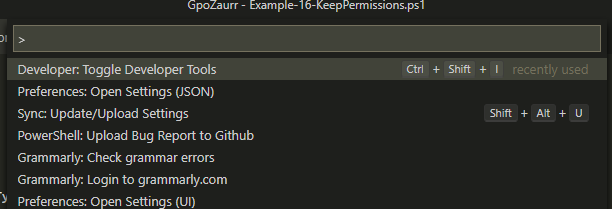
Just choose developer tools from the list and switch to Console. Basically it will look like Google Chrome with F12 :-)
PrzemyslawKlys
on 28 May 2020
I should have a build with a bunch of added logging today
TylerLeonhardt
on 28 May 2020
FWIW - been using the most recent build posted on Mac all morning and haven't seen any issues thus far. 🙂
vexx32
on 28 May 2020
Shift+CTRL +P and choose Developer Tools from the list - you will get something like this:
Just choose developer tools from the list and switch to Console. Basically it will look like Google Chrome with F12 :-)
I do that, but I just get a sidebar that opens up - not sure where you are getting all the text you copied.
GuruGarrett
on 28 May 2020
@GuruGarrett are you navigating to the "console" tab on the devtools sidebar, when it opens up? Same as in Google Chrome
pcgeek86
on 28 May 2020
I used the newest build pretty much all day today and didn't notice a single lock up. Nice work @TylerLeonhardt! 😊 💖
vexx32
on 29 May 2020
@david-driscoll is the mastermind - I can't take credit 😄
TylerLeonhardt
on 29 May 2020
Sorry this took so long... here's an updated build with more logs to give us a better sense for what's going on.
Here are the steps again:
Download the Windows (even if you're on non-Windows) VSIX from here (if you don't see it in the drop down, then download vscode-powershell):
https://dev.azure.com/powershell/vscode-powershell/_build/results?buildId=54035&view=artifacts&type=publishedArtifacts
Then run this on it:
code --install-extension C:\path\to\powershell-preview-2020.5.1-CI.54035-Windows.vsix
or code-insiders if you use vscode insiders.
That'll install it. Test it out. Use it like you normally do... let me know how it goes.
Provide the logs (including payload logs!) and any context as to what you were just doing.
We don't need the dumps at the moment. Just the logs are fine :)
TylerLeonhardt
on 29 May 2020
1590733266-7114560c-25a3-4340-832f-ccdd7021e2391590733264311.zip
Here you go. Enhanced logs :-)
PrzemyslawKlys
on 29 May 2020
@TylerLeonhardt Autocomplete stopped working afte typing 12 lines into a new file.
Here are my Logs, System Details and VS Code config:
mrboring
on 29 May 2020
PrzemyslawKlys
on 29 May 2020
I'm guessing this comment is not a bug but an implementation detail/constraint -- for either the extension or the git-bash implementation. less is a non-powershell console program, so it reads raw text. Similar to foo | out-string | bar
If powershell pager as less is open, it breaks the extension until it's closed.
On windows10 I can reproduce that part at will using less and bash from github
$PATH_GIT_BASH = Get-Item $Env:ProgramFiles\git\usr\bin
$Env:Path = @($Env:Path, $PATH_GIT_BASH.FullName) -join ';'
$Env:Pager = 'less'
# Note:
# base\git\bash is the terminal -- not what you want in powershell
# base\git\usr\bin is the bash shell, and linux utils

# Then run
help sort
While open, in the editor type ls - then ctrl+space
- 1st time this shows a popup, but the only completion choices are
snippets - delete and the 2nd time it will show
loading...and hang there. - outline view times out until closed.
Close help, now it works again.
I tried the snippet at #7851 $i continues to increase when piped to less.
Environment Information
click for full version numbers
Visual Studio Code
| Name | Version |
| --- | --- |
| Operating System | Windows_NT x64 10.0.18363 |
| VSCode | 1.45.1|
| PowerShell Extension Version | 2020.5.1 |
PowerShell Information
Powershell Click to Expand)
|Name|Value|
|---|---|
|PSVersion|7.0.1|
|PSEdition|Core|
|GitCommitId|7.0.1|
|OS|Microsoft Windows 10.0.18363|
|Platform|Win32NT|
|PSCompatibleVersions|1.0 2.0 3.0 4.0 5.0 5.1.10032.0 6.0.0 6.1.0 6.2.0 7.0.1|
|PSRemotingProtocolVersion|2.3|
|SerializationVersion|1.1.0.1|
|WSManStackVersion|3.0|
Visual Studio Code Extensions
Visual Studio Code Extensions(Click to Expand)
|Extension|Author|Version|
|---|---|---|
|better-toml|bungcip|0.3.2|
|code-point|medo64|1.7.0|
|code-runner|formulahendry|0.10.0|
|cpptools|ms-vscode|0.28.1|
|debug|webfreak|0.25.0|
|debugger-for-chrome|msjsdiag|4.12.8|
|factorio-lua-api-autocomplete|svizzini|0.7.0|
|git-project-manager|felipecaputo|1.7.1|
|githistory|donjayamanne|0.6.5|
|gitlens|eamodio|10.2.1|
|jinjahtml|samuelcolvin|0.13.0|
|lua-debug|actboy168|1.23.7|
|markdown-preview-enhanced|shd101wyy|0.5.10|
|mssql|ms-mssql|1.9.0|
|mypy|matangover|0.1.4|
|powerquerymlanguage|sea1jxr|1.0.0|
|powershell-preview|ms-vscode|2020.5.1-CI.53679|
|prettier-vscode|esbenp|4.7.0|
|python|ms-python|2020.5.80290|
|rainbow-csv|mechatroner|1.7.0|
|rust|rust-lang|0.7.8|
|shellman|Remisa|4.5.0|
|vscode-firefox-debug|firefox-devtools|2.8.0|
|vscode-lua|trixnz|0.12.4|
|vscode-markdownlint|DavidAnson|0.36.0|
|vscode-theme-hydra|juanmnl|3.1.0|
|vscode-typescript-tslint-plugin|ms-vscode|1.2.3|
|xml|DotJoshJohnson|2.5.0|
 ninmonkey
on 29 May 2020
ninmonkey
on 29 May 2020
@TylerLeonhardt Do you want more than these 4 logs?
the troubleshooting docs says to enable "powershell editor services.trace.server":"verbose" which is an invalid setting on my install. "powershell.developer.editorServicesLogLevel": "Diagnostic" does work.
I have the 3 from the issues task, plus exthost.
- exthost.log
- EditorServices.log
- StartEditorServices.log
- vscode-powershell.log
Attached Logs
vscode logs for 2020-05-29.zip
Context is hard because it happens often. I usually have multiple VSCode windows open.
Environment Information
click for full version numbers
Visual Studio Code
| Name | Version |
| --- | --- |
| Operating System | Windows_NT x64 10.0.18363 |
| VSCode | 1.45.1|
| PowerShell Extension Version | 2020.5.1 |
PowerShell Information
|Name|Value|
|---|---|
|PSVersion|7.0.1|
|PSEdition|Core|
|GitCommitId|7.0.1|
|OS|Microsoft Windows 10.0.18363|
|Platform|Win32NT|
|PSCompatibleVersions|1.0 2.0 3.0 4.0 5.0 5.1.10032.0 6.0.0 6.1.0 6.2.0 7.0.1|
|PSRemotingProtocolVersion|2.3|
|SerializationVersion|1.1.0.1|
|WSManStackVersion|3.0|
Visual Studio Code Extensions
|Extension|Author|Version|
|---|---|---|
|better-toml|bungcip|0.3.2|
|code-point|medo64|1.7.0|
|code-runner|formulahendry|0.10.0|
|cpptools|ms-vscode|0.28.1|
|debug|webfreak|0.25.0|
|debugger-for-chrome|msjsdiag|4.12.8|
|factorio-lua-api-autocomplete|svizzini|0.7.0|
|git-project-manager|felipecaputo|1.7.1|
|githistory|donjayamanne|0.6.5|
|gitlens|eamodio|10.2.1|
|jinjahtml|samuelcolvin|0.13.0|
|lua-debug|actboy168|1.23.7|
|markdown-preview-enhanced|shd101wyy|0.5.10|
|mssql|ms-mssql|1.9.0|
|mypy|matangover|0.1.4|
|powerquerymlanguage|sea1jxr|1.0.0|
|powershell-preview|ms-vscode|2020.5.1-CI.53679|
|prettier-vscode|esbenp|4.7.0|
|python|ms-python|2020.5.80290|
|rainbow-csv|mechatroner|1.7.0|
|rust|rust-lang|0.7.8|
|shellman|Remisa|4.5.0|
|vscode-firefox-debug|firefox-devtools|2.8.0|
|vscode-lua|trixnz|0.12.4|
|vscode-markdownlint|DavidAnson|0.35.2|
|vscode-theme-hydra|juanmnl|3.1.0|
|vscode-typescript-tslint-plugin|ms-vscode|1.2.3|
|xml|DotJoshJohnson|2.5.0|
ninmonkey
on 29 May 2020
"powershell editor services.trace.server":"verbose" is not invalid... It's more like "hidden".
It will say it's not valid, but it is.
TylerLeonhardt
on 29 May 2020
SEE UPDATED BUILD IN NEWER COMMENT
~This one comes with a fix. Let's see how it goes for you folks:~
~Here are the steps again:~
~Download the Windows (even if you're on non-Windows) VSIX from here (if you don't see it in the drop down, then download vscode-powershell):~
~https://dev.azure.com/powershell/vscode-powershell/_build/results?buildId=54126&view=artifacts&type=publishedArtifacts~
~Then run this on it:~
code --install-extension C:\path\to\powershell-preview-2020.5.1-CI.54126-Windows.vsix
~or code-insiders if you use vscode insiders.~
~That'll install it. Test it out. Use it like you normally do... let me know how it goes.~
~Provide the logs (including payload logs!) and any context as to what you were just doing.~
~We don't need the dumps at the moment. Just the logs are fine :)~
TylerLeonhardt
on 29 May 2020
Ok one more...
Here are the steps again:
Download the Windows (even if you're on non-Windows) VSIX from here (if you don't see it in the drop down, then download vscode-powershell):
https://dev.azure.com/powershell/vscode-powershell/_build/results?buildId=54138&view=artifacts&type=publishedArtifacts
Then run this on it:
code --install-extension C:\path\to\powershell-preview-2020.5.1-CI.54138-Windows.vsix
or code-insiders if you use vscode insiders.
That'll install it. Test it out. Use it like you normally do... let me know how it goes.
Provide the logs (including payload logs!) and any context as to what you were just doing.
We don't need the dumps at the moment. Just the logs are fine :)
TylerLeonhardt
on 30 May 2020
@TylerLeonhardt Did some testing using build 54138 and autocomplete stopped working after a while.
Here are the System Details and logs:
System Details and logs.zip
mrboring
on 31 May 2020
1590917324-bac3eb8f-ca67-47cb-9fe6-67ce7a6930a31590917311734.zip
Here are my logs. I was using it yesterday with 0 problems. Today it failed. Hard to pinpoint what is the difference between my yesterdays work and today.
PrzemyslawKlys
on 31 May 2020
@PrzemyslawKlys looks like in your instance, things were just taking a long time:
2020-05-31 12:49:09.304 +02:00 [DBG] Finished: Processing request textDocument/completion 1789 in 2344ms
2020-05-31 12:49:12.228 +02:00 [DBG] Finished: Routing Request (1773) textDocument/completion in 7078ms
2020-05-31 12:49:12.230 +02:00 [DBG] Finished: Routing Request (1784) textDocument/signatureHelp in 5407ms
Contrast to previous builds which would never show these messages...
A good test for this is to see if folding or codelens are still working since these features don't use any PowerShell unlike the messages above.
If they are, what you're now seeing might be this... An issue focused on improving perf of PowerShell messages.
https://github.com/PowerShell/PowerShellEditorServices/issues/1295
TylerLeonhardt
on 31 May 2020
@mrboring same deal for you:
2020-05-31 11:33:07.212 +01:00 [DBG] Finished: Routing Request (15684) textDocument/completion in 1850ms
2020-05-31 11:32:50.389 +01:00 [DBG] Finished: Routing Request (15677) textDocument/completion in 20872ms
20s to finish a completion request 😮
2020-05-31 11:32:59.479 +01:00 [DBG] Finished: Routing Request (15681) textDocument/completion in 8305ms
That's because the PowerShell instance we used was backed up with other messages... And it's exponential because we have no way to cancel completions... So that 20s completion request blocked future completion requests, etc.
This is convincing me that this issue is fixed... And then we move to the next one.
But I'll give it til Monday before snapping a PowerShell Preview build.
TylerLeonhardt
on 31 May 2020
@TylerLeonhardt so what you're saying is - if we wait for long enough time - say 2 minutes - it will recover?
PrzemyslawKlys
on 31 May 2020
In theory, yes.
TylerLeonhardt
on 31 May 2020
I just had a weird situation where I've opened module in new Code instance and after a few minutes, I noticed PowerShell progress doing something for a good 20 seconds. After it recovered I still couldn't find any parameters for my command. Now I tried, and tried but nothing. All other features were showing up properly.
Then it hit me, that this function is private and this is the reason why it doesn't load. Which brings 2 problems for me (maybe separate issues):
- how can I continue having parameters suggested without loading everything manually? I would actually need a code extension to load everything from my session - maybe extension could preload it somehow from all the files? I guess this will be a problem for some people as well, not just me, where they will complain IntelliSense doesn't work. Actually what I noticed is that Integrated Terminal with PSReadline does suggest completions for my private functions so something is weird here.
- the progress is very inconsistent - sometimes I see it, sometimes I don't. If I run code with F5 it runs, but if debug kicks in it doesn't run any longer, then some stuff triggers progress and some stuff doesn't. Shouldn't it be more consistent and either run as one progress or there should be multiple progresses maybe?
1590953774-455923c7-1afa-42ec-82a2-b375a9ccbb201590953771676.zip
1590954143-455923c7-1afa-42ec-82a2-b375a9ccbb201590953771676.zip
I'm attaching 2 logs because I believe there is still an issue. Even tho features seem to work (folding/unfolding), it doesn't recover.
Actually I was able to replicate this and almost anytime I try to ask for my private function, I wait and wait and it doesn't work, then other commands stop working.

At the same time F8 works, Code folding works.
PrzemyslawKlys
on 31 May 2020
I’ve lost the trail on this issue, but I did install the most recent preview (https://github.com/PowerShell/vscode-powershell/issues/2627#issuecomment-636288555) and no longer have auto-formatting. I haven’t seen a hang yet. New issue or another facet to the existing one?
chscott
on 31 May 2020
@chscott Have you restarted code after installing? Check what version of psscriptanalyzer you got running (Get-module PSScriptAnalyzer) and what formatting you have on?
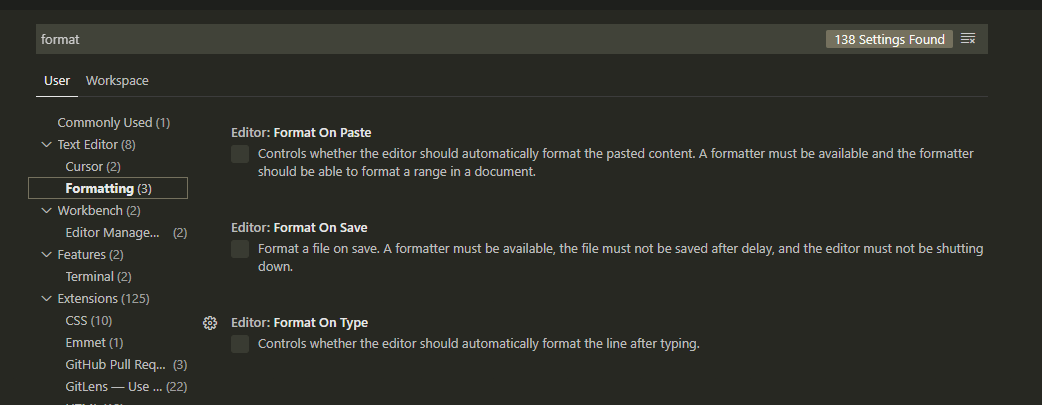
I don't use autoformat - i need to press CTRL+ALT+F and it works.
PrzemyslawKlys
on 31 May 2020
@chscott Have you restarted code after installing? Check what version of psscriptanalyzer you got running (Get-module PSScriptAnalyzer) and what formatting you have on?
I don't use autoformat - i need to press CTRL+ALT+F and it works.
I did restart. Looks like the auto-format got disabled. I just had to check the box again. Thanks!
chscott
on 1 Jun 2020
Then it hit me, that this function is private and this is the reason why it doesn't load. Which brings 2 problems for me (maybe separate issues):
- how can I continue having parameters suggested without loading everything manually? I would actually need a code extension to load everything from my session - maybe extension could preload it somehow from all the files? I guess this will be a problem for some people as well, not just me, where they will complain IntelliSense doesn't work. Actually what I noticed is that Integrated Terminal with PSReadline does suggest completions for my private functions so something is weird here.
It can't really be done... but one thing @SeeminglyScience added is the ability to have PSES act as if it's running in the module you're working in (so that private functions and such show up). @SeeminglyScience do you remember what the command is?
TylerLeonhardt
on 1 Jun 2020
So I think we've made some really great progress because of this issue. I am going to snap a release of PowerShell Preview today.
I'm planning on closing this issue when that goes out. However, if people see this particular issue more, we can always continue talking here and reopen.
If it's something related to slowness of completions, that's captured by other issues.
TylerLeonhardt
on 1 Jun 2020
I haven't had time to test the newer builds yet, had too many things to get done so couldn't afford to lose time with VS Code shenanigans. I will spend more time with it today or tomorrow... I'm pretty good at reproducing these issues it seems. 😆
GuruGarrett
on 1 Jun 2020
Did some light work today and didn't encounter the problem yet.
Thank you @TylerLeonhardt We all appreciate the work you put in and the openness and transparency. ❤️
ili101
on 1 Jun 2020
It can't really be done... but one thing @SeeminglyScience added is the ability to have PSES act as if it's running in the module you're working in (so that private functions and such show up). @SeeminglyScience do you remember what the command is?
& (ipmo ./path/to/module.psd1 -pass -for) { $Host.EnterNestedPrompt() }
Ideally we'd have a built in function called Enter-Module or something, that ideally found the file to import for you as well. Note, you're probably going to want to type exit or $Host.ExitNestedPrompt() before trying to launch the debugger (though, it should work technically).
The above will also work for classes. Below is another example, but doesn't work with classes and probably a few other things:
$module = Get-Module $myModule
. $module { Export-ModuleMember -Function * -Cmdlet * -Alias * -Variable * }
$module | Import-Module -Force
That one is not as great, but also works in a pinch.
 SeeminglyScience
on 1 Jun 2020
SeeminglyScience
on 1 Jun 2020
All the thanks goes to @david-driscoll 😄 he's the real MVP
TylerLeonhardt
on 1 Jun 2020
@TylerLeonhardt How does that work?
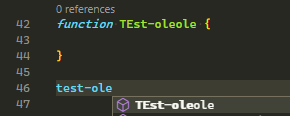
Why can't we use the same idea?
And btw. i am not sure it's solved? Have you seen my logs? If i try to complete a private function that isn't loaded, and it times out any other checks will not work.
PrzemyslawKlys
on 1 Jun 2020
@PrzemyslawKlys completions as a whole come from PowerShell:
That's a PowerShell API and it's basically identical to the command available in PowerShell: TabExpansion2.
We don't really do anything beyond running that.
That works because it's in the same file:
$script = @'
function Test-Foo {}

Test-F
'@
$results = TabExpansion2 -inputScript $script -cursorColumn $script.Length
$results.CompletionMatches
If it's not in the same file, PowerShell doesn't know about it... and so neither do we.
TylerLeonhardt
on 1 Jun 2020
I understand. I guess I'll change my modules for development to alias, functions with wildcard. One question remains - if what I've seen is a bug or more like a feature :P
PrzemyslawKlys
on 1 Jun 2020
@TylerLeonhardt To make it easy:
- Type any random name like "Trumbulu press space and type hyphen and press ctrl+space"
- Notice how it's doing "Loading"
- It stays like that
- Nothing else works after that
Actually I was able to catch it work differently now, while trying to show you above steps
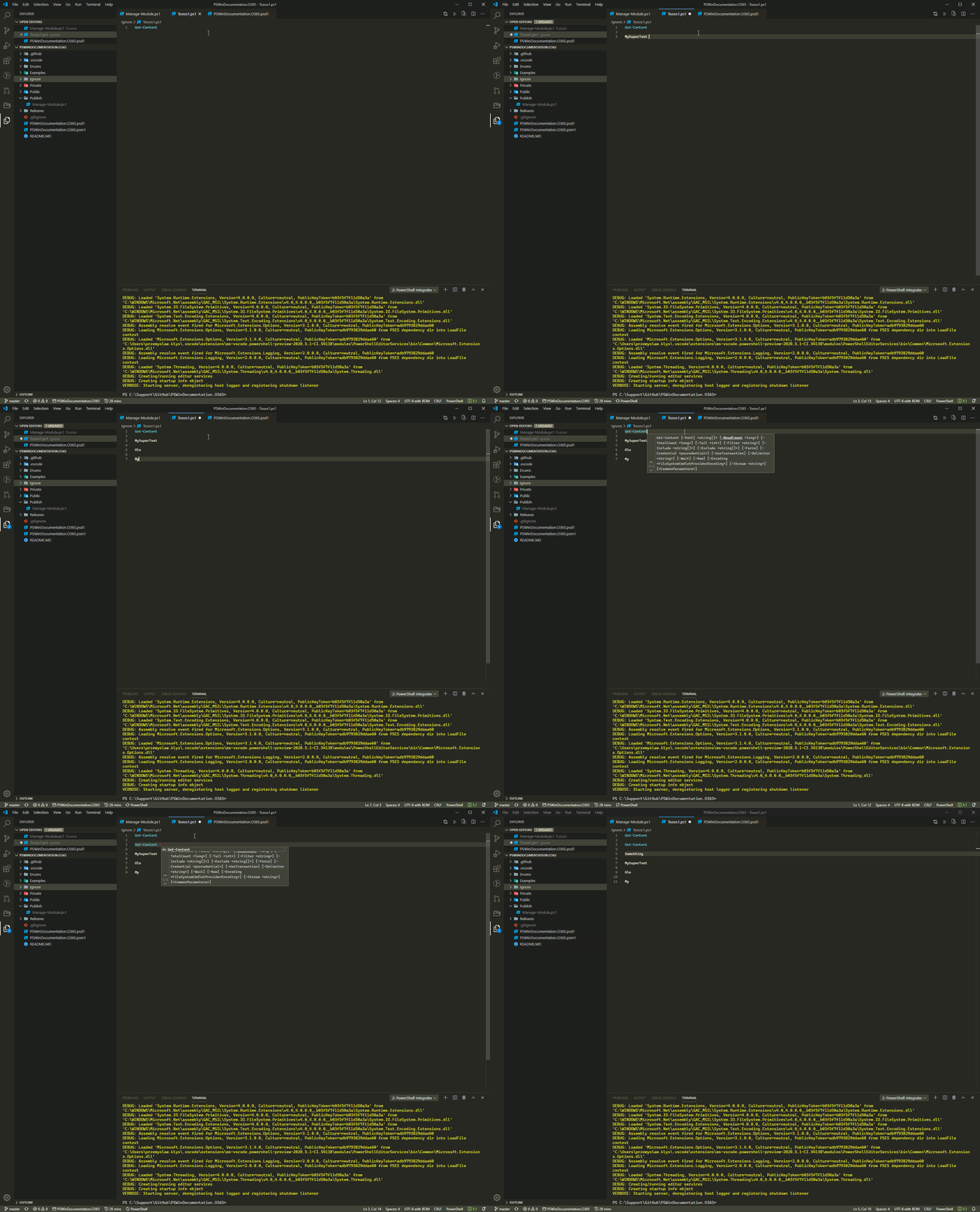
1591032344-790095f2-ce1b-416f-ac0d-9e1db92eb52f1591032218699.zip
This is session that lives for less than 1 minute.
PrzemyslawKlys
on 1 Jun 2020
I understand. I guess I'll change my modules for development to alias, functions with wildcard.
I think maybe my second example was not clear. You would run those commands to "update" intellisense based on changes. PowerShell itself would need to drastically overhaul it's static analysis API's to support module intellisense that isn't state based.
SeeminglyScience
on 1 Jun 2020
I understand. I guess I'll change my modules for development to alias, functions with wildcard.
I think maybe my second example was not clear. You would run those commands to "update" intellisense based on changes. PowerShell itself would need to drastically overhaul it's static analysis API's to support module intellisense that isn't state based.
@SeeminglyScience You mean it would be done on extension level or my level?
PrzemyslawKlys
on 1 Jun 2020
@SeeminglyScience You mean it would be done on extension level or my level?
It can't be done at the extension level. Doing it automatically would mean arbitrarily running the code in the psm1 frequently which could be dangerous.
Both of the examples I gave need to be ran manually anytime you want an update.
SeeminglyScience
on 1 Jun 2020
v2020.6.0 is out. Everyone give that a try. @PrzemyslawKlys, that does have a newer build of the Omnisharp code so it _could_ be fixed... but I doubt it. @david-driscoll said he was gonna look into it.
It appears that resolving one of the items in your completions request took 30s... It could be my bug. Not sure yet:
"OmniSharp.Extensions.JsonRpc.InputHandler: Finished: Processing request completionItem/resolve 172 in 28768ms | Method='completionItem/resolve' ResponseId='172' ElapsedMilliseconds='28768'"
@TylerLeonhardt Thanks, tested. It doesn't work. It's really easy to replicate now for me. Test with any working cmdlet, then test on some random stuff and it will not work again.
PrzemyslawKlys
on 1 Jun 2020
@PrzemyslawKlys how long does it take to run:
Get-Help -Name Merge-CCBranchesBySquash -ErrorAction Ignore
This is taking like 20 seconds from the logs. (which is what we run to get more information about the command to display next to completions)
TylerLeonhardt
on 1 Jun 2020
Ye, 20 seconds. Funny thing is, I don't even use that :-)
PrzemyslawKlys
on 1 Jun 2020
get-command Merge-CCBranchesBySquash takes like 3 seconds. It's the AWSPowerShell module.
PrzemyslawKlys
on 1 Jun 2020
@PrzemyslawKlys every single run? or just the first time per session?
SeeminglyScience
on 1 Jun 2020
1st time in a session. Get-Command, after Get-Help finishes is instant as well. But if I reopen Terminal, it's 20 seconds again. Maybe it queries internet help or something.
PrzemyslawKlys
on 1 Jun 2020
This is this module: https://www.powershellgallery.com/packages/AWSPowerShell/4.0.5.0
PrzemyslawKlys
on 1 Jun 2020
The module uses a wildcarded CmdletsToExport key in the module manifest, which is known to cause issues: https://www.powershellgallery.com/packages/AWSPowerShell/4.0.5.0/Content/AWSPowerShell.psd1
There's not much the PS extension can do there, they need to address that either in the module itself, or in PowerShell itself by improving its handling. But by the nature of what they're doing, they're going to impact discovery time rather immensely, I would think.
vexx32
on 1 Jun 2020
If we're sure it's because of that I guess we could ask them to fix it. Should be a trivial fix, that maybe Bruce Payette could help with, now that he's in AWS? If it's that, of course. But maybe there's other way extension can workaround this type of issues, as I guess AWS is not the only one.
PrzemyslawKlys
on 1 Jun 2020
It's part of it for sure, but as it turns out they have a pretty solid reason.
Honestly though, even if they had that Get-Help would still take just as long to run probably. Short of a complete overhaul of the completion API's to be based on entirely around static analysis, there's not much that can be done about that.
SeeminglyScience
on 1 Jun 2020
I guess we could offer a setting to disable running Get-Help and just show syntax like we do if no help comes back... but that's sad :(
We could expose our exclusion list(s) via settings:
Which basically contain PowerShellGet and PackageManagement atm (to prevent PackageManagement from loading...)
Then you could exclude AWS's cmdlets/noun somehow.
TylerLeonhardt
on 1 Jun 2020
Anyway, this should be a new issue though. Let's start a "Workaround when a module takes too long to run Get-Help"
@PrzemyslawKlys can you do that and include your logs?
TylerLeonhardt
on 1 Jun 2020
I've just uninstalled it (as I said, I don't use it), but I guess this could be a good feature, and I can open it up for the sake of getting things done :) The thing is - how do we know what's causing issues? If you don't automate the detection of that stuff most people will ignore your "work" on the new feature.
PrzemyslawKlys
on 1 Jun 2020
Yeah we can possibly detect how long it takes and recommend ignoring a module...
TylerLeonhardt
on 1 Jun 2020
Ok I'm going to close this issue now! Let me know if anyone feels otherwise...
TylerLeonhardt
on 1 Jun 2020
What about my issue with non-existing functions that cause IntelliSense to stop working? Should I open new issue?
PrzemyslawKlys
on 1 Jun 2020
Does that still repro after uninstalling the AWS module? Because this discussion spawned from those logs.
TylerLeonhardt
on 1 Jun 2020
It does not! I thought it's not related. That's cool! thnx
PrzemyslawKlys
on 1 Jun 2020
@PrzemyslawKlys Yeah, but also try it again now that you have AWS uninstalled. The big problem with wildcard manifests is that they slow down command discovery globally. So if you try to look up a command that doesn't exist, all of that extra lookup time is going to hit every single time. Posted too late 🙂 already answered.
SeeminglyScience
on 1 Jun 2020
Just a quick question - would it make sense to ask PowerShellGallery to take out that number of cmdlets limit and then ask ASWPowerShell to fix it? Or is it an internal PowerShell limit that prevents this? Because the only reason they do this is because of PowerShellGallery right?
PrzemyslawKlys
on 1 Jun 2020
@PrzemyslawKlys might be a good thing to bring up on the PowerShell repo.
Though I would say they should probably look at reducing the number of commands they export in a single module.
SeeminglyScience
on 1 Jun 2020
Let me follow up internally.
TylerLeonhardt
on 1 Jun 2020
@SeeminglyScience They already solved for that by breaking the main AWSPowerShell module down into the service specific AWS.Tools.* modules.
@PrzemyslawKlys - if you haven't switched yet and have the option to do so, I highly recommend.
 scrthq
on 2 Jun 2020
scrthq
on 2 Jun 2020
@scrthq well they didn't fix it. They should use the meta module because a lot of people still use the old one, and they will have the same problems as I did. It has 500k downloads per version. Can you try to ask them to just meta it?
PrzemyslawKlys
on 2 Jun 2020
@PrzemyslawKlys if they did that they'd be back to square one. If a module imports other modules but does not export the commands then nothing is exported. If they do export the commands from the nested modules, they are back to exporting 4k commands in a single module.
@scrthq awesome! Thanks for the update 🙂
SeeminglyScience
on 2 Jun 2020
@SeeminglyScience the way Azure module does it is you have meta module that downloads other modules, which have exported commands? I would guess this doesn't impact performance at all? Meta module simply is there so if user asks for AWSPowerShell it gets downloaded all 200 modules with proper commands?
Edit. removed azure links as they seem to have changed something.
PrzemyslawKlys
on 2 Jun 2020
To be fair, if AWSPowerShell just had the AWS.Tools.* as RequiredModules, the command help/intellisense would resolve to the service specific Tools module, so that wouldn't theoretically result in the same issue. Wouldn't be my place to ask any more than yours, @PrzemyslawKlys, as I don't work for AWS, unfortunately, just a large user of AWS at our org with plenty of AWSPowerShell usage.
scrthq
on 2 Jun 2020
You see that I don't get. If a module is a proper module with all cmdlet/functions/aliases described doesn't that mean ultimately any get-help/get-command doesn't need to do any heavy searching but has this widely available? So if you bundle 50 of those modules as a meta module which has a single purpose of being "download this modules which have proper psd1 file" purpose it would solve the issue no?
PrzemyslawKlys
on 2 Jun 2020
It's explicitly importing all of it's nested modules into the global scope.
- This makes it impossible to be used as a nested module
- It doesn't inform the user about what it adds to the session
- In general makes interacting with the module itself work differently than every other module
- Doesn't actually do anything unless you explicitly import the meta module
It's not really something I'd ever recommend folks to do.
SeeminglyScience
on 2 Jun 2020
So let me get this straight:
- AWSPowerShell module exists and has 4k+ commands that are not defined in PSD1 and people continue using it, and it alone is a big performance impact
- AWS.Tools.xxx exists each with its own properly defined commands
Since AWSPowerShell, basically does now what 50+ properly modules does together, I would assume that if they create a meta module with required modules defined for all 50 modules it means that:
- All 50 modules get imported if you do Import-Module AWSPowerShell, but instead of it commands it imports 50 other modules with properly described commands.
- Since all those 50 modules exist and are properly defined the import for their data is not performance affected at all
- It's possible to not call AWSPowerShell but call whatever you need directly
- It solves performance issue for everyone currently using AWSPowerShell in Code
And I would guess if you put AWSPowerShell into RequiredModules of something else it will work too. Module X defines RequiredModules AWSPowerShell, AWSPowerShell defines AWS.Tools and nesting works as far as I remember up to 5. When you download module X it will auto download all other stuff, and I guess Import-Module of module X will properly work, as if the commands from AWS.Tools will be required those will be imported on demand?
What I am not understanding here? Keeping AWSPowerShell module as is, has huge impact that can be at least somewhat minimalized?
I'm not expecting AWSPowerShell to continue being used, but if someone does Import-Module AWSPowerShell it will work - I have similar meta modules for projects I have integrated into other modules and they do work, so not sure I understand what I did wrong or how this could be worse than what we have now?
PrzemyslawKlys
on 2 Jun 2020
I gave some reasons why I don't personally recommend the practice in my comment above. That said, feel free to pitch it to the AWS team, they very well may disagree.
SeeminglyScience
on 2 Jun 2020
I just wanted to note that I went a few days without having any issues with the 5.1-CI.54138 build, and it looks like I just got updated to 6.0. I'm very hopeful all the issues that caused me so much frustration are now a thing of the past.
A huge thank you to @TylerLeonhardt @daxian-dbw @david-driscoll and anyone else who played a part in this fix that I missed! 👍
GuruGarrett
on 4 Jun 2020
Thank you all for your quick responses and helping us help you ❤️
TylerLeonhardt
on 4 Jun 2020
I'm just glad to hear things are working well without any issues! For a time there I thought I was going to have to back to the drawing board and just start from scratch. 😄
david-driscoll
on 5 Jun 2020
Related issues
 TheDanishDynamo
·
3Comments
TheDanishDynamo
·
3Comments
 daviwil
·
3Comments
daviwil
·
3Comments
 keposet
·
3Comments
keposet
·
3Comments
 Line40
·
3Comments
Line40
·
3Comments
 timoline
·
3Comments
timoline
·
3Comments
Most helpful comment
Hey Folks,
I'm the maintainer of the csharp-lsp library so I think we're finally finding some corner cases here that we resolving as we go.
I just want to say thanks for helping and being patient while we work through this! I know these problems are painful and annoying, just know that we're looking to get them all resolved.