Vscode-powershell: Write-host output never shows now
Issue Type: Bug
Output of Write-Host stopped showing up in visual studio code. Only output on any script is the source file path.
For instance a small snippet of a script that worked before... (Get-Content $Path) | ForEach {Write-Host $_, "-", ([System.Net.NetworkInformation.Ping]::new().Send($_)).Status
Even a simple "hello world" does not work. I removed the powershell extension, added it back and reinstalled visual studio code as well. Killed the terminal and made a new one. No luck.
Extension version: 2020.3.0
VS Code version: Code 1.43.0 (78a4c91400152c0f27ba4d363eb56d2835f9903a, 2020-03-09T19:47:57.235Z)
OS version: Windows_NT x64 10.0.18362
System Info
|Item|Value|
|---|---|
|CPUs|Intel(R) Core(TM) i7-8750H CPU @ 2.20GHz (12 x 2208)|
|GPU Status|2d_canvas: enabled
flash_3d: enabled
flash_stage3d: enabled
flash_stage3d_baseline: enabled
gpu_compositing: enabled
multiple_raster_threads: enabled_on
oop_rasterization: disabled_off
protected_video_decode: unavailable_off
rasterization: enabled
skia_renderer: disabled_off_ok
video_decode: enabled
viz_display_compositor: enabled_on
viz_hit_test_surface_layer: disabled_off_ok
webgl: enabled
webgl2: enabled|
|Load (avg)|undefined|
|Memory (System)|31.81GB (19.45GB free)|
|Process Argv||
|Screen Reader|no|
|VM|0%|
 blackberrystorm
All 5 comments
@blackberrystorm do you think you could share a screenshot or video of what you're seeing? I can't seem to repro it.
Also, how are you running the snippet of script? In the PowerShell Integrated Console? By using F5? By using F8?
 TylerLeonhardt
on 9 Mar 2020
TylerLeonhardt
on 9 Mar 2020
@TylerLeonhardt Thank you for the reply. I appreciate it.
I can send you a screen shot sure. I removed host names from it. I used this script because it was the first one I ever wrote while starting to learn. A known working script so to speak. XD
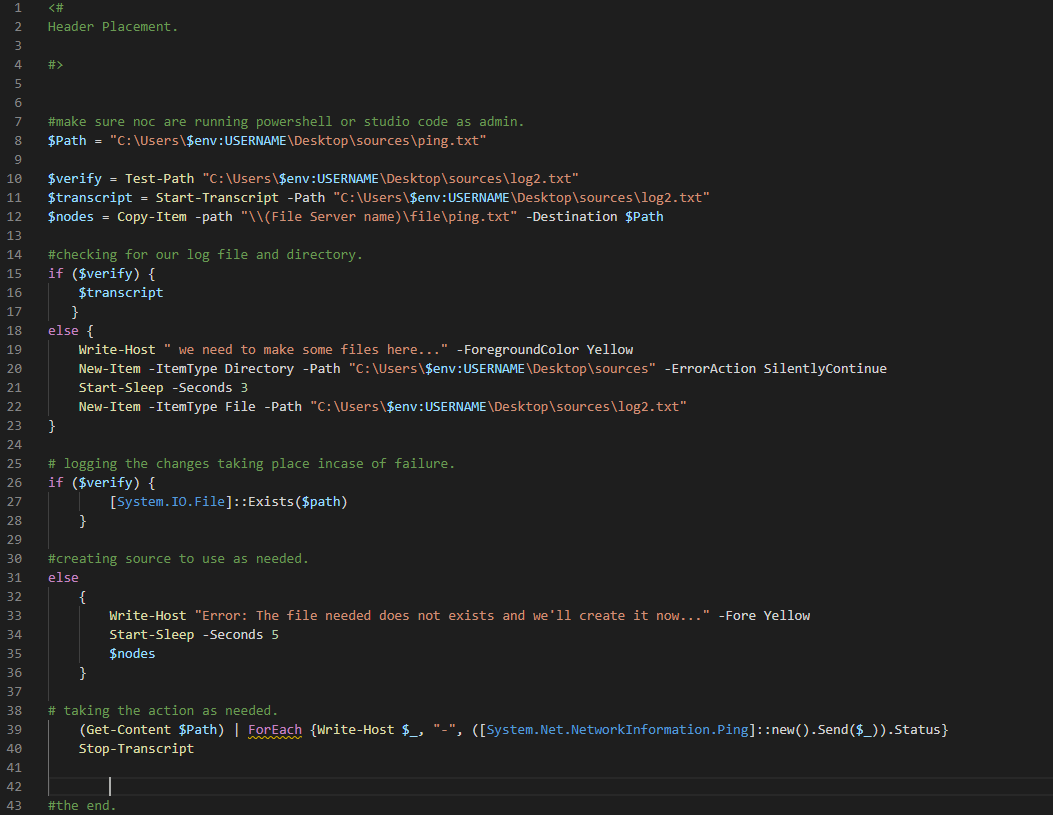
The output will be " PS C:\Users\ENV:username\Desktop\Power Shell>"
When for this script it should be " Ip Address - Success" ForEach node.
I am running it via F5 or in the case of testing just any write-host with F8. I have tried lots of scripts.
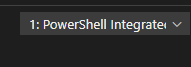
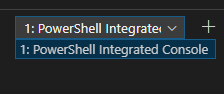
It is being ran in the Power Shell Integrated console.
blackberrystorm
on 10 Mar 2020
@blackberrystorm did you mean to close this? If so, could you say why?
 rjmholt
on 10 Mar 2020
rjmholt
on 10 Mar 2020
If so, could you say why?
Even if the solution was a simple thing, it might help someone else
rjmholt
on 10 Mar 2020
Sorry about the lack of comment. I forgot to hit send.
Turns out a domain admin changed settings with trust and caused everyone to lose the ability to execute scripts remotely.
blackberrystorm
on 10 Mar 2020
Related issues
 rs38
·
4Comments
rs38
·
4Comments
 timoline
·
3Comments
timoline
·
3Comments
 daviwil
·
4Comments
daviwil
·
4Comments
 AWahlqvist
·
3Comments
AWahlqvist
·
3Comments
 borisimple
·
3Comments
borisimple
·
3Comments
Most helpful comment
Sorry about the lack of comment. I forgot to hit send.
Turns out a domain admin changed settings with trust and caused everyone to lose the ability to execute scripts remotely.