Vscode-powershell: Paste a string for the password of Get-Credential crashes PSIC
Issue Description
PSIC crashe
Steps to reproduce
- Create a file with the following content:
File.ps1
(Get-Credential -UserName 'Test' -Message 'Password please')
- Press
F5and thePSICwill ask you for the password. - Copy a random string in the terminal and watch the
PSICcrash
Version: 1.42.0-insider (system setup)
Commit: 33c79d5ad447956814a2a3658029dffb9e28bae6
Date: 2020-01-15T09:36:35.018Z
Electron: 7.1.7
Chrome: 78.0.3904.130
Node.js: 12.8.1
V8: 7.8.279.23-electron.0
OS: Windows_NT x64 10.0.14393
PowerShell Preview version 2020.10
 DarkLite1
All 12 comments
Hey @DarkLite1, would you be able to give some more info about the context of the crash or maybe a screen recording of this?
I tried this on Windows with PowerShell 5.1 and 7-rc.1 with Ctrl-V and also right-click paste and haven't been able to reproduce the issue yet. Here's a screen grab:
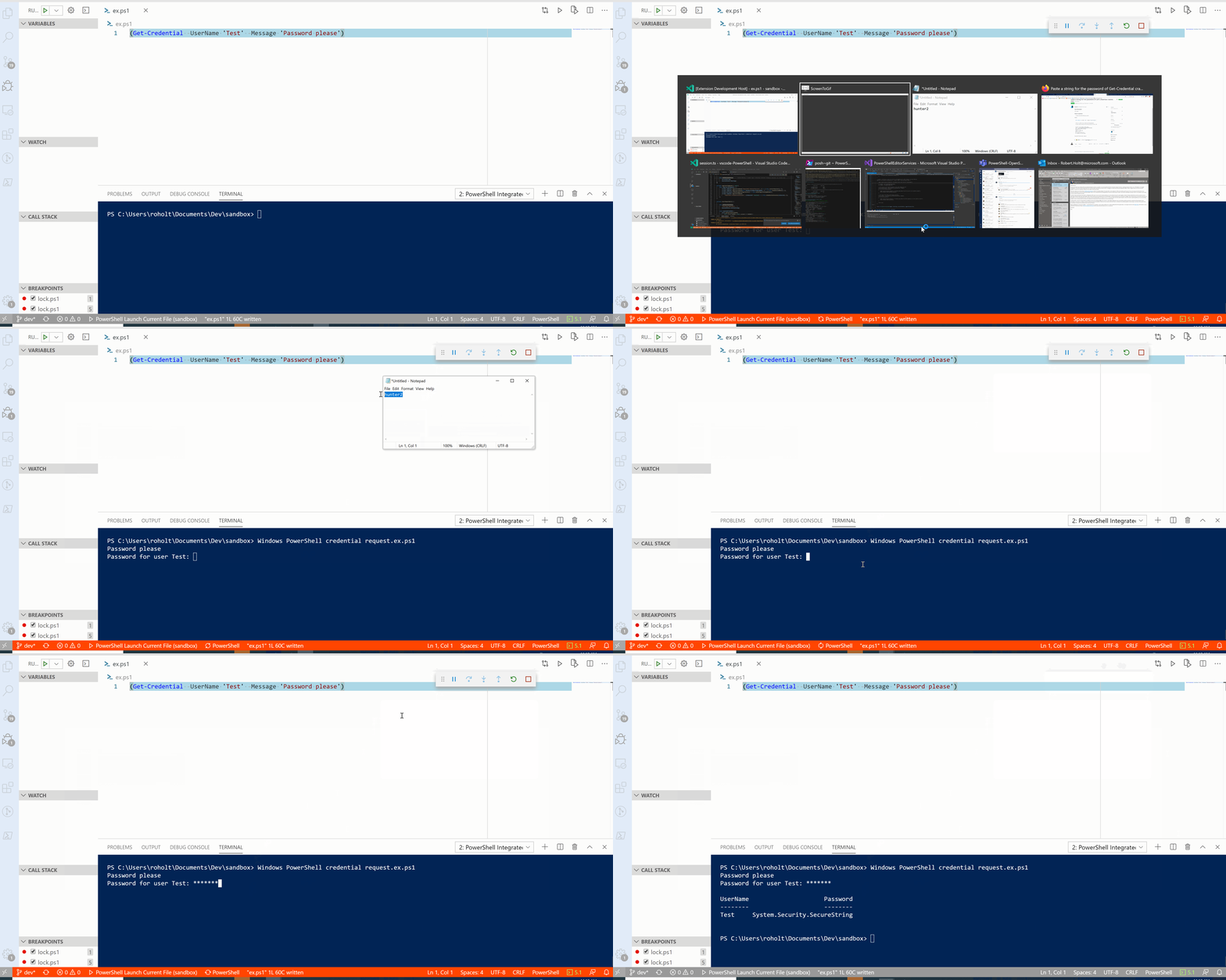
Maybe this is happening on a particular OS or with a particular PowerShell version. Also worth seeing what the PSReadLine version is, in case that's wrong.
 rjmholt
on 16 Jan 2020
rjmholt
on 16 Jan 2020
Also, knowing how the PSIC crashes (like any error messages) would be good info
rjmholt
on 16 Jan 2020
I've had this problem on our Windows Server 2016 which is running PowerShell 5.1. For making my first animated GIF file I had to install an app that I didn't want on the server so I did a fresh install on Windows 10 with the latest PowerShell Preview extension and also PowerShell 5.1. Nothing else is on the box and the same problem happened.
Here's the requested screen grab:

DarkLite1
on 17 Jan 2020
@DarkLite1 thanks for the screen grab that helps us to determine the issue, it looks like the crash may be occuring when you hover over the password which may be triggering something in VSCode.
It would be really helpful if you could also attach the pay logs--instructions for how to do that are here and the regular logs--instructions for how to do that are here
 SydneyhSmith
on 21 Jan 2020
SydneyhSmith
on 21 Jan 2020
All bug reports attached as requested. Thank yoiu for looking into this.
bug vscode.zip
DarkLite1
on 22 Jan 2020
@DarkLite1 thanks for providing those logs.. interestingly digging through them there is no obvious crash, we will have to give this a deeper look and will update if we find anything. Would it also be possible for you to provide logs using PowerShell 7?
SydneyhSmith
on 23 Jan 2020
We're running PowerShell 5.1 currently on all our production systems. This will last for a long time until PowerShell 7 is widely available and properly tested. Probably after a 7.2 release or something will we upgrade.
Strange that you can't replicate the issue. This even happened on a fresh install of vscode-insiders on a clean Windows 10 with PowerShell 5.1 and no extra config. Anyhow, thanks for looking into this.
DarkLite1
on 24 Jan 2020
Totally understand - just want to make sure this is scoped to Windows PowerShell for you and not all versions of PowerShell.
 TylerLeonhardt
on 24 Jan 2020
TylerLeonhardt
on 24 Jan 2020
I'll see if I can try to reproduce this on your particular Windows version.
We have a small menagerie of hangs that occur only on Windows and sometimes they seem quite OS version specific.
rjmholt
on 27 Jan 2020
Thank you, this is the version we're currently on:

DarkLite1
on 28 Jan 2020
I've managed to reproduce this now, and quite consistently.
For some reason _readLineCancellationSource is null here.
rjmholt
on 31 Jan 2020
Looking into the solution now
rjmholt
on 31 Jan 2020
Related issues
 daviwil
·
4Comments
daviwil
·
4Comments
 rkeithhill
·
3Comments
rkeithhill
·
3Comments
 bgelens
·
3Comments
bgelens
·
3Comments
 nathan-alden-hp
·
3Comments
nathan-alden-hp
·
3Comments
 TheDanishDynamo
·
3Comments
TheDanishDynamo
·
3Comments