Vscode-powershell: Feature Request: Azure Functions Debug - Split Terminal Option
Summary of the new feature
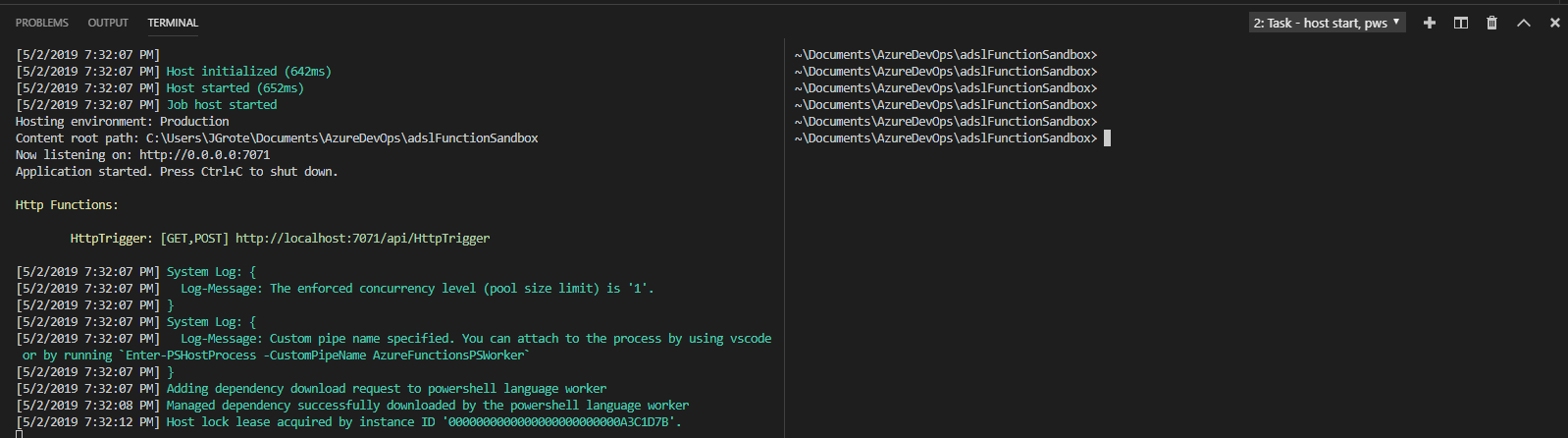
When debugging with Azure Functions Powershell, you have to toggle back and forth on the terminal window between the Azure Function Host task window and the integrated terminal.
Proposed technical implementation details
VSCode has API calls for splitting the terminal. If an option is set (e.g. powershell.SplitTerminalOnAzureFunctionDebug), then it should split the function host start and the integrated console so the result looks like below:
 JustinGrote
All 8 comments
Thanks @JustinGrote!
@EricJizbaMSFT this is an interesting ask - I feel like this is pretty generic to all languages in the sense that we could have a config option in the Azure Functions extension to use split-view instead of adding a new terminal window?
 TylerLeonhardt
on 3 May 2019
TylerLeonhardt
on 3 May 2019
Hmm the hard part is that func host start is specified as a preLaunchTask in your .vscode/launch.json (or a dependnecy of the preLaunchTask). After we create the project, we don't control when or how func host start is run - it's just using VS Code's default debug/task system.
The only way we could affect this is if there's some VS Code setting we could write to new projects - are you aware of one? For example, we write down "debug.internalConsoleOptions": "neverOpen", to show the terminal by default instead of the debug console.
@JustinGrote could you describe what you use the terminal for and why you switch back and forth? I'm wondering if there are other ways we could solve this problem. For example, if you only use the terminal to copy function urls, you might be able to use a tree view of the local project that we're currently working on. It'll look something like this:
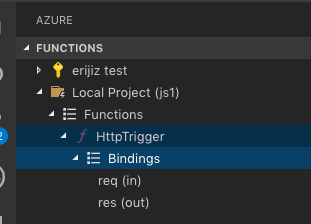
The idea is that you could copy http urls or execute timer triggers the same way it's possible for remote Azure functions today.
 ejizba
on 3 May 2019
ejizba
on 3 May 2019
@EricJizbaMSFT for PowerShell, we don't use the "Debug Console" - we just use the regular terminal since PowerShell handles debug prompts in the console already:
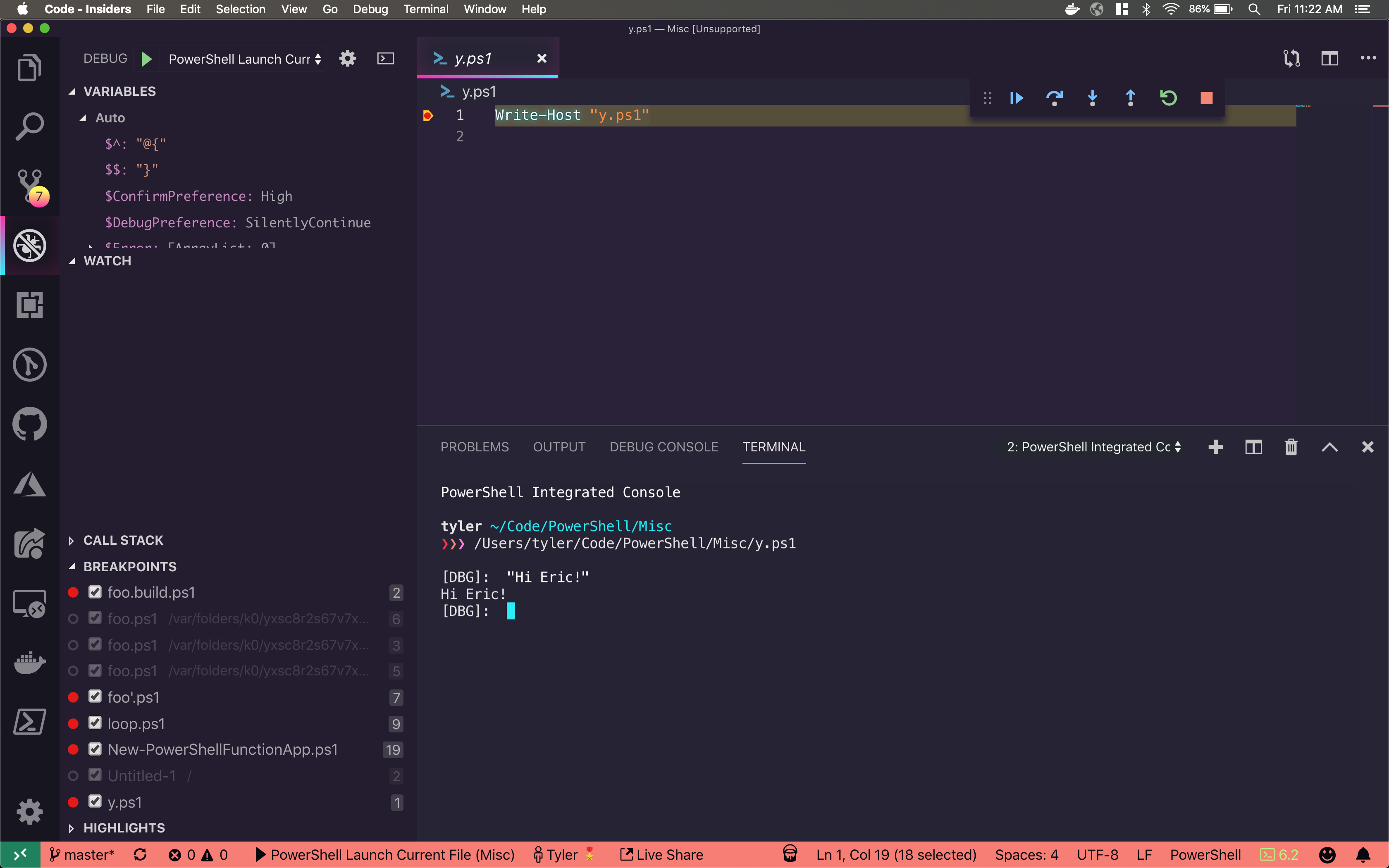
So yeah ideally we'd want to show that the Function App is starting... but then hide it to go back to the PowerShell integrated console... and make it easy to get http urls.
TylerLeonhardt
on 3 May 2019
@EricJizbaMSFT it's primarily when working with the local function core tools runtime, when I run/debug a function I want to see the "streaming logs" next to my interactive debug console that is attached.
There is the "group" option in the tasks.json to automatically group things side by side, so if the func start task can be "grouped" with the interactive console (maybe by pre-specifying the interactive console group in the extension code, of which I have no idea if that is possible), then that solves the issue. Then it can be a feature flag whether that group attribute gets added to the console or not, for user personal preference.
JustinGrote
on 3 May 2019
@TylerLeonhardt I gave you permission to the vscode-azurefunctions repo - can you transfer this issue over to that repo?
ejizba
on 13 May 2019
@EricJizbaMSFT looks like we cant transfer this issue cross-org, have you opened an issue to track this on the Azure Functions side?
 SydneyhSmith
on 24 May 2019
ejizba
on 25 May 2019
SydneyhSmith
on 24 May 2019
ejizba
on 25 May 2019
Thanks!
 rjmholt
on 25 May 2019
rjmholt
on 25 May 2019
Related issues
 bgelens
·
3Comments
bgelens
·
3Comments
 pcgeek86
·
4Comments
pcgeek86
·
4Comments
 CJHarmath
·
3Comments
CJHarmath
·
3Comments
 rkeithhill
·
3Comments
rkeithhill
·
3Comments
 lukegriffith
·
3Comments
lukegriffith
·
3Comments