Vscode-powershell: README.md has incorrect encoding, causing garbled display of the Details page
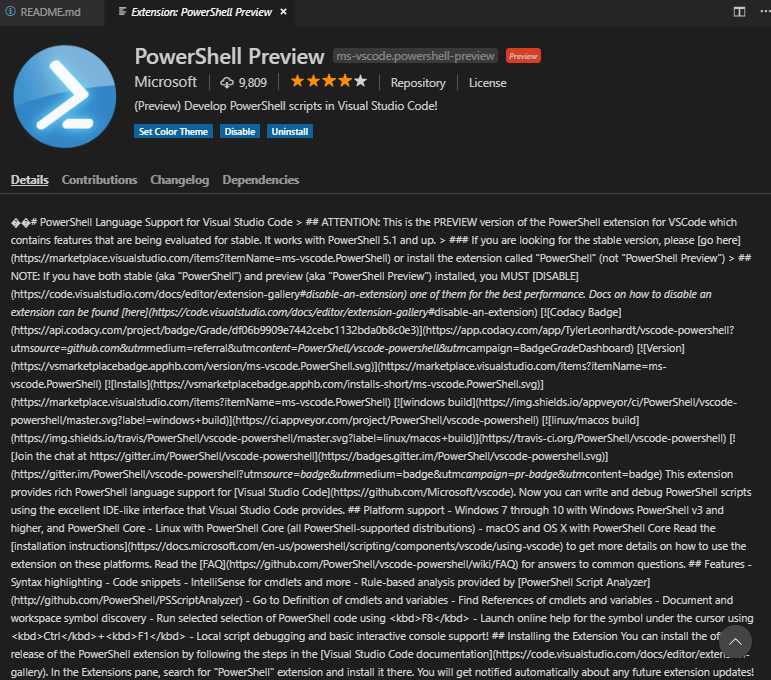
The README.md file for preview 3 (a.k.a. 2.0.2) has incorrect encoding (UTF-16 with two BOMs?):

As a result, the "Details" page in VScode is garbled:
 sba923
All 5 comments
This is probably caused by this line in the build script. This should be Out-File -Encoding utf8
We'll get this fixed.
 TylerLeonhardt
on 13 Apr 2019
TylerLeonhardt
on 13 Apr 2019
@TylerLeonhardt The Out-File cmdlet might not be the best choice here. AFAIK the Set-Content cmdlet's purpose is to be a special case of Out-File for string based content and my past experience is that once I switched from Out-File to Set-Content encoding related problems went away (this was experience from the days of Windows PowerShell, since PowerShell Core has been refactored to have a much better and consistent encoding behaviour, I have not had any encoding problems in PS6 any more)
 bergmeister
on 13 Apr 2019
bergmeister
on 13 Apr 2019
I don't think it is recommended to keep the BOM header.
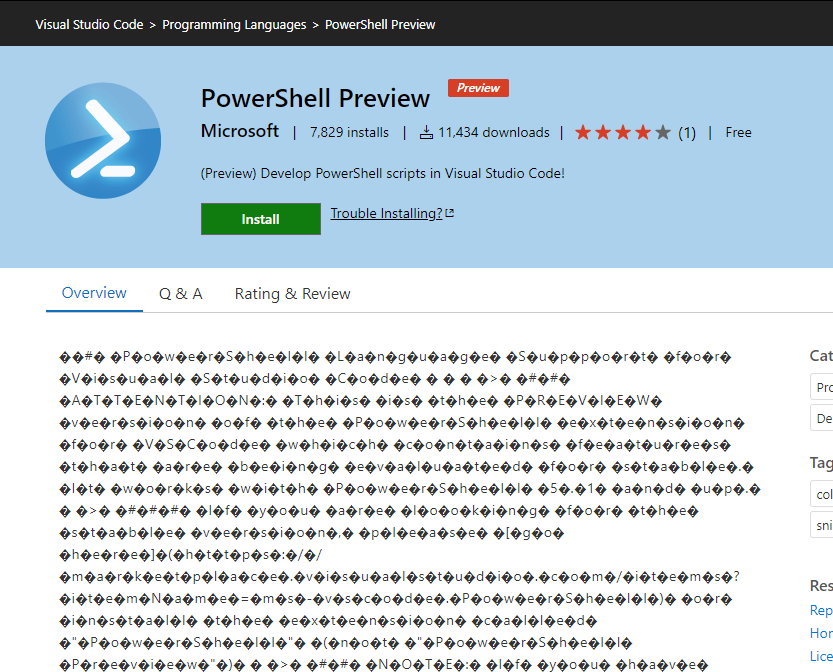
It broke this, breaks git comparisons, often breaks Linux tools, and has broken the marketplace web page.
VS Code defaults to UTF-8 without BOM and PowerShell defaults to UTF-8 without BOM also. Speaking for myself as owner of many PowerShell projects I strip out BOM on check-in to avoid these repeated problems. I know others do the same.
 codykonior
on 15 Apr 2019
codykonior
on 15 Apr 2019
This problem is specific to the preview version, since we add a snippet to the README for that using a PowerShell command.
Since VSCode is the primary place the README is displayed, I imagine BOM-less UTF-8 is the way to go. We probably have the odd emoji in the README, so anything trying to read that as CP-1252 or CP-437 is going to have garbage bits, but if you're using the preview extension, I'd expect you to be using UTF-8.
 rjmholt
on 15 Apr 2019
rjmholt
on 15 Apr 2019
This issue is fixed in the latest release.
 SydneyhSmith
on 28 May 2019
SydneyhSmith
on 28 May 2019
Related issues
 pcgeek86
·
4Comments
pcgeek86
·
4Comments
 rkeithhill
·
3Comments
rkeithhill
·
3Comments
 itfranck
·
3Comments
itfranck
·
3Comments
 inthemedium
·
3Comments
inthemedium
·
3Comments
 Line40
·
3Comments
Line40
·
3Comments