Vscode-powershell: Integrated Console looks odd after a clear
Issue Description
The PowerShell integrated console does not position the prompt and cursor correctly after a "Clear" is issued. I thought this might have been VSCode itself but https://github.com/Microsoft/vscode/issues/66850 suggests it is the extension.
- Open a PowerShell script and execute it via "Run active file in active terminal"
- Observe output in the integrated console window
- Right click in the console and select "Clear"
- Notice that the prompt is now at the top of the window
- starting to type or pressing the up arrow show that the cursor is actually still at the bottom and does not line up with the prompt
Attached Logs
I don't think logs are necessary but I can do this if it is needed.
Environment Information
Visual Studio Code
| Name | Version |
| --- | --- |
| Operating System | Darwin x64 18.2.0 |
| VSCode | 1.30.2|
| PowerShell Extension Version | 1.10.2 |
PowerShell Information
|Name|Value|
|---|---|
|PSVersion|6.1.2|
|PSEdition|Core|
|GitCommitId|6.1.2|
|OS|Darwin 18.2.0 Darwin Kernel Version 18.2.0: Mon Nov 12 20:24:46 PST 2018, root:xnu-4903.231.4~2/RELEASE_X86_64|
|Platform|Unix|
|PSCompatibleVersions|1.0 2.0 3.0 4.0 5.0 5.1.10032.0 6.1.2|
|PSRemotingProtocolVersion|2.3|
|SerializationVersion|1.1.0.1|
|WSManStackVersion|3.0|
Visual Studio Code Extensions
Visual Studio Code Extensions(Click to Expand)
|Extension|Author|Version|
|---|---|---|
|java|redhat|0.36.0|
|PowerShell|ms-vscode|1.10.2|
|python|ms-python|2018.12.1|
|vscode-java-debug|vscjava|0.16.0|
|vscode-java-dependency|vscjava|0.3.0|
|vscode-java-pack|vscjava|0.5.0|
|vscode-java-test|vscjava|0.13.0|
|vscode-maven|vscjava|0.13.0|;
 glawrence
All 9 comments
@glawrence Would you be able to attach some screenshots describing what it is you (1) are seeing and (2) expect
 rjmholt
on 23 Jan 2019
rjmholt
on 23 Jan 2019
I have updated to PowerShell Extension Version 1.11.0, then:
- I loaded a .ps1 in VSCode which just does some stuff with output
- ran it via "Terminal: Run Active File in Active Terminal"
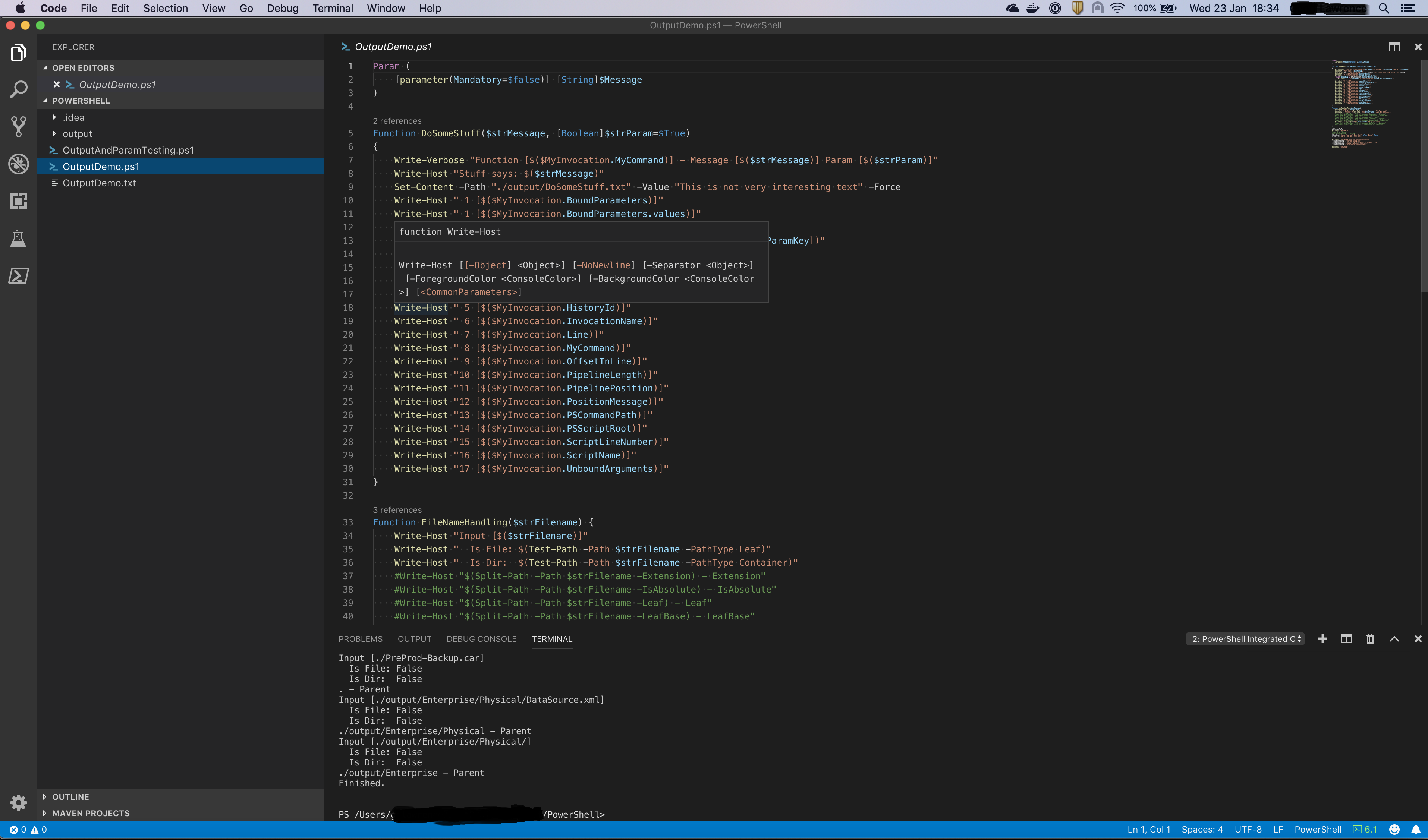
- Pressed Clear (Cmd+K) in the Integrated Console to clear the output
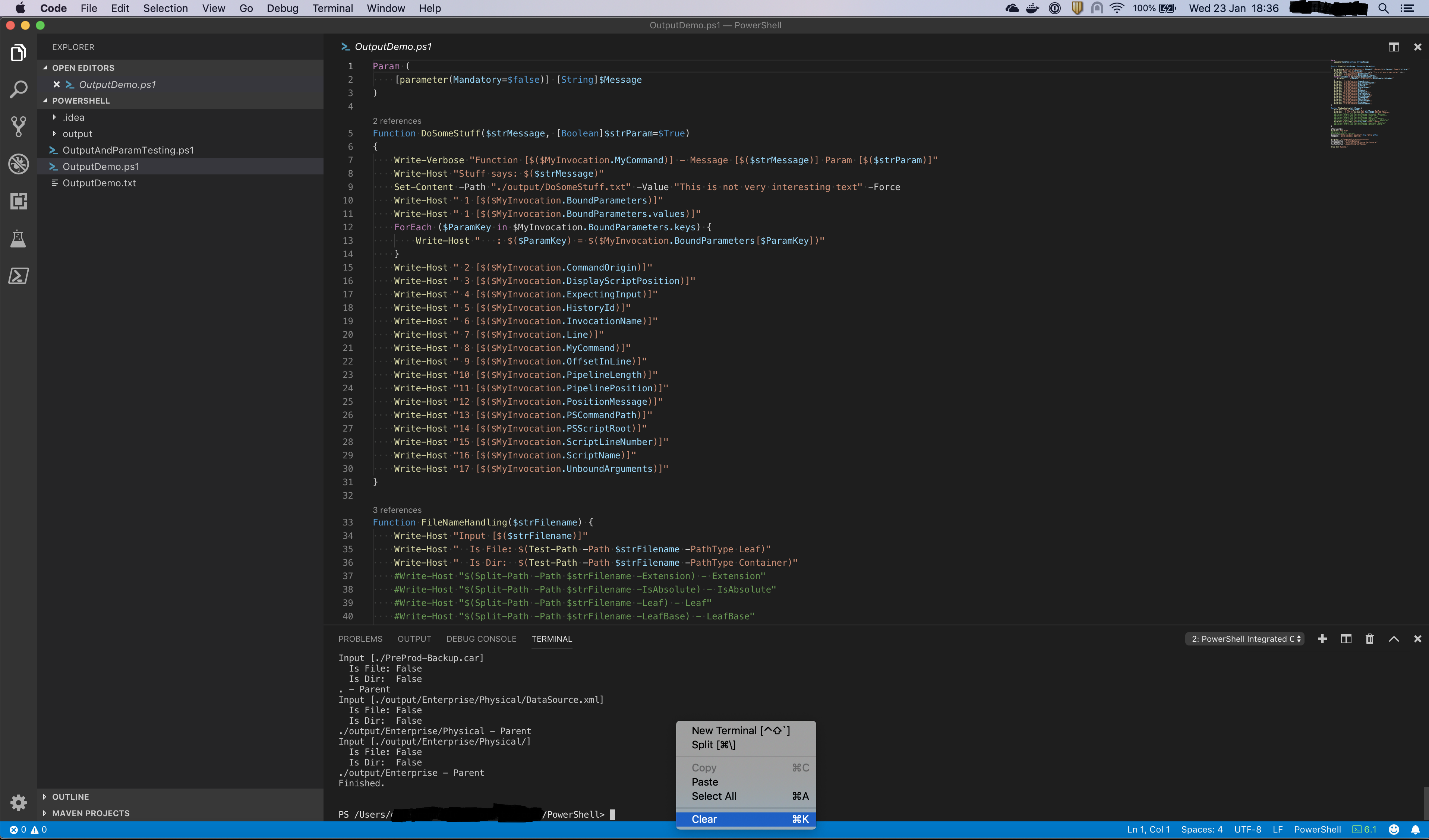
- Then pressed the up arrow to run it again
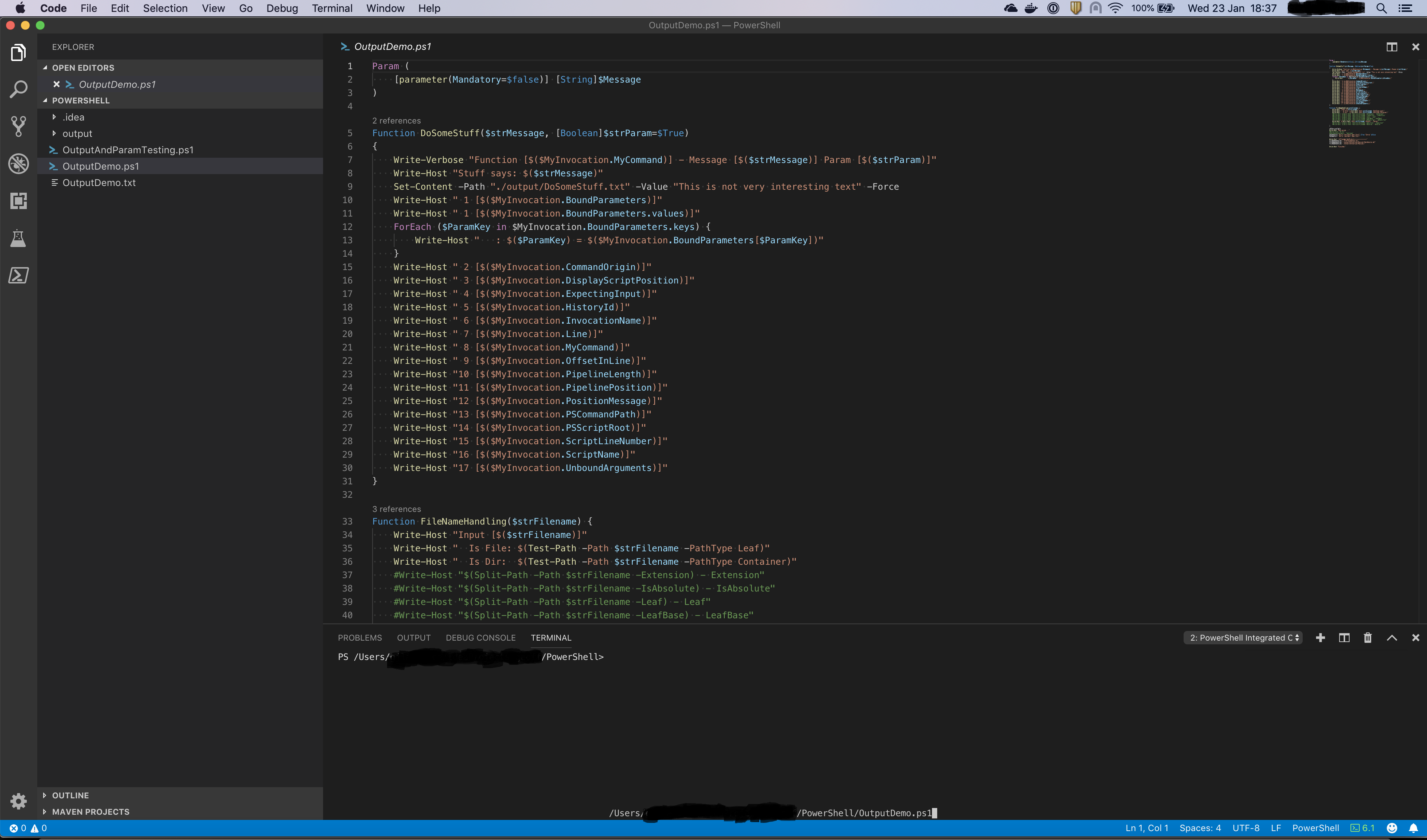
Then you can see the prompt at the top of the console and the cursor at the bottom. Hopefully that helps now.
glawrence
on 23 Jan 2019
Not sure if it is related. If I select a function body in editor and press F8, then in terminal,
1) use Arrow Up;
2) run Get-Help My-Func
The help text is not readable. I guess F8 might have "typed" in every line of selected code which messed up the terminal. I have to manually clear the terminal to get it to normal.
 Li-ReDBox
on 10 May 2019
Li-ReDBox
on 10 May 2019
This should be fixed in the latest version of the PowerShell extension 😃 I'm going to close this now but please let me know if you're still seeing this.
 TylerLeonhardt
on 22 Apr 2020
TylerLeonhardt
on 22 Apr 2020
On my Mac I have PowerShell 7.0.0 with VSCode 1.44.2 and the PowerShell extension 2020.4.0 and I can reproduce the problem @TylerLeonhardt
glawrence
on 22 Apr 2020
You're right - I was following different steps.
TylerLeonhardt
on 22 Apr 2020
That said, I don't know if the _terminal_ is communicating that the cursor position has changed... as I can repro in _not_ the PS Integrated Console:
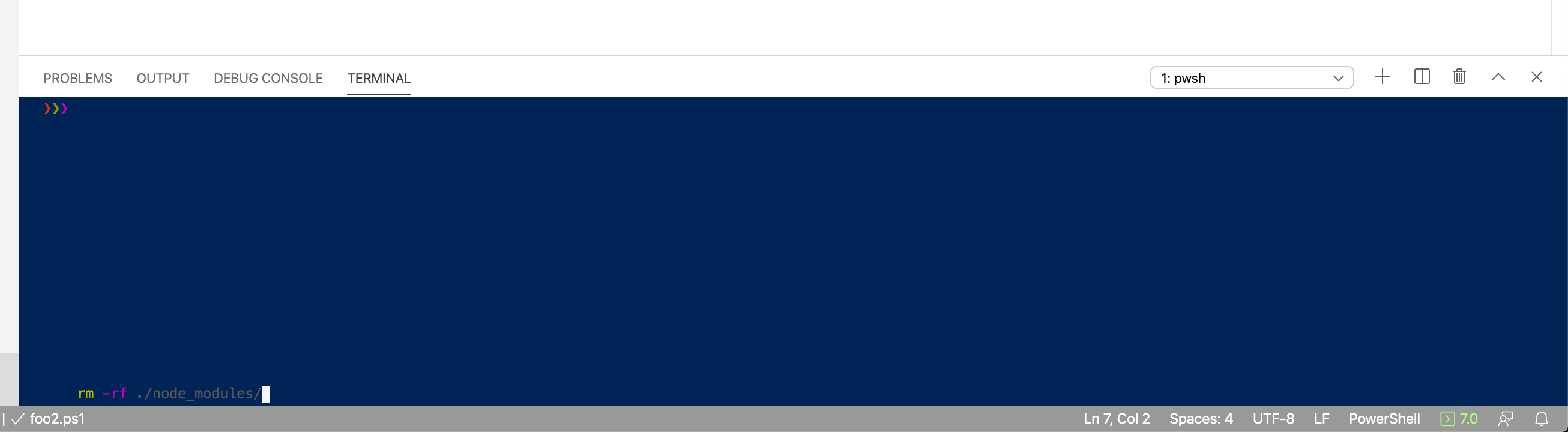
@Tyriar any thoughts here?
this either needs to go to Microsoft/vscode or PowerShell/PowerShell.
TylerLeonhardt
on 22 Apr 2020
 Tyriar
on 22 Apr 2020
Tyriar
on 22 Apr 2020
Thanks @Tyriar ! I'll close this as a duplicate to that one.
TylerLeonhardt
on 22 Apr 2020
Related issues
 lukegriffith
·
3Comments
lukegriffith
·
3Comments
 GQnzo
·
3Comments
GQnzo
·
3Comments
 keposet
·
3Comments
keposet
·
3Comments
 rkeithhill
·
3Comments
rkeithhill
·
3Comments
 TheDanishDynamo
·
3Comments
TheDanishDynamo
·
3Comments