Vscode-powershell: Debugger reports errors when running script with improperly encoded characters
System Details
- Operating system name and version:
- VS Code version: 1.13.0
- PowerShell extension version: 1.3.2
- Output from
$PSVersionTable:
Name                           Value
----                           -----
PSVersion                      5.1.15063.296
PSEdition                      Desktop
PSCompatibleVersions           {1.0, 2.0, 3.0, 4.0...}
BuildVersion                   10.0.15063.296
CLRVersion                     4.0.30319.42000
WSManStackVersion              3.0
PSRemotingProtocolVersion      2.3
SerializationVersion           1.1.0.1
Copy / paste the below commands into the PowerShell Integrated Terminal, and paste the output here
code -v
$pseditor.EditorServicesVersion
code --list-extensions --show-versions
$PSVersionTable
PS C:\gd\Documents\s\docker\tools\vstsagent> code -v
1.13.0
376c52b955428d205459bea6619fc161fc8faacf
PS C:\gd\Documents\s\docker\tools\vstsagent> $pseditor.EditorServicesVersion

Major  Minor  Build  Revision
-----  -----  -----  --------
1      3      2      0


PS C:\gd\Documents\s\docker\tools\vstsagent> code --list-extensions --show-versions
[email protected]
[email protected]
[email protected]
[email protected]
[email protected]
Issue Description
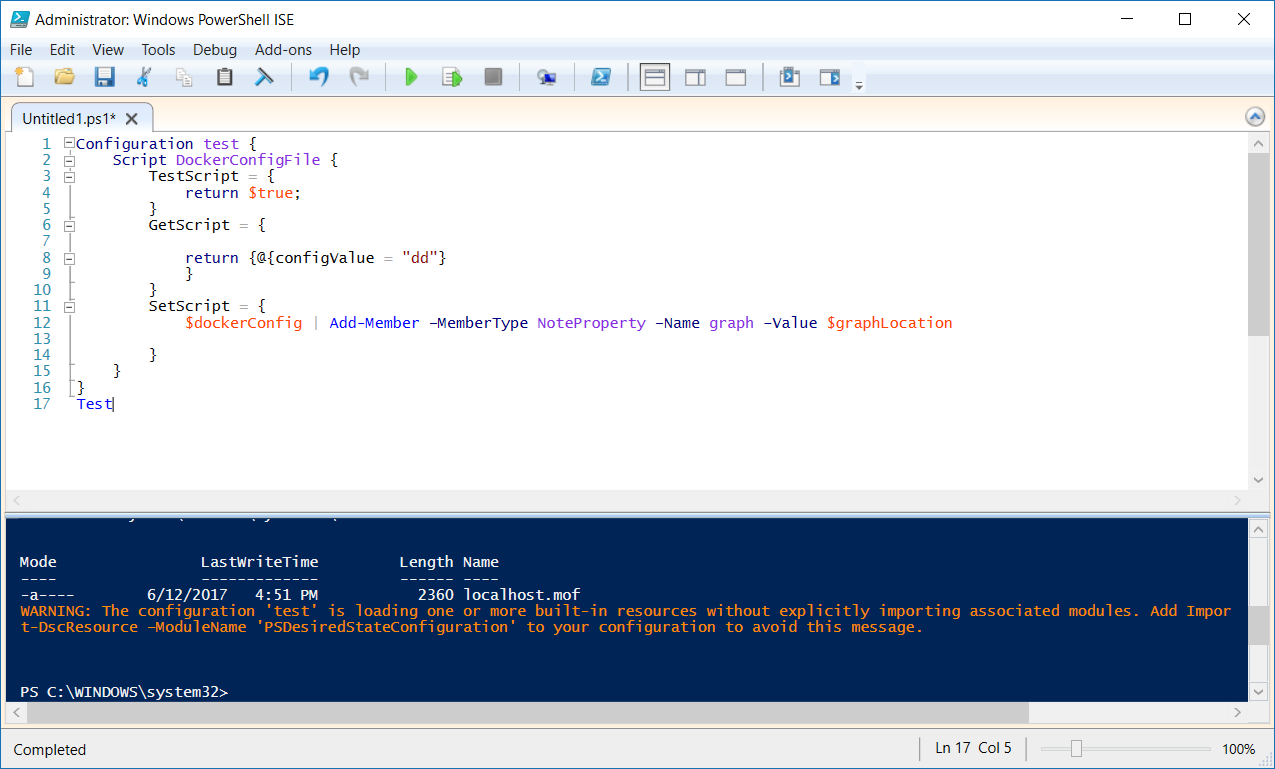
Configuration below will throw powershell engine off and will report errors below
Configuration test {
    Script DockerConfigFile {
        TestScript = {
            return $true;
        }
        GetScript = {

            return {@{configValue = "dd"}
            }
        }
        SetScript = {
            $dockerConfig | Add-Member –MemberType NoteProperty –Name graph –Value $graphLocation

        }
    }
}
Test
Errors reported during run
At C:\gd\Documents\s\docker\tools\vstsagent\test.ps1:12 char:82
+ ... ember –MemberTypeNoteProperty –Name graph –Value $graphLocation
+                                                     ~~~~~~~~~~~~~~~~~~~~~
The string is missing the terminator: ".

At C:\gd\Documents\s\docker\tools\vstsagent\test.ps1:11 char:21
+         SetScript = {
+                     ~
Missing closing '}' in statement block or type definition.

At C:\gd\Documents\s\docker\tools\vstsagent\test.ps1:17 char:5
+ Test
+     ~
There is an incomplete property assignment block in the instance definition.

At C:\gd\Documents\s\docker\tools\vstsagent\test.ps1:1 char:20
+ Configuration test {
+                    ~
Missing closing '}' in statement block or type definition.
 artisticcheese
All 14 comments
How are you running the configuration, with F8? What is your F8 key bound to? Open File -> Preferences -> Keyboard Shortcuts and search for F8. If you see it bound to workbench.action.terminal.runSelectedText, remove that binding. If not, we can continue debugging the issue.
 daviwil
on 12 Jun 2017
daviwil
on 12 Jun 2017
Running with F5
artisticcheese
on 12 Jun 2017
Does this code work in the PowerShell console? There shouldn't be anything special about this code that should cause the PowerShell extension to have an issue.
Might be helpful if you captured logs and posted them here so I can see if there are any other internal errors: https://github.com/PowerShell/vscode-powershell#reporting-problems
daviwil
on 12 Jun 2017
Works fine in ISE.
1497303932-c32fd6c2-b7c9-4468-aa4b-59a2eb9463a21497303929626.zip
artisticcheese
on 12 Jun 2017
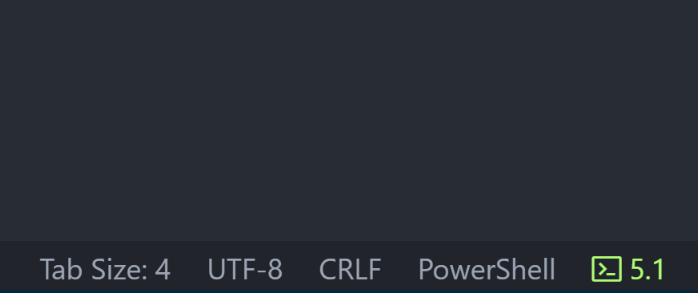
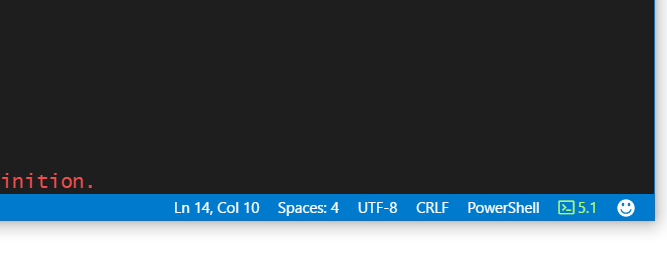
I have a suspicion that it has something to do with the file encoding. For this file, what encoding does VS Code report in the bottom right hand corner of the window:
daviwil
on 12 Jun 2017
Says UTF-8
artisticcheese
on 12 Jun 2017
Ok, I'll see if I can figure out what's going on. Thanks for the help!
daviwil
on 13 Jun 2017
Saving as Windows 1252 does in fact work.
artisticcheese
on 13 Jun 2017
I actually have the same issue... kinda simpler:
function Convert-Exceptions {
    param ([String]$src = [String]::Empty)
    $src -replace "el medano", "el médano"
}

Convert-Exceptions("el medano")
Running with F8 works... result:
el médano
but running it F5... result:
el médano
The issue gets resolved as well when setting the encoding to Windows 1252.
 Eickhel
on 26 Jan 2018
Eickhel
on 26 Jan 2018
Thanks for the update, @Eickhel. Feel free to 👍 the issue which will help us prioritize.
 TylerLeonhardt
on 29 Jan 2018
TylerLeonhardt
on 29 Jan 2018
@Eickhel are you on Windows?
I actually can't repro this on macOS... and I just tried Windows and couldn't repo. Are you using any debug configuration?
TylerLeonhardt
on 29 Jan 2018
Ah. I've got a repro!
It's only on Windows PowerShell and this is, in fact, a Windows PowerShell bug. Here's why:
let's say we have @Eickhel's example:
function Convert-Exceptions {
    param ([String]$src = [String]::Empty)
    $src -replace "el medano", "el médano"
}

Convert-Exceptions("el medano")
With the PowerShell ISE, when you have an untitled file and hit F5, it does the same thing as if you selected all the text and hit F8 (aka ctrl-A, F8).
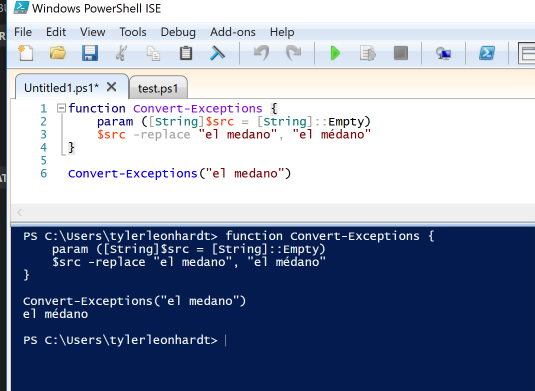
If you save the file to something, like test.ps1 it runs the actual file like so:
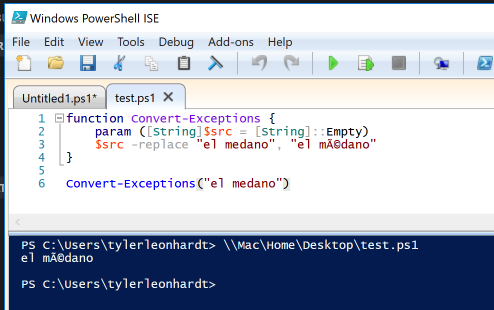
Notice the bad formatting!
VSCode runs the file that you are F5'ing as well:
PS C:\Users\tylerleonhardt\Desktop> c:\Users\tylerleonhardt\Desktop\test.ps1
If we run that exact line in Windows PowerShell as well we get the same wrong formatting:

If we try this is PowerShell Core 6, the bug was fixed and the output is what we expect:

Moral of the story, this is a bug in Windows PowerShell and not the PowerShell extension for VSCode.
TylerLeonhardt
on 29 Jan 2018
Great work @tylerl0706! thanks for confirm the bug... I guess it's time to move to PS Core ;)
Eickhel
on 30 Jan 2018
It's _really_ good. But I suppose I'm bias 😄
With that said, I'm going to close this bug since it's actually a Windows PowerShell bug. Feel free to open another issue if you have any other troubles!
And use PowerShell Core 6 😎
TylerLeonhardt
on 31 Jan 2018
Related issues
 nathan-alden-hp
·
3Comments
daviwil
·
4Comments
nathan-alden-hp
·
3Comments
daviwil
·
4Comments
 lukegriffith
·
3Comments
lukegriffith
·
3Comments
 Line40
·
3Comments
Line40
·
3Comments
 AWahlqvist
·
3Comments
AWahlqvist
·
3Comments
Most helpful comment
Great work @tylerl0706! thanks for confirm the bug... I guess it's time to move to PS Core ;)