Vscode-powershell: Add "Apply All Suggested Fixes" command to apply all PSScriptAnalyzer fixes
This would be useful for both the current file and the for all the files analyzed in the directory.
 dfinke
All 8 comments
Thanks Doug!
 daviwil
on 20 Dec 2016
daviwil
on 20 Dec 2016
Vote up, when analyzing old scripts, they sometimes contain hundreds of ScriptAnalyzer issues, a button to "apply all suggestions" would be very nice!
 PowershellNinja
on 5 Feb 2019
PowershellNinja
on 5 Feb 2019
Is there an update on when this feature will be implemented? Looking at the history, it has been dragged in the backlog for over two years... We got a lot of script with thousands of lines and doing the ALT+. - Enter - Repeat for hours is kinda killing motivation...
PowershellNinja
on 24 Apr 2019
@PowershellNinja As a workaround until it's added, you can use this editor command:
Register-EditorCommand -Name FixAllPSSA -DisplayName 'Fix All PSScriptAnalyzer Corrections' -ScriptBlock {
    param(
        [Microsoft.PowerShell.EditorServices.Extensions.EditorContext] $Context
    )
    end {
        if ($Context.CurrentFile.Path.StartsWith('untitled', [StringComparison]::Ordinal)) {
            $splat = @{ ScriptDefinition = $Context.CurrentFile.Ast.Extent.Text }
        } else {
            $splat = @{ Path = $Context.CurrentFile.Path }
        }

        $corrections = Invoke-ScriptAnalyzer @splat |
            Select-Object -ExpandProperty SuggestedCorrections |
            Sort-Object -Descending StartLineNumber, StartColumnNumber

        foreach ($correction in $corrections) {
            $Context.CurrentFile.InsertText(
                <# textToInsert: #> $correction.Text,
                <# startLine:    #> $correction.StartLineNumber,
                <# startColumn:  #> $correction.StartColumnNumber,
                <# endLine:      #> $correction.EndLineNumber,
                <# endColumn:    #> $correction.EndColumnNumber)

            # Sleep between InsertText requests because some get lost otherwise.
            Start-Sleep -Milliseconds 50
        }
    }
}
And make a shortcut in your keybindings.json with this:
{
    "key": "alt+shift+q",
    "command": "PowerShell.InvokeRegisteredEditorCommand",
    "args": [ "FixAllPSSA" ],
    "when": "editorLangId == 'powershell'"
}
 SeeminglyScience
on 24 Apr 2019
SeeminglyScience
on 24 Apr 2019
@SeeminglyScience Neat! Thank your very much for this workaround!
I tried to register the command and then add the keybinding - all seemed to work so far - but when I press the alt+shift+q keys in a Powershell Script with active ScriptAnalyzer suggestions - nothing happens.
Did I do anything wrong?
Also, in the keybindings.json I get the following message:
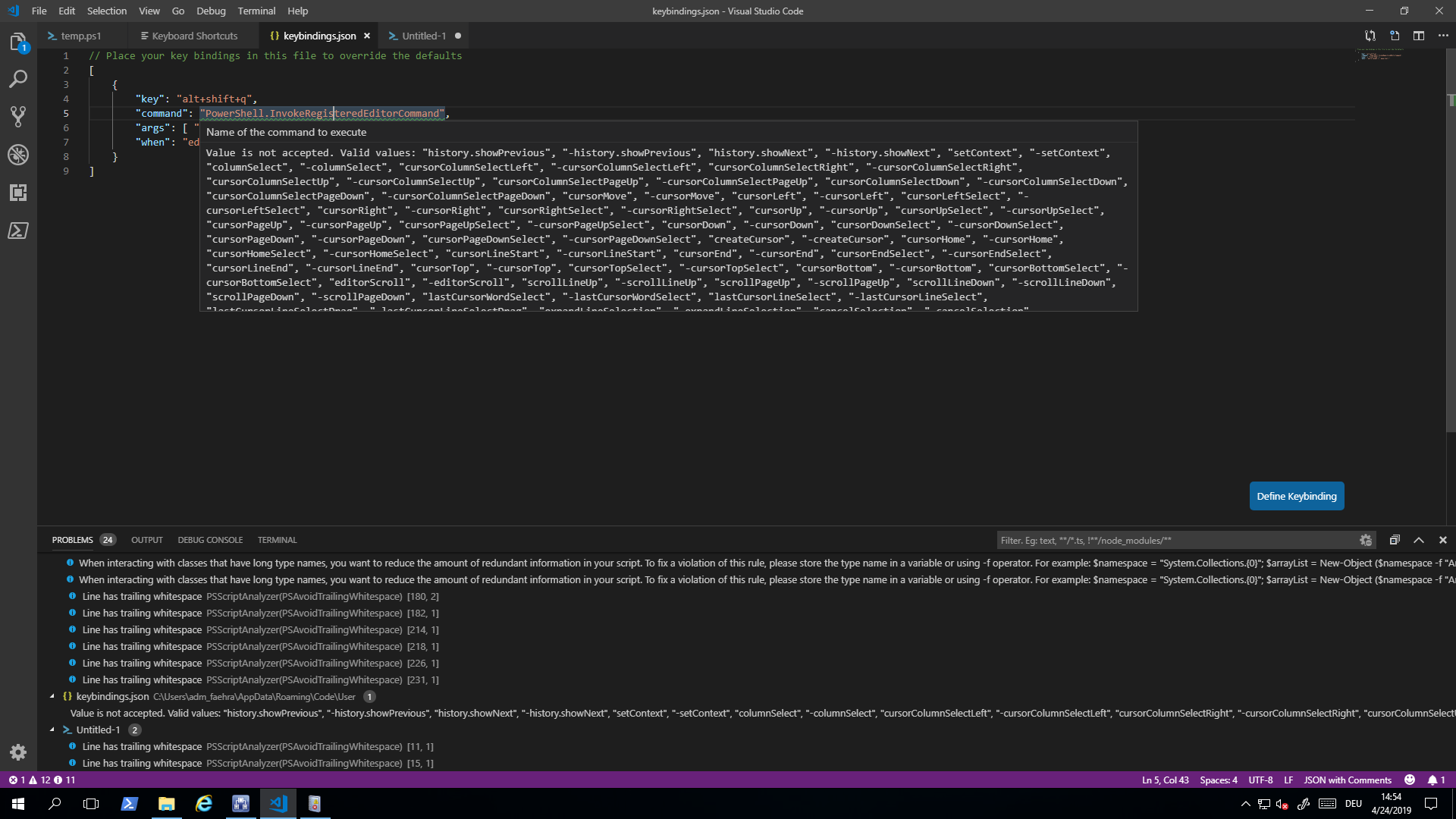
Edit: The editor command seems to have registered correctly:
$psEditor.GetCommands()

Name       DisplayName                          SuppressOutput ScriptBlock
----       -----------                          -------------- -----------
FixAllPSSA Fix All PSScriptAnalyzer Corrections          False ...
Huh, I guess I edited the manifest locally at some point to export that command... I could have sworn other folks got it working as well but it doesn't look like we make that command public. @TylerLeonhardt
In the mean time, you can use this
{
    "key": "ctrl+shift+c",
    "command": "PowerShell.ShowAdditionalCommands",
    "when": "editorLangId == 'powershell'"
}
That'll bring up a menu with registered editor commands. Also you can select PowerShell: Show Additional Commands From... in the command palette.
SeeminglyScience
on 24 Apr 2019
Works as a charm! Thank you very much :)
Still, one more question: as soon as I restart the console session (or reopen code) I have to reload the registered command. Is this by design? If yes, I could still add it to a PSProfile, if not, do you have an idea why it does not stay registered?
PowershellNinja
on 24 Apr 2019
Works as a charm! Thank you very much :)
np :)
Still, one more question: as soon as I restart the console session (or reopen code) I have to reload the registered command. Is this by design? If yes, I could still add it to a PSProfile
Yeah it's gotta be in the profile for persistence.
SeeminglyScience
on 24 Apr 2019
Related issues
 AWahlqvist
·
3Comments
AWahlqvist
·
3Comments
 GQnzo
·
3Comments
GQnzo
·
3Comments
 nathan-alden-hp
·
3Comments
nathan-alden-hp
·
3Comments
 pcgeek86
·
4Comments
pcgeek86
·
4Comments
 bgelens
·
3Comments
bgelens
·
3Comments