Vscode-neovim: desync between neovim and vscode
I'm running into a problem where the cursor desyncs and I find it difficult to provide a reproducible case for the issue. @asvetliakov is there a group of files one can provide so you can get an idea of what could be going wrong in neovim or vscode itself when an issue appears?
eg. some kind of neovim input log or vscode log file?
Anyways, here's the issue

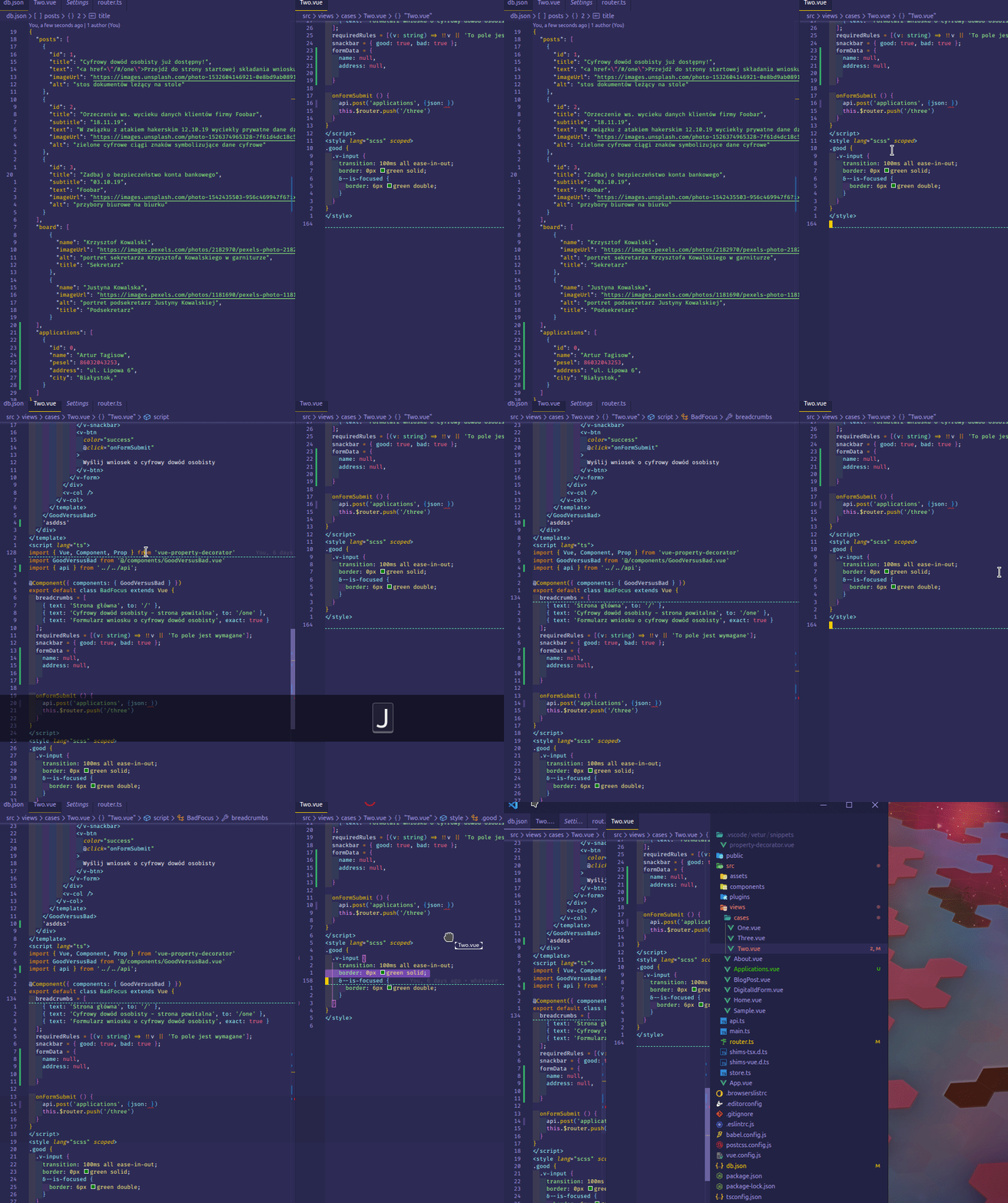
As you can see, the cursor doesn't want to select text that is actually there. But then, also when I do 'dd', it deletes the line below (}) instead of the this.$router.push line
vscode-neovim 0.0.45
nvim 0.4.3 with empty init.vim and no plugins
vscode 1.41.1
ubuntu 19.04
 3nuc
3nuc
All 11 comments
Also posting another issue I've had. The cursor can become stuck in the middle of the file also. In the gif below the cursor was stuck immediately after starting vscode (the editor groups were saved from a previous session). Maybe it's because I have the file Two.vue opened in both the left and right editor?
3nuc
on 27 Dec 2019
Curious. I noticed you're using the mouse. Do you have mouse start visual selection toggle on in settings?
 asvetliakov
on 27 Dec 2019
asvetliakov
on 27 Dec 2019
In the gif below the cursor was stuck immediately after starting vscode (the editor groups were saved from a previous session)
Create a separate issue. It was a known problem and i believed i fixed it, but looks like still no.
asvetliakov
on 27 Dec 2019
No I didn't have it enabled when creating the gifs above. I just wanted to show that there's no way to move the cursor at all.
Ok I'll do it
3nuc
on 27 Dec 2019
For original issue it looks nvim buffer was shifted line down. There is one known problem regarding buffer desync - #116 . Any chance you run into it before the gif was made by pasting while in visual mode ?
asvetliakov
on 27 Dec 2019
I'm 99% sure I was using visual line, delete and paste (eg. V -> jjjj -> d -> kkkkkk -> p) pretty extensively before creating the gif.
3nuc
on 27 Dec 2019
assuming it's some kind of #116 then. If you can provide full repro steps it'd help very much.
asvetliakov
on 27 Dec 2019
Hm, I think I've found something else unrelated to #116 - regarding the "cursor blocking and not wanting to go past a certain character" issue
Try creating a new untitled file inside vscode and paste this in:
ż",
ź",
ń",
ś",
ó",
ć",
ł",
ą",
a", //this works
When you're on the " character, and you press l (letter L, go right), you can't move the cursor to the , character. However when you go the last line of the pasted code snippet (a",), you can move the cursor to a",
3nuc
on 28 Dec 2019
line number is not related, seems something with multi-byte chars 😞 (logged #127, thanks for the report)
asvetliakov
on 28 Dec 2019
Yep line number is not related, I just happened to add the working case at the bottom. a", could've been in the middle. I'll keep looking regarding 116, recently it started happening after changing editor groups but I couldn't repro twice.
3nuc
on 28 Dec 2019
I think I've hit a similar issue with C++ files:

I have disabled all other plug-ins and have an empty init.vim. Here's the text:
auto test() {
  using namespace xtplaceholders;
  return xt::view(output, xt::all(), xt::keep(sorted_anchor_idx));
}
 dsuess
on 17 Feb 2020
dsuess
on 17 Feb 2020
Related issues
 pieterdd
·
4Comments
pieterdd
·
4Comments
 DrakeXiang
·
3Comments
DrakeXiang
·
3Comments
 iansinnott
·
4Comments
iansinnott
·
4Comments
 kkorus
·
4Comments
kkorus
·
4Comments
 RAbraham
·
4Comments
RAbraham
·
4Comments