Vscode-markdown: syntax.decorations: The phase of recognizing <code> tag is broken
What is the problem?
Look at this markdown below:
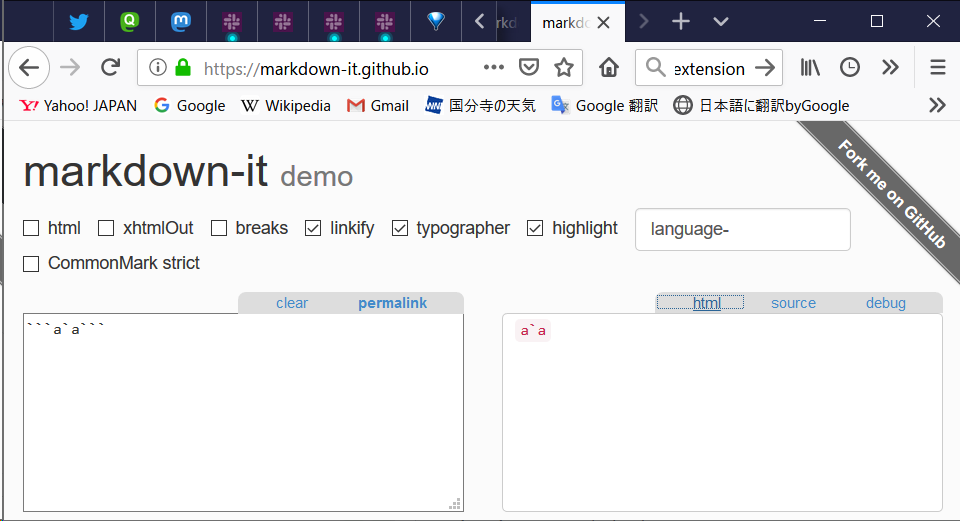
```a`a```
This markdown text should be converted like below HTML
<code>a`a</code>
a`a
markdown-it recognize this correctly.
However, vscode-markdown recognize like below:
``<code>a</code>`a```
As a result, in editor view, decoration rectangle drawing result is strange.

How can I reproduce it?
"markdown.extension.syntax.decorations": true- create new markdown file
- paste
```a`a```
Environment
- Windows 10 Home 1809
- Visual Studio Code 1.31.0 or later
- Markdown All in One 2.1.1
ref:
 yumetodo
All 8 comments
Thank you for the report. Looks a bit hard to handle...
 yzhang-gh
on 9 Mar 2019
yzhang-gh
on 9 Mar 2019
It should be fixed in the dev build.
yzhang-gh
on 16 Mar 2019
@yzhang-gh I install build 1.0.29, then, work fine!
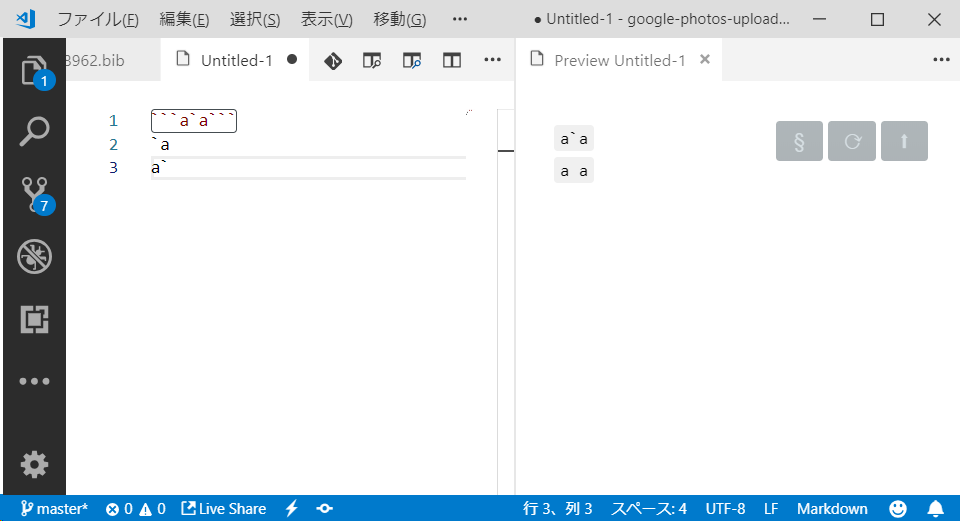
BTW, Another pattern cause bug found...
`a
a`
This should be recognize like <code>a a</code>.
yumetodo
on 17 Mar 2019
You are right. However vscode decorations cannot cover multi-lines. So this is the best we can do now.
yzhang-gh
on 17 Mar 2019
vscode decorations cannot cover multi-lines.
I'm not sure about vscode decorations. However, as far as I see, Bracket Pair Colorizer do it (bracketPairColorizer.showVerticalScopeLine, I don't know Bracket Pair Colorizer really use vscode decorations system to draw)

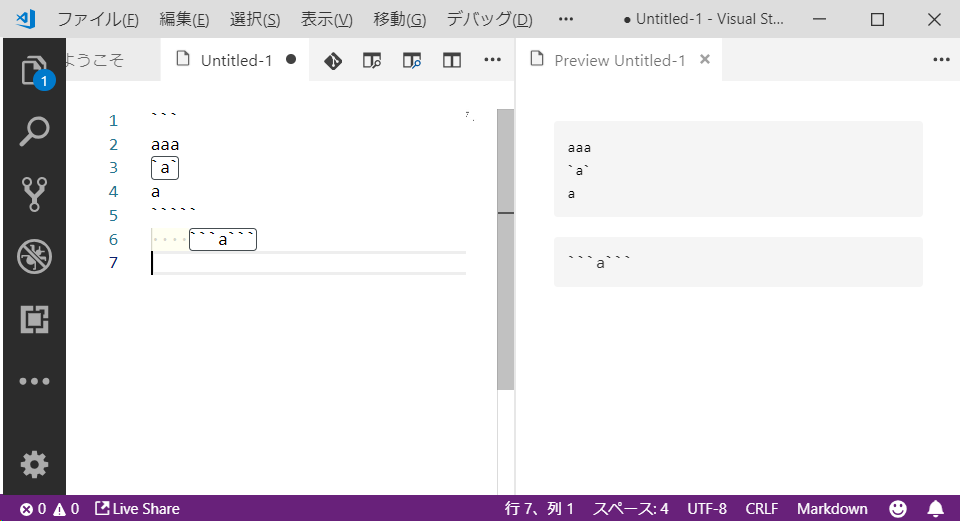
How do you think about code tag syntax in code block syntax?
```
aaa
`a`
a
`````
    ```a```
yumetodo
on 18 Mar 2019
The multi-line thing
This is the upstream issue. _Bracket Pair Colorizer_ might have used some tricks (technically, we can fake multi-line decoration with multiple single-line decorations 😂). However, I am not a fan of this.
Decorations inside code blocks
Interesting. It is doable to disable decorations there. I can look into it this weekend.
yzhang-gh
on 18 Mar 2019
I have disabled decorations in the fenced code blocks. However, I didn't touch the indented code blocks. There are many corner cases if we want to perfectly determine the indented code blocks. I don't think it is worth that effort.
yzhang-gh
on 23 Mar 2019
Thank you for your fix!
yumetodo
on 23 Mar 2019
Related issues
 jerry-sky
·
4Comments
jerry-sky
·
4Comments
 akshaybabloo
·
3Comments
akshaybabloo
·
3Comments
 akurani
·
4Comments
akurani
·
4Comments
 maoturing
·
4Comments
maoturing
·
4Comments
 lengyingzi
·
5Comments
lengyingzi
·
5Comments