Vscode-markdown: Hide Outline view in explorer panel
I would like to hide/remove the "Outline view in explorer panel" feature.
Is there any settings for this?
 szabolcsdombi
All 12 comments
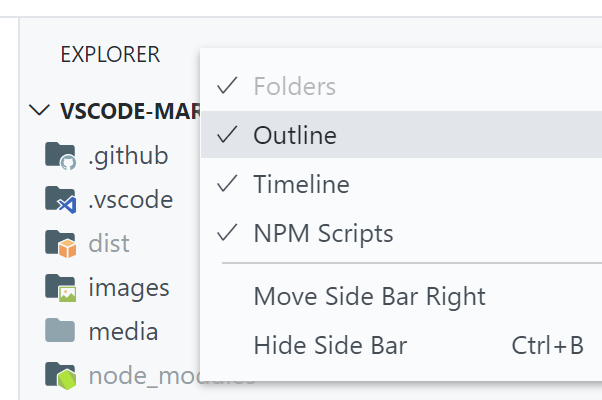
Currently you can right click on the view title "OUTLINE" and select "hide".
(Edited)
 yzhang-gh
on 16 Oct 2017
yzhang-gh
on 16 Oct 2017
Thank you, but my problem is that when I open VS Code it appears then I have to fold / hide it.
szabolcsdombi
on 16 Oct 2017
@cprogrammer1994 You can go to extension folder. ~.vscode\extensions\yzhang.markdown-all-in-one-0.10.3\package.json.
Search element "Views" and remove it from the JSON file.
 MagicPro1994
on 16 Oct 2017
MagicPro1994
on 16 Oct 2017
Thank you!
I close this issue.
I realized it should be vscode feature to save "Hidden" state of any of the panels.
szabolcsdombi
on 16 Oct 2017
right click on outline then select hide option.
 sprasad19
on 21 May 2019
sprasad19
on 21 May 2019
Currently you can right click on the view title "OUTLINE" and select "hide".
Sometime it can be so easy. Thank you 👍
 nachbarshund
on 1 Aug 2019
nachbarshund
on 1 Aug 2019
right click on outline then select hide option.
how do i unhide it?
 BrianBNguyen
on 30 May 2020
BrianBNguyen
on 30 May 2020
yzhang-gh
on 30 May 2020
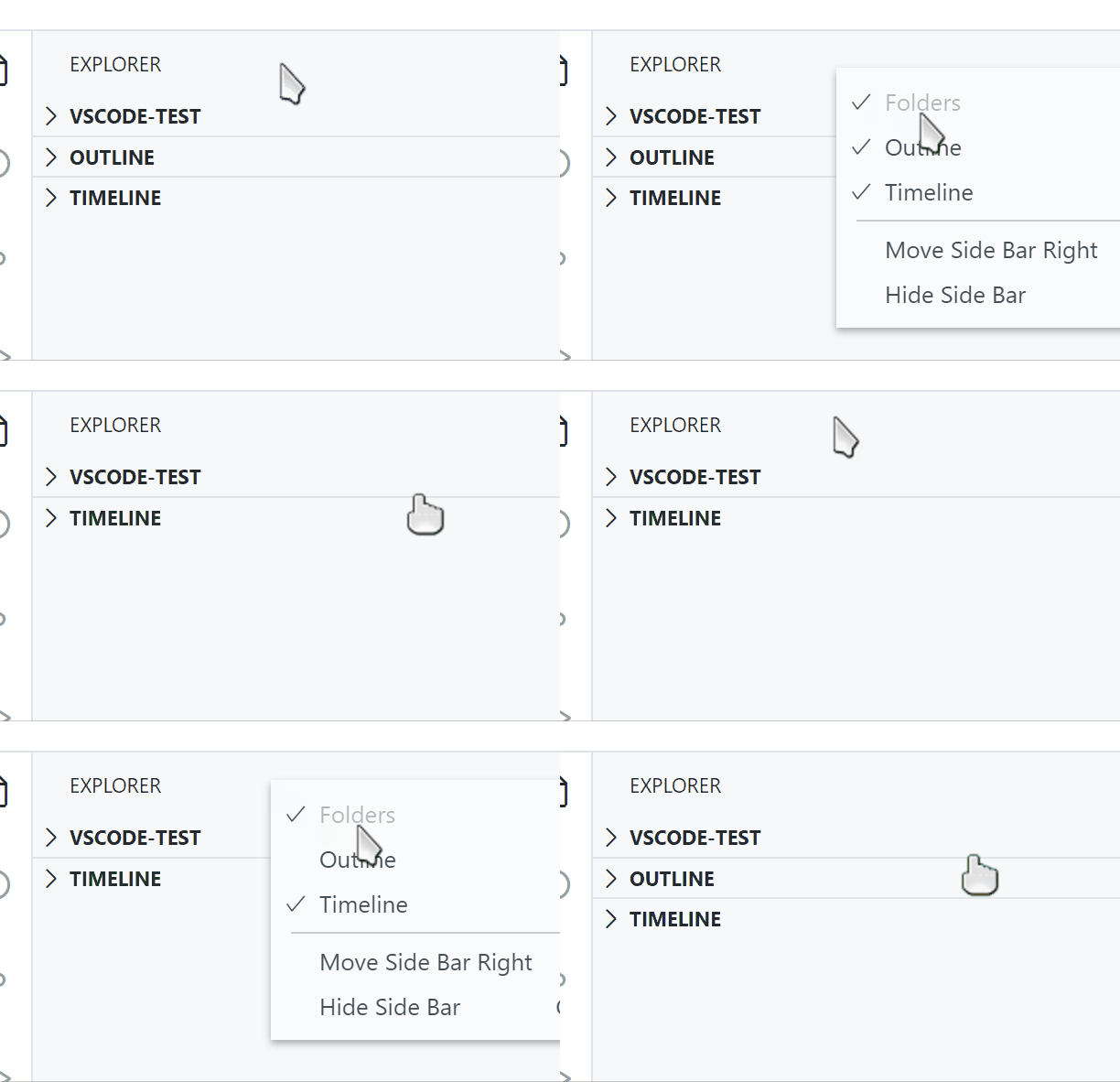
yeah see how folder is hided (in gray) I can't unhide it I tired right clicking but it won't give me the option to unhide folders.
BrianBNguyen
on 30 May 2020
You want to hide/unhide "Folders"? I don't think you can do that. (It is always present.)
yzhang-gh
on 31 May 2020
You want to hide/unhide "Folders"? I don't think you can do that. (It is always present.)
(BTW, this extension provided an outline view a long time ago, which has been removed as VSCode implemented it. If you have more questions about hiding/unhiding views, probably you need to ask VSCode directly.)
yzhang-gh
on 31 May 2020
You want to hide/unhide "Folders"? I don't think you can do that. (It is always present.)
(BTW, this extension provided an outline view a long time ago, which has been removed as VSCode implemented it. If you have more questions about hiding/unhiding views, probably you need to ask VSCode directly.)
thanks :D sorry didn't see the part where you said it is always present
BrianBNguyen
on 1 Jun 2020
Related issues
 PierreMarchand20
·
3Comments
PierreMarchand20
·
3Comments
 akshaybabloo
·
3Comments
akshaybabloo
·
3Comments
 maoturing
·
4Comments
maoturing
·
4Comments
 FrancesCoronel
·
4Comments
FrancesCoronel
·
4Comments
 lackovic
·
4Comments
lackovic
·
4Comments
Most helpful comment
Currently you can right click on the view title "OUTLINE" and select "hide".
(Edited)