Vscode-markdown: Backspace doesn't work
Pressing the backspace key results in a warning... warn: command 'markdown.extension.onBackspaceKey' not found - and it doesn't backspace. See attached image.

 jimelrod
All 27 comments
That's strange. I cannot reproduce.
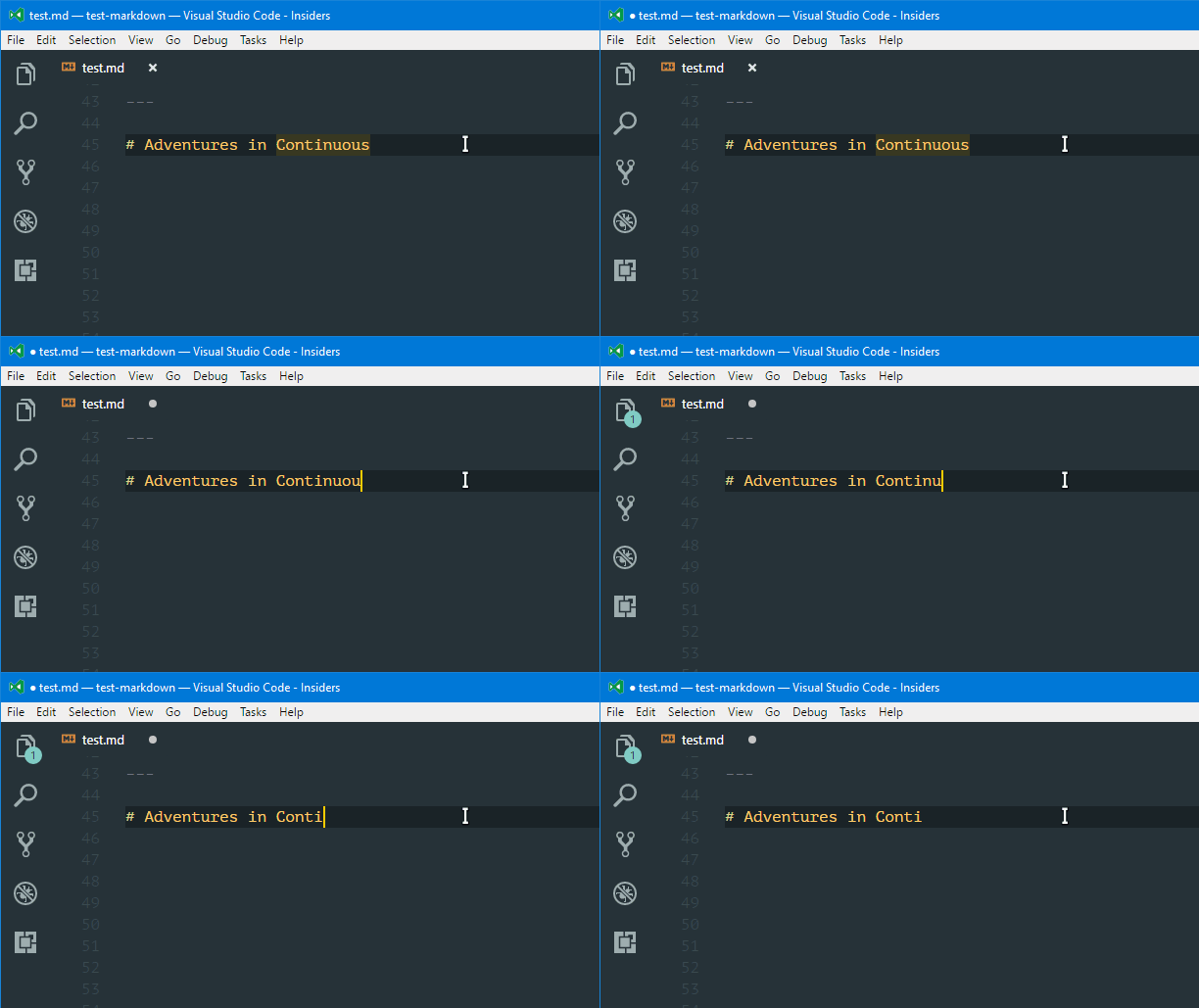
It seems that you have other markdown extensions installed. Could you please disable the other extensions and then test again.
 yzhang-gh
on 18 Jul 2017
yzhang-gh
on 18 Jul 2017
I bet this is also fixed in v0.7.7
yzhang-gh
on 22 Jul 2017
I solved this by redefining the key shortcut for the markdown extension of markdown.extension.onBackspaceKey to Backspace.
 cgxeiji
on 20 Dec 2017
cgxeiji
on 20 Dec 2017
🤔 still no idea about why
yzhang-gh
on 20 Dec 2017
I was accidentally messing with the F# keys, but I am not sure which one triggered the error.
cgxeiji
on 20 Dec 2017
Happening here on Mac OS X. Just installed the extension. Enter and Backspace give similar warnings.
command 'markdown.extension.onEnterKey' not found
command 'markdown.extension.onBackspaceKey' not found
Basically, all of these:
Developer console shows:
Cannot find module 'markdown-it-task-lists' (at /Applications/Visual Studio Code - Insiders.app/Contents/Resources/app/out/vs/workbench/node/extensionHostProcess.js:297:87)
Edit: Manually running npm install markdown-it-task-lists --production in the extension folder removes the console error, but doesn't solve the keyboard problem.
Edit2: A couple times closing and opening VSCode and it's working now...
 clshortfuse
on 24 Jan 2018
clshortfuse
on 24 Jan 2018
🤣 Thanks for your report.
One common reason is that the extension requires some time to load when you open a Markdown file for the first time. For this case, wait 2 seconds after you open a md file.
Another possible reason is the extension files are broken. Then you can try to reinstall the ext.
yzhang-gh
on 25 Jan 2018
Happening to me now. Sometimes, pressing Enter causes command 'markdown.extension.onEnterKey' not found, sometimes it just takes _very_ long to be executed (10-20 seconds).
I've tried waiting after VSCode fully loads and opening MD file only then, no help.
My installation:
- VSCode Version: Code 1.19.3 (7c4205b5c6e52a53b81c69d2b2dc8a627abaa0ba, 2018-01-25T10:36:43.673Z)
- OS Version: Windows_NT ia32 10.0.16299
- Extensions:
Extension|Author (truncated)|Version
---|---|---
spellright|ban|2.1.10
emojisense|bie|0.3.0
markdown-preview-github-styles|bie|0.1.0
npm-intellisense|chr|1.3.0
path-intellisense|chr|1.4.2
vscode-markdownlint|Dav|0.13.0
ghlink|dt|0.0.6
gitlens|eam|7.5.7
EditorConfig|Edi|0.12.0
tslint|eg2|1.0.24
vscode-npm-script|eg2|0.3.3
LogFileHighlighter|emi|1.2.0
auto-rename-tag|for|0.0.15
rest-client|hum|0.16.2
vscode-github|Kni|0.26.0
goto-last-edit-location|kri|0.2.1
git-tree-compare|let|1.1.4
terraform|mau|0.0.20
tgit-cmds|mbi|1.1.1
dotenv|mik|1.0.0
debugger-for-chrome|msj|4.1.0
vscode-docker|Pet|0.0.23
code-settings-sync|Sha|2.8.7
vscode-terminal-here|Tyr|0.1.1
es-quotes|vil|0.2.6
quokka-vscode|Wal|1.0.94
wallaby-vscode|Wal|1.0.75
local-history|xyz|1.6.2
markdown-all-in-one|yzh|1.0.3
 borekb
on 28 Jan 2018
borekb
on 28 Jan 2018
The extension is loaded when you open a MD file the first time.
So wait 2 seconds after opening a MD file (not after vscode launches).
I'm considering whether I need to add a status bar item to indicate that this extension is ready...
Do you see any error in the console (menubar>help>toggle developer tools)?
yzhang-gh
on 29 Jan 2018
Even when I open a MD file and wait for 10 seconds, the Enter key is extremely unresponsive (10-20 seconds reaction time). There are no errors in the dev tools related to this extension.
borekb
on 29 Jan 2018
I suspect it's some other extension; I've tried everything on a clean installation of VSCode Insiders with just this plugin installed and all is fine.
Any idea how to debug what could be competing for the Enter key?
borekb
on 29 Jan 2018
The issue seems to be happening with the KnisterPeter/vscode-github extension enabled, I'll post an issue there. UPDATE: https://github.com/KnisterPeter/vscode-github/issues/298
borekb
on 29 Jan 2018
I have an idea.
Open your extension folder (usually C:\Users\[username]\.vscode-insiders\extensions) with vscode
Use global search in the left activity bar
Find which package.json contains "key": "enter"
It seems that extension doesn't override Enter key... Anyway, leave this issue to that author 😂
yzhang-gh
on 29 Jan 2018
so, i have this issue as well. removing this extension fixes the issue. i tried manually overriding the keymap to Backspace but didnt seem to change anything. it was already mapped. I looked for other extensions that use the backspace key as you mentioned, and only this extension seems to do that for me
❯ ag 'key": "enter' ~/.vscode-insiders/extensions
~/.vscode-insiders/extensions/yzhang.markdown-all-in-one-1.0.5/package.json
80:6:                           "key": "enter",
1 matches
1 files contained matches
4326 files searched
21388767 bytes searched
0.452680 seconds
my extensions:
auiworks.amvim-1.24.0
bierner.markdown-checkbox-0.1.1
bierner.markdown-footnotes-0.0.4
bierner.markdown-mermaid-0.1.1
bungcip.better-toml-0.3.2
christian-kohler.npm-intellisense-1.3.0
christian-kohler.path-intellisense-1.4.2
Connorcpu.vsc-rustfmt-0.1.0
DavidAnson.vscode-markdownlint-0.13.0
dbaeumer.vscode-eslint-1.4.6
dotcypress.vscode-cargo-test-0.0.1
DSKWRK.vscode-generate-getter-setter-0.4.2
eamodio.gitlens-8.0.2
eg2.tslint-1.0.28
eg2.vscode-npm-script-0.3.3
Equinusocio.vsc-material-theme-1.4.2
esbenp.prettier-vscode-1.1.3
fatihacet.gitlab-workflow-0.4.3
GregorBiswanger.json2ts-0.0.6
kevinmcgowan.typescriptimport-1.17.0
leizongmin.node-module-intellisense-1.5.0
lextudio.restructuredtext-50.0.0
mkloubert.vscode-git-notify-0.4.2
ms-python.python-2018.1.0
mtxr.sqltools-0.12.0
njpwerner.autodocstring-0.1.4
PeterJausovec.vscode-docker-0.0.24
PKief.material-icon-theme-3.2.3
pmneo.tsimporter-1.2.14
rbbit.typescript-hero-2.2.0
richie5um2.vscode-sort-json-1.11.0
robertohuertasm.vscode-icons-7.20.0
rust-lang.rust-0.3.2
ryanluker.vscode-coverage-gutters-1.3.1
searKing.preview-vscode-1.4.2
tushortz.python-extended-snippets-0.0.1
vadimcn.vscode-lldb-0.7.5
wholroyd.jinja-0.0.8
xabikos.javascriptsnippets-1.5.0
yzane.markdown-pdf-0.1.7
yzhang.markdown-all-in-one-1.0.5
ZakCodes.rust-snippets-0.0.1
zhuangtongfa.material-theme-2.12.4
 autoferrit
on 23 Feb 2018
autoferrit
on 23 Feb 2018
I experience the problem with the backspace key upon upgrading to VS Code 1.21.0 (February). I tried adding preference:
"markdown.extension.onBackspaceKey": "Backspace"
But am warned that markdown.extension.onBackspaceKey is not a valid preference.
 odelljl
on 8 Mar 2018
odelljl
on 8 Mar 2018
I uninstalled the following extensions and my problem disappeared:

odelljl
on 8 Mar 2018
I just reloaded the "Markdown All in One" extension and the error went away.
 FrancesCoronel
on 8 Mar 2018
FrancesCoronel
on 8 Mar 2018
You can find more details in #103
yzhang-gh
on 8 Mar 2018
@neilsustc
You can find more details in #103
It did not help me. These 4 files already have vscode.markdown-language-features string.
 wokalek
on 10 Mar 2018
wokalek
on 10 Mar 2018
Are you using the latest vscode (v1.21.0)?
yzhang-gh
on 11 Mar 2018
You can just try right click and delete the key-bind~
 smilelight
on 13 Mar 2018
smilelight
on 13 Mar 2018
@smilelight Deleting the keybindings works for me. Thanks!
 garyng
on 13 Mar 2018
garyng
on 13 Mar 2018
@fvcproductions thx bro
 penut85420
on 29 Mar 2018
penut85420
on 29 Mar 2018
Well, In my case I was using the 'Markdown All in One' extension, and I had the same problem, for instance an error as follows:
"command markdown onEnterKey not found"
I could solved it by reloading the extension, Go to Extension Tab, search your extension and click on the 'Reload' blue button, but you could reinstall it again.

 CarlitosDroid
on 24 Jun 2018
CarlitosDroid
on 24 Jun 2018
I am experiencing the same problem, this problem was solve when I reload Markdown All in One.
 psaren
on 15 Oct 2018
psaren
on 15 Oct 2018
I experience still this problem.
 gusbemacbe
on 18 Apr 2019
gusbemacbe
on 18 Apr 2019
This issue is too long ago. Feel free to open a new one (with some information).
yzhang-gh
on 18 Apr 2019
Related issues
 lotapp
·
3Comments
FrancesCoronel
·
4Comments
lotapp
·
3Comments
FrancesCoronel
·
4Comments
 jerry-sky
·
4Comments
jerry-sky
·
4Comments
 baby5
·
5Comments
baby5
·
5Comments
 deanishe
·
4Comments
deanishe
·
4Comments
Most helpful comment
I just reloaded the "Markdown All in One" extension and the error went away.