Vscode-live-server: I Can't Get Live Server to Work On MacBook
I'm submitting a...
[ ] Regression (a behavior that used to work and stopped working in a new release)
[ X] Bug report  <!-- Please search GitHub for a similar issue or PR before submitting -->
[ ] Feature request
[ ] Documentation issue or request
[ ] Other: <!-- Please describe: -->
Current behavior
I am new to Visual Studio Code and to writing code. VSC is working perfectly. Sadly, after installing and activating the Live Server extension I get an error when trying to start it in a browser. The error message is: Open a folder or workspace... (File -> Open Folder)
All I am doing is working on HTML and CSS. If I open the HTML page in Chrome, I can update it by using cmd tab and cmd r.
I uninstalled the extension and updated the version of VSC. I then reinstalled the LS extension and get exactly the same result.
Expected behavior
The VSC HTML page I'm working on would open in Chrome and instantly update as I make changes.
Environment
Browser:

- [X ] Chrome (desktop) Version 69.0.3497.81 (Official Build) (64-bit)
- [ ] Firefox version XX
- [ ] Safari (desktop) version XX
- [ ] IE version XX
- [ ] Edge version XX

For Tooling issues:

- Live Server: 5.1.1
- Platform:  Mac OS High Sierra version: 10.13.6
- Visual Studio Code: Version 1.27.1 (1.27.1)
Others
I tried installing another extension: Live Server Preview 0.1.2 and couldn't get this to work either. I have also searched YouTube and GIT for a solution but had no luck.
 js76155
All 4 comments
The extension won't work if you only have a file open. Use 'File -> Open Folder' in VSCode to open the directory your files are in. Then open the respective HTML file. You can start Live Server now and it should work.
 vstegen
on 13 Sep 2018
vstegen
on 13 Sep 2018
You are quite correct. IT WORKS!! Thank you for providing this simple yet effective solution.
js76155
on 13 Sep 2018
I was having this issue, then followed the above. I got the 'Go Live' button to show up, but now when press it it shows this error:
"Something is went wrong! Please check into Developer Console or report on GitHub."
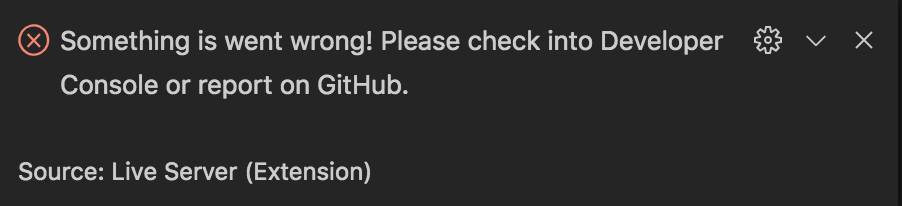
However when I check to find an error there is none to be found?
 theProtestant
on 7 Jul 2020
theProtestant
on 7 Jul 2020
Hello people,
unfortunately my browser does not open automatically. I have already selected "Chrome" in the settings, yet without success. Is there a mac os setting that I need to make? It works via the manual path in the browser.
Thanks in front,
many greetings
Sascha
 5ascha
on 29 May 2021
5ascha
on 29 May 2021
Related issues
 dominik-korsa
·
6Comments
dominik-korsa
·
6Comments
 abhiinos111abhi
·
5Comments
abhiinos111abhi
·
5Comments
 kmdrGroch
·
5Comments
kmdrGroch
·
5Comments
 Missangay
·
7Comments
Missangay
·
7Comments
 Josee9988
·
3Comments
Josee9988
·
3Comments
Most helpful comment
The extension won't work if you only have a file open. Use 'File -> Open Folder' in VSCode to open the directory your files are in. Then open the respective HTML file. You can start Live Server now and it should work.