Vscode-live-server: Code Helper Overloads CPU
Hi! Your plugin causes cpu overload in this code https://github.com/user921/live-server-cpu-overload.
- vscode 1.16.1 (1.16.1)
- macOS Sierra 10.12.6
Process "Code Helper" begins to overload just right after I press "go live".
Looks like this is similar to https://github.com/Microsoft/vscode/issues/11096
 user921
All 13 comments
I am using Windows10. I am not getting high CPU usage or CPU overload as you maintained here. (For
I need few info.
- Is the HTML page to big in size ?
- Can you send me screenshot ?
- What are other extensions installed on your system?
- Please set the
"liveServer.settings.NoBrowser" : true. and now press to "Go Live". Are you still getting the CPU Overload?
 ritwickdey
on 19 Sep 2017
ritwickdey
on 19 Sep 2017
Not open liveServer
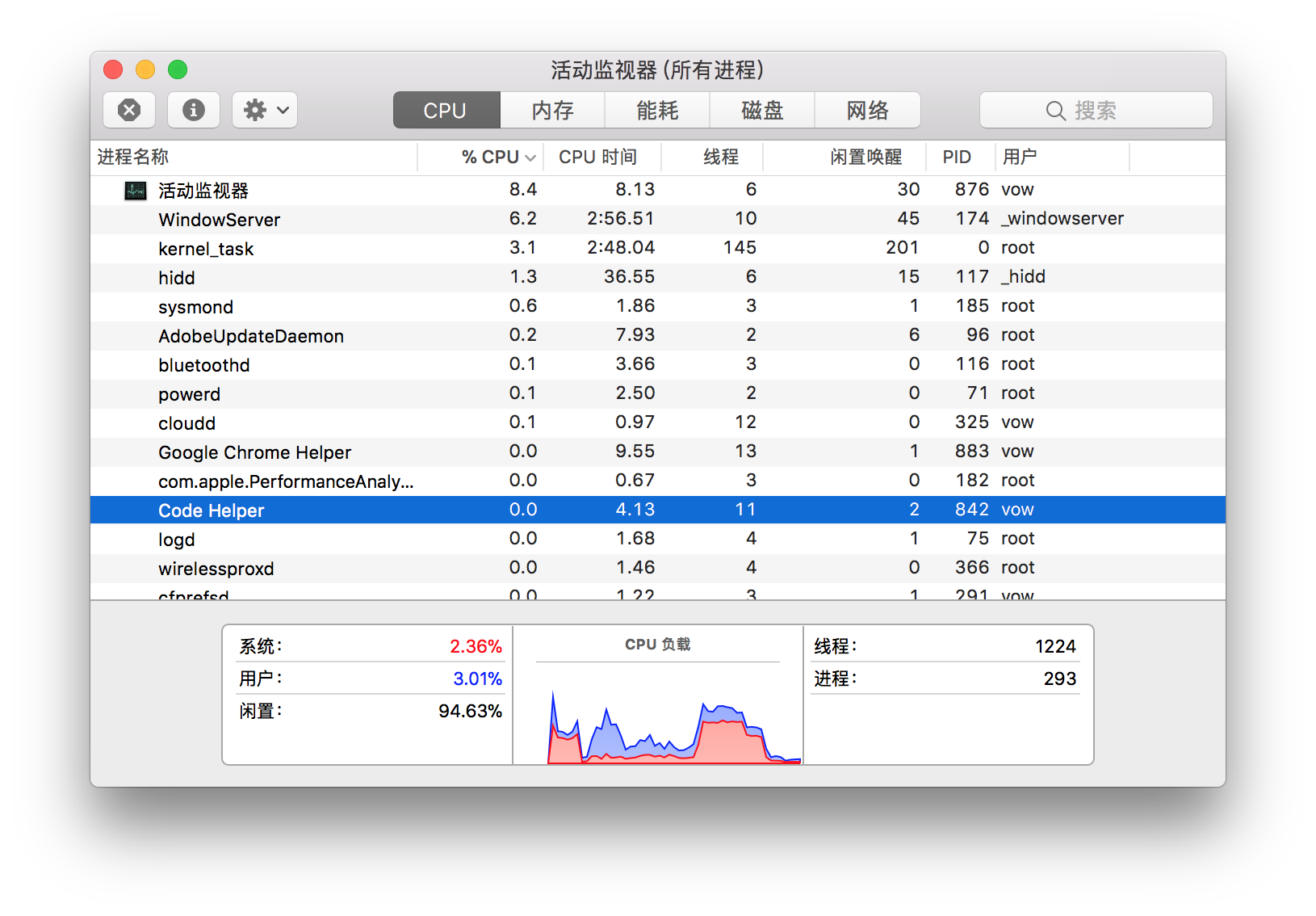
When open liveServer heavy cpu load
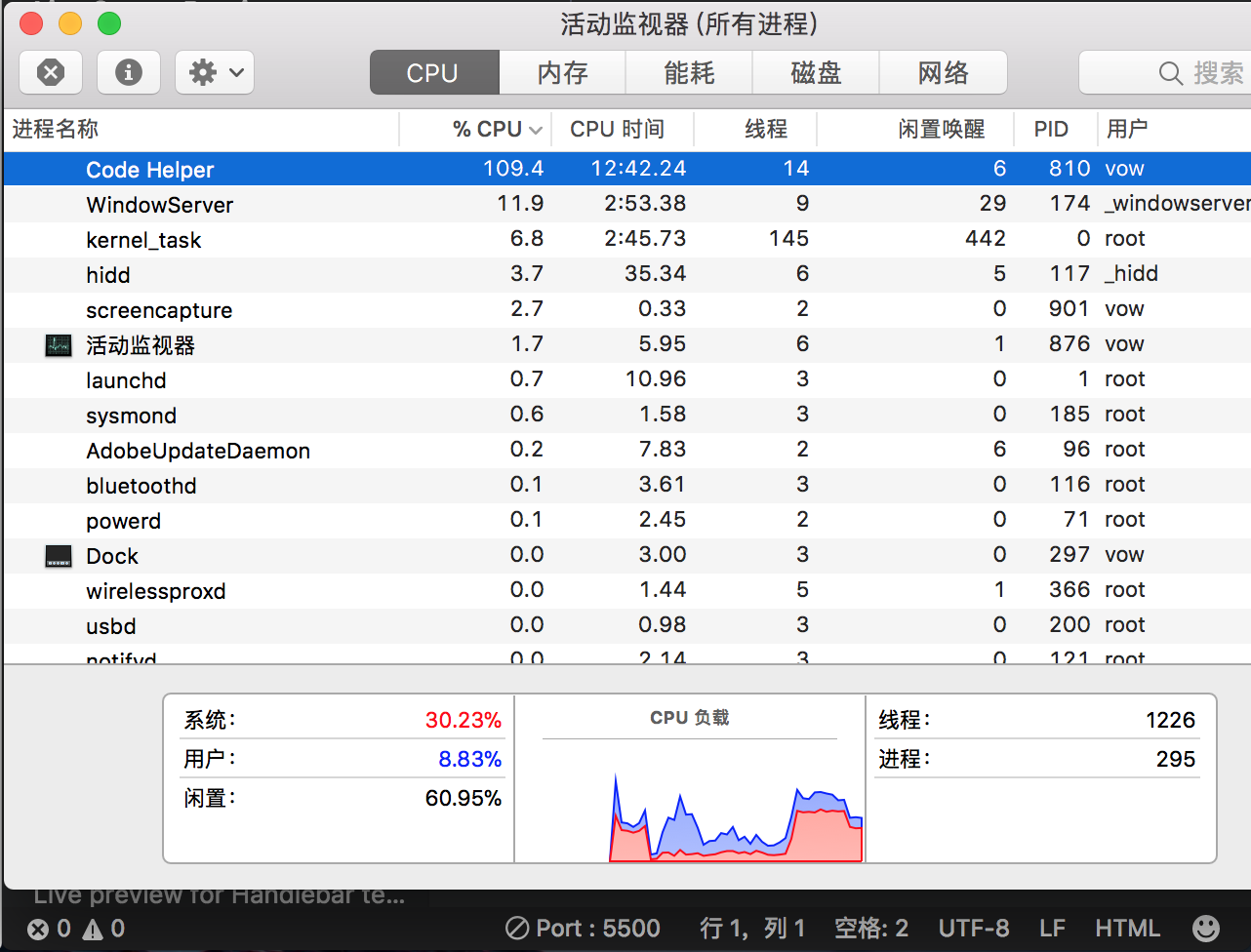

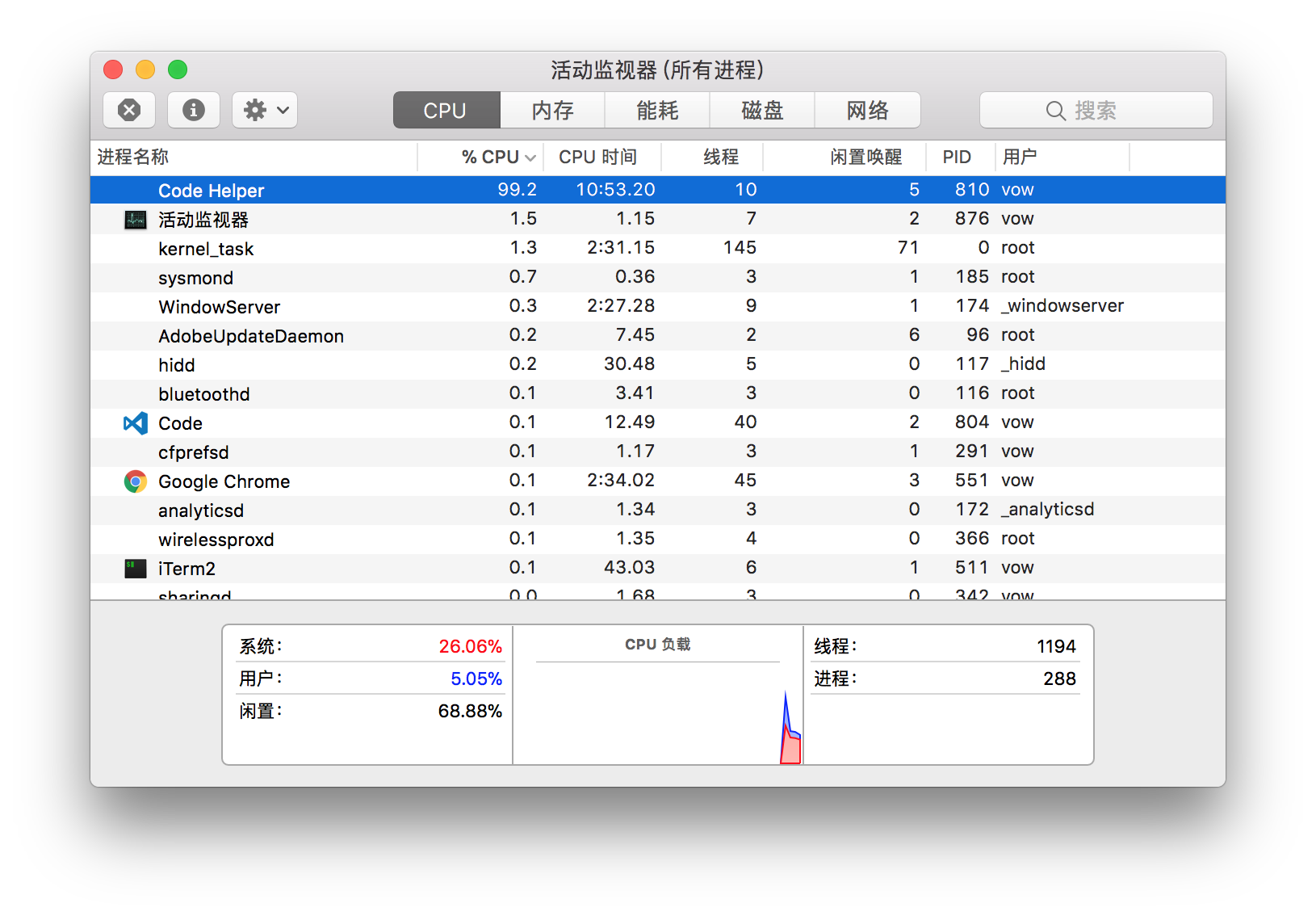
For same info
- VSCode Version: Code 1.16.1 (27492b6bf3acb0775d82d2f87b25a93490673c6d, 2017-09-14T16:24:39.530Z)
- OS Version: Darwin x64 17.0.0
- Extensions:
Extension|Author (truncated)|Version
---|---|---
bracket-pair-colorizer|Coe|0.10.9
vscode-markdownlint|Dav|0.10.1
Angular-BeastCode|Mik|5.0.1
vscode-javascript-snippet-pack|aka|0.1.5
auto-rename-tag|for|0.0.14
live-html-previewer|hdg|0.3.0
vscode-auto-open-markdown-preview|hnw|0.0.4
path-autocomplete|ion|1.6.1
vscode-JS-CSS-HTML-formatter|lon|0.2.3
HTMLHint|mka|0.4.0
live-sass|rit|0.5.1
LiveServer|rit|2.2.0
convert-markdown-to-html|sak|5.8.1
(1 theme extensions excluded)
I don't think this cause other extensions
The page which I used for test is very small
If you need more info you can tell me .
 bestvow
on 5 Oct 2017
bestvow
on 5 Oct 2017
Okay! When the issue is started? I meant, on the extension load time? or after clicking to 'go live'?
If it is after clicking to 'go live',
Is the HTML is too big? , please set following setting and look the performance.
"liveServer.settings.NoBrowser" : true,
"liveServer.settings.ignoreFiles": [
          "*",
          "**"
 ]
[actually i don't have any MAC, on Windows, I am not getting any Performance Issue (If work-space isn't containing large file (eg 100MB)) ]
ritwickdey
on 5 Oct 2017
Awesome , your right !
The folder node_modules lead to this problem

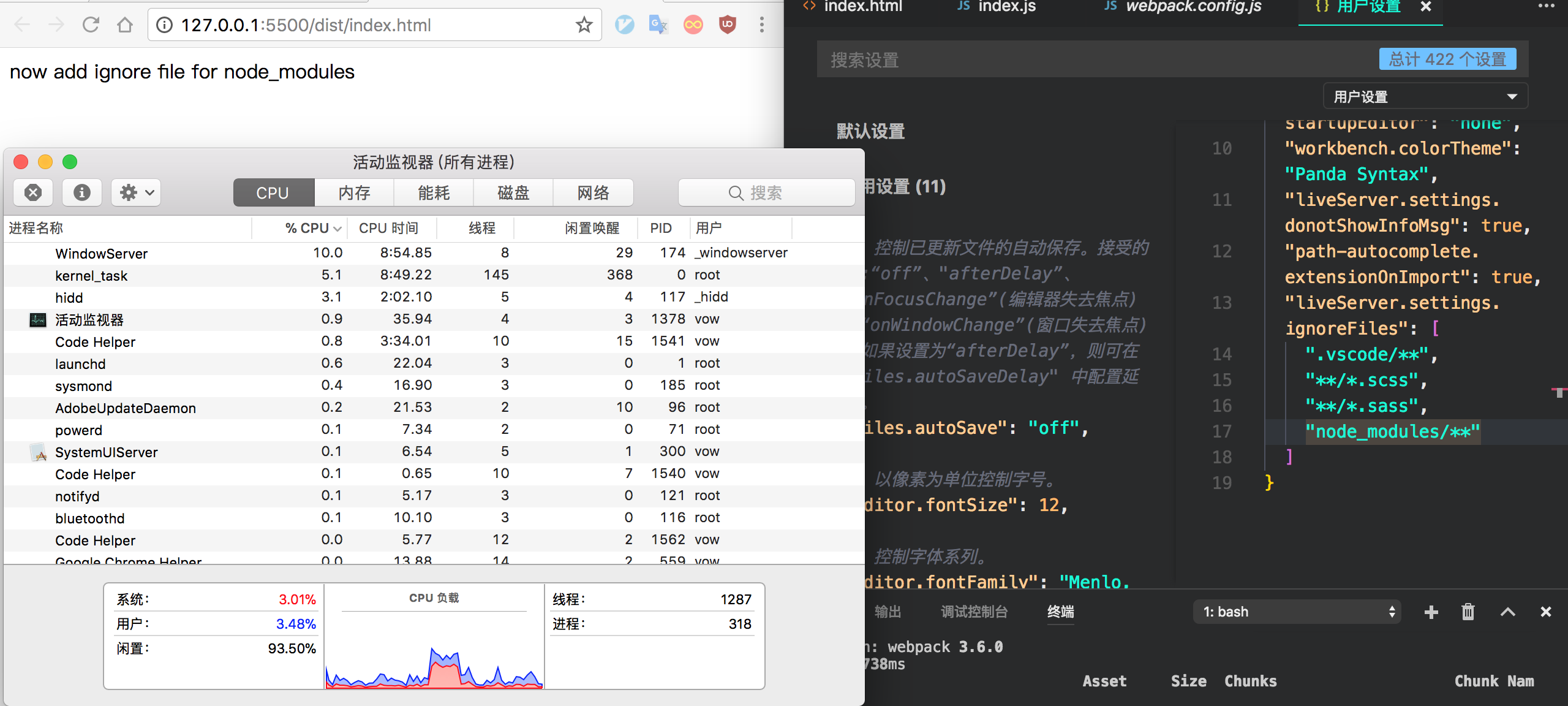
On MAC the node_modules folder is a normal folder , liverServer watching every file here , however there has tens of thousands of files (different project different size , but always huge numbers)

bestvow
on 5 Oct 2017
Okay, That's great, Thanks for the feedback. I'm going to add **/node_modules/** as default settings.
ritwickdey
on 5 Oct 2017
btw, before doing this, let me know, is it working? **/node_modules/** not /node_modules/** ?
ritwickdey
on 5 Oct 2017
In fact I don't know the different between **/node_modules/** not /node_modules/**
but both of them are ok to fix this problem
Using **/node_modules/** cpu usage is normal too .

bestvow
on 5 Oct 2017
Thanks again 😄 .
Actually,
node_modules/** means node_modules directory starting from root.
- e.g. :
if your work-space root is/usr/project/
/usr/project/node_modules/files=> passed.
/usr/project/subfolder/node_modules/files=> failed.
**/node_modules/** any directory named node_modules.
- e.g. :
if your work-space root is/usr/project/
/usr/project/node_modules/files=> passed.
/usr/project/subfolder/node_modules/files=> passed.
ritwickdey
on 5 Oct 2017
Got it ! Thanks
bestvow
on 5 Oct 2017
This issue is resolved in v2.2.1. Please update the extension. - AND no need to set explicit setting for **/node_modules/** for it.
I'm now closing this issue. Let me know if it's resolved for you or not. 😄
ritwickdey
on 7 Oct 2017
Latest version shows as 1.18 -> https://code.visualstudio.com/download
And I'm running latest (1.18.1)
Yet, my CPU is 134% ( thanks to CodeHelper ) and mac fan is always on now -- which is a new phenomenon.
What steps do I need to do to kill/by pass this CodeHelper?
 halukkaramete
on 2 Dec 2017
halukkaramete
on 2 Dec 2017
my CPU usage is 100% whenever turn on live-server; !!!
Should be fixed ! I am using the lastest ver.
 NiNJAD3vel0per
on 10 Mar 2019
NiNJAD3vel0per
on 10 Mar 2019

Can confirm this still appears to be an issue on 1.41.1. Closing VSCode does not end the task either for some odd reason, got to force quit.
 Jarrio
on 27 Jan 2020
Jarrio
on 27 Jan 2020
Related issues
 Stonerea656
·
5Comments
Stonerea656
·
5Comments
 Rakesh-webdeveloper
·
4Comments
Rakesh-webdeveloper
·
4Comments
 Er-rchydy
·
3Comments
Er-rchydy
·
3Comments
 GaoHengdong
·
4Comments
GaoHengdong
·
4Comments
 kmdrGroch
·
5Comments
kmdrGroch
·
5Comments
Most helpful comment
Awesome , your right !
The folder
node_moduleslead to this problemOn MAC the
node_modulesfolder is a normal folder , liverServer watching every file here , however there has tens of thousands of files (different project different size , but always huge numbers)