Vscode-live-server: About of 'gbk' charset
while the html is 'gbk' charset, the preview will not work well, the chinese word do not display correctly;
 johonz
All 19 comments
Sorry! I don't know about gbk' charset. Can you give me any link where it is described properly ?
 ritwickdey
on 15 Sep 2017
ritwickdey
on 15 Sep 2017
Hi, Can you give a HTML file where you're facing issue in 'gbk' charset.
ritwickdey
on 17 Sep 2017
- first create a file like
index.html Click right bottom UTF-8
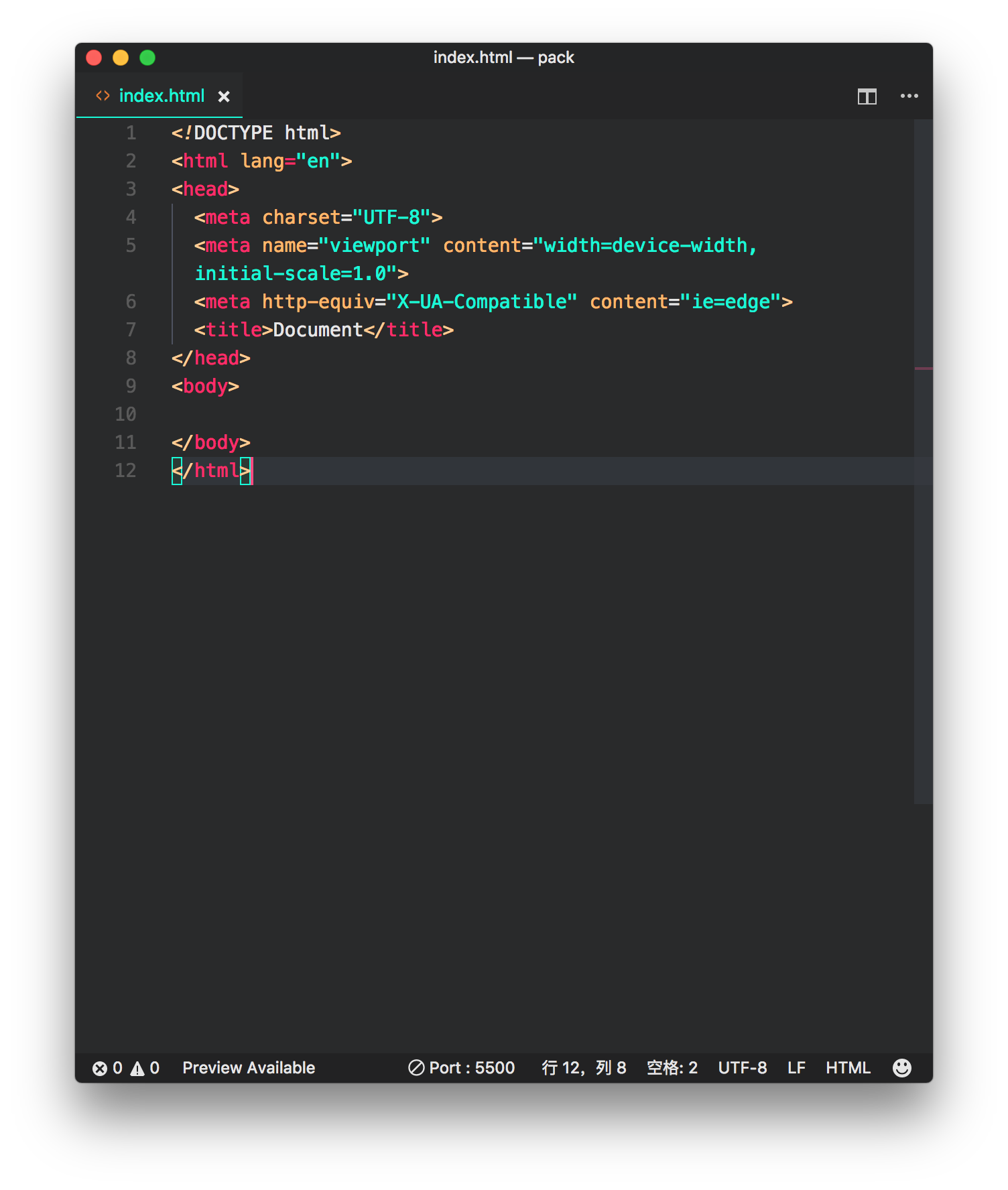
Save/Reopen with Encoding (Save/Reopen both ok)
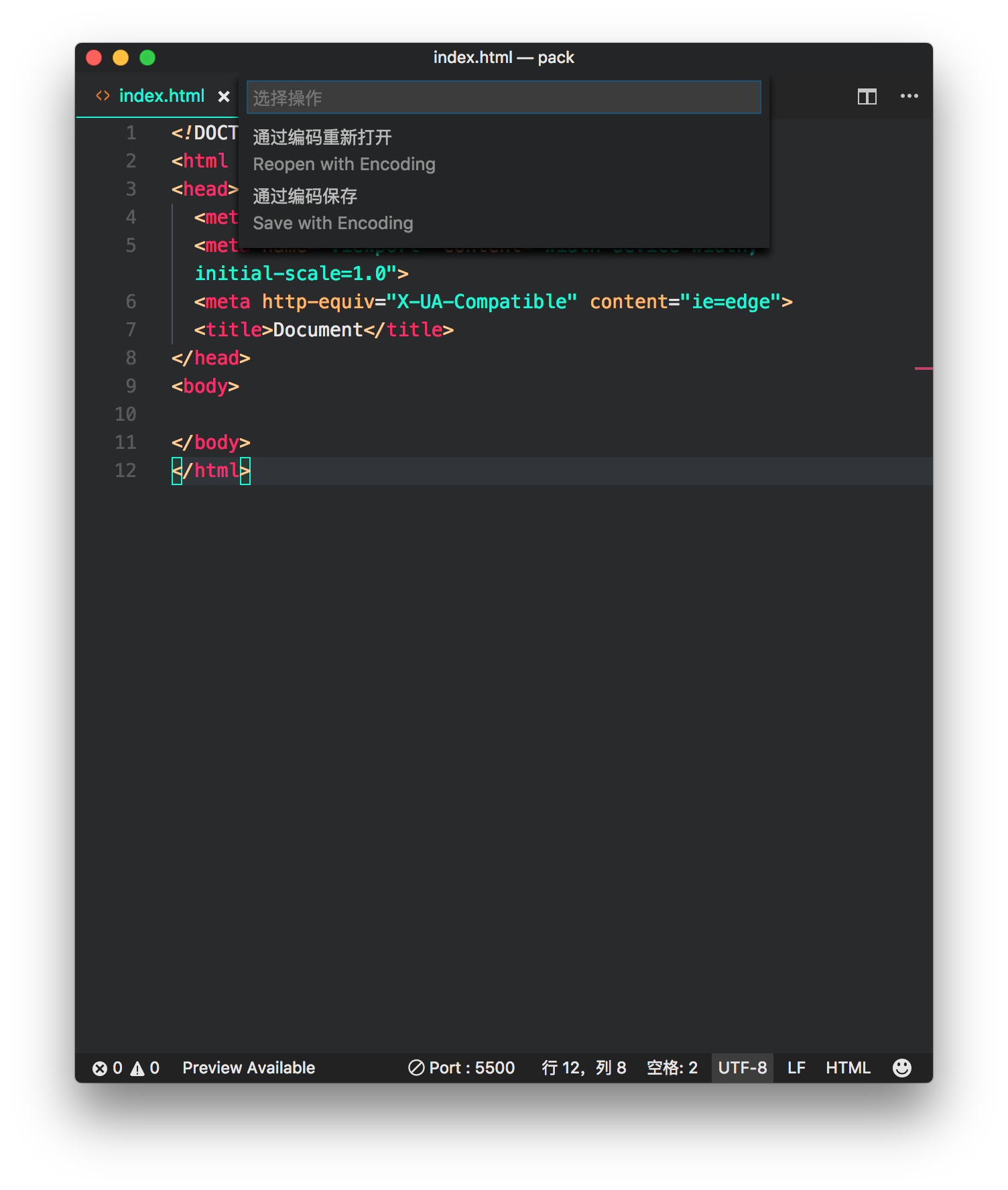
choose Gb2312

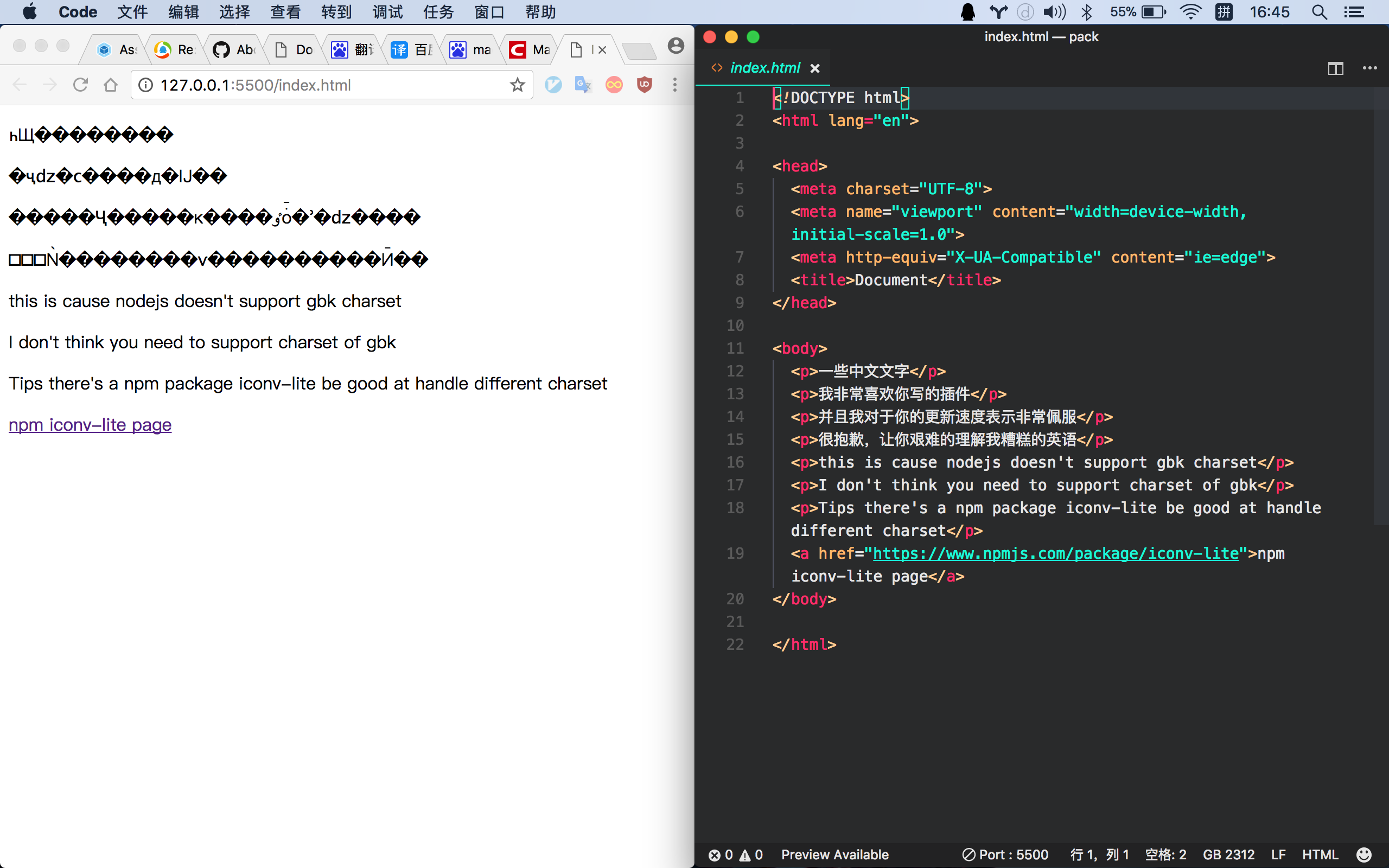
copy this text and insert to your file's body
<p>一些中文文字</p>
<p>我非常喜欢你写的插件</p>
<p>并且我对于你的更新速度表示非常佩服</p>
<p>很抱歉,让你艰难的理解我糟糕的英语</p>
<p>this is cause nodejs doesn't support gbk charset</p>
<p>I don't think you need to support charset of gbk</p>
<p>Tips there's a npm package iconv-lite be good at handle different charset</p>
<a href="https://www.npmjs.com/package/iconv-lite">npm iconv-lite page</a>
- open liveServer
- tata messy code
 bestvow
on 5 Oct 2017
bestvow
on 5 Oct 2017
Hi, @bestvow , Is this not working properly ?
ritwickdey
on 5 Oct 2017
seriously you don't need fix this problem (^-^)
bestvow
on 5 Oct 2017
Lol 😄 ....
ritwickdey
on 6 Oct 2017
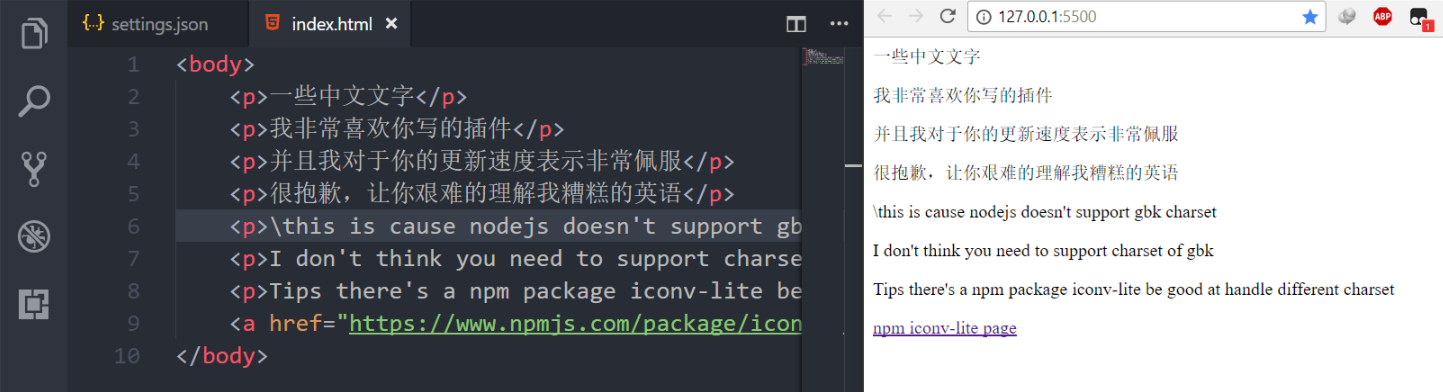
Okay, I tried. but it is working fine in utf-8. Why it is needed to convert HTML to gbk?
ritwickdey
on 6 Oct 2017
ritwickdey
on 6 Oct 2017
@johonz
I'm closing this for now, because we haven't received any response. Feel free to tag me and I will reopen this issue.
 mxschmitt
on 24 Apr 2018
mxschmitt
on 24 Apr 2018
Sorry I have to reopen this issue because I'm encountering the same problem.
the reason why it does not work well is because the live server convert all the data it reads into UTF-8 and responds to the client browser with HTTP header "Content-Type: text/htm; charset=UTF-8" which is unnecessary (charset=UTF-8), because the HTML contains meta to sepcify which charset will be used to display content already. Or perhaps there is option to turn this off already?
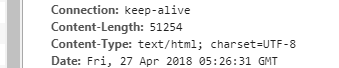
For the reason "Why it is needed to convert HTML to gbk?":
for a production, we need to display as much correct Chinese character as possibile, the UTF8 / GB2312 charset does not contain some uncommon Chinese character in it but it does in GBK charset.
for more detail you can refer to:
https://en.wikipedia.org/wiki/GBK_(character_encoding)#Encoding
https://en.wikipedia.org/wiki/GB_2312#Encodings_of_GB2312
https://en.wikipedia.org/wiki/UTF-8#Byte_order_mark
@ritwickdey @mxschmitt
 jcyuan
on 27 Apr 2018
jcyuan
on 27 Apr 2018
@jcyuan Already showing Chinese characters on our end. Can you give us some screenshots?
 rjoydip
on 17 Jun 2018
rjoydip
on 17 Jun 2018
Closing this issue. Reopen it if anyone found this issue further
rjoydip
on 27 Jun 2018
@rjoydip Sorry to reopen this, below is a file encoded in GB2312 and serving it from live-server will show garbled text because live-server responds with Content-Type: application/javascript; charset=UTF-8, and charset is unnecessary as described above.
Please instruct how I could disable that extra charset, thanks!
 MonkeyLeeT
on 7 Dec 2018
MonkeyLeeT
on 7 Dec 2018
@mxschmitt Friendly ping.
MonkeyLeeT
on 9 Dec 2018
@ritwickdey @rjoydip Friendly ping for any update.
MonkeyLeeT
on 16 Dec 2018
@ritwickdey @rjoydip Friendly ping for any update again.
MonkeyLeeT
on 23 Dec 2018
could live-server give a charset in settings?
to change all response charset, and default is utf8
 thiled
on 4 Jan 2019
thiled
on 4 Jan 2019
@thiled I'm not too familiar with vscode plugin development and couldn't find how it's being forced in this repo. Otherwise I'd have changed it myself.
Hopefully author could get some time to take a look at this issue as this plugin is quite useful.
MonkeyLeeT
on 7 Jan 2019
Okay it turns out that it's due to Node itself not able to serve GBK/GB2312 encoded files, or more precisely, send module messing content-type due to mime module it uses: https://github.com/pillarjs/send/blob/f60b775d4736635046ef25708b9493d215f05ff0/index.js#L845 maps application/javascript to UTF-8 in a quite rudimentary way.
One liner is to define new mappings in https://github.com/ritwickdey/vscode-live-server/blob/master/lib/live-server/index.js#L50, in the way described by https://github.com/pillarjs/send, e.g.
send.mime.define({
 'application/javascript': ['gb2312']
})
, which is locally modifiable as long as you locate the extension folder on your machine and this file is in %ext_folder%/node_modules/live-server.
Not sure how author wanna tackle this, but anyone who has similar issue should be able to proceed now.
MonkeyLeeT
on 10 Jan 2019
Related issues
 ghost
·
6Comments
ghost
·
6Comments
 manavm1990
·
5Comments
manavm1990
·
5Comments
 mpower02
·
6Comments
mpower02
·
6Comments
 Rakesh-webdeveloper
·
4Comments
Rakesh-webdeveloper
·
4Comments
 iAdesanyaDaniel
·
3Comments
iAdesanyaDaniel
·
3Comments
Most helpful comment
Okay it turns out that it's due to Node itself not able to serve GBK/GB2312 encoded files, or more precisely, send module messing content-type due to mime module it uses: https://github.com/pillarjs/send/blob/f60b775d4736635046ef25708b9493d215f05ff0/index.js#L845 maps application/javascript to UTF-8 in a quite rudimentary way.
One liner is to define new mappings in https://github.com/ritwickdey/vscode-live-server/blob/master/lib/live-server/index.js#L50, in the way described by https://github.com/pillarjs/send, e.g.
, which is locally modifiable as long as you locate the extension folder on your machine and this file is in %ext_folder%/node_modules/live-server.
Not sure how author wanna tackle this, but anyone who has similar issue should be able to proceed now.