Vscode-jupyter: I want an option to disable all surveys
Environment data
- VS Code version: 1.49.3
- Extension version (available under the Extensions sidebar): 2020.9.114305
- OS and version: Ubuntu 18.04
Expected behaviour
There should be a setting to disable all surveys. On the "Python Data Science features" survey notification, there should be a button to never show a survey again.
Actual behaviour
The "Python Data Science features" survey notification showed up without a button to disable surveys. A search in the settings revealed no setting to disable all surveys.
If every VSCode extension shows multiple different surveys without a way to disable them all, this editor is going to become cluttered very quickly.
Steps to reproduce:
- Use the python extension and wait for the survey notification
 alexschlueter
All 15 comments
Thanks for reporting this @alexschlueter, we'll discuss the prioritization for getting this fixed at our weekly triage meeting 😊
 joyceerhl
on 12 Oct 2020
joyceerhl
on 12 Oct 2020
I'm getting survey notifications about the language server which I find incredibly annoying and spammy. I even went through the trouble of investigating this more deeply in an attempt to disable it. After dismissing the dialog, in my global.json inside of the ms-python.python escaped JSON string, the following keypars are added
\"LSSurveyShowAttempt\":155,\"LSSurveyShowCount\":153.04036011291677
but I don't know what these numbers are supposed to mean. Thus I wanted to look at the corresponding source code, but wasn't able to find any hits for either key name on Google search or GitHub. Are these notifications originating from some closed-source component, or am I missing something?
 maresb
on 13 Oct 2020
maresb
on 13 Oct 2020
After the next dismissal of the dialog, I found the new key ShowLSSurveyBanner set to false.
I'm now attempting to disable surveys in my containerized dev environment with the following keys:
\"ShowDSSurveyBanner\":false,\"ShowLSSurveyBanner\":false
It would of course be much nicer to have an option to disable these surveys instead of hacking around with string-encoded JSON.
maresb
on 13 Oct 2020
Theoretically once you dismiss the survey banner it won't show up again (hence the writing to the global.json). However the surveys don't share the same key. So even if you dismiss one, you may get asked for another.
 rchiodo
on 14 Oct 2020
rchiodo
on 14 Oct 2020
@rchiodo I don't believe it's true that the Language Server survey banner will not show up again after it's dismissed. In my case, after the first dismissal, LSSurveyShowAttempt and LSSurveyShowCount were written to global.json, but "ShowLSSurveyBanner":false was added only after the second dismissal.
Is anyone willing to link to the relevant source code so that we can definitively see what's going on?
maresb
on 14 Oct 2020
The Language server banner is actually written by the Pylance extension I believe. Not by the python extension. However we have similar code here:
https://github.com/microsoft/vscode-python/blob/1370b6de25c9e04c7d67d8b9c8069e601e16e8c8/src/client/datascience/dataScienceSurveyBanner.ts#L102
rchiodo
on 14 Oct 2020
Thanks for the reference @rchiodo! Since I don't see any analog of the LSSurveyShowAttempt or LSSurveyShowCount variables there, I suspect the LS survey logic is different.
Moreover, I do not have Pylance installed, only Pyright.
I was under the impression that both MSPyLS and Pyright were open-source, which is why I'm so baffled that I can't find these variables anywhere.
maresb
on 14 Oct 2020
Theoretically once you dismiss the survey banner it won't show up again (hence the writing to the global.json). However the surveys don't share the same key. So even if you dismiss one, you may get asked for another.
In the jupyter notebook / data science environment this keeps coming up and it is so annoying.. even after actually responding and submitting the survey comes up continuosly... close to ditch VSC for this really..
 marchmallow
on 24 Nov 2020
marchmallow
on 24 Nov 2020
Hi @marchmallow very sorry for the trouble. Are you seeing the same survey prompt appear multiple times? If so that would be a bug.
Does clicking 'no' on the prompt stop it from reappearing, is it the same survey each time, and are you on the stable or insider version of VS Code?
joyceerhl
on 24 Nov 2020
@marchmallow Could you please provide a screenshot or text of the survey that keeps popping up? This seems like a bug and in order to troubleshoot it would be very helpful to have the specific survey, we will get this fixed up for you!
 claudiaregio
on 24 Nov 2020
claudiaregio
on 24 Nov 2020
This is most probably a dupe of https://github.com/microsoft/vscode-jupyter/issues/4002
 DonJayamanne
on 24 Nov 2020
DonJayamanne
on 24 Nov 2020
@marchmallow
Please could you provide a screenshot of the prompt or provide the exact message displayed.
I believe we have you are experiencing the same issue reported here #4002
DonJayamanne
on 24 Nov 2020
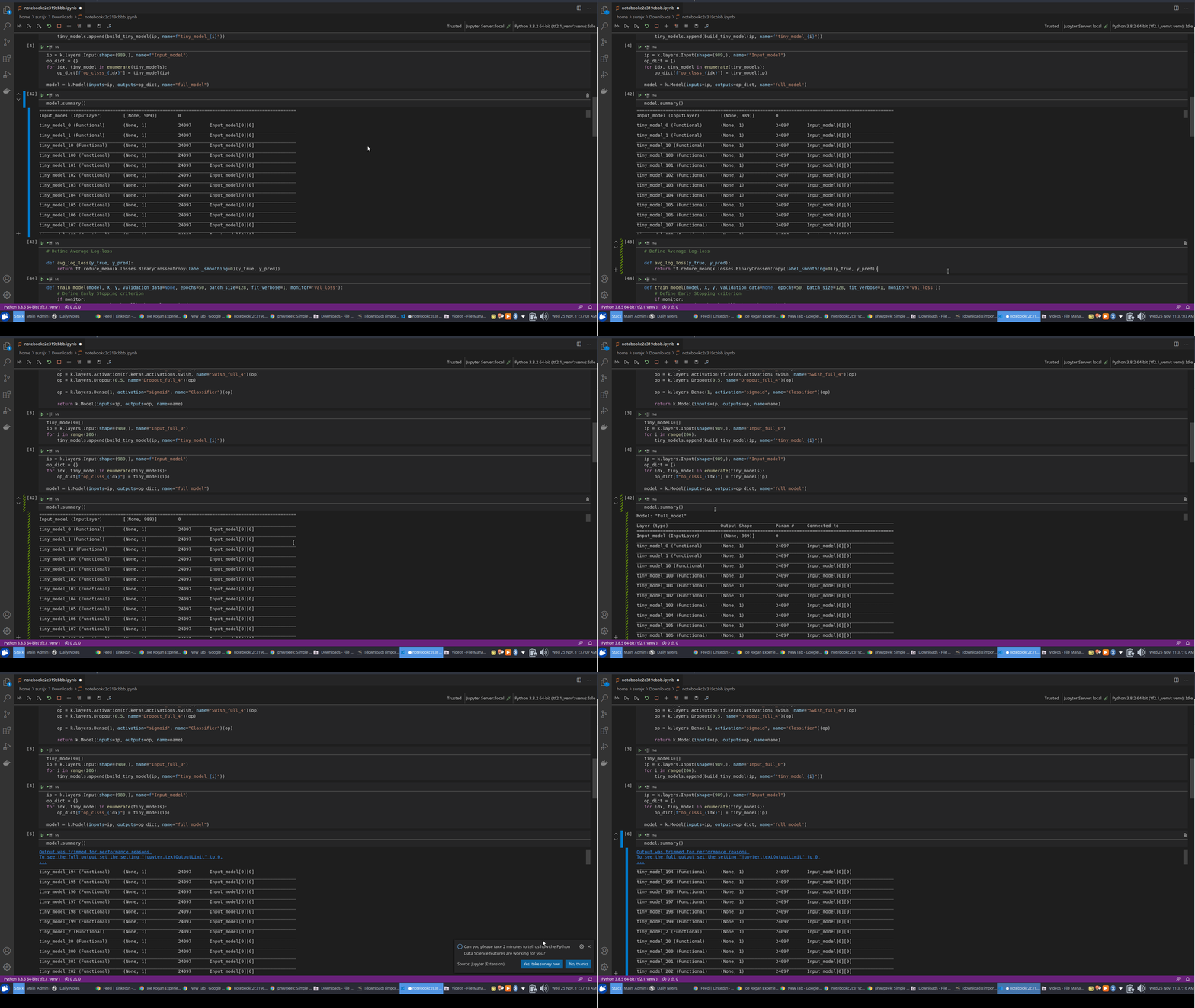
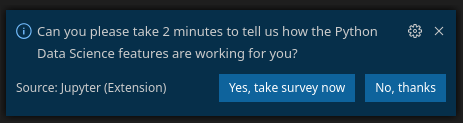
Execution of any cell in a Jupyter notebook triggers the survey notification.
 surajx
on 25 Nov 2020
surajx
on 25 Nov 2020
@surajx Thanks for the additional info, we believe to have found the bug. Fix coming soon!
claudiaregio
on 25 Nov 2020
Confirming survey pops up any time I do something, irrespective of filling out survey or hitting no thanks. Specifically using Jupyter in this instance.
 Schachte
on 27 Nov 2020
Schachte
on 27 Nov 2020
Related issues
 schatt89
·
4Comments
schatt89
·
4Comments
 allefeld
·
4Comments
allefeld
·
4Comments
 jediyoda36
·
4Comments
jediyoda36
·
4Comments
 greazer
·
3Comments
greazer
·
3Comments
 PolishShatter
·
4Comments
PolishShatter
·
4Comments
Most helpful comment
Execution of any cell in a Jupyter notebook triggers the survey notification.

