Vscode-jupyter: cant use fairlearn in visual studio code
Bug: Notebook Editor, Interactive Window, Editor cells
Steps to cause the bug to occur
1.
Actual behavior
Expected behavior
Your Jupyter and/or Python environment
_Please provide as much info as you readily know_
- Jupyter server running: Local | Remote | N/A
- Extension version: 20YY.MM.#####-xxx
- VS Code version: #.##
- Setting python.jediEnabled: true | false
- Setting python.languageServer: Jedi | Microsoft | None
- Python and/or Anaconda version: #.#.#
- OS: Windows | Mac | Linux (distro):
- Virtual environment: conda | venv | virtualenv | N/A | ...
Developer Tools Console Output
Microsoft Data Science for VS Code Engineering Team: @rchiodo, @IanMatthewHuff, @DavidKutu, @DonJayamanne, @greazer, @joyceerhl
 willgart
All 15 comments
Do you have any more information? It seems to work for me:
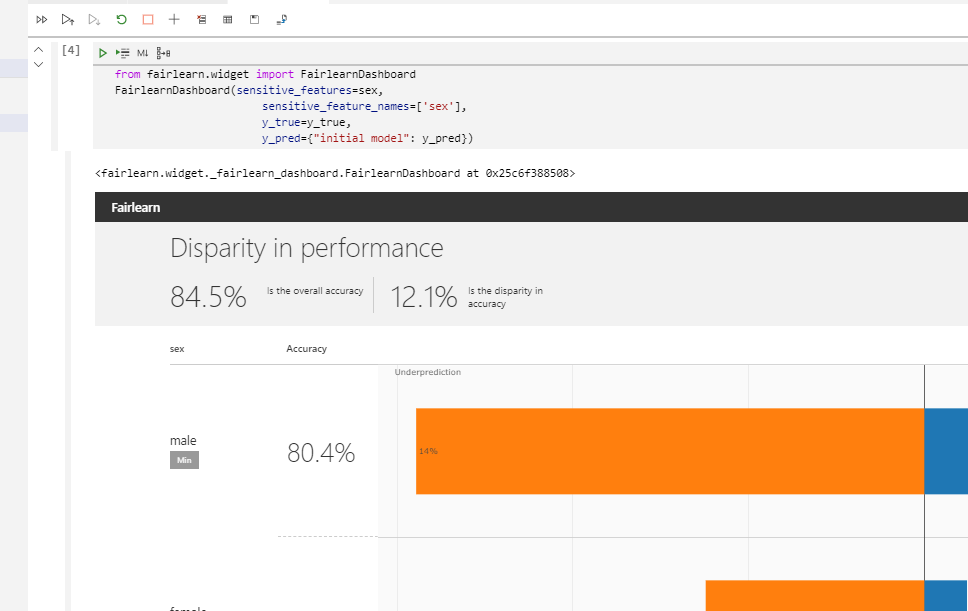
What output do you get when using it?
 rchiodo
on 17 Jun 2020
rchiodo
on 17 Jun 2020
finally the HTML page is displayed for me too, for some reasons it took a long time before its displayed.
I still got a popup with the error message asking me to report the issue
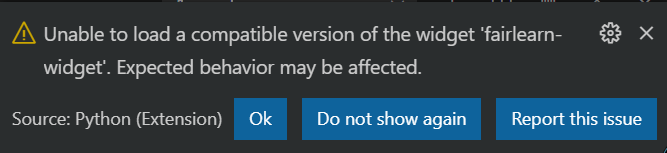
I'm using Python 3.8.3
I reinstalled it and reinstall the package.
I have not found a full installation procedure. so I'm not sure what is required / missing / out of date.
well... at least I have it now.
willgart
on 17 Jun 2020
Yeah that message could be better. It means the fairlearn-widget does not have a bundle on the two CDNs we use for downloading its javascript.
In jupyter, when a widget loads, jupyter loads it from an nbextensions directory. However this javascript can have jupyter dependencies embedded in it (and hence won't load for us). Most widgets provide a packaged version of their javascript on either http://unpkg.com or http://jsdelivr.net.
That message you have there pops up when we can't find the packaged javascript and so we try to load the js directly from where Jupyter loads it. Sometimes that doesn't work.
rchiodo
on 17 Jun 2020
is there a way to manually download the missing stuff?
now again I'm seeing nothing in my own python code, but the fairlearn samples are working fine (except the popup)
willgart
on 19 Jun 2020
Unfortunately fairlearn is not packaging their widget in such a way that it can be hosted outside of jupyter. That's the reason the popup appears. To fix that, they would have to publish their javascript outside of just their jupyter extension (like beakerx, ipyvolume, ipyleaflet, etc do).
rchiodo
on 19 Jun 2020
That may not be the problem though. Can you include a piece of code that fails and I can try it here?
rchiodo
on 19 Jun 2020
here a model and some data
sql_query2.zip
the dashboard is not displayed there.
I got the code from a fairlearn working sample
willgart
on 19 Jun 2020
I can't get your model to load. Looks like we have different versions of scikit-learn:
ImportError: cannot import name '_check_sample_weight' from 'sklearn.utils.validation' (C:\Users\rchiodo.REDMOND\AppData\Local\Continuum\miniconda3\envs\jupyter\lib\site-packages\sklearn\utils\validation.py)
What version of scikit-learn was used to generate the model?
rchiodo
on 19 Jun 2020
here my version:
scikit-learn 0.23.1
willgart
on 19 Jun 2020
That's the same version I have. Unless sklearn.utils is a different package.
rchiodo
on 19 Jun 2020
Okay restarting the jupyter server and now I can load and repro your problem.
rchiodo
on 19 Jun 2020
Your sample isn't working because fairlearn is crashing. See my console output:
You can get to that if you run 'Developer: Open Webview Developer Tools' from the command palette.
So it looks like a bug in fairlearn (or some piece of jupyter they rely on that causes the crash).
rchiodo
on 19 Jun 2020
I added a bug to fairlearn. Hopefully somebody that works on fairlearn will know what to do.
https://github.com/fairlearn/fairlearn/issues/501
rchiodo
on 19 Jun 2020
thanks for your great help and quick feedback.
willgart
on 19 Jun 2020
Related issues
 PierreMarchand20
·
74Comments
PierreMarchand20
·
74Comments
 ddouglas87
·
138Comments
ddouglas87
·
138Comments
 clayms
·
34Comments
clayms
·
34Comments
 rannirabadi
·
37Comments
rchiodo
·
38Comments
rannirabadi
·
37Comments
rchiodo
·
38Comments