Vscode-java: High CPU Usage
Issue Type: Performance Issue
This happens when ever I open a java file. I keep seeing the message on the bottom bar "Building workspace - 0%" continuously. This process continues even if I close the java file. Only way to get back to normal state is by restarting Visual Studio Code.
Process explorer shows that this extension is loading the CPU. I couldn't find a way to get any logs to find out what is going on. Clicking on the icon (thumps up) on the status bar shows no anomalies.
VS Code version: Code 1.32.3 (a3db5be9b5c6ba46bb7555ec5d60178ecc2eaae4, 2019-03-14T22:46:48.547Z)
OS version: Darwin x64 18.5.0
System Info
|Item|Value|
|---|---|
|CPUs|Intel(R) Core(TM) i7-4870HQ CPU @ 2.50GHz (8 x 2500)|
|GPU Status|2d_canvas: enabled
checker_imaging: disabled_off
flash_3d: enabled
flash_stage3d: enabled
flash_stage3d_baseline: enabled
gpu_compositing: enabled
multiple_raster_threads: enabled_on
native_gpu_memory_buffers: enabled
rasterization: unavailable_off
surface_synchronization: enabled_on
video_decode: enabled
webgl: enabled
webgl2: enabled|
|Load (avg)|4, 3, 3|
|Memory (System)|16.00GB (0.14GB free)|
|Process Argv||
|Screen Reader|no|
|VM|0%|
Process Info
CPU %   Mem MB     PID  Process
   14       98    8362  code main
    1       33    8369     gpu-process
    0      229    8373     window (dc-dbsvcs-swarm.yaml — koopid (Workspace))
    0      295    8573       extensionHost
    0       33    8592         electron_node server.js
    0       33    8940         /Applications/Visual Studio Code.app/Contents/Frameworks/Code Helper.app/Contents/MacOS/Code Helper /Applications/Visual Studio Code.app/Contents/Resources/app/extensions/html-language-features/server/dist/htmlServerMain --node-ipc --clientProcessId=8573
    0       33   12933         electron_node server.js
    0       33   12934         electron_node server.js
    0       16   12948         electron_node server.js
  102     1327   25916         /Library/Java/JavaVirtualMachines/jdk1.8.0_152.jdk/Contents/Home/bin/java -Declipse.application=org.eclipse.jdt.ls.core.id1 -Dosgi.bundles.defaultStartLevel=4 -Declipse.product=org.eclipse.jdt.ls.core.product -Dfile.encoding=utf8 -noverify -Xmx1G -XX:+UseG1GC -XX:+UseStringDeduplication -jar /Users/jjaimon/.vscode/extensions/redhat.java-0.41.0/server/plugins/org.eclipse.equinox.launcher_1.5.300.v20190213-1655.jar -configuration /Users/jjaimon/.vscode/extensions/redhat.java-0.41.0/server/config_mac -data /Users/jjaimon/Library/Application Support/Code/User/workspaceStorage/867c5a5a4233c9061bf36a2506cd597e/redhat.java/jdt_ws
    0       49    8576       watcherService
    0       82    8567     shared-process
    0       98   33960     window (Issue Reporter)
    0        0   33963     /bin/ps -ax -o pid=,ppid=,pcpu=,pmem=,command=
Workspace Info
|  Window (dc-dbsvcs-swarm.yaml — koopid (Workspace))
|    Folder (git_wa): more than 26508 files
|      File types: xml(12502) png(2766) js(1498) jpg(1479) css(1477)
|                  html(1359) jar(919) yml(392) otf(388) json(336)
|      Conf files: package.json(7) launch.json(2) tasks.json(2)
|                  settings.json(1) makefile(1) grunt.js(1) gulp.js(1)
|      Launch Configs: python(14) chrome;
Extensions (40)
Extension|Author (truncated)|Version
---|---|---
vscode-database|baj|2.1.3
haproxy|bma|0.1.1
imagepreview|buz|0.5.1
vscode-markdownlint|Dav|0.25.0
lua-debug|dev|1.1.0
githistory|don|0.4.6
xml|Dot|2.4.0
pgsql|dou|0.1.3
gitlens|eam|9.5.1
vscode-great-icons|emm|2.1.47
vsc-material-theme|Equ|2.8.1
vscode-firefox-debug|hbe|1.7.8
beautify|Hoo|1.4.11
kubernetes-snippets|ipe|0.1.9
svn-scm|joh|1.47.5
ldif|jta|0.1.1
php-cs-fixer|jun|0.1.117
vscode-gutter-preview|kis|0.18.0
vscode-kubernetes-tools|ms-|0.1.18
python|ms-|2019.2.5558
Go|ms-|0.9.2
debugger-for-chrome|msj|4.11.3
vetur|oct|0.17.0
vscode-docker|Pet|0.6.1
material-icon-theme|PKi|3.6.3
psi-header|psi|1.6.7
quicktype|qui|12.0.46
nginx-formatter|ray|0.0.4
java|red|0.41.0
vscode-yaml|red|0.3.0
LiveServer|rit|5.5.1
bash-debug|rog|0.3.4
vscode-nginx|sha|0.6.0
vscodeintellicode|Vis|1.1.4
vscode-java-debug|vsc|0.17.0
vscode-java-dependency|vsc|0.3.0
vscode-java-pack|vsc|0.6.0
vscode-java-test|vsc|0.15.1
vscode-maven|vsc|0.15.1
vscode-ansible|vsc|0.5.2
(5 theme extensions excluded)
 jjaimon
All 17 comments
Can you try after disabling all the other Java-related extensions?
 fbricon
on 21 Mar 2019
fbricon
on 21 Mar 2019
I'm hitting this bug. This process goes nuts:
/usr/lib/jvm/java-1.8.0-openjdk-1.8.0.222.b10-0.fc30.x86_64/bin/java -Declipse.application=org.eclipse.jdt.ls.core.id1 -Dosgi.bundles.defaultStartLevel=4 -Declipse.product=org.eclipse.jdt.ls.core.product -Dfile.encoding=utf8 -noverify -Xmx1G -XX:+UseG1GC -XX:+UseStringDeduplication -jar /home/isanchez/.vscode/extensions/redhat.java-0.50.0/server/plugins/org.eclipse.equinox.launcher_1.5.500.v20190715-1310.jar -configuration /home/isanchez/.vscode/extensions/redhat.java-0.50.0/server/config_linux -data /home/isanchez/.config/Code/User/workspaceStorage/0cca46c54a26d280c43f7d928784ca5b/redhat.java/jdt_ws
Disabling Java Test Runner, Java Dependency Viewer and Maven for Java, killing the process and restarting vscode did the trick for me.
 drhelius
on 8 Oct 2019
drhelius
on 8 Oct 2019
I can confirm that the Java Test Runner caused this issue for me.
 KKrauskopf
on 13 Dec 2019
KKrauskopf
on 13 Dec 2019
I have the same problem using the v0.58.0 on Windows 10 or Ubuntu 18 LTS: my CPU is staying at 100% for hours when I open a huge Java project.
I can reproduce the problem with Nuxeo code using the commit 7de66e44f8755ef644b0b2331a7cacb5f19a0c52.
When I open it, my CPU is directly jumping to 100% while the RAM is staying at around 8GB. On Ubuntu, I waited more than 4 hours before the loading process is finished.
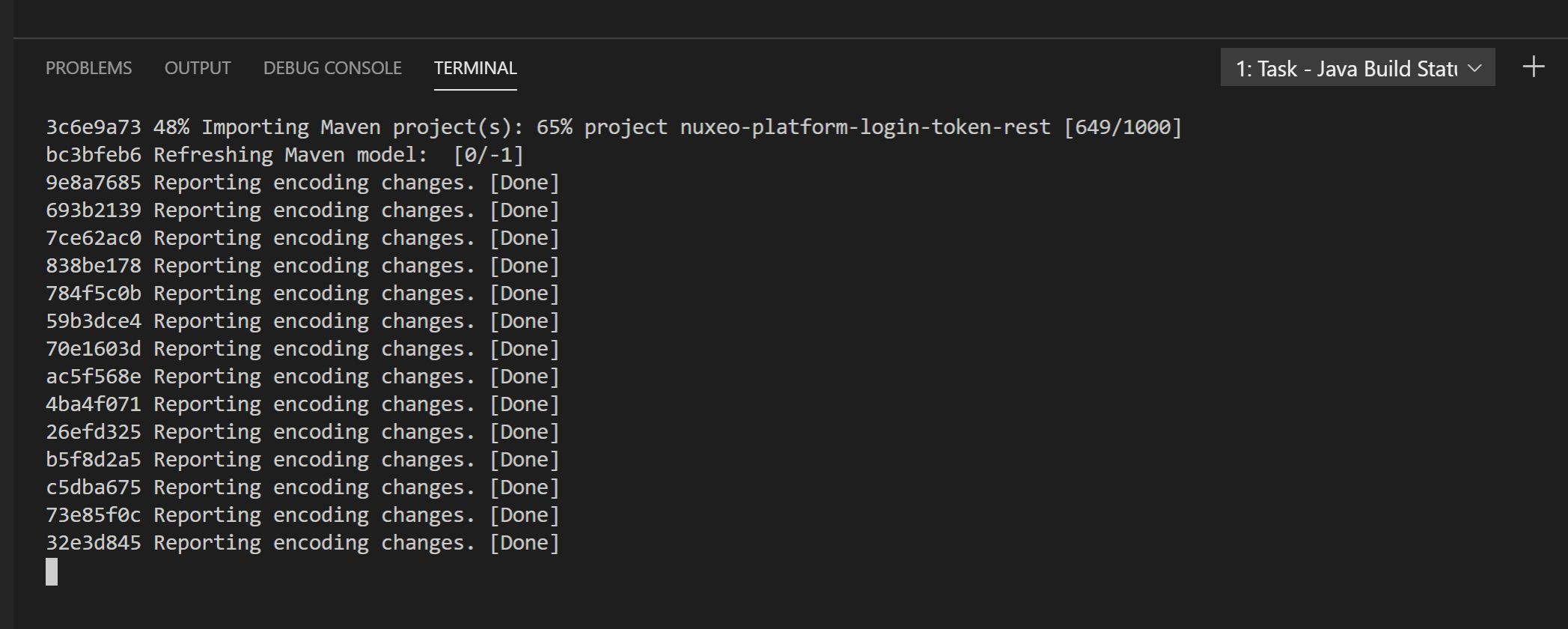
While this process is running, it's almost impossible to do something and an extension such as SonarLint can't run because it relies on what is provided by the Java extension.
Thanks
Alex
| Item | Value |
| ------------- | ------------- |
| CPU/RAM | i5-3570 CPU @ 3.40GHz, 3801 Mhz, 4 Core(s) + 32 GB RAM |
| JDK | AdoptOpenJDK: 11.0.6+10 |
| VS Code Version | 1.42.1 (user setup) |
| Commit | c47d83b293181d9be64f27ff093689e8e7aed054 |
| Date | 2020-02-11T14:45:59.656Z |
| Electron | 6.1.6 |
| Chrome | 76.0.3809.146 |
| Node.js | 12.4.0 |
| V8 | 7.6.303.31-electron.0 |
| OS | Windows_NT x64 10.0.18362 |
 agigleux
on 9 Mar 2020
agigleux
on 9 Mar 2020
vscode isn't busy with the workspace, according to the status bar at the bottom, but it's been using a ton of CPU for an hour:
Version: 1.43.0
Commit: 78a4c91400152c0f27ba4d363eb56d2835f9903a
Date: 2020-03-09T19:44:52.965Z
Electron: 7.1.11
Chrome: 78.0.3904.130
Node.js: 12.8.1
V8: 7.8.279.23-electron.0
OS: Linux x64 5.0.0-40-generic
openjdk version "1.8.0_232"
OpenJDK Runtime Environment (build 1.8.0_232-8u232-b09-0ubuntu1~19.04.1-b09)
OpenJDK 64-Bit Server VM (build 25.232-b09, mixed mode)
 stodge
on 11 Mar 2020
stodge
on 11 Mar 2020
I was observing the same when initiating code completion hints Ctrl+Space (on Mac). Disabling the Java Test Runner seems to have fixed the issue.
 rwankar
on 4 Jul 2020
rwankar
on 4 Jul 2020
Absolutely unusable, Java CPU 300% all the time, you kill it in process inspector - it starts again after couple of seconds.
Mac OS, latest versions of VSCode and Java Extensions.
 al6x
on 20 Jul 2020
al6x
on 20 Jul 2020
@alexeypetrushin try disabling all other Java extensions. If it still happens, try taking a thread dump of the jdt.ls process (search for org.eclipse.equinox.launcher with jps)
fbricon
on 20 Jul 2020
@alexeypetrushin disabling the Java Test Runner extension solved it for me.
rwankar
on 20 Jul 2020
Thanks, I disabled test runner and some other extensions and CPU went back to normal.
al6x
on 20 Jul 2020
@akaroml @jdneo @testforstephen @Eskibear I guess this one is on you guys ;-)
fbricon
on 20 Jul 2020
Same for me.
 Jojoooo1
on 21 Jul 2020
Jojoooo1
on 21 Jul 2020
I get this issue even for non-Java projects when opening a Yaml file. Disabling all Java-related extension ~seems to~ does not prevent the Yaml server from triggering huge CPU load.
On further investigation, this the Yaml server is started when I open a (large/complex) .yaml file (as expected). From that point on, it consumes 100% CPU load and never terminates, even after closing the .yaml file in the editor. The high CPU load would not be as bad if it was only temporary.
The only way out that I have found was to close the editor, and manually kill the Yaml server process.
 carschno
on 12 Jan 2021
carschno
on 12 Jan 2021
reported https://github.com/microsoft/vscode-java-test/issues/1164 as it seems that the culprit is comign from vscode-java-test for most of the users that commented here.
@carschno this seems to be a different root cause, even if similar outcomes.
Can you report an issue in https://github.com/redhat-developer/vscode-yaml ?
Would be ncie if you can provide a yaml file to reproduce the issue.
If not possible, please provide a Thread dump of the java process corresponding to the yaml language server.
 apupier
on 26 Mar 2021
apupier
on 26 Mar 2021
@apupier We have done several works to solve the performance issue, some of them are listed here: https://github.com/microsoft/vscode-java-test/issues/1164#issuecomment-808657925. I think more information are needed to find where is the gap.
 jdneo
on 27 Mar 2021
jdneo
on 27 Mar 2021
After upgrade to the 1.54.3 version on a RHEL7 I got extreme high CPU load on a C++ project. Only after downgrading to the 1.53.1 release I was able to resolve it.
Launching with --disable-extensions option had no effect.
 dingetje
on 30 Mar 2021
dingetje
on 30 Mar 2021
@dingetje so vscode's at fault then?
fbricon
on 30 Mar 2021
Related issues
 ViniciusAtaide
·
4Comments
ViniciusAtaide
·
4Comments
 danielcalvogonzalez
·
3Comments
danielcalvogonzalez
·
3Comments
 roben
·
4Comments
roben
·
4Comments
 protoEvangelion
·
3Comments
protoEvangelion
·
3Comments
 yaohaizh
·
4Comments
yaohaizh
·
4Comments
Most helpful comment
I'm hitting this bug. This process goes nuts:
Disabling Java Test Runner, Java Dependency Viewer and Maven for Java, killing the process and restarting vscode did the trick for me.