Vscode-java: Organize Imports on Save breaks randomly
Hi,
how may I organize imports on file save?
The setting "java.saveActions.organizeImports": true does nothing.
Environment
- Operating System: Windows 10
- JDK version: OpenJDK 1.8.0_172
- Visual Studio Code version: 1.27.2 (user setup)
- Java extension version: please...what?
Steps To Reproduce
- Go to settings
- add "java.saveActions.organizeImports": true
- Open a java file
- insert a non used import like "import java.awt.color.*;"
- Hit Ctrl + S
- See that nothing happens
- Hit Ctrl + Alt + O
- See the import is cleaned
Current Result
Cleanup not performed on save.
Expected Result
Cleanup should be performed on save.
Additional Informations
I opened a Java Maven project (Eclipse project).
 Catscratch
All 7 comments
works for me. Try enabling verbose logging in your settings.json ("java.trace.server": "verbose"), and paste the logs here
btw
Java extension version: please...what?
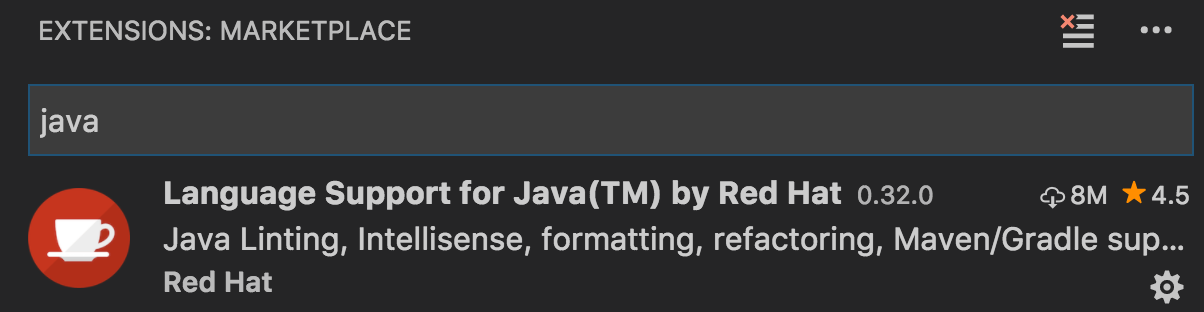
-> 0.32.0 here
 fbricon
on 4 Oct 2018
fbricon
on 4 Oct 2018
Thanks for your reply. I got 0.31.0 and now upgraded to 0.32.0.
Edit: Log
!ENTRY org.eclipse.jdt.ls.core 1 0 2018-10-05 09:27:23.573
!MESSAGE >> document/codeAction
!ENTRY org.eclipse.jdt.ls.core 1 0 2018-10-05 09:27:23.773
!MESSAGE >> workspace/executeCommand vscode.java.test.fetch
!ENTRY org.eclipse.jdt.ls.core 1 0 2018-10-05 09:27:23.776
!MESSAGE >> workspace/executeCommand vscode.java.resolveMainMethod
!ENTRY org.eclipse.jdt.ls.core 1 0 2018-10-05 09:27:24.008
!MESSAGE >> document/didChange
!ENTRY org.eclipse.jdt.ls.core 1 0 2018-10-05 09:27:24.187
!MESSAGE >> document/didChange
!ENTRY org.eclipse.jdt.ls.core 1 0 2018-10-05 09:27:24.432
!MESSAGE >> workspace/executeCommand vscode.java.test.fetch
!ENTRY org.eclipse.jdt.ls.core 1 0 2018-10-05 09:27:24.435
!MESSAGE >> workspace/executeCommand vscode.java.resolveMainMethod
!ENTRY org.eclipse.jdt.ls.core 1 0 2018-10-05 09:27:24.532
!MESSAGE >> document/documentSymbol
!ENTRY org.eclipse.jdt.ls.core 1 0 2018-10-05 09:27:24.581
!MESSAGE >> document/formatting
!ENTRY org.eclipse.jdt.ls.core 1 0 2018-10-05 09:27:24.628
!MESSAGE >> document/didChange
!ENTRY org.eclipse.jdt.ls.core 1 0 2018-10-05 09:27:24.739
!MESSAGE begin problem for /OpenInNewWindowAction.java
!ENTRY org.eclipse.jdt.ls.core 1 0 2018-10-05 09:27:24.742
!MESSAGE 5 problems reported for /OpenInNewWindowAction.java
!ENTRY org.eclipse.jdt.ls.core 1 0 2018-10-05 09:27:24.746
!MESSAGE Reconciled 0, validated: 1. Took 155 ms
!ENTRY org.eclipse.jdt.ls.core 1 0 2018-10-05 09:27:24.750
!MESSAGE >> document/willSaveWailUntil
!ENTRY org.eclipse.jdt.ls.core 1 0 2018-10-05 09:27:24.854
!MESSAGE >> document/didSave
!ENTRY org.eclipse.jdt.ls.core 1 0 2018-10-05 09:27:24.943
!MESSAGE >> workspace/executeCommand vscode.java.test.fetch
!ENTRY org.eclipse.jdt.ls.core 1 0 2018-10-05 09:27:24.946
!MESSAGE >> workspace/executeCommand vscode.java.resolveMainMethod
!ENTRY org.eclipse.jdt.ls.core 1 0 2018-10-05 09:27:24.984
!MESSAGE >> document/documentSymbol
!ENTRY org.eclipse.jdt.ls.core 1 0 2018-10-05 09:27:25.204
!MESSAGE >> workspace/didChangeWatchedFiles
!ENTRY org.eclipse.jdt.ls.core 1 0 2018-10-05 09:27:25.209
!MESSAGE >> workspace/executeCommand vscode.java.test.fetch
!ENTRY org.eclipse.jdt.ls.core 1 0 2018-10-05 09:27:25.214
!MESSAGE >> workspace/executeCommand vscode.java.resolveMainMethod
!ENTRY org.eclipse.jdt.ls.core 1 0 2018-10-05 09:27:25.332
!MESSAGE begin problem for /OpenInNewWindowAction.java
!ENTRY org.eclipse.jdt.ls.core 1 0 2018-10-05 09:27:25.335
!MESSAGE 5 problems reported for /OpenInNewWindowAction.java
!ENTRY org.eclipse.jdt.ls.core 1 0 2018-10-05 09:27:25.336
!MESSAGE Reconciled 0, validated: 1. Took 187 ms
!ENTRY org.eclipse.jdt.ls.core 1 0 2018-10-05 09:28:22.255
!MESSAGE >> document/codeAction
!ENTRY org.eclipse.jdt.ls.core 1 0 2018-10-05 09:28:22.468
!MESSAGE >> workspace/executeCommand vscode.java.test.fetch
!ENTRY org.eclipse.jdt.ls.core 1 0 2018-10-05 09:28:22.470
!MESSAGE >> workspace/executeCommand vscode.java.resolveMainMethod
This issue is still seen in the latest vscode editor.
 tan31989
on 30 Dec 2019
tan31989
on 30 Dec 2019
This issue is still seen in the latest vscode editor.
 bundery
on 24 Apr 2020
bundery
on 24 Apr 2020
@snjeza I believe this is what I saw in https://github.com/eclipse/eclipse.jdt.ls/pull/1415#issuecomment-617941928. My guess is the Compilation Unit is not reconciled properly at that point.
fbricon
on 24 Apr 2020
@bundery could you try the following settings:
"editor.codeActionsOnSave": {
    "source.organizeImports": true
},
"java.saveActions.organizeImports": false
 snjeza
on 25 Apr 2020
snjeza
on 25 Apr 2020
I have also never been able to get this settings to work. This includes two completely separate installations and maven projects.
The workaround / tip provided by @snjeza does work.
 msgeissler
on 3 May 2020
msgeissler
on 3 May 2020
Related issues
 sfariaNG
·
3Comments
sfariaNG
·
3Comments
 gorkem
·
4Comments
gorkem
·
4Comments
 yaohaizh
·
4Comments
yaohaizh
·
4Comments
 protoEvangelion
·
3Comments
protoEvangelion
·
3Comments
 larixer
·
3Comments
larixer
·
3Comments
Most helpful comment
@bundery could you try the following settings: