Vscode-java-test: No code lens in version 0.23.0
Code lens is not working in 0.23.0 version.
 ecmel
ecmel
All 17 comments
@ecmel We did a change in 0.23.0, which will not resolve Code Lens in non-test source path.
Could you check if you are editing source files under test source path? Or could you please share a sample project to us?
 jdneo
on 9 Jun 2020
jdneo
on 9 Jun 2020
@jdneo I created the project using maven-archetype-quickstart. JUnit 4 test is under src/test/java/{package}
ecmel
on 9 Jun 2020
I cannot repro on my side:
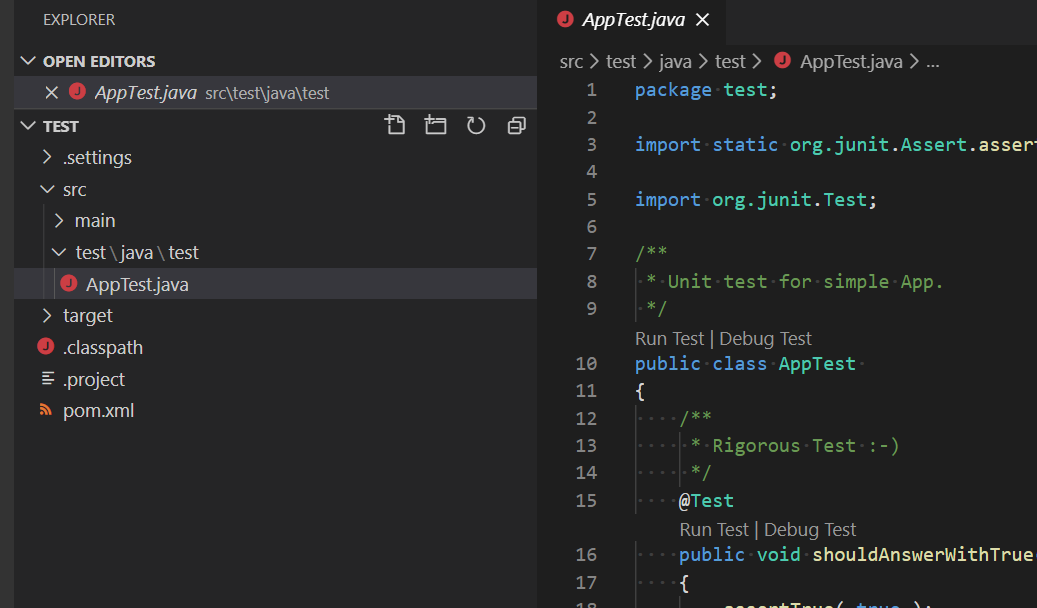
Please check:
- Is the language server running in
LightWeightmode? -- Check the settingjava.server.launchMode - Is the language server working: You can test this by simply run the
mainmethod in src/main/java/{package}/App.java
jdneo
on 9 Jun 2020
- Language server is running in default hybrid mode.
- Main method can be executed.
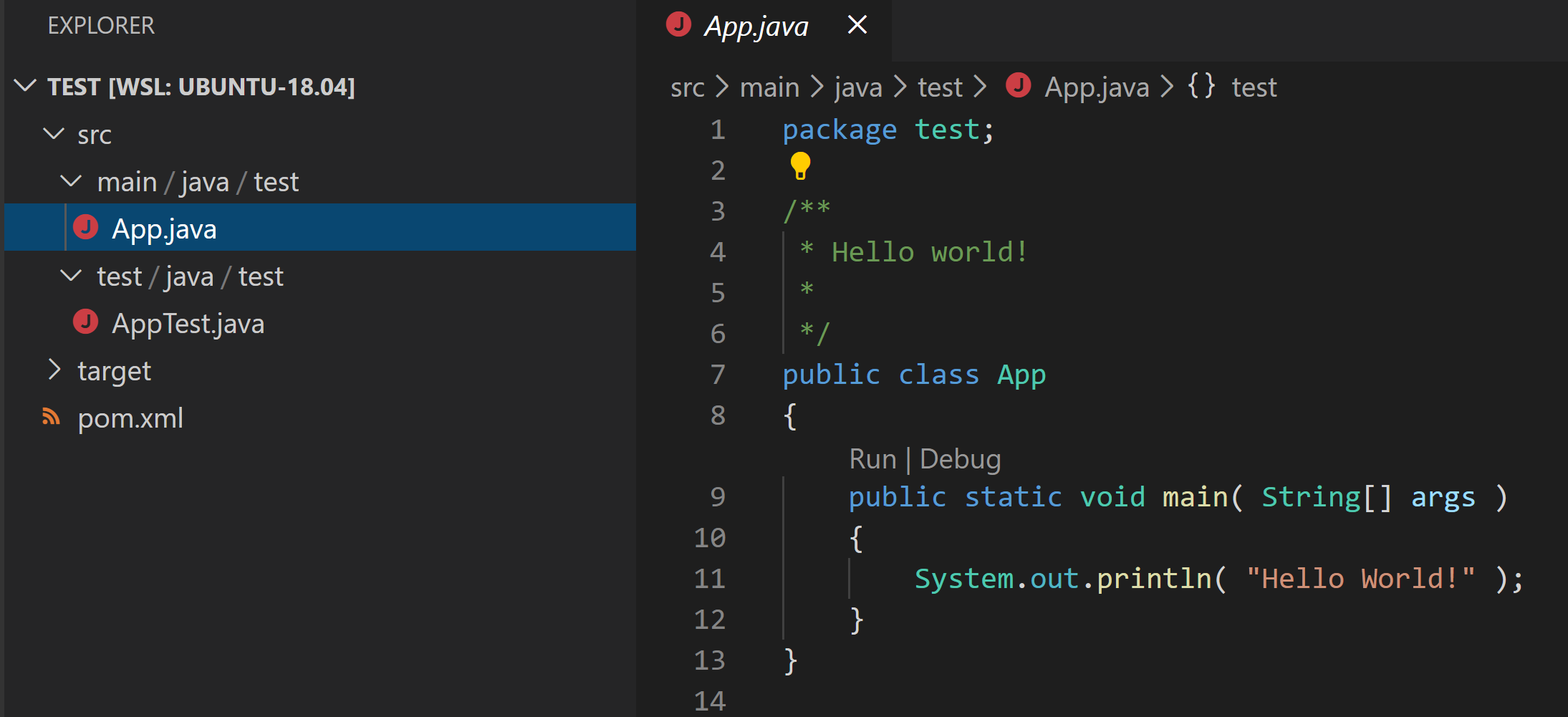
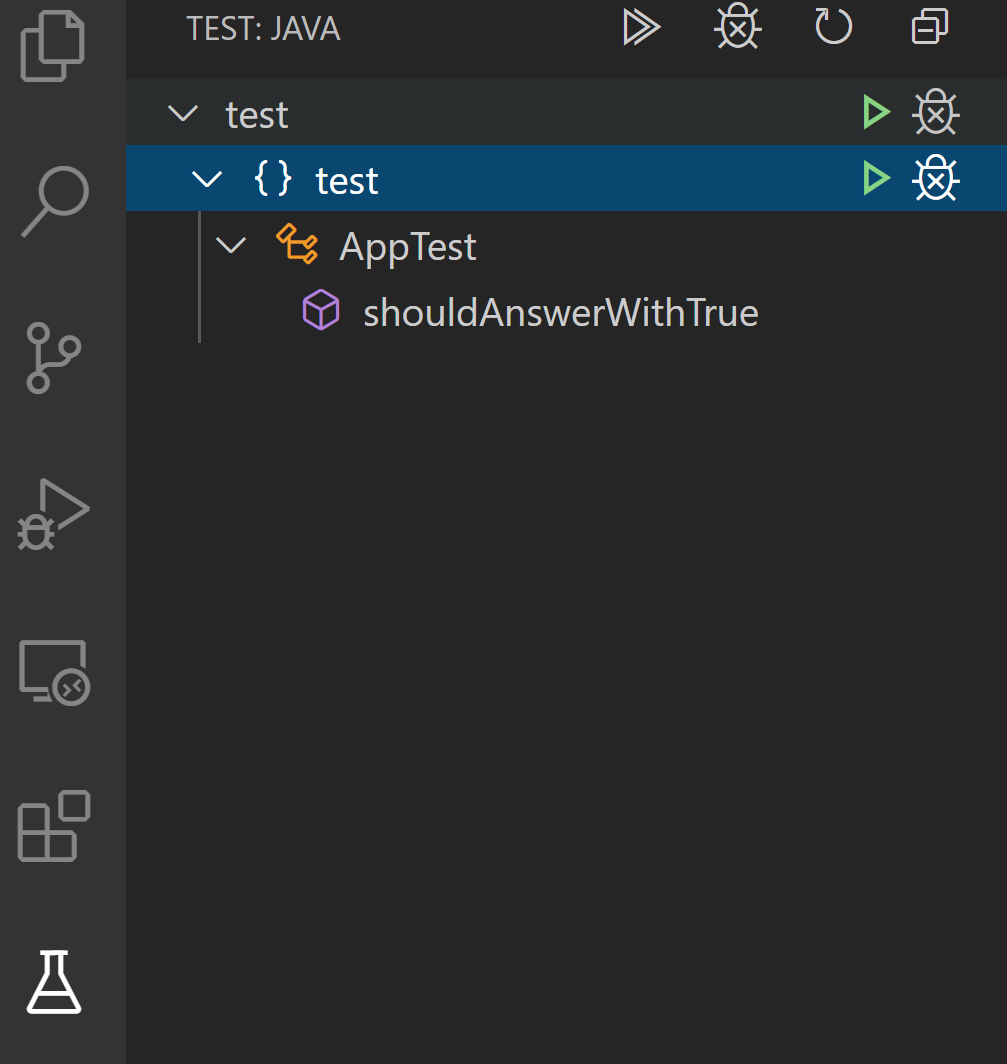
Code lens disappeared after 0.23.0 upgrade:

I can see the test in test explorer:
ecmel
on 9 Jun 2020
I see. I think the major difference between our usage is: I'm opening the folder locally but you are in WSL.
I also noticed that in your file explorer, there is no .classpath & .project files. Did you hide them from the explorer?
jdneo
on 9 Jun 2020
Yes .classpath and .project are hidden and I am on wsl
ecmel
on 9 Jun 2020
@ecmel would you mind to share the content of the .classpath file?
jdneo
on 9 Jun 2020
<?xml version="1.0" encoding="UTF-8"?>
<classpath>
    <classpathentry kind="src" output="target/classes" path="src/main/java">
        <attributes>
            <attribute name="optional" value="true"/>
            <attribute name="maven.pomderived" value="true"/>
        </attributes>
    </classpathentry>
    <classpathentry kind="src" output="target/test-classes" path="src/test/java">
        <attributes>
            <attribute name="optional" value="true"/>
            <attribute name="maven.pomderived" value="true"/>
            <attribute name="test" value="true"/>
        </attributes>
    </classpathentry>
    <classpathentry kind="con" path="org.eclipse.jdt.launching.JRE_CONTAINER/org.eclipse.jdt.internal.debug.ui.launcher.StandardVMType/JavaSE-1.7">
        <attributes>
            <attribute name="maven.pomderived" value="true"/>
        </attributes>
    </classpathentry>
    <classpathentry kind="con" path="org.eclipse.m2e.MAVEN2_CLASSPATH_CONTAINER">
        <attributes>
            <attribute name="maven.pomderived" value="true"/>
        </attributes>
    </classpathentry>
    <classpathentry kind="src" path="target/generated-sources/annotations">
        <attributes>
            <attribute name="optional" value="true"/>
            <attribute name="maven.pomderived" value="true"/>
            <attribute name="ignore_optional_problems" value="true"/>
            <attribute name="m2e-apt" value="true"/>
        </attributes>
    </classpathentry>
    <classpathentry kind="src" output="target/test-classes" path="target/generated-test-sources/test-annotations">
        <attributes>
            <attribute name="optional" value="true"/>
            <attribute name="maven.pomderived" value="true"/>
            <attribute name="ignore_optional_problems" value="true"/>
            <attribute name="m2e-apt" value="true"/>
            <attribute name="test" value="true"/>
        </attributes>
    </classpathentry>
    <classpathentry kind="output" path="target/classes"/>
</classpath>
@ecmel this .classpath looks good.
I need more time to figure out the root cause. Thank you for reporting.
jdneo
on 9 Jun 2020
I am also using WSL and I can confirm that it no longer work with 0.23.0.
It was working yesterday, so I suppose that it is due to the update.
 rqueraud
on 9 Jun 2020
rqueraud
on 9 Jun 2020
@all For all who encounter this problem, please revert to 0.22.4 as a workaround. I'll update my findings later.
jdneo
on 9 Jun 2020
I'd also like to add that the lenses stopped working when working remotely using Remote SSH plugin, so it's not only when using WSL.
 Rawi666
on 10 Jun 2020
Rawi666
on 10 Jun 2020
@ALL For all who encounter this problem, please revert to 0.22.4 as a workaround. I'll update my findings later.
Experiencing this issue as well, reverting to 0.22.4 restored codelens for me.
 hallsamuel90
on 10 Jun 2020
hallsamuel90
on 10 Jun 2020
Not sure if this is a bug of VS Code or not. I created an issue at VS Code repo. Let wait for the answer.
jdneo
on 12 Jun 2020
I created an issue at the VSCode level, #99987, which was promptly closed by member @sandy081. At their behest, I then refiled under the vscode-java-test repo at issue #1015, which has not yet been tagged, labeled, or assigned. Which is to say I am having the same issue. And filing it at the VSCode Repo might not get you anywhere.
 jimboowens
on 12 Jun 2020
jimboowens
on 12 Jun 2020
@all
The upstream issue has been fixed. So the bug should disappear after the new VS Code stable version released. For now, if you do want to have the Code Lens in Remote scenario, there are two workarounds:
- Downgrade to 0.22.4
- Use the latest VS Code Insider
jdneo
on 28 Jun 2020
Just tested and the issue should have been fixed in VS Code 1.47.0. Close it.
jdneo
on 13 Jul 2020
Related issues
 NikolasKomonen
·
3Comments
NikolasKomonen
·
3Comments
 jimliuxyz
·
7Comments
jimliuxyz
·
7Comments
 falco467
·
7Comments
falco467
·
7Comments
 spottedmahn
·
7Comments
spottedmahn
·
7Comments
 mccreery
·
4Comments
mccreery
·
4Comments
Most helpful comment
@all For all who encounter this problem, please revert to 0.22.4 as a workaround. I'll update my findings later.