Vscode-java-debug: "UNC path is missing sharename: \\java"
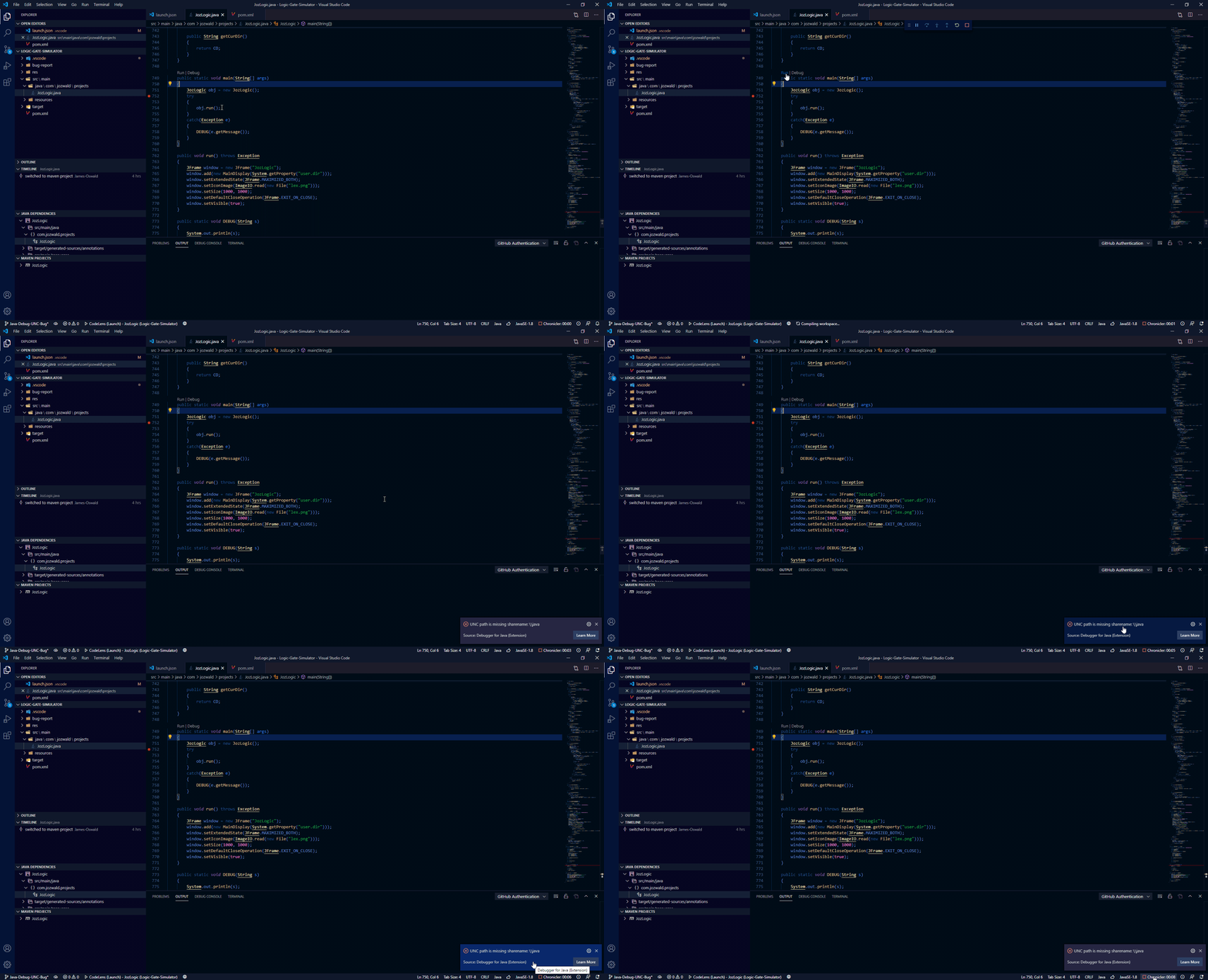
Clicking Run or Debug above main or pressing F5 to debug using launch.json yields notification window saying "UNC path is missing sharename: \\java"
Picture of notification window:

Gif of error occurring:
Environment
- Operating System: Windows 10
- JDK version: JDK 10.0.2
- Visual Studio Code version: 1.46.0
- Java extension version: 0.62.0
- Java Debugger extension version: 0.26.0
Steps To Reproduce
Not sure, It works fine on other projects
Project causing error: here
Picture of logs:
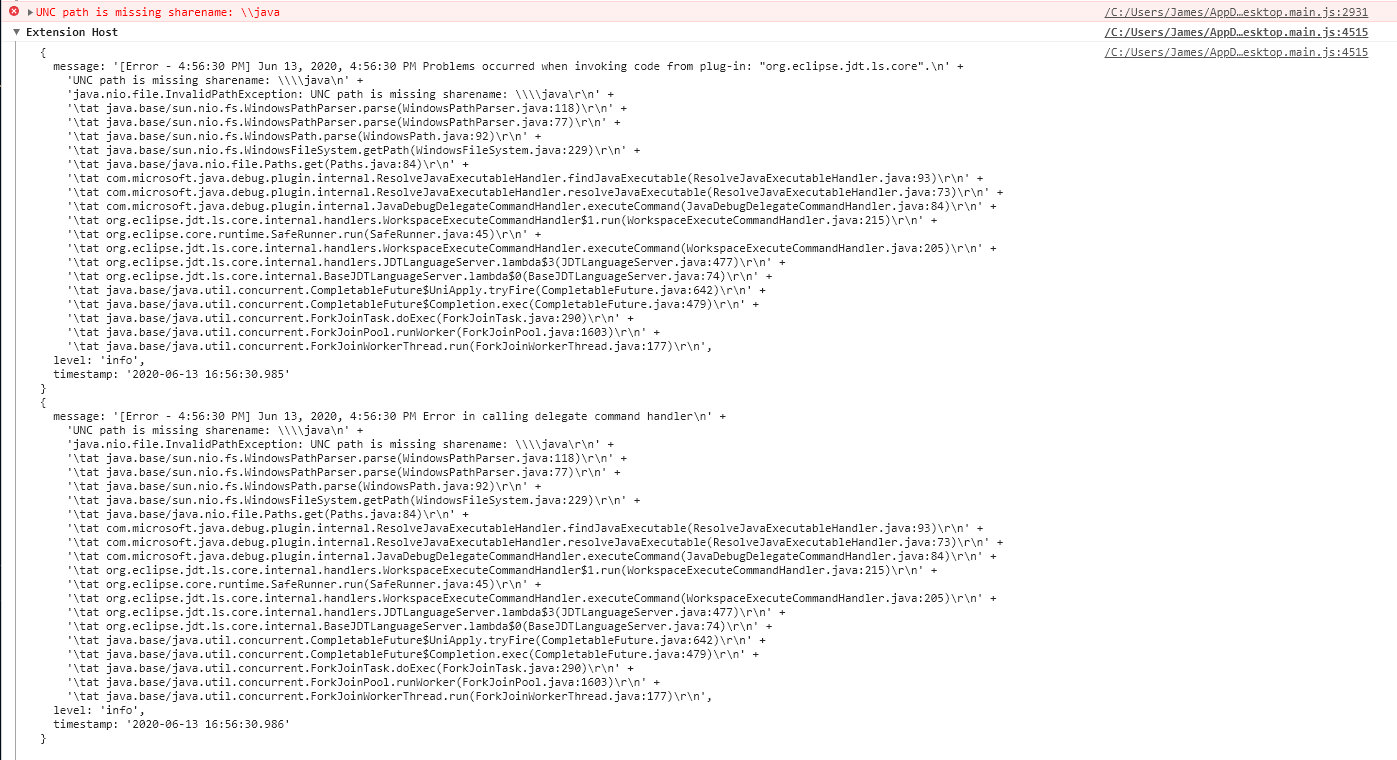
Text of logs: here
Current Result
Error, "UNC path is missing sharename: \Java"
Expected Result
No error, normal debugging.
Additional Information
N/A
 James-Oswald
All 3 comments
I think I found the source of this issue, After a bit more testing I realized this issue wasn't exclusive to this project, but rather I was unable to run anything without getting this error.
My primary java compiler is located in C:\Program Files\Java\jdk-10.0.2\bin
However I had recently created a new folder to store different versions of java compilers on my D: drive in hopes of being able to have multiple JDKs on my system without getting notification messages telling me to delete previous versions. I then changed my java compiler in my settings.json file to include:
"java.configuration.runtimes": [
        {
            "name":"JavaSE-10",
            "path": "D:\\Programming\\JavaVersions\\jdk-10.0.2\\bin",
            "default":  true
        },
despite still having C:\Program Files\Java\jdk-10.0.2\bin on my path.
In the end I changed the "path" back to C:\\Program Files\\Java\\jdk-10.0.2\\bin and this error no longer appears. If this is still an issue that needs be resolved please let me know if you need the verbose logs.
James-Oswald
on 14 Jun 2020
You need set java home without bin suffix (e.g. "D:\Programming\JavaVersions\jdk-10.0.2") in the "path".
 testforstephen
on 15 Jun 2020
testforstephen
on 15 Jun 2020
Thank you, this completely fixed my issue.
James-Oswald
on 15 Jun 2020
Related issues
 isidorn
·
4Comments
isidorn
·
4Comments
 PG-practice
·
3Comments
PG-practice
·
3Comments
 erihanse
·
3Comments
erihanse
·
3Comments
 mojo2012
·
3Comments
mojo2012
·
3Comments
 dgileadi
·
3Comments
dgileadi
·
3Comments
Most helpful comment
You need set java home without bin suffix (e.g. "D:\Programming\JavaVersions\jdk-10.0.2") in the "path".