Vscode_deno: "A request has failed. See the output for more information" when format fails, and it always shows output as the cancel `x` button is broken
When using the extension to format TypeScript on save,
  "[typescript]": {
    "editor.defaultFormatter": "denoland.vscode-deno"
  },
it is very common that there is a problem with your code which means it can't complete. This is an advantage of format on save, it can auto-complete things for you, and it can't always be right. In the Prettier extension, there is a little logo at the screen bottom that indicates it can't format.
With the Deno extension it issues the pop-up warning:
"A request has failed. See the output for more information."
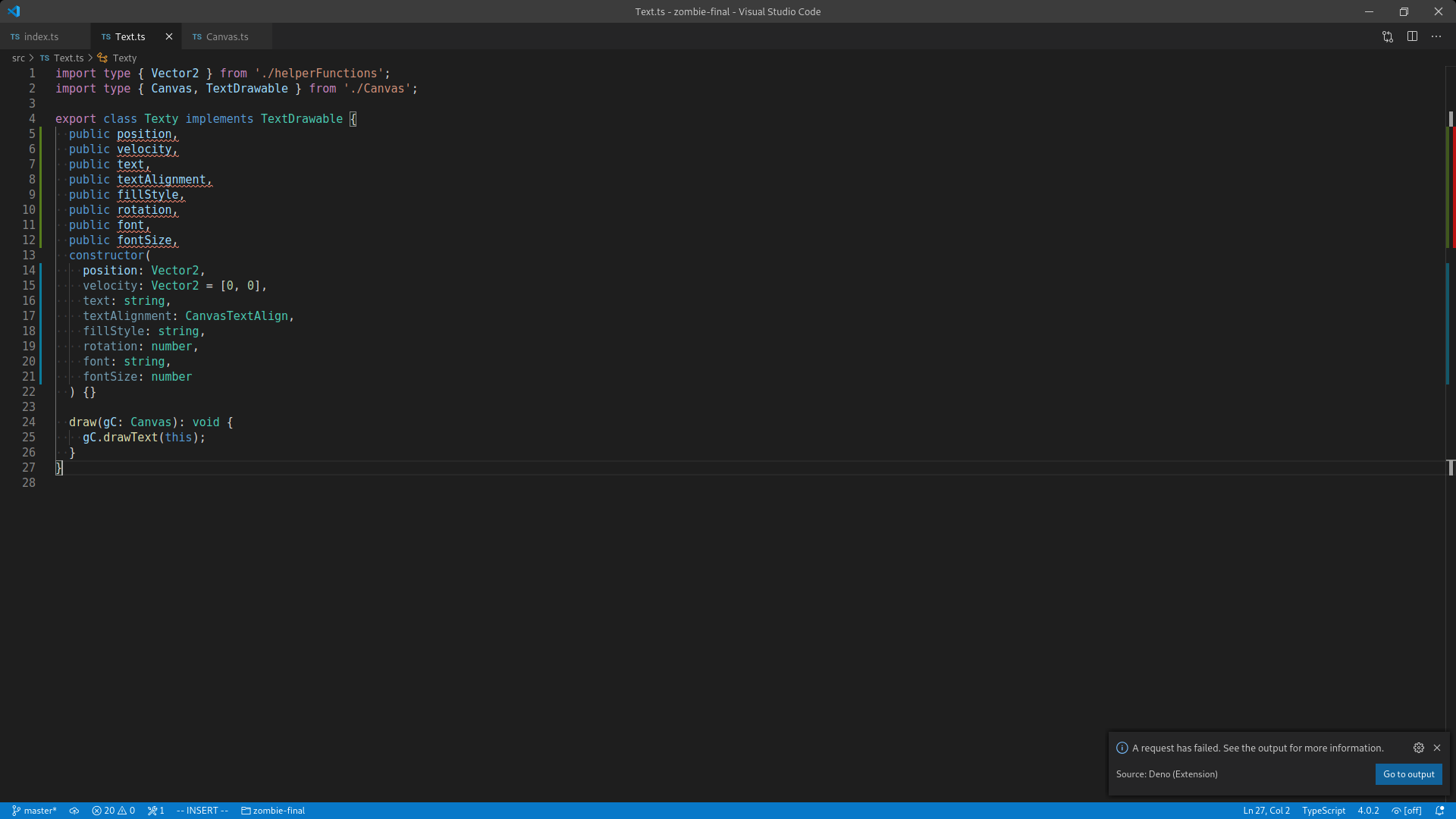
If you press the x to cancel, then there is a bug as it shows the output anyway:

This completely interrupts the workflow as the user now has to close two windows to continue.
Versions
vscode: 1.49.0
deno: 1.3.3
extension: 2.2.1
 David-Else
All 2 comments
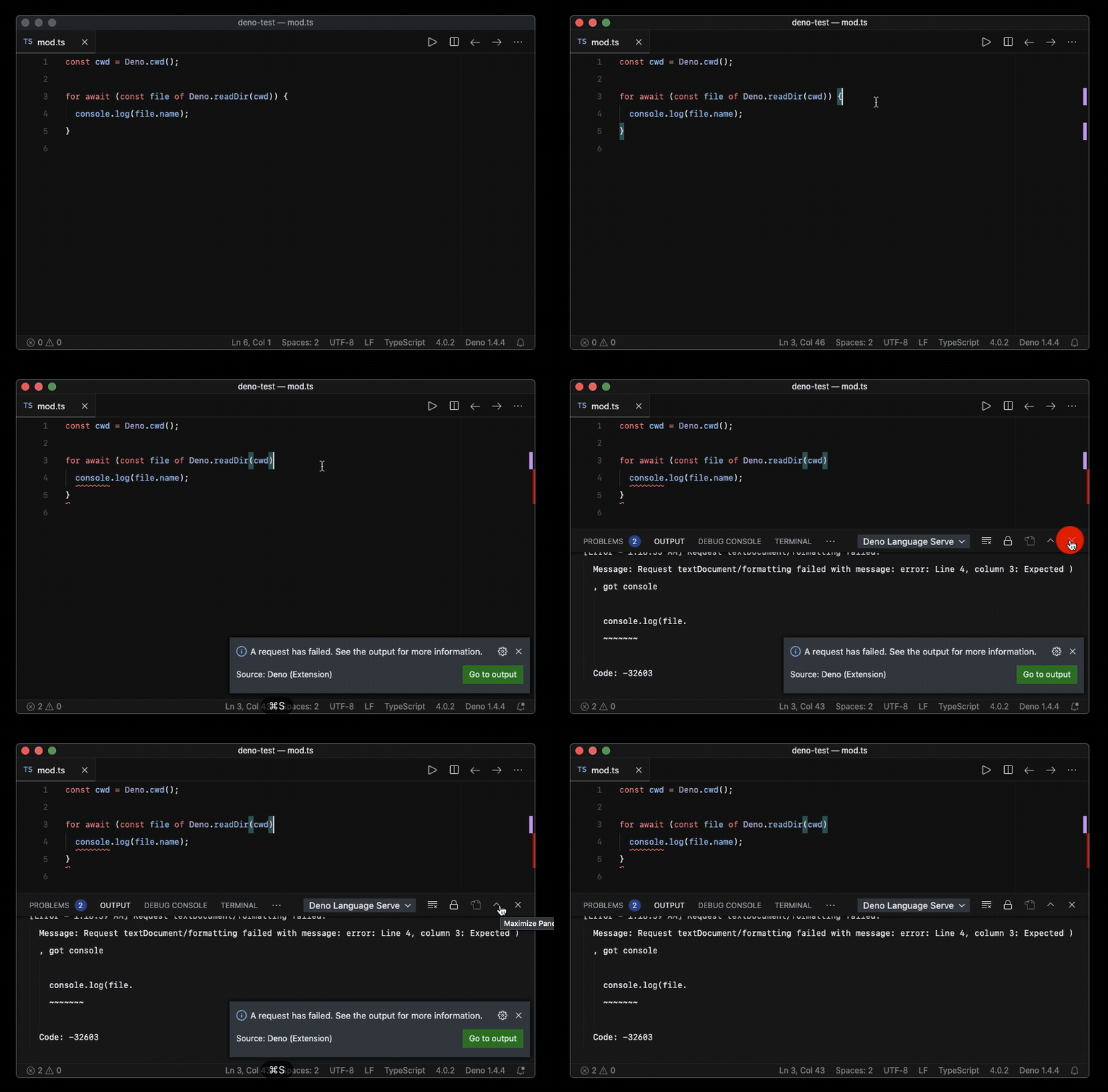
I'm also having a similar issue here. Not only the output panel appears after clicking X/Cancel (which could be a VSCode bug), but also the output panel pops up automatically every time the formatter fails.
I usually keep the panel focused on the integrated terminal, and having vscode-deno takes the panel focus occasionally on formatting errors can be distracting.
I'm not sure if this is intentional, but it doesn't seems to be any error handling around the document formatting logic, and that is causing those errors to propagate to all the way to VSCode.
I captured this behavior here (output appears on click X, and also the entire output panel pops up automatically on save at times)
In the Prettier extension, there is a little logo at the screen bottom that indicates it can't format.
I also like the Prettier extension's silent approach to handling formatting errors. When it fails it indicates errors using the status bar item. I went ahead and tried to implement a similar behavior here and I like it much better! To see the error, I can click the statusbar item to open the Deno Language Server output.
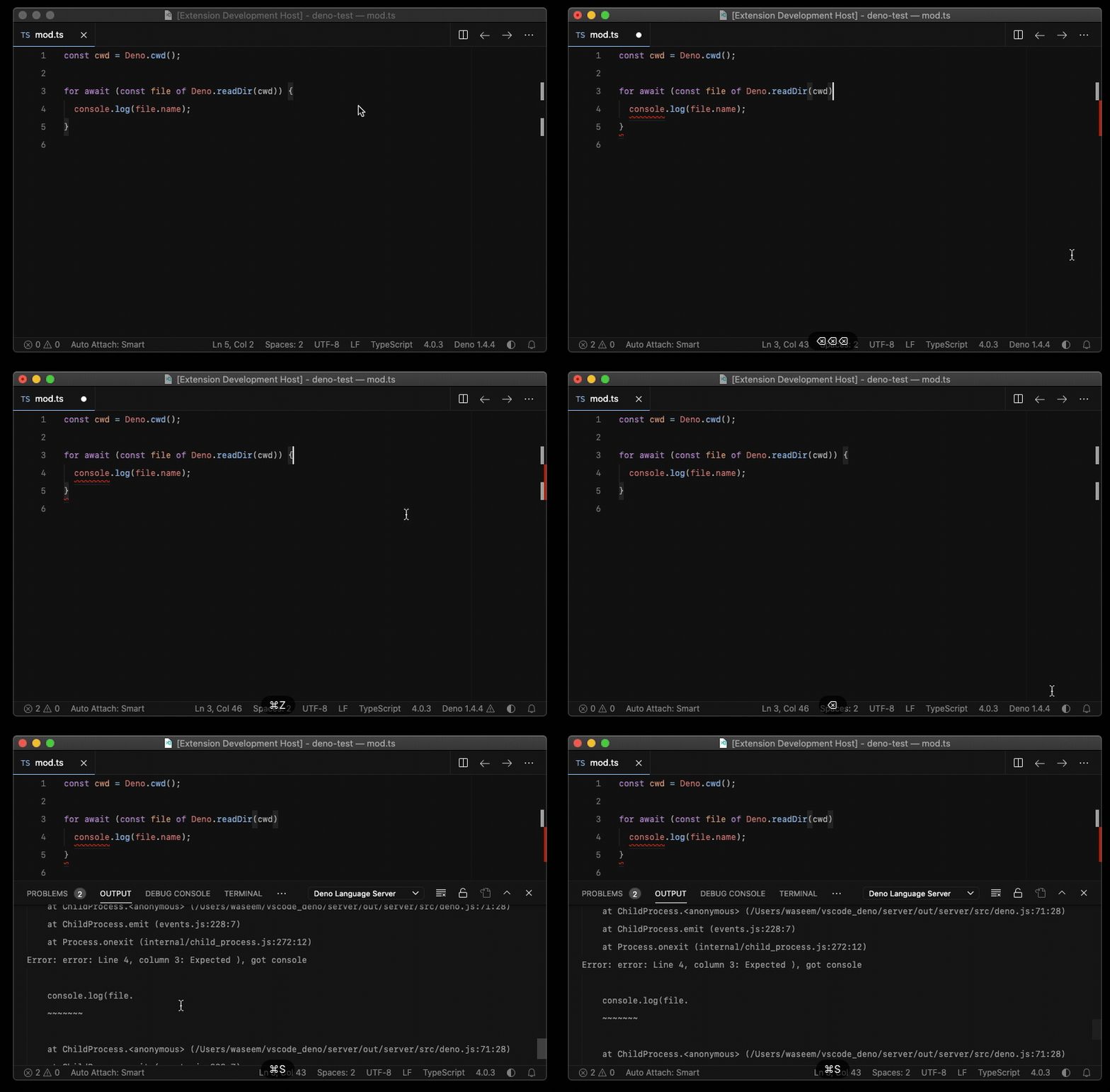
I'm happy to open a PR if this sounds reasonable!
 wsmd
on 5 Oct 2020
wsmd
on 5 Oct 2020
It is not difficult to solve this issue.
The key is here:
This is due to deno fmt parsing error, throwing an exception.
We can make this async function always in Promise.resolve state so that no annoying warnings will pop up.
After an error throws, then send a notification to the client, make the client mark an error in the status bar.
PR are welcome
 axetroy
on 8 Oct 2020
axetroy
on 8 Oct 2020
Related issues
 taigah
·
3Comments
taigah
·
3Comments
 evilsquirrel404
·
4Comments
evilsquirrel404
·
4Comments
 Ciantic
·
10Comments
Ciantic
·
10Comments
 lgarron
·
8Comments
lgarron
·
8Comments
 shadowtime2000
·
3Comments
shadowtime2000
·
3Comments
Most helpful comment
I'm also having a similar issue here. Not only the output panel appears after clicking X/Cancel (which could be a VSCode bug), but also the output panel pops up automatically every time the formatter fails.
I usually keep the panel focused on the integrated terminal, and having vscode-deno takes the panel focus occasionally on formatting errors can be distracting.
I'm not sure if this is intentional, but it doesn't seems to be any error handling around the document formatting logic, and that is causing those errors to propagate to all the way to VSCode.
I captured this behavior here (output appears on click X, and also the entire output panel pops up automatically on save at times)
I also like the Prettier extension's silent approach to handling formatting errors. When it fails it indicates errors using the status bar item. I went ahead and tried to implement a similar behavior here and I like it much better! To see the error, I can click the statusbar item to open the Deno Language Server output.
I'm happy to open a PR if this sounds reasonable!