Vscode-cpptools: includePath does not recursively scan for header files.
Type: LanguageService
Describe the bug
- OS and Version: Win7
- VS Code Version: 1.39.2
- C/C++ Extension Version: 0.26.0
- Other extensions you installed (and if the issue persists after disabling them): Disabled all
- A clear and concise description of what the bug is.
"include errors detected. Please update your includePath. Squiggles are disabled for this translation unit ()."
Settings and plugin has worked for a while and now suddenly it cannot find any header files.
It is almost as if the recursive functions are broken because it cannot find anything even if using
"${workspaceFolder}/*"
"${workspaceFolder}/include/**" does not work
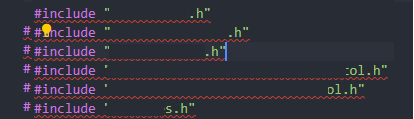
"${workspaceFolder}/include" works but obviously does not do any recursive action
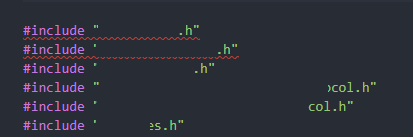
Expected behavior
Expected behavior is that it recursively scans the folders.
Additional context
{
    "configurations": [
        {
            "name": "WindowsLinux",
            "includePath": [
                "${workspaceFolder}/**",
                "${workspaceFolder}/include/**"
            ],
            "defines": [
                "_DEBUG",
                "UNICODE",
                "_UNICODE"
            ],
            "compilerPath": "C:/MinGW/bin/g++.exe",
            "cStandard": "c11",
            "intelliSenseMode": "gcc-x64",
            "cppStandard": "c++11"
        }
    ],
    "version": 4
}
{
    "configurations": [
        {
            "name": "WindowsLinux",
            "includePath": [
                "${workspaceFolder}/**",
                "${workspaceFolder}/include"
            ],
            "defines": [
                "_DEBUG",
                "UNICODE",
                "_UNICODE"
            ],
            "compilerPath": "C:/MinGW/bin/g++.exe",
            "cStandard": "c11",
            "intelliSenseMode": "gcc-x64",
            "cppStandard": "c++11"
        }
    ],
    "version": 4
}
 Logonz
All 11 comments
Downgrading to versions:
1.37.0 in VSCode
0.25.1 in C/C++ (cpptools)
Seems to have solved the issue somewhat atleast, I have no idea what caused the issues.
Logonz
on 16 Oct 2019
One thing to try is to do a Reset IntelliSense Database in case certain folders are incorrectly marked as "nonexistent". You could also do a C/C++: Log Diagnostics command to see how the recursive include paths are getting resolved for a particular file -- are the paths with the headers in the output includes list?
 sean-mcmanus
on 17 Oct 2019
sean-mcmanus
on 17 Oct 2019
@sean-mcmanus, I had the same issue which @Logonz described.
Everything works fine after I'd open _Command Palette_ and ran _C/C++: Reset IntellSense Database_.
@sean-mcmanus thank you!
 marvelou-s
on 25 Oct 2019
marvelou-s
on 25 Oct 2019
Just updated by mistake to the new version of c++ extention and the issue popped up again.
Did a full reinstall, removed all usersettings in roaming and the extentionsfolder in /user/XX/.vscode.
Tried the Reset Intellsense database and it still has the same issue...
@sean-mcmanus Any suggestions what i could try?
With recursive only
```-------- Diagnostics - 2019-12-20 09:43:27
Version: 0.26.2
Current Configuration:
{
"name": "WindowsLinux",
"includePath": [
"${workspaceFolder}/include/",
"${workspaceFolder}/src/",
"${workspaceFolder}/tests/",
"${workspaceFolder}/tests/CB/",
"${workspaceFolder}/tests/Database/",
"${workspaceFolder}/tests/Helpers/*",
"${workspaceFolder}/tests/include/",
"${workspaceFolder}/tests/XAPI/",
"${workspaceFolder}/tests/Xml/",
"${workspaceFolder}/bin/",
"${workspaceFolder}/"
],
"defines": [
"_DEBUG",
"UNICODE",
"_UNICODE"
],
"cStandard": "c11",
"intelliSenseMode": "gcc-x64",
"cppStandard": "c++11",
"compilerArgs": [
"-Werror",
"-Wall",
"-Wextra",
"-Wpedantic"
],
"compilerPath": "${default}"
}
Translation Unit Mappings:
Translation Unit Configurations:
Memory Usage: 51 MB
Compiler Path: C:/MinGW/bin/g++.exe
Includes:
H:\LIBXAPI\LOCAL_SYNC_LIB\TESTS
C:\MINGW\LIB\GCC\MINGW32\8.2.0\INCLUDE\C++
C:\MINGW\LIB\GCC\MINGW32\8.2.0\INCLUDE\C++\MINGW32
C:\MINGW\LIB\GCC\MINGW32\8.2.0\INCLUDE\C++\BACKWARD
C:\MINGW\LIB\GCC\MINGW32\8.2.0\INCLUDE
C:\MINGW\INCLUDE
C:\MINGW\LIB\GCC\MINGW32\8.2.0\INCLUDE-FIXED
Defines:
_DEBUG
UNICODE
_UNICODE
Standard Version: c++11
IntelliSense Mode: gcc-x86
Other Flags:
--g++
--gnu_version=80200
Total Memory Usage: 51 MB
Without recursive (working kinda)
```-------- Diagnostics - 2019-12-20 09:46:16
Version: 0.26.2
Current Configuration:
{
    "name": "WindowsLinux",
    "includePath": [
        "${workspaceFolder}/include/**",
        "${workspaceFolder}/src/**",
        "${workspaceFolder}/tests/",
        "${workspaceFolder}/tests/CB/**",
        "${workspaceFolder}/tests/Database/**",
        "${workspaceFolder}/tests/Helpers/***",
        "${workspaceFolder}/tests/include/**",
        "${workspaceFolder}/tests/XAPI/**",
        "${workspaceFolder}/tests/Xml/**",
        "${workspaceFolder}/bin/**",
        "${workspaceFolder}/**",
        "${workspaceFolder}/src/CBE/",
        "${workspaceFolder}/include/"
    ],
    "defines": [
        "_DEBUG",
        "UNICODE",
        "_UNICODE"
    ],
    "cStandard": "c11",
    "intelliSenseMode": "gcc-x64",
    "cppStandard": "c++11",
    "compilerArgs": [
        "-Werror",
        "-Wall",
        "-Wextra",
        "-Wpedantic"
    ],
    "compilerPath": "C:/MinGW/bin/g++.exe",
    "browse": {
        "path": [
            "${workspaceFolder}/include/**",
            "${workspaceFolder}/src/**",
            "${workspaceFolder}/tests/",
            "${workspaceFolder}/tests/CB/**",
            "${workspaceFolder}/tests/Database/**",
            "${workspaceFolder}/tests/Helpers/***",
            "${workspaceFolder}/tests/include/**",
            "${workspaceFolder}/tests/XAPI/**",
            "${workspaceFolder}/tests/Xml/**",
            "${workspaceFolder}/bin/**",
            "${workspaceFolder}/**",
            "${workspaceFolder}/src/CBE/",
            "${workspaceFolder}/include/"
        ],
        "limitSymbolsToIncludedHeaders": true
    }
}
Translation Unit Mappings:
[ H:\libxapi\local_sync_lib\tests\CBE\TestOperationQueue.cpp ]:
    H:\LIBXAPI\LOCAL_SYNC_LIB\TESTS\CBE\TESTOPERATIONQUEUE.CPP
Translation Unit Configurations:
[ H:\libxapi\local_sync_lib\tests\CBE\TestOperationQueue.cpp ]:
    Process ID: 16280
    Memory Usage: 81 MB
    Compiler Path: C:/MinGW/bin/g++.exe
    Includes:
        H:\LIBXAPI\LOCAL_SYNC_LIB\TESTS
        H:\LIBXAPI\LOCAL_SYNC_LIB\SRC\CBE
        H:\LIBXAPI\LOCAL_SYNC_LIB\INCLUDE
        C:\MINGW\LIB\GCC\MINGW32\8.2.0\INCLUDE\C++
        C:\MINGW\LIB\GCC\MINGW32\8.2.0\INCLUDE\C++\MINGW32
        C:\MINGW\LIB\GCC\MINGW32\8.2.0\INCLUDE\C++\BACKWARD
        C:\MINGW\LIB\GCC\MINGW32\8.2.0\INCLUDE
        C:\MINGW\INCLUDE
        C:\MINGW\LIB\GCC\MINGW32\8.2.0\INCLUDE-FIXED
    Defines:
        _DEBUG
        UNICODE
        _UNICODE
    Standard Version: c++11
    IntelliSense Mode: gcc-x86
    Other Flags:
        --g++
        --gnu_version=80200
Total Memory Usage: 81 MB
One possibility is that you have a dangling Microsoft.VSCode.CPP process from your previous install which is causing the database to be unusable -- so try killing any old processes and/or making sure old versions of the extension are actually removed. VS Code seems to have changed it's install behavior in a way that is making our extension process dangle after upgrading.
Also, the "**" makes the path recursive, so you should only need "${workspaceFolder}/**" and the other "**" includes are unnecessary and may cause issues. Your browse.path should probably be just "${workspaceFolder}" because defaults to recursive.
Have you tried 0.26.3-insiders2? We fixed a bunch of bugs in that release.
sean-mcmanus
on 21 Dec 2019
@sean-mcmanus
It seems to have fixed the issue using 0.26.3-insiders2
The reason i have specific includes is because we have multiple instances of the library which would make the intellisense have to parse insane amount of files :)
Added "${workspaceFolder}/**" to just test.
Logonz
on 8 Jan 2020
I too have similar issues. I ended up adding a bunch of stuff to my include path from the pkg-config output. I followed this guide https://stackoverflow.com/questions/58751821/how-do-i-configure-vscode-for-gtk3-for-intellisense-build-debug-and-g
 mason
on 9 Jan 2020
mason
on 9 Jan 2020
Same thing here.
 j4cky11
on 22 Jun 2020
j4cky11
on 22 Jun 2020
@j4cky11 We need more repo info. We're not aware of any bug that could cause this. It's most likely caused by system include paths being manually inserted at the wrong location in regards to compiler queried system includes, causing include_next to fail.
sean-mcmanus
on 23 Jun 2020
I too have this problem on a large project with many nested directories of packages. What information can I provide that would help to diagnose?
C/C++ tools : v0.30.0-insiders3
Version: 1.48.1
Commit: 3dd905126b34dcd4de81fa624eb3a8cbe7485f13
Date: 2020-08-19T17:09:41.484Z
Electron: 7.3.2
Chrome: 78.0.3904.130
Node.js: 12.8.1
V8: 7.8.279.23-electron.0
OS: Darwin x64 18.7.0
 jdbrice
on 26 Aug 2020
jdbrice
on 26 Aug 2020
@jdbrice Output of C/C++: Log Diagnostics might help. Or some sample project that repros the bug.
sean-mcmanus
on 26 Aug 2020
Related issues
 vicatcu
·
3Comments
vicatcu
·
3Comments
 arl
·
3Comments
arl
·
3Comments
 thndrwrks
·
3Comments
thndrwrks
·
3Comments
 montery8
·
3Comments
montery8
·
3Comments
 peterwoods1
·
3Comments
peterwoods1
·
3Comments
Most helpful comment
One thing to try is to do a Reset IntelliSense Database in case certain folders are incorrectly marked as "nonexistent". You could also do a C/C++: Log Diagnostics command to see how the recursive include paths are getting resolved for a particular file -- are the paths with the headers in the output includes list?