Vscode-cpptools: Issues/questions around the flame icon
It's not 100% clear to me what it is exactly but I'm assume it's indexing/analyzing the current file or something. But anywhere there are a few issues I see with it:
1 - It appears to pop up briefly for every single file that is opened, it appears on the very right of the status bar so it shifts all the items to the left and then back again.
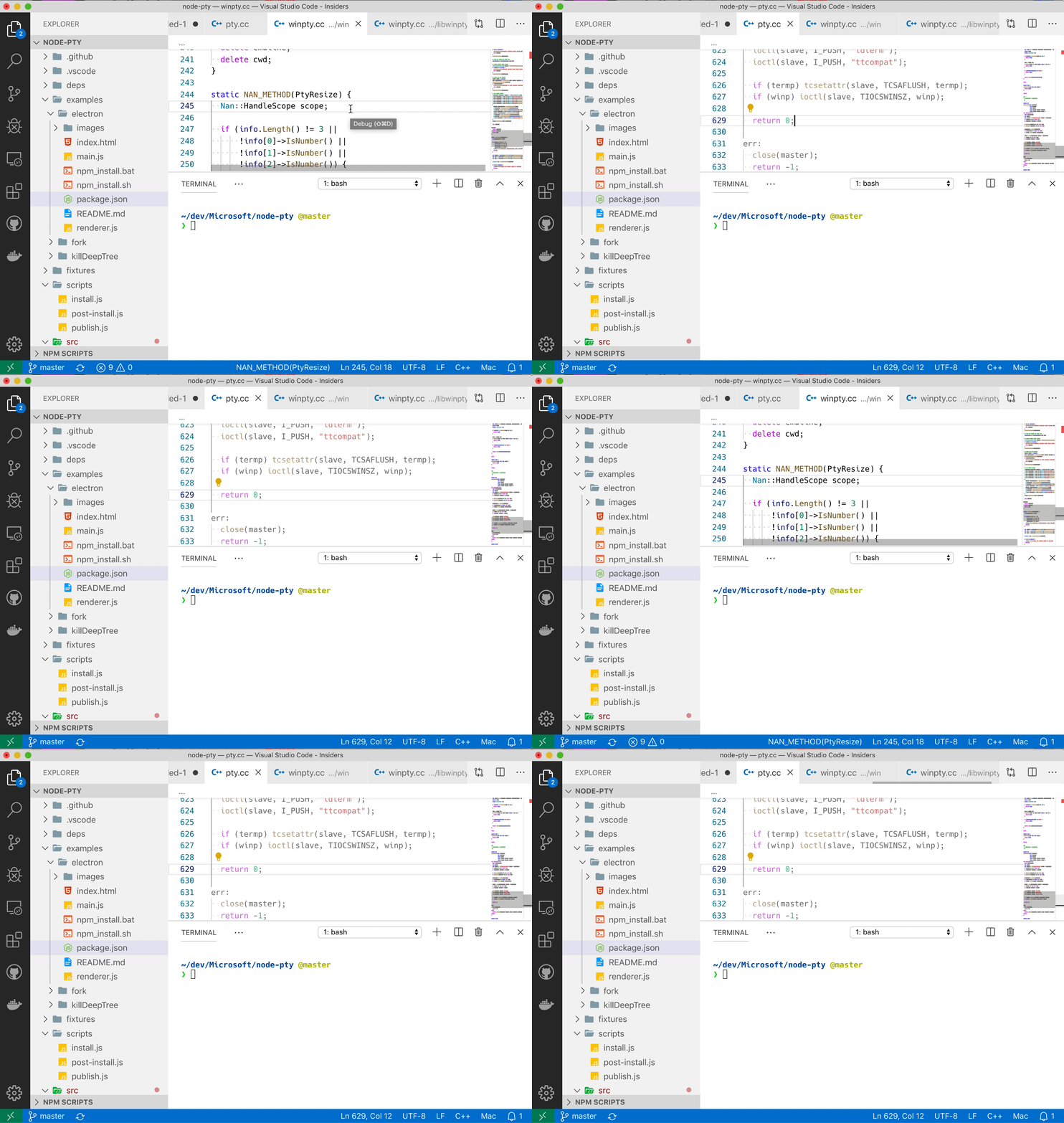
Some possible solutions:
- Do not show it straight away but instead only when it's taking longer than expected to analyze (say after 1 or 2 seconds).
- Move it to the very left.
2 - It's red, this is an accessibility issue as contrast is not guaranteed and even on the default theme it's very hard to read.
Some possible solutions:
- Make it the default color
- Request the vscode team to support a special status bar item state that indicates some error or requires attention state that makes the color themable (this is not my area so I'm not sure how feasible this is).
 Tyriar
All 8 comments
Funny, I was just talking with @sean-mcmanus about moving the icons over to the left. I also agree that it pops up too aggressively now. That was an artifact of a change we did a few months ago that we should revisit.
I feel that *all* the icons are harder to see now that they are outlines instead of fills, but that's just my opinion. (I'm very upset with the recent icon changes, if you can't tell 😉). We'll consider reverting it back to the status bar default theme color.
 bobbrow
on 5 Sep 2019
bobbrow
on 5 Sep 2019
Does this look okay? I tried put the icons most likely to be clicked on the right (i.e. search icon) and the more temporary icons on the left (i.e. flame icon).

https://github.com/microsoft/vscode-cpptools/pull/4200
We also have issue https://github.com/microsoft/vscode-cpptools/issues/4117 that is tracking collapsing the 3 icons into a single icon that changes between 3 different states.
 sean-mcmanus
on 6 Sep 2019
sean-mcmanus
on 6 Sep 2019
FYI, after this change, the icons may not be visible if there's not enough status bar room.
Should it be on the left of the GitLens status bar entry? Putting it on the right of that would reduce the potential of the icon disappearing.
sean-mcmanus
on 6 Sep 2019
Or on Insiders:

I agree with Bob that all the status bar icons look worse...did the VS Code team get any user feedback for the change?
sean-mcmanus
on 6 Sep 2019
It looks sort of odd for the icons to appear/disappear with every line change, due to the GitLens extension icon item that changes every line.
sean-mcmanus
on 6 Sep 2019
I moved it to the right of the GitLens line changed by info -- it looks a lot better when the line changes (you can't really see the difference in a screenshot).
sean-mcmanus
on 6 Sep 2019
Sounds good, you want to minimize the amount of visual noise so to the right of gitlens seems best
Tyriar
on 6 Sep 2019
Fixed with 0.26.0.
sean-mcmanus
on 16 Oct 2019
Related issues
 igorPhelype
·
3Comments
igorPhelype
·
3Comments
 peterwoods1
·
3Comments
peterwoods1
·
3Comments
 SkyRiderMike
·
3Comments
SkyRiderMike
·
3Comments
 chrisckc
·
3Comments
chrisckc
·
3Comments
 jrieken
·
3Comments
jrieken
·
3Comments