Vscode-cpptools: Why do you have your own navigation system?
Type: LanguageService
Describe the bug
- OS and Version: Windows 10
- VS Code Version:
- C/C++ Extension Version: 0.19.0
- Other extensions you installed (and if the issue persists after disabling them):
- A clear and concise description of what the bug is.
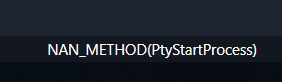
Click this status bar item gives this:
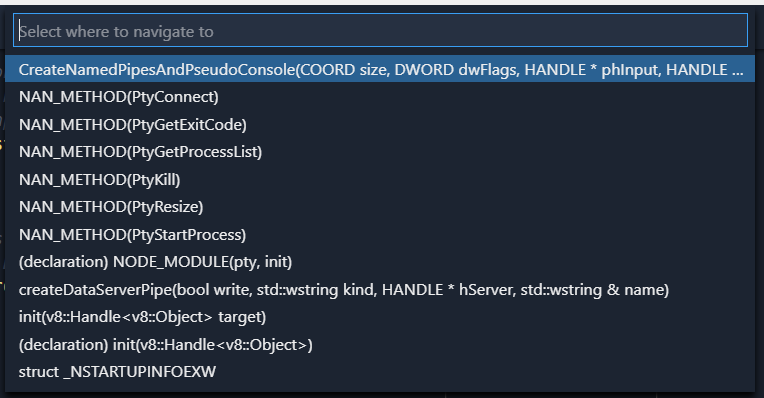
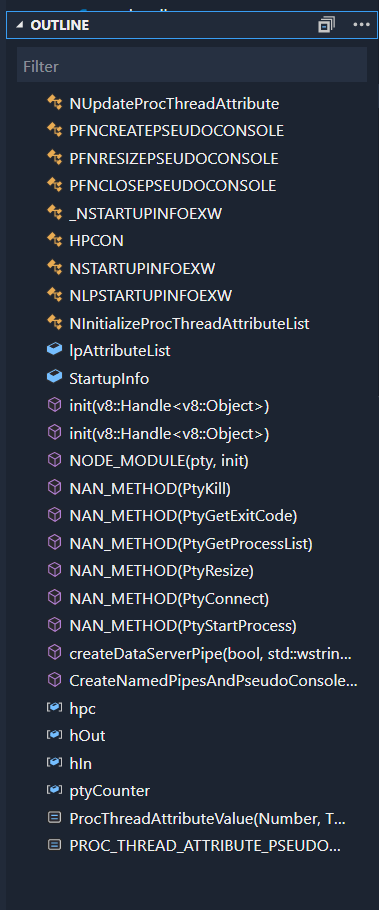
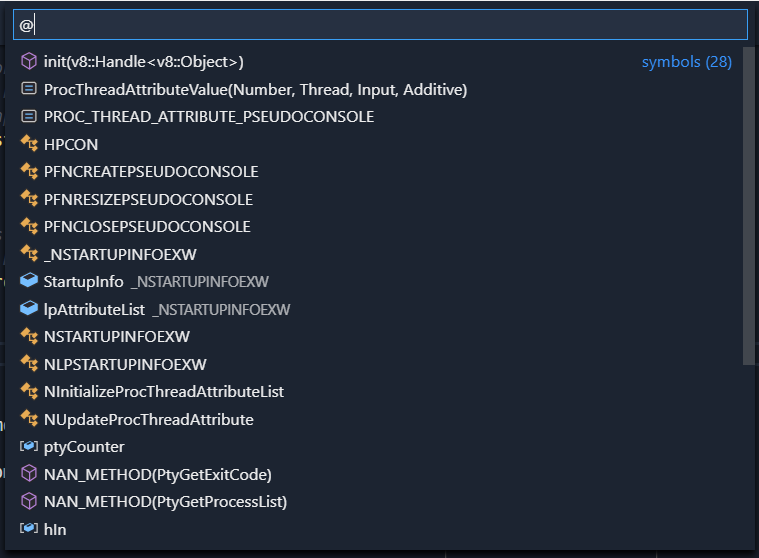
But there are already mechanisms in VS Code to surface this information if users want to:
Outline viewlet:
Find symbol command:
Breadcrumbs:

/cc @jrieken
 Tyriar
All 6 comments
Yeah, we implemented our navigation system before VS Code had any support for the Outline view and bread crumbs. The reason for not removing our navigation is that the Outline and breadcrumbs is currently buggy with our tool and we don't pass back symbol ranges yet. We're tracking that with https://github.com/Microsoft/vscode-cpptools/issues/2230 -- after fixing that we should be able to remove that status bar navigation.
 sean-mcmanus
on 8 Oct 2018
sean-mcmanus
on 8 Oct 2018
The Cpptools's navigation function is convenient to me for viewing and selecting C function. I think you can keep it.
Outline viewlet: Can't use keyboard to select function
Find symbol command / Breadcrumbs: contain too many useless global variable.
 vscpp
on 12 Oct 2018
vscpp
on 12 Oct 2018
Outline viewlet: Can't use keyboard to select function
@vscpp sure you can, you can also filter by typing.
Find symbol command / Breadcrumbs: contain too many useless global variable.
But it's trivial to filter them, there's a way that this is done across all languages in VS Code and it should remain consistent. That way you set up your preferred keybinding once and it works the same across all languages.
Tyriar
on 13 Oct 2018
Closing this issue due to long inactivity.
 michelleangela
on 21 Aug 2019
michelleangela
on 21 Aug 2019
If this is still how the extension works you should reopen this, the C++ extension should use the system that VS Code provides so the experience is consistent across languages and so C++ gets the features we build for it (breadcrumbs, find symbol, outline view).
Tyriar
on 21 Aug 2019
I guess this is covered by https://github.com/microsoft/vscode-cpptools/issues/2230 so it's fine 🙂
Tyriar
on 21 Aug 2019
Related issues
 timothy
·
3Comments
timothy
·
3Comments
 CDitzel
·
3Comments
CDitzel
·
3Comments
 narutse
·
3Comments
narutse
·
3Comments
 BDZNH
·
3Comments
BDZNH
·
3Comments
 chrisckc
·
3Comments
chrisckc
·
3Comments
Most helpful comment
Yeah, we implemented our navigation system before VS Code had any support for the Outline view and bread crumbs. The reason for not removing our navigation is that the Outline and breadcrumbs is currently buggy with our tool and we don't pass back symbol ranges yet. We're tracking that with https://github.com/Microsoft/vscode-cpptools/issues/2230 -- after fixing that we should be able to remove that status bar navigation.