Vscode-cpptools: Modifying conditional breakpoints while debugging does not work due to VSCode change
VS Code version: 1.25.1
Steps to reproduce
Create C++ project and create a conditional breakpoint that will be true. Start debugging. Once you hit the breakpoint, change it to a false statement. F5.
Expected behavior
Once it becomes a false statement, it should not hit the breakpoint.
Actual behavior
It will always hit the breakpoint due to the original condition
Issue reason:
VSCode changed how they updated breakpoints. Instead of removing then adding a new breakpoint, they use the same breakpoint id.
 WardenGnaw
All 16 comments
This is also a problem if you start with a regular breakpoint and make it a conditional breakpoint. In that case, the condition is not applied and the breakpoint stays a regular breakpoint. I could verify this with "engineLogging": true in the debug console: no gdb commands are sent when modifying the breakpoint.
 letmaik
on 21 Oct 2018
letmaik
on 21 Oct 2018
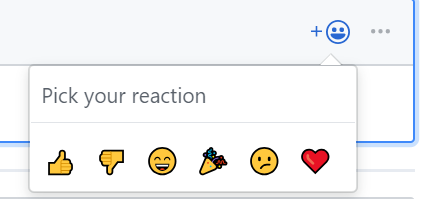
How to upvote it?
 salda
on 24 Oct 2018
salda
on 24 Oct 2018
Click the reaction icon and choose the 👍
 bobbrow
on 24 Oct 2018
bobbrow
on 24 Oct 2018
Thanks, I did it before, just wasn't sure it's it.
salda
on 24 Oct 2018
As a workaround, breakpoints can still be modified in gcc via the debugging console :
-exec cond <breakpoint_number> <condition>
eg:
-exec cond 2 pStruct != 0x0
obviously, it will not be visible in the GUI :(
 jerome-labidurie
on 18 Apr 2019
jerome-labidurie
on 18 Apr 2019
The issue is still present. I thought I am losing it :)
 g3v
on 9 Aug 2019
g3v
on 9 Aug 2019
Please, solve this issue.
It would be very useful during debugging
 aenima1891
on 29 Aug 2019
aenima1891
on 29 Aug 2019
I am getting behaviour where once the conditional breakpoint is hit once, it is no longer conditional
 nicole-mcg
on 14 Sep 2019
nicole-mcg
on 14 Sep 2019
Issue still reproducible on 1.40.2. Workaround described in https://github.com/microsoft/vscode-cpptools/issues/2297#issuecomment-484514159 still applies.
 lbru
on 29 Nov 2019
lbru
on 29 Nov 2019
the issue is still here!
 abemud
on 20 May 2020
abemud
on 20 May 2020
The fix is available with https://github.com/microsoft/vscode-cpptools/releases/tag/0.29.0-insiders .
 sean-mcmanus
on 25 Jun 2020
sean-mcmanus
on 25 Jun 2020
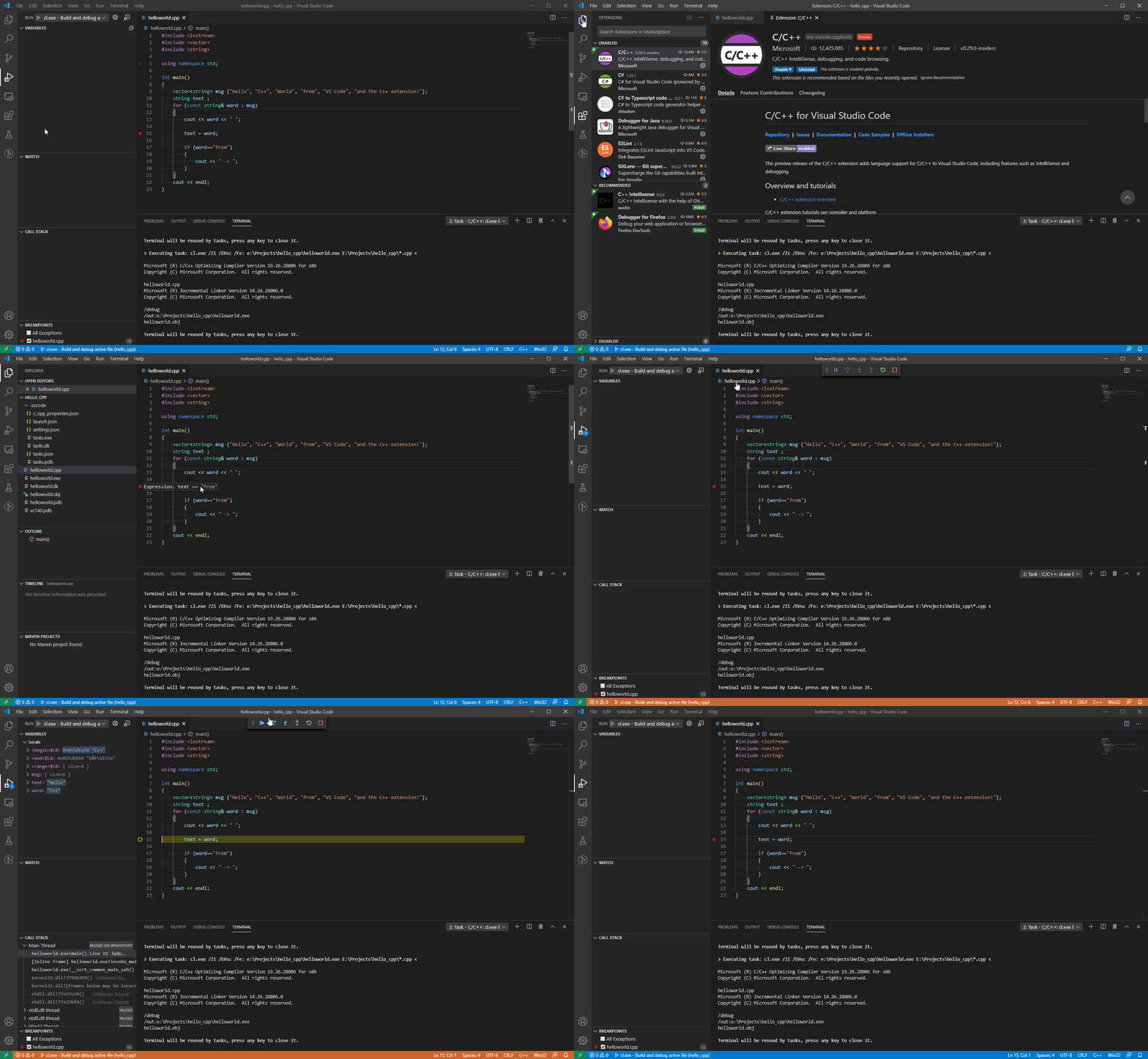
Issue (The condition for a breakpoint failed to execute if expression is a string - Still failing #5676) retested with version https://github.com/microsoft/vscode-cpptools/releases/tag/0.29.0-insiders and this does not fix the error.
 carrigiljavia
on 5 Jul 2020
carrigiljavia
on 5 Jul 2020
@carrigiljavia Are you using the debugger configuration type: cppvsdbg?
WardenGnaw
on 6 Jul 2020
@WardenGnaw Yes sir.

carrigiljavia
on 7 Jul 2020
Is this issue not fixed?
sean-mcmanus
on 16 Jul 2020
It is fixed for cppdbg.
Tracking for cppvsdbg is at https://github.com/microsoft/vscode-cpptools/issues/5676
WardenGnaw
on 16 Jul 2020
Related issues
 chrisckc
·
3Comments
chrisckc
·
3Comments
 narutse
·
3Comments
narutse
·
3Comments
 ecbrodie
·
3Comments
ecbrodie
·
3Comments
 thndrwrks
·
3Comments
thndrwrks
·
3Comments
 jrieken
·
3Comments
jrieken
·
3Comments
Most helpful comment
This is also a problem if you start with a regular breakpoint and make it a conditional breakpoint. In that case, the condition is not applied and the breakpoint stays a regular breakpoint. I could verify this with
"engineLogging": truein the debug console: no gdb commands are sent when modifying the breakpoint.