Vscode-cpptools: Downloading 1/3: C/C++ language components (Windows)
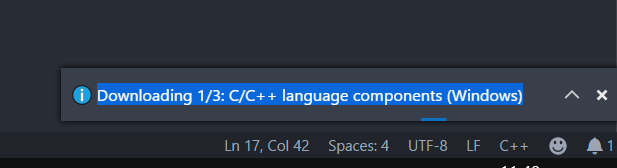
whether I install in Extension or Install from VSIX it goes wrong. I lives in China.
 GMHDBJD
All 21 comments
You can download the "offline" installer from our releases page. Get the one that matches your operating system then use the "Install from VSIX" command in VS Code. It will bypass this step that is getting stuck for you.
 bobbrow
on 23 May 2018
bobbrow
on 23 May 2018

I have tried it,but still failed
GMHDBJD
on 23 May 2018

It appear after I install from VSIX
GMHDBJD
on 23 May 2018
Which vsix did you download? It looks like you are on Windows, so you should download this one.
If you download this "offline" VSIX and install it, it won't try to download dependencies because they are already packaged in.
bobbrow
on 23 May 2018
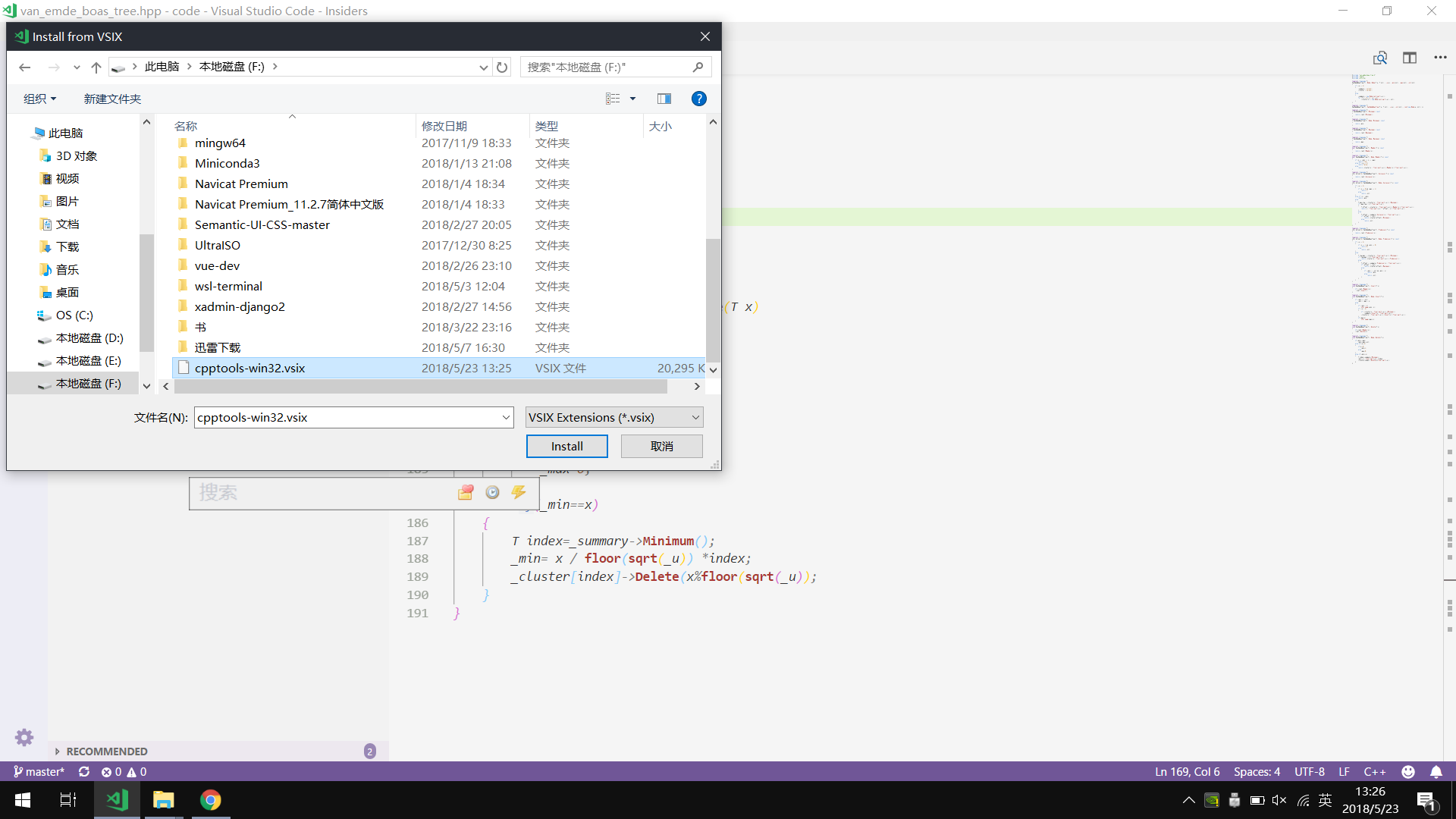
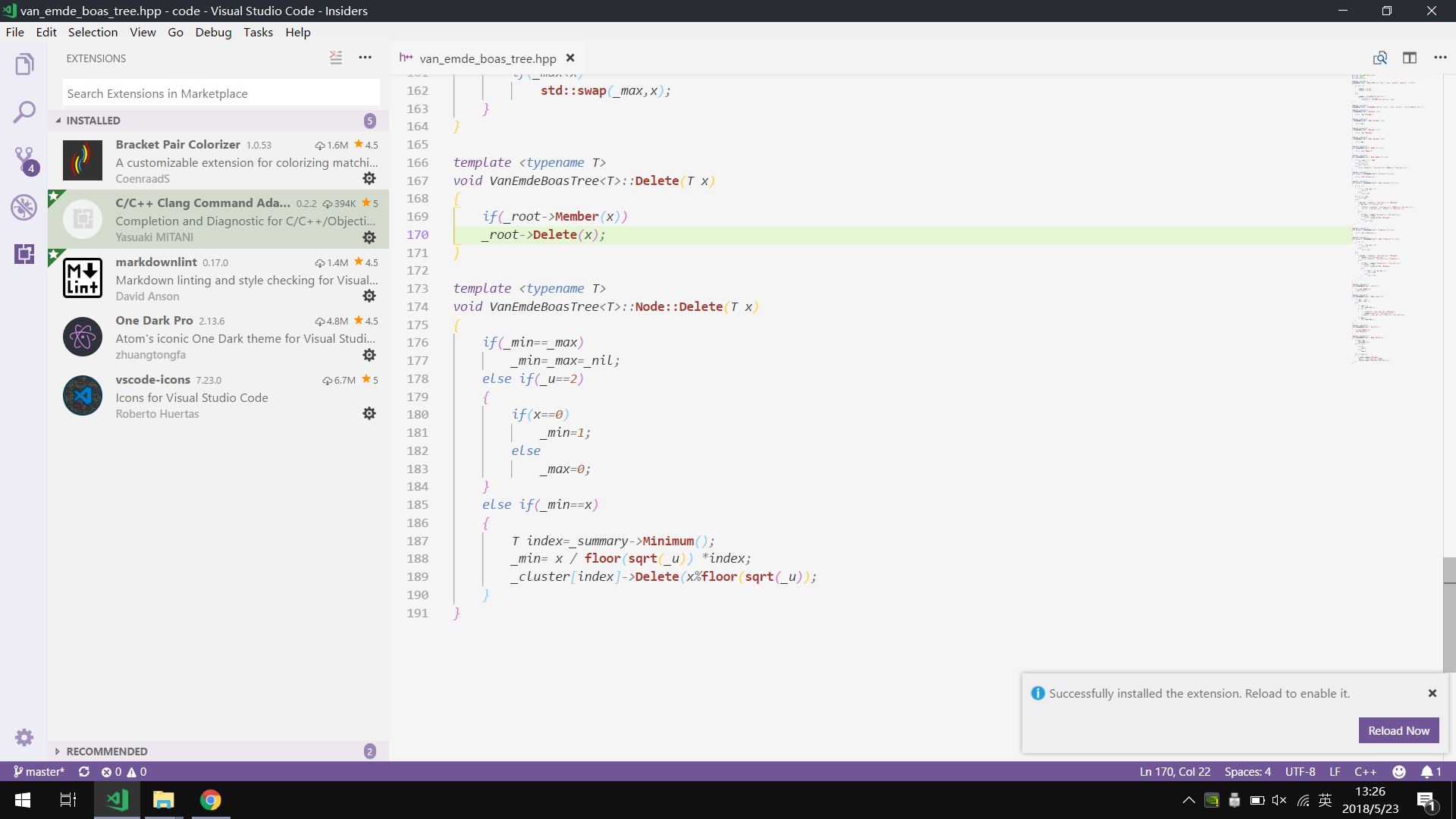

I don't know why it still failed...
GMHDBJD
on 23 May 2018
I bet that VS Code still has the old 0.17.3 extension installed and isn't actually installing your VSIX. They really need to add a warning message or something for this.
Can you delete the %userprofile%\.vscode\extensions\ms-vscode.cpptools-0.17.3 folder and retry installing the "offline" VSIX.
Also, if you see a .obsolete file in %userprofile%\.vscode\extensions, open it and check to make sure that there isn't an entry for our extension in there.
bobbrow
on 23 May 2018
Yeah, after an uninstall, you need to close/reopen VS Code in order for the uninstall to actually work. I opened an issue in VS Code in regards to this, but that last I heard they closed it until they heard more user feedback.
 sean-mcmanus
on 23 May 2018
sean-mcmanus
on 23 May 2018
on Ubuntu 16.04, I downloaded the 0.17.5 VSIX and try to install it from local file, the installation seems endless, where can I check install details, or if something goes wrong?
 gongmeteor
on 19 Jun 2018
gongmeteor
on 19 Jun 2018
@gongmeteor 0.17.5 isn't being released until tomorrow. Do you mean 0.17.4 or 0.17.5-insiders? What URL are you using for the .vsix?
sean-mcmanus
on 19 Jun 2018
@sean-mcmanus , it's 0.17.5-insiders, I also tried 0.17.4 which is downloaded from URL https://github.com/Microsoft/vscode-cpptools/releases/download/v0.17.4/cpptools-linux.vsix, seems exactly the same, the installation never finished and no warning or error cue found. I do the same experiment on another computer, still the same.
gongmeteor
on 19 Jun 2018
@sean-mcmanus , I install anaconda3 complete before VSCode, I remember something related to VSCode when I install anaconda3, Anaconda Extension Pack and python extension are founded t be already installed right after VSCode installation.
gongmeteor
on 19 Jun 2018
I solved the problem following steps:
1, start up VS Code with command: sudo code --user-data-dir /home/XXX/VSCode
2, install cpptools and other extensions needed, then close VS Code
3, restart normally with command: code
thanks!
gongmeteor
on 20 Jun 2018
Installing from VSIX on an offline computer still attempts to download the dependencies.
Using this vsix: https://github.com/Microsoft/vscode-cpptools/releases/download/0.21.0/cpptools-win32.vsix
 DioTheDev
on 14 Mar 2019
DioTheDev
on 14 Mar 2019
@DioTheDev I tried it out, and it didn't try to download dependencies. Why do you think it's trying to download dependencies? If your C_Cpp.updateChannel is set to "Insiders" then we'll attempt to download the latest insiders instead. Is that what you're seeing? We also attempt to download a .json file, but it shouldn't block anything if that fails.
sean-mcmanus
on 14 Mar 2019

I am seeing this after installing from the vsix at the link I posted earlier. Updates have been set to none with "update.mode": "none"
The result:
Updating C/C++ dependencies...
Downloading package 'C/C++ language components (Windows)' Failed. Retrying... Failed. Retrying... Failed. Retrying...Waiting 8 seconds... Failed. Retrying...Waiting 16 seconds... Failed. Retrying... Done!
Downloading package 'ClangFormat (Windows)' Failed. Retrying... Failed. Retrying... Failed. Retrying...Waiting 8 seconds... Failed. Retrying...Waiting 16 seconds... Failed. Retrying... Done!
Downloading package 'Visual Studio Windows Debugger' Failed. Retrying... Failed. Retrying... Failed. Retrying...Waiting 8 seconds... Failed. Retrying...Waiting 16 seconds... Failed. Retrying... Done!
Installing package 'C/C++ language components (Windows)'
Failed at stage: installPackages
Error: end of central directory record signature not found
If you work in an offline environment or repeatedly see this error, try downloading a version of the extension with all the dependencies pre-included from https://github.com/Microsoft/vscode-cpptools/releases, then use the "Install from VSIX" command in VS Code to install it.
DioTheDev
on 15 Mar 2019
The offline installer should install with an install.lock file, which we check to determine if we need to download the dependencies. Could that file be deleted somehow? Do you see any errors when you use Toggle Developer Tools?
sean-mcmanus
on 15 Mar 2019
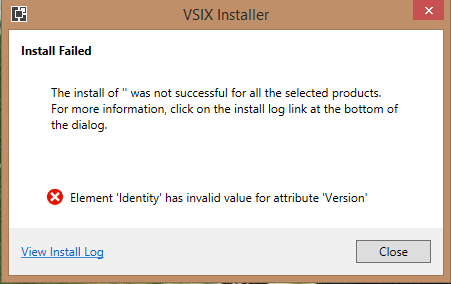
I
Did i follow the instructions as still having errors? Can you help me ?
 ghost
on 2 May 2019
ghost
on 2 May 2019
@18020523 Double-click doesn't work -- you need to load it in VS Code via the Install From .vsix command.
sean-mcmanus
on 3 May 2019
Closing this issue due to long inactivity. If you update to the latest version of the C/C++ extension and your issue still persists, please re-open the issue and reply with additional information that can help us investigate the issue.
 michelleangela
on 21 Aug 2019
michelleangela
on 21 Aug 2019
My VS Code version is 1.43.2 and during installation of version 0.26.3 of cpptools-win32.vsix, I get the following error:

Attaching the install log:
cpptools-win32-0_26_3install-log.txt
 deepakmn
on 26 Mar 2020
deepakmn
on 26 Mar 2020
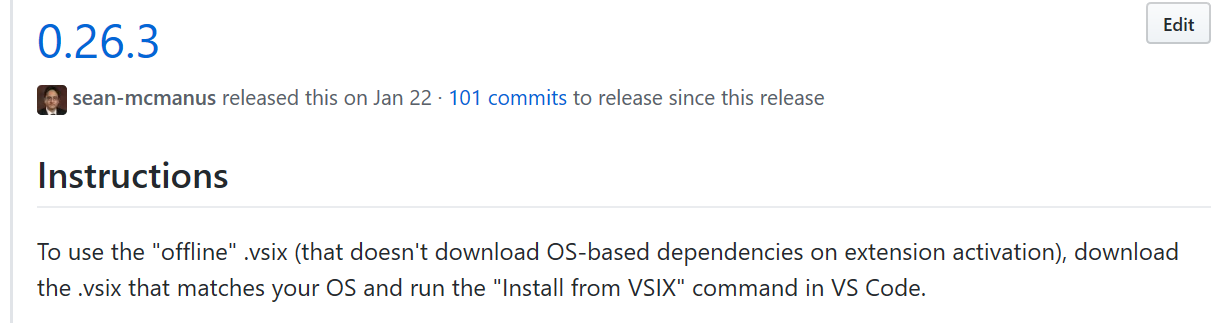
@deepakmn Double-clicking the vsix will cause Visual Studio to try to try to install it (and fail). You'll need to follow the instructions on the release page:
sean-mcmanus
on 27 Mar 2020
Related issues
 peterwoods1
·
3Comments
peterwoods1
·
3Comments
 DemoCrazer
·
3Comments
DemoCrazer
·
3Comments
 jyavenard
·
3Comments
jyavenard
·
3Comments
 SkyRiderMike
·
3Comments
SkyRiderMike
·
3Comments
 arl
·
3Comments
arl
·
3Comments
Most helpful comment
I bet that VS Code still has the old 0.17.3 extension installed and isn't actually installing your VSIX. They really need to add a warning message or something for this.
Can you delete the
%userprofile%\.vscode\extensions\ms-vscode.cpptools-0.17.3folder and retry installing the "offline" VSIX.Also, if you see a
.obsoletefile in%userprofile%\.vscode\extensions, open it and check to make sure that there isn't an entry for our extension in there.