Vscode-cpptools: File indexing does not work with SFTP NetDrive
- OS: Windows 7
- VSCode ver: 1.7.0, 1.6.1
- Extension: ms-vscode.cpptools
- sftp mounted network disk drive: Use SFTP NetDrive to mount a Linux as local disk drive.
- Issue Scenario:
The extension tool works great when the same c project files are located under local hard disk drive.
However, when project folder is located under a 'sftp mounted network disk drive', most of functions
doesn't work. For example, 'go to define', 'symbol search'.... Only 'code formatting' seems working.
It is important to my workflow. I use Windows as working platform to develop Linux software/firmware.
Using a 'sftp mounted network drive' to mount Linux filesystem into Windows, so that I can use Windows tools like VSCode to do the development thing.
Please let me know how to provide more information in order to resolve this problem.
 bluebruce
All 27 comments
Update: The extension tool works fine when using samba mount. Looks like it is SFTP specific or "SFTP NetDrive" specific.
bluebruce
on 9 Nov 2016
I just tried this out using the latest version of the extension using NetDrive on a clone of the Boost source code hosted my Mac and everything appears to work for me.
SFTP is a bit slow so you will need to wait until the red flame icon in the lower right corner goes away before you can expect goto definition, symbol search, etc. to work reliably while we index and parse files. This took several minutes for me on the Boost sources.
I'm going to close this issue as I am not able to reproduce the issue you described. Feel free to reopen it if you continue to have issues and we can look into it further.
 bobbrow
on 7 Jul 2017
bobbrow
on 7 Jul 2017
No. It is still not working. Tested:
- VSCode: 1.13.1
- Extension: ms-vscode.cpptools version: 0.12.0
@bobbrow The NetDrive you tested is not the SFTP NetDrive I tested.
I can't see 'red flame icon'. Looks like the extension doesn't start?.
Please reopen this issue.
bluebruce
on 7 Jul 2017
Yes, I know it's not the same, but unfortunately I can't install SFTP NetDrive because it doesn't have a free or trial commercial license. NetDrive looked like it should be the same thing. Are you able to try NetDrive and see if your issue still exists? When you are looking at your code, do you see the Microsoft.VSCode.CPP.Extension.exe process running in TaskManager or ProcessExplorer?
bobbrow
on 7 Jul 2017
Issue update:
NetDrivetested and works. OnlySFTP NetDrivedoesn't work.- Seeing Microsoft.VSCode.CPP.Extension.exe process running in TaskManager. on Both NetDrive app.
- Both NetDrive app can't see 'red flame icon'. But
NetDriveworks.
@bobbrow SFTP NetDrive has Non-Commercial Use/Personal Free license. Could you please try it?
I know there are different ways to implement virtual drive and maybe cpp extension is buggy under
some kind of condition. NetDrive works doesn't mean SFTP NetDrive is to blame.
Please let me know how can I further help to resolve this issue. Pull debug log? Any guide?
bluebruce
on 12 Jul 2017
I work for a commercial entity, so I can't use the non-commercial user/personal free license. My hands are tied unless someone here buys a license for it. I can try contacting the their sales team for a commercial evaluation version or something.
bobbrow
on 12 Jul 2017
You can enable logging by setting these environment variables and then relaunching VS Code in that environment.
VSCODE_CPP_LOGDIR=c:\path\to\logfolder
VSCODE_CPP_LOGFILE_LEVEL=5
When you launch the extension, a log file will be created that has the process ID for the extension in its name. Feel free to zip up the log and email it to our support email address ("c_cpp_support" @ microsoft . com) and I can see if there is any information in it that will help us debug your problem.
BE AWARE: This log file may contain personally identifying information (e.g. file system paths and file names). Take a look through this log before sending it to ensure that there is nothing in there that you do not want to share with us.
bobbrow
on 12 Jul 2017
BTW, I contacted the sales team for SFTP NetDrive and they asked which company you are with. Do you use the free license, or a paid license? Feel free to send email to the address I posted above if you don't want this information posted on the Internet.
bobbrow
on 12 Jul 2017
The log is short. So, I just post it here:
File exclude (unconditional): **/.git
File exclude (unconditional): **/.svn
File exclude (unconditional): **/.hg
File exclude (unconditional): **/CVS
File exclude (unconditional): **/.DS_Store
File exclude (unconditional): **/.vscode
Search exclude (unconditional): **/node_modules
Search exclude (unconditional): **/bower_components
Search exclude (unconditional): **/.vscode
using the Tag Parser
using the Tag Parser
File exclude (unconditional): **/.git
File exclude (unconditional): **/.svn
File exclude (unconditional): **/.hg
File exclude (unconditional): **/CVS
File exclude (unconditional): **/.DS_Store
File exclude (unconditional): **/.vscode
Search exclude (unconditional): **/node_modules
Search exclude (unconditional): **/bower_components
Search exclude (unconditional): **/.vscode
message_handler::parse_root()
    message_handler::parse_root() -- done searching for files.
message_handler::parse_root()
    message_handler::parse_root() -- done searching for files.
textDocument_hover(): [274, 26]
textDocument_hover(): [274, 20]
textDocument_hover(): [274, 13]
textDocument_hover(): [274, 13]
textDocument_hover(): [274, 13]
textDocument_hover(): [274, 13]
textDocument_hover(): [274, 13]
textDocument_hover(): [274, 13]
textDocument_hover(): [274, 13]
textDocument_hover(): [274, 13]
textDocument_hover(): [274, 9]
textDocument_hover(): [274, 12]
textDocument_hover(): [227, 24]
Comparing to a working log, the cpp_extension doesn't do tag parsing after parse_root().
BTW#1, I'm using a personal free license.
BTW#2, I can see the 'red flame icon' using NetDrive. It appeared in a very short time.
bluebruce
on 13 Jul 2017
I got a license from the sales team but I don't reproduce your issue. There is additional logging we can take a look at if you set the log level to 7 instead of 5. This will create a much larger log, but should hopefully give us a better idea of how far we are getting with each file. I see a bug in our logging that put one error message at level 7 instead of 1, so you would need to enable log level 7 to see it.
One other thing to note is that hopefully your browse database is being created on your Windows PC, instead of on the hosted drive (for performance reasons). You can check the "browse.databaseFilename" property to see where it is being stored. If it is blank, then we should be creating it on the Windows PC, so you should be ok in that case.
bobbrow
on 14 Jul 2017
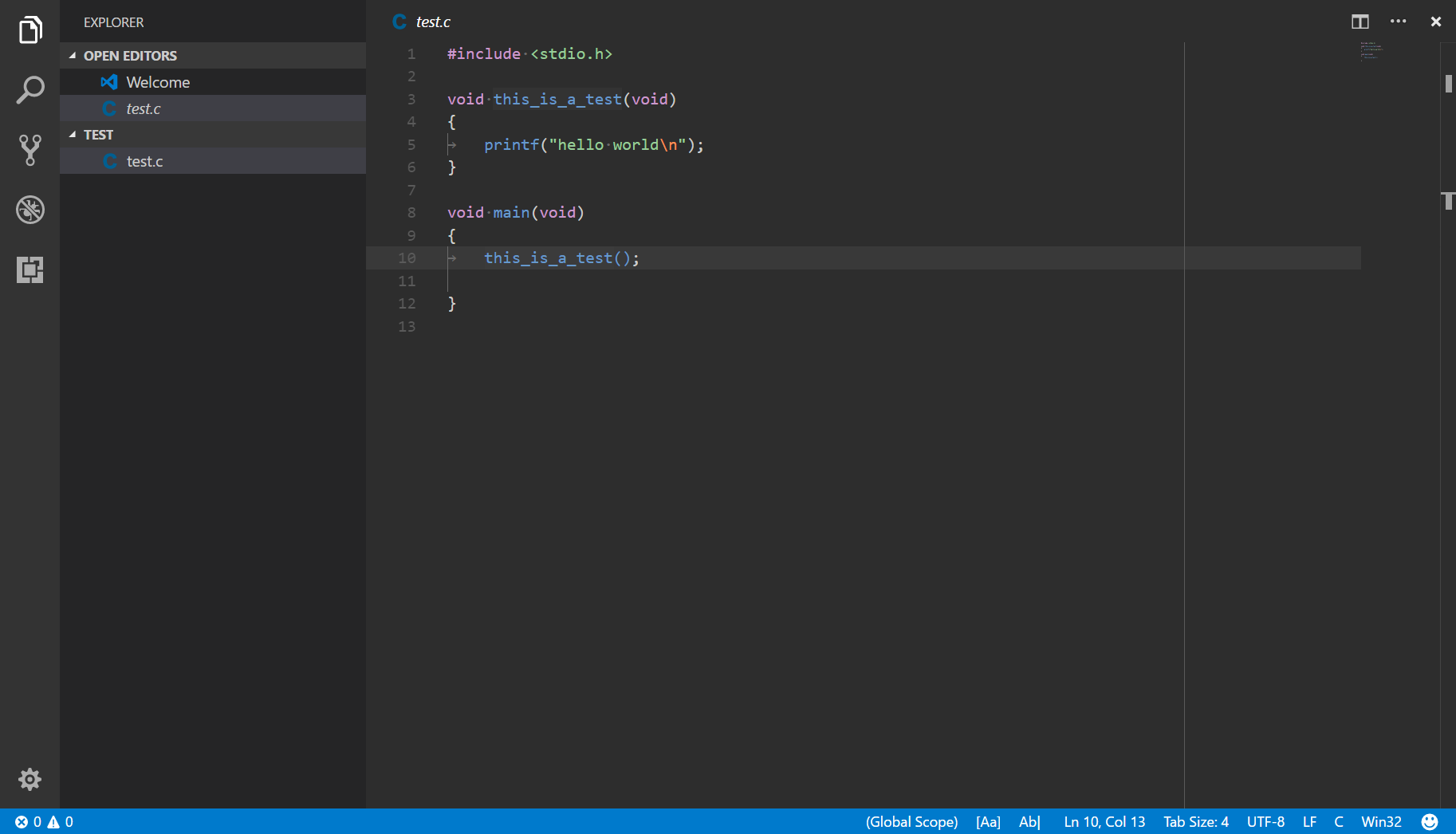
I'm attaching following information:
- vscode.cpp.log.11904.txt : log file with level set to 100
- SftpNetDrive_*.png: SFTP NetDrive advance settings and version information.
- folder.png: The folder s:/tmp/test/ and content I mounted.
- test.c.png: The .c file I tested.
I didn't create any .vscode/ folder or cpp .json configure file.
I tried to create a default configure file under the code folder, but it doesn't help.
I tried a Windows7 PC and a Windows10 NB. Both having the same issue.
It is a surprise that @bobbrow using the same tool without hitting my problem.
Should I try the latest version of SFTP NetDrive?!


bluebruce
on 15 Jul 2017
Using your settings I was able to reproduce the issue in 0.12.0. The good news is that it appears we have already fixed whatever was causing this, since I'm not seeing the issue in 0.12.1. We plan to release an update today (tomorrow at the latest) and you can let us know if that resolves your issue.
bobbrow
on 17 Jul 2017
@bobbrow Great! Could you let me know 'which' setting cause this problem? Is there a way to avoid this problem in 0.12.0? I can double confirm it and try it when next time something break.
Thank you very much.
bluebruce
on 18 Jul 2017
The setting that was different was I used the User's home folder instead of the Server's root folder. I'm not sure why that would have made a difference. I also deleted and re-created the IntelliSense database, so it could also have been that the folder I was testing wasn't in a "clean" state to reproduce the issue originally.
We didn't get our update out today, but plan to resolve the remaining issue with the update tomorrow.
bobbrow
on 18 Jul 2017
Change to 'User's home folder' makes no difference in my environment. Looks like 're-create IntelliSense database' is the key.
bluebruce
on 18 Jul 2017
Our update is out as of yesterday. When you get a chance, please let me know if it fixes your issue.
bobbrow
on 20 Jul 2017
Unfortunately, problem doesn't resolved. :(
Re-create IntelliSense database doesn't help, either. (I double confirmed that the database is recreated.)
I'm attaching the log for your reference.
bluebruce
on 20 Jul 2017
Thanks for your patience on this one. We discovered a discrepancy in how we build and package the extension for release versus how we build and test it locally. I'm working on updating our build server and I'll mark this issue as fixed when I confirm that this is indeed the issue. I believe this explains why I reported the issue was fixed when I was testing it locally, yet the update we published still didn't work.
bobbrow
on 27 Jul 2017
I updated the build server and verified the package. Our next release should have the fix.
bobbrow
on 27 Jul 2017
We released the fix yesterday. Please install version 0.12.2.
bobbrow
on 4 Aug 2017
Pity. Still not working?! @bobbrow I updated 0.12.2 ==> not working. Renamed database ==> still not working.
Please re-open this bug.
bluebruce
on 4 Aug 2017
Sure, Bob can look at this tomorrow (I'm not sure how he tested it). I looked over the build process and the build machine and I don't see anything that went wrong in that regards. It's possible something else regressed the bug after he verified the fix.
 sean-mcmanus
on 4 Aug 2017
sean-mcmanus
on 4 Aug 2017
:cry:
Sigh... I updated the CI build definition and tested with that. I forgot to update the Release build definition. Now it's fixed for real.
bobbrow
on 4 Aug 2017
@bluebruce By "now it's fixed", Bob means it'll be fixed in our next release (planned for the 14th, unless we have enough reason to change that).
sean-mcmanus
on 5 Aug 2017
Thanks! @sean-mcmanus and @bobbrow. I will re-test and report once I get the update.
bluebruce
on 7 Aug 2017
@bluebruce We rebuilt our binary and updated the fwlink to point to the new one, so you can get this fix via one of the following methods:
- Uninstall/install the C/C++ extension (which is the same as an update).
- Deleting the extension install.lock file and the bin folder and opening a C++ project to download the new binaries.
- Manually downloading/replacing the bin files from https://download.visualstudio.microsoft.com/download/pr/11070849/5f5c178b92cafac67353bf3d3cde9ed1/Bin_Windows.zip .
sean-mcmanus
on 9 Aug 2017
Confirmed. Problem resolved. Thank you.
bluebruce
on 21 Aug 2017
Related issues
 peterwoods1
·
3Comments
peterwoods1
·
3Comments
 narutse
·
3Comments
narutse
·
3Comments
 jyavenard
·
3Comments
jyavenard
·
3Comments
 vicatcu
·
3Comments
vicatcu
·
3Comments
 ismadelgad11
·
3Comments
ismadelgad11
·
3Comments